


It has to be said that although functions such as long screenshots are not supported hundreds of years ago on many third-party Android brand mobile phones. However, being able to use this feature on Pixel phones or more native Android phones is also a very good improvement. It’s just that when Android 12 was officially updated, it was so convenient “Expand screenshot range” function, I didn’t expect that it would lack support in the original Chrome browser (super weird). Although the reason for this may not be clear, at least we are sure that this feature is already supported in Chrome through the latest update. Continue reading Finally, Chrome officially supports long screenshots in Android 12! Report text.
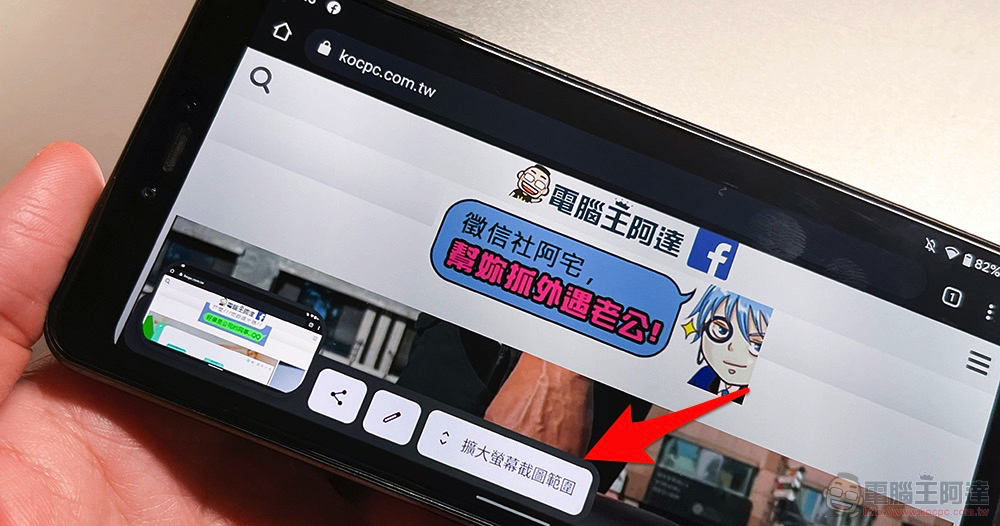
Finally, Chrome officially supports long screenshots in Android 12!
As the Android 12 update comes to more phones, I believe many people have begun to enjoy the various new features and easy-to-use interface of the new system. However, the function of taking a long screenshot/expanding the screenshot range, which is supposed to be very convenient and easy to use, unexpectedly cannot be directly supported on the Chrome browser, which is also puzzling – after all, it is an original application! Fortunately, this situation has been confirmed to have been resolved in versions after Chrome 96.
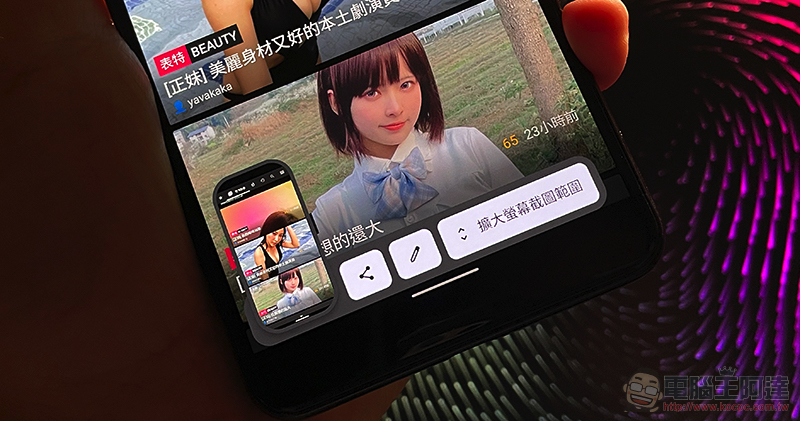
If you want to use the built-in long screenshot function in Android 12, basically the steps to use it are exactly the same as normal screenshots. Whether it is through the quick toolbar or after long-pressing the “Power button” + “Volume down” button. In supported applications (now including Chrome), a button to “expand the screenshot range” will appear – as shown in the picture above, there should be so many words that you can’t read it wrong or miss it, right?
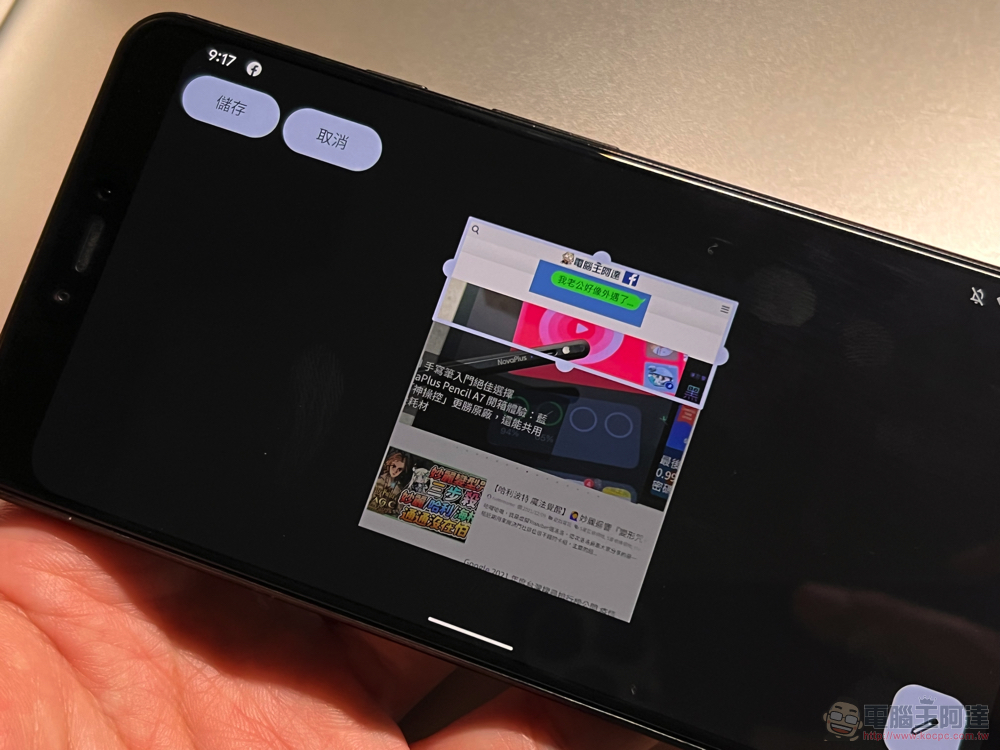
After clicking, you will enter the interface for selecting a longer range. That is, relative to similar functionality in other systems. Although the long screenshots of Android 12 do allow you to select more page ranges, there is no scrolling option to continue “exploring” new page content – you may still have to look for third-party applications.
However, you can now use the built-in function to take larger-scale screenshots, and now it also supports the Chrome browser, which is really quite convenient! Give it a try!
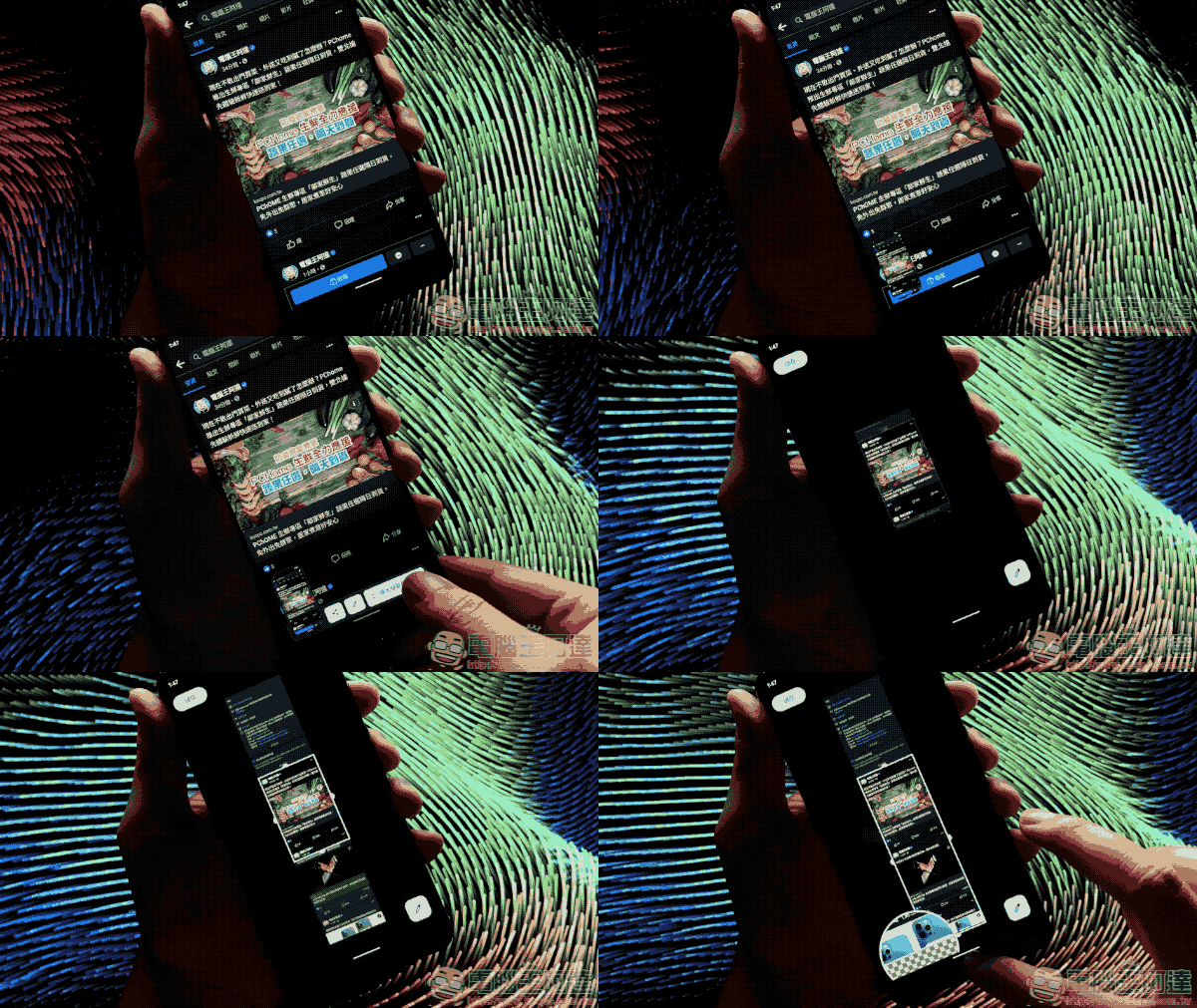
Pictures/sources cited in this article
Further reading:
Source: KOCPC Chinese