


In recent years, the short video trend has emerged. In addition to Tiktok, Instagram and Facebook all have exclusive straight short video functions. Today (25th), LINE also officially announced that it has officially renamed and upgraded “LINE Post Stream” to “LINE VOOM”, a video and audio creation community platform. Allow video creators who love to share their daily life to express their creativity in LINE VOOM, and combine it with LINE to share LINE VOOM’s video creations with more people.

▲Image source: LINE
LINE VOOM officially launched in Taiwan: LINE post string transformed and upgraded into a video and audio creation social platform
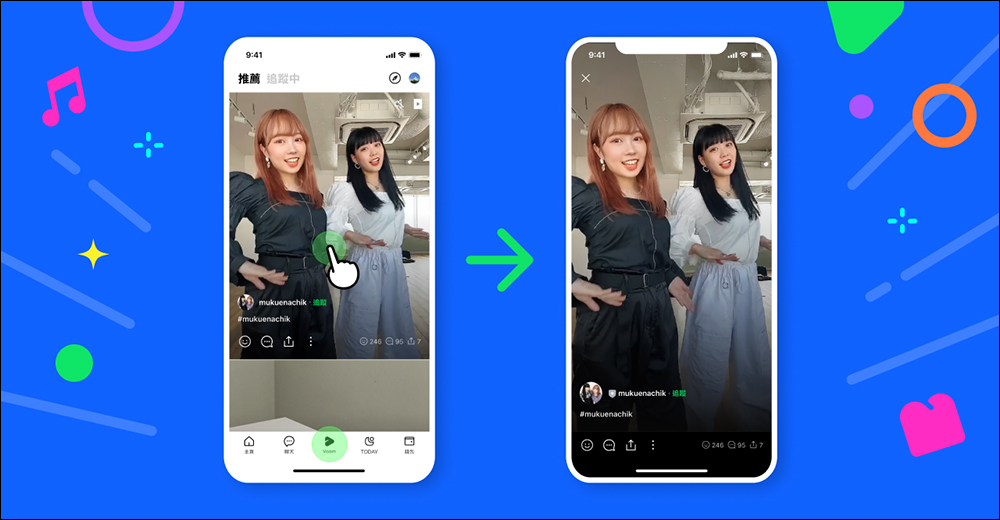
Starting today (25th), LINE VOOM is officially launched, replacing the original LINE post string and becoming a richer video and audio creation platform. The LINE VOOM recommendation homepage recommends video and audio content that matches the user’s interests based on the user’s viewing history, such as comedy, travel, dance, cute pets, or food.

▲Image source: LINE
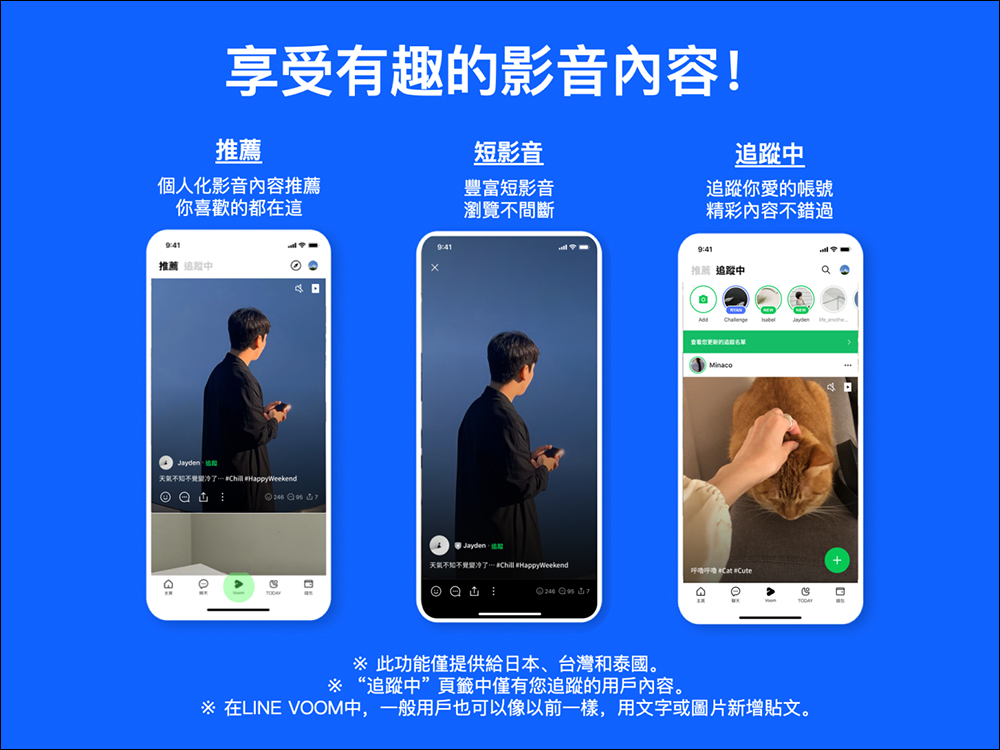
The newly revised LINE VOOM interface provides two tabs in the upper left corner, “Recommended” and “Following” that users can switch freely. The “Recommended” homepage will recommend audio and video content suitable for the user, and the “Following” page will display the video and audio content that the user has followed friends, creators or specific brands.
▲Image source: LINE
▲Image source: LINE
Since LINE VOOM was first launched for the Android version, the iOS version is expected to be updated to add this feature before the end of this year (2021). If iOS users want to experience the functions of LINE VOOM in advance, they can first use LINE VOOM web version (click here to go)to operate.
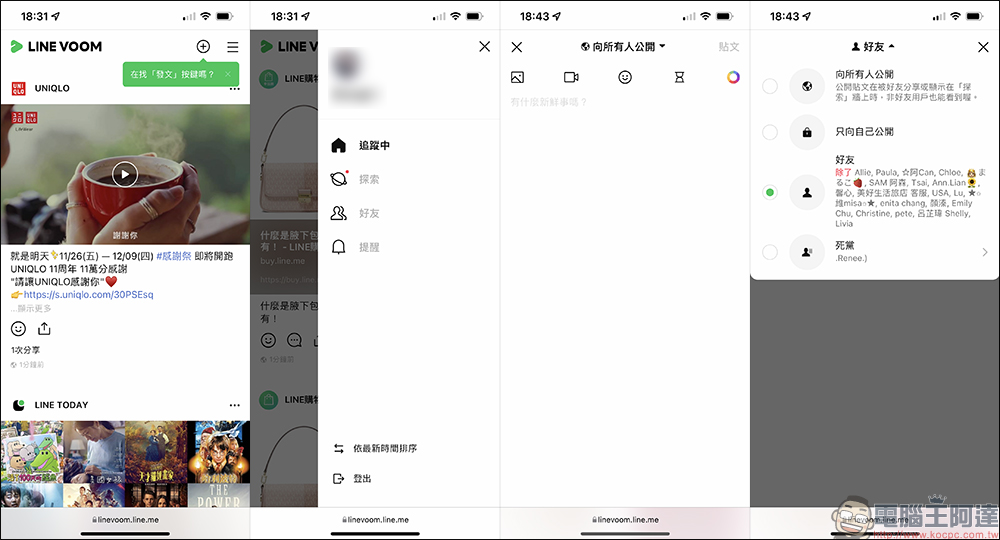
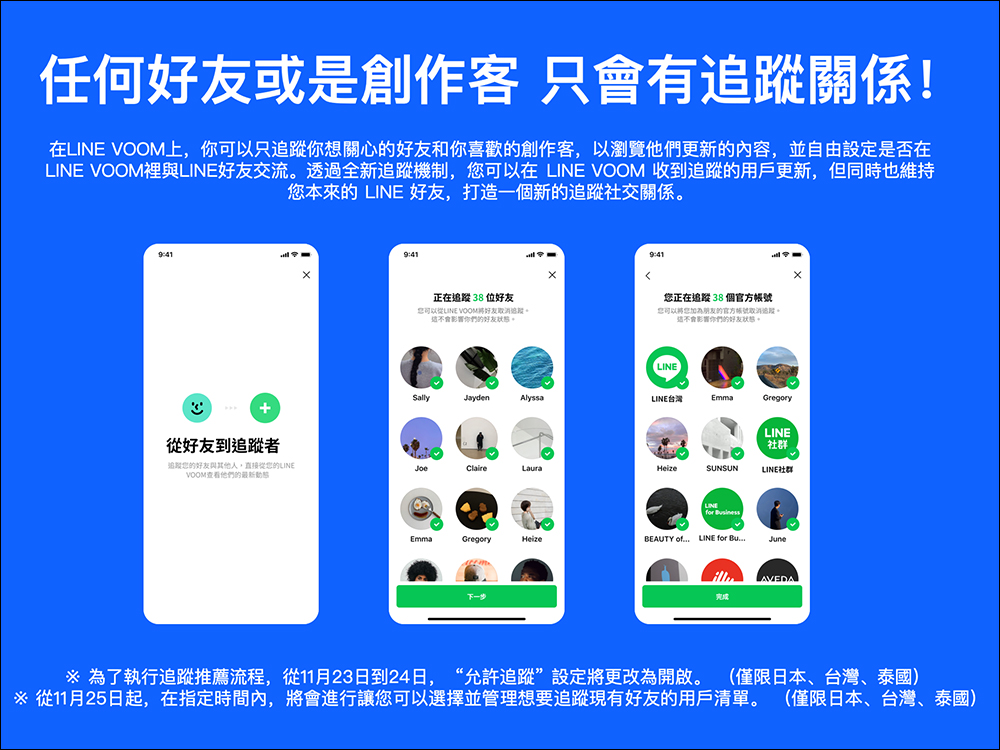
On the LINE VOOM platform, users will have a “tracking” relationship. Users can only follow the friends and creators they want to follow to browse their updated LINE VOOM updates.
▲Image source: LINE
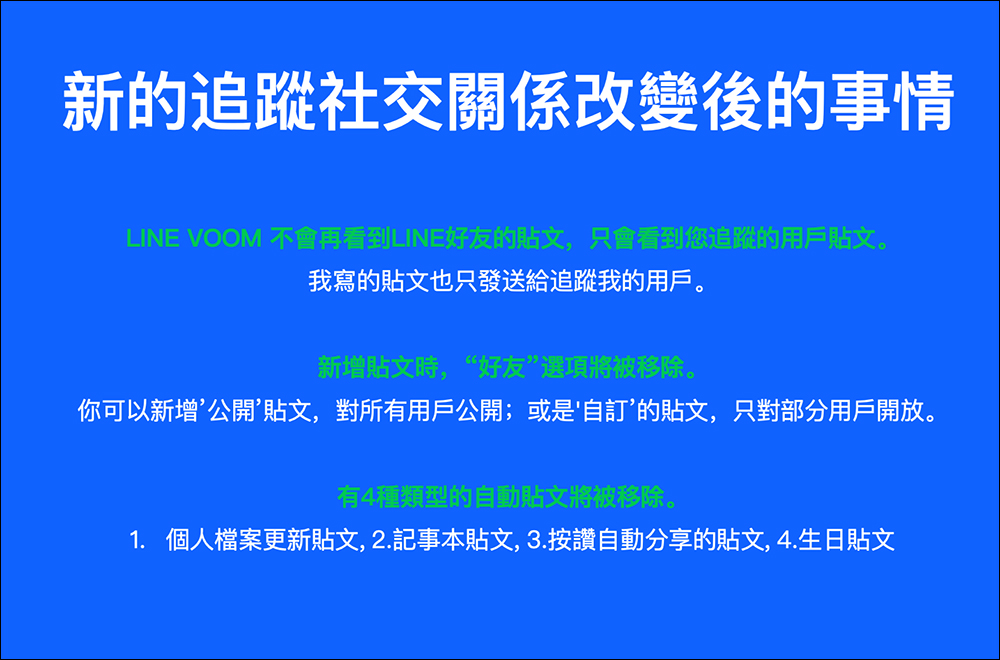
▲Image source: LINE
How do I turn off tracking?
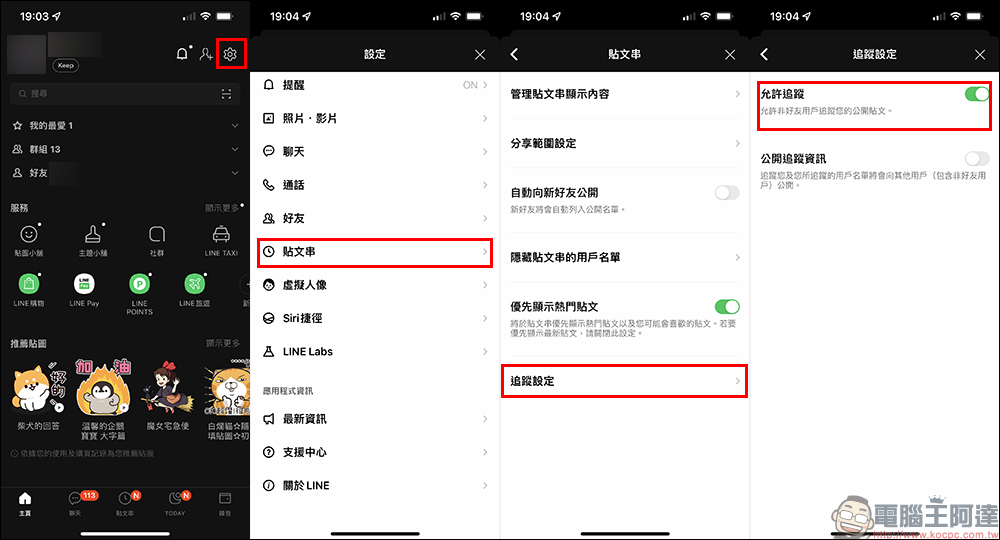
Currently the LINE system will「Automatically turn on “Allow Tracking”Settings, users who are not friends will be able to track their own public posts. For example, posts whose original LINE post string is set to public and public posts set by LINE VOOM can be viewed by other users who are not LINE friends, and can also be tracked through the post. However, although the default is “Allow Tracking”, the privacy settings of each past post will not be changed.
If you want to adjust the “Allow Tracking” setting, just open LINE and click “Settings” on the homepage, then select “Post Strings” > “Tracking Settings” to turn off “Allow Tracking”.
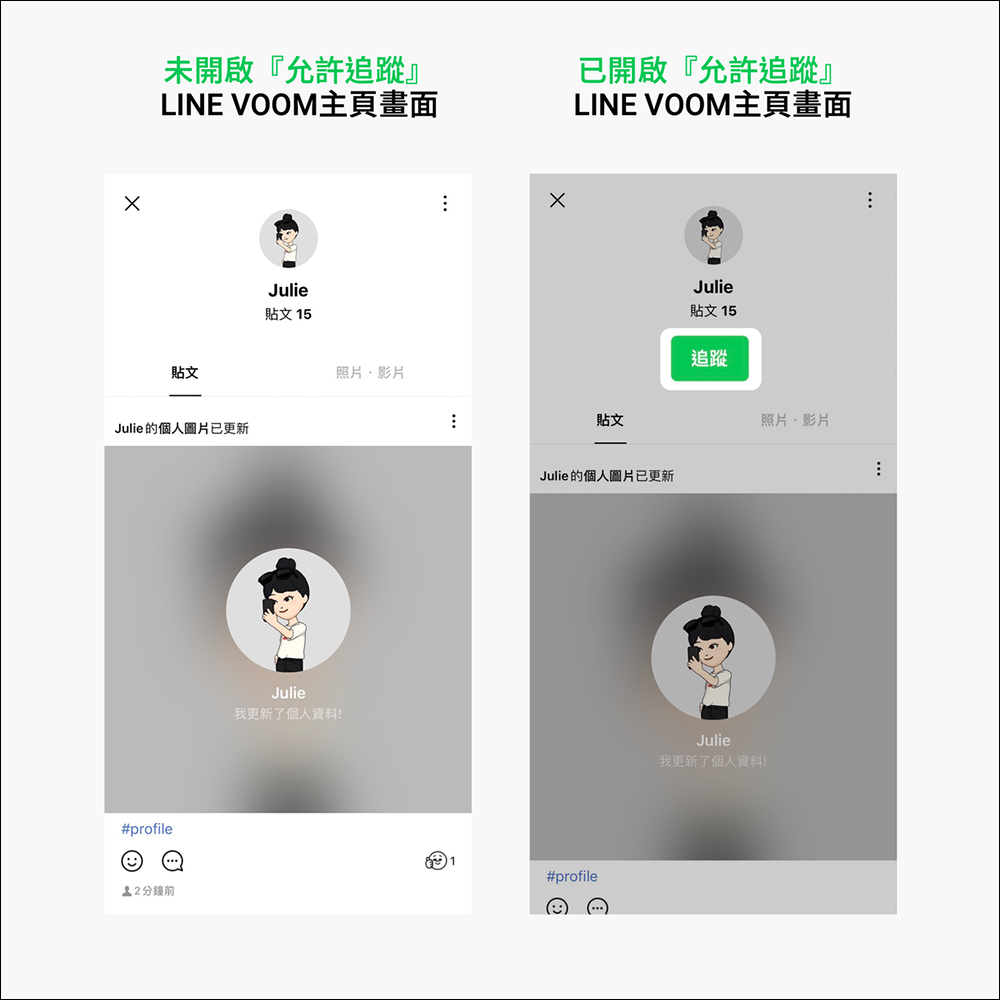
If tracking is not enabled, there will be no “Track” button on the LINE VOOM homepage. If “Allow tracking” is turned on, the tracking button will be displayed on the LINE VOOM homepage.
▲Picture source:LINE Taiwan official BLOG
- LINE VOOM official account:Click me to add friends
- LINE VOOM official link:Click here to go
Source: LINE
Further reading:
LINE Backup’s new official lazy package: chat history backup tutorial applicable to both iOS and Android
Source: KOCPC Chinese