


LINE PAY Everyone knows that it is a payment tool, but LINE grabs the group Many people probably haven’t used it yet. This revision has more complete functions. Users can initiate group buying activities by themselves as long as they are in the LINE group. In addition to customizing the group’s products, names, and items, this group buying activity can also open group members’ editing options, fill in notes, preview, etc. After the group buying activity is over, you can also directly view the group purchasers, the number of group purchase products, the total amount of group purchases, participants in the group purchase, etc. Finally, the settlement amount of these functions can be through LINE Pay Money Or pay LINE Bank to the leader of the group, so that the money collected for group purchases or afternoon tea is easier to manage, and the group leader who is not the leader often fails to receive the money or forgets it.
Introduction to the new features of LINE Grouping
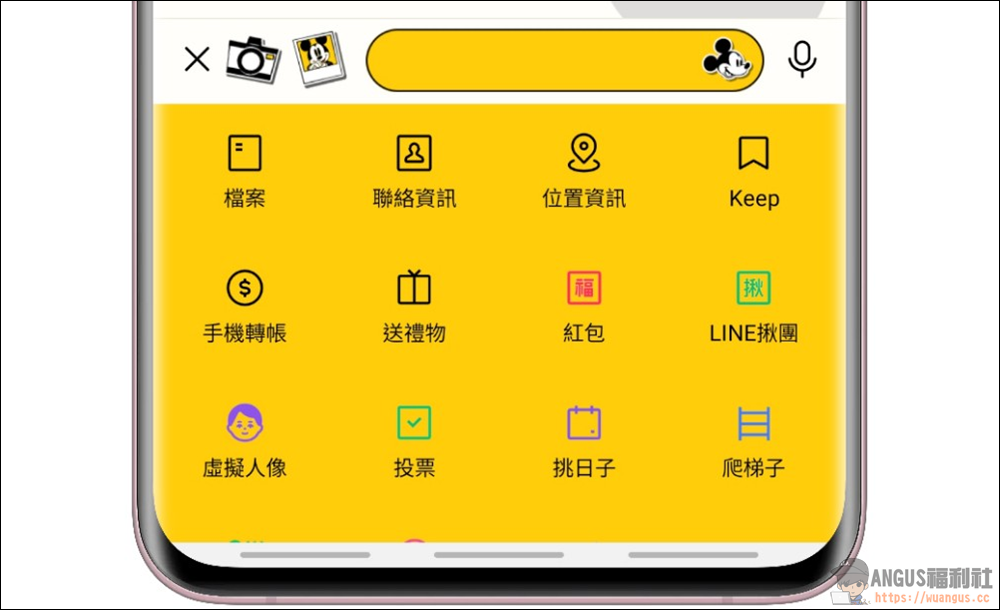
Turn on LINE group chatting function
LINE Group Chat Function As long as you open the function menu in the group chat room window, you can see the “LINE Group Group” function.
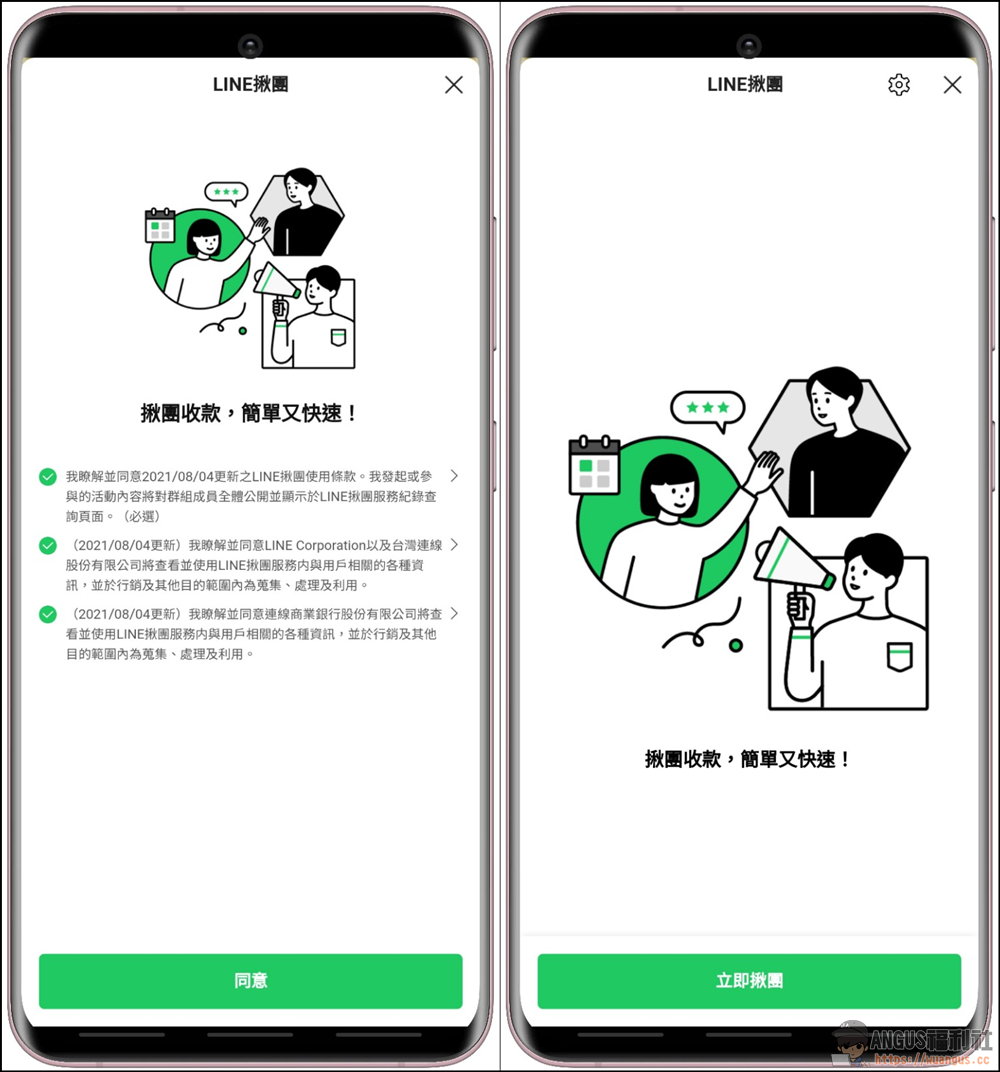
Before using the group grabbing function, you need to agree to some terms of use, and then you can proceed with the “join group grabbing immediately” function.
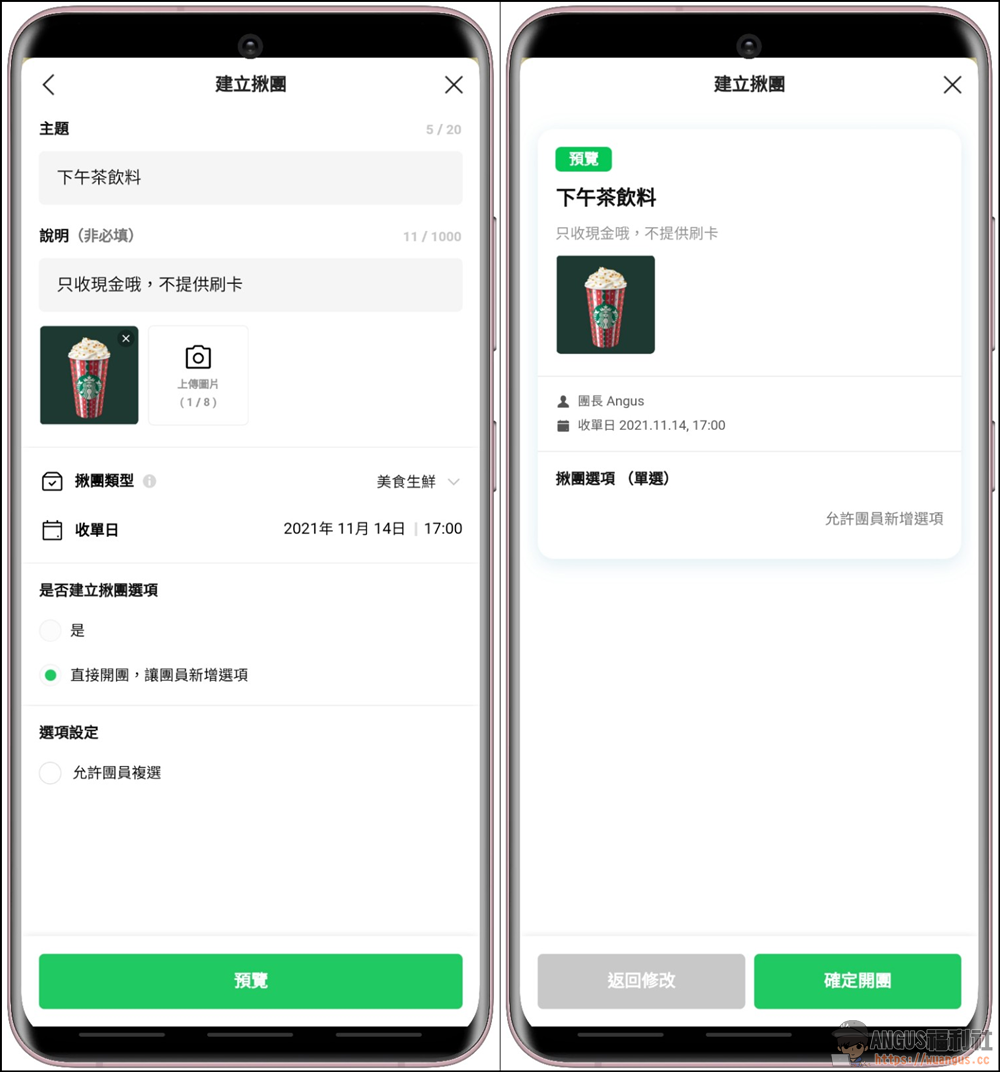
Create group activities
The details of setting up a group are very simple. The group leader only needs to enter the theme, picture, type of group, end date of the group, whether to add new options to group members, etc… After setting the information, you can directly click “Preview” to display it. After confirming that everything is OK, you can “Confirm to start the group”.
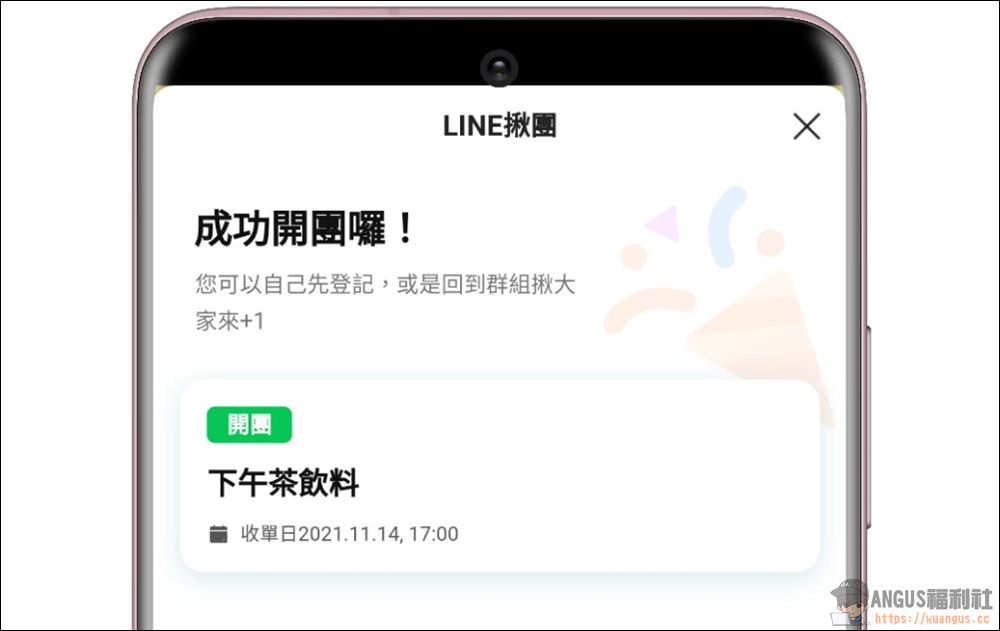
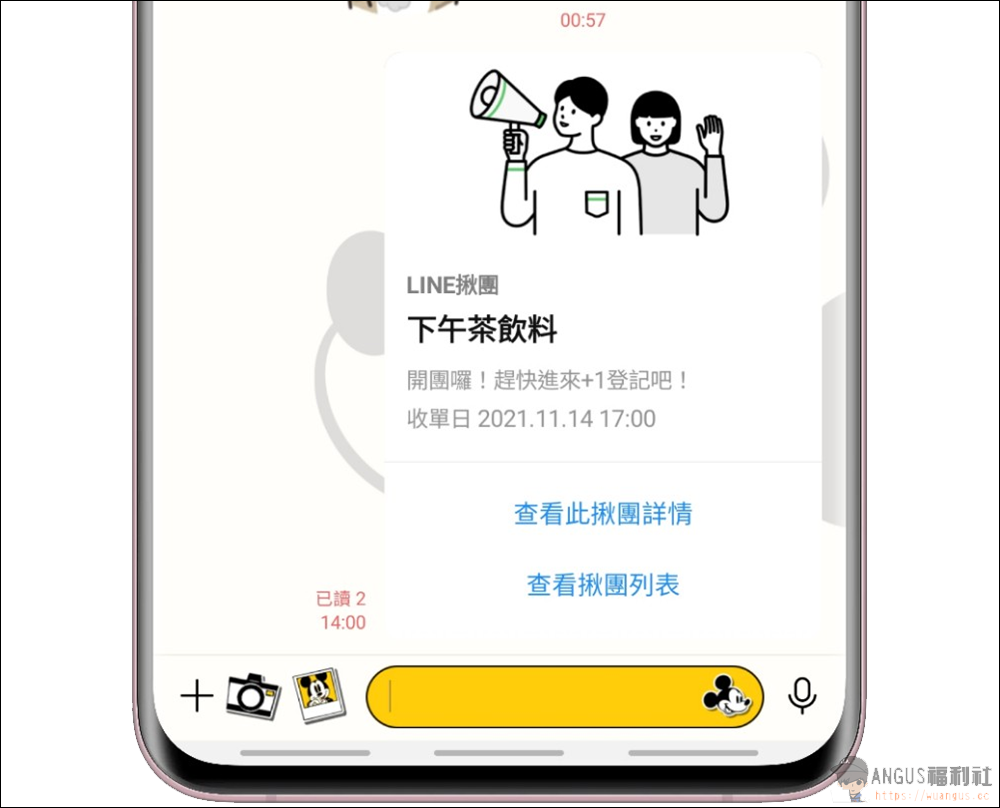
If the group activity is successfully started, you will see the activities of the group leader. In the LINE chat room window, you will see that the group activity has been established, and you can directly enter the activity to make group purchases.
Update LINE group grabbing event
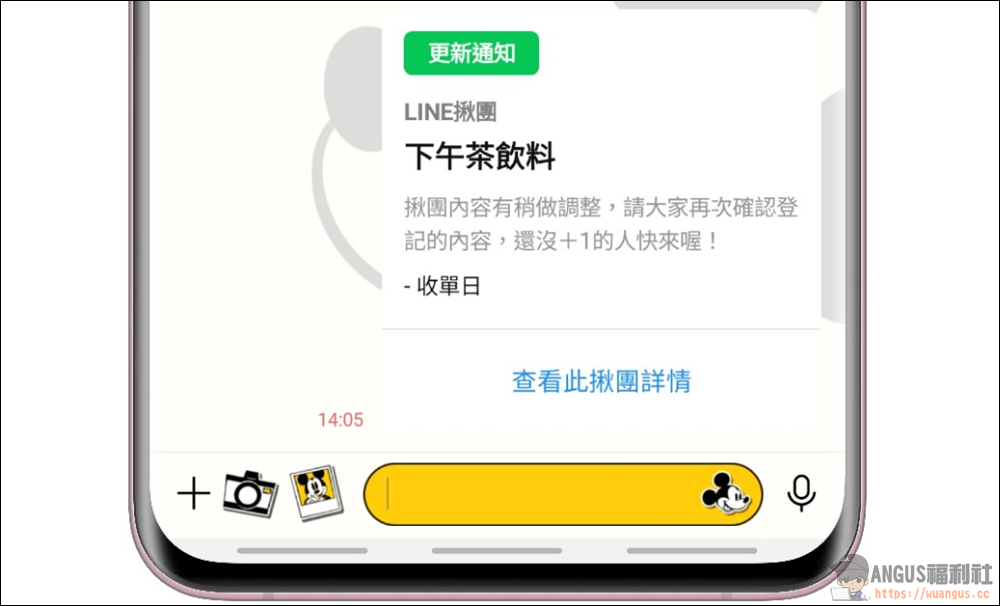
If there are any changes or updates to the group activities, a notification window will pop up to let the group members know, so that they will not miss the group information.
LINE Group Checkout/Payment
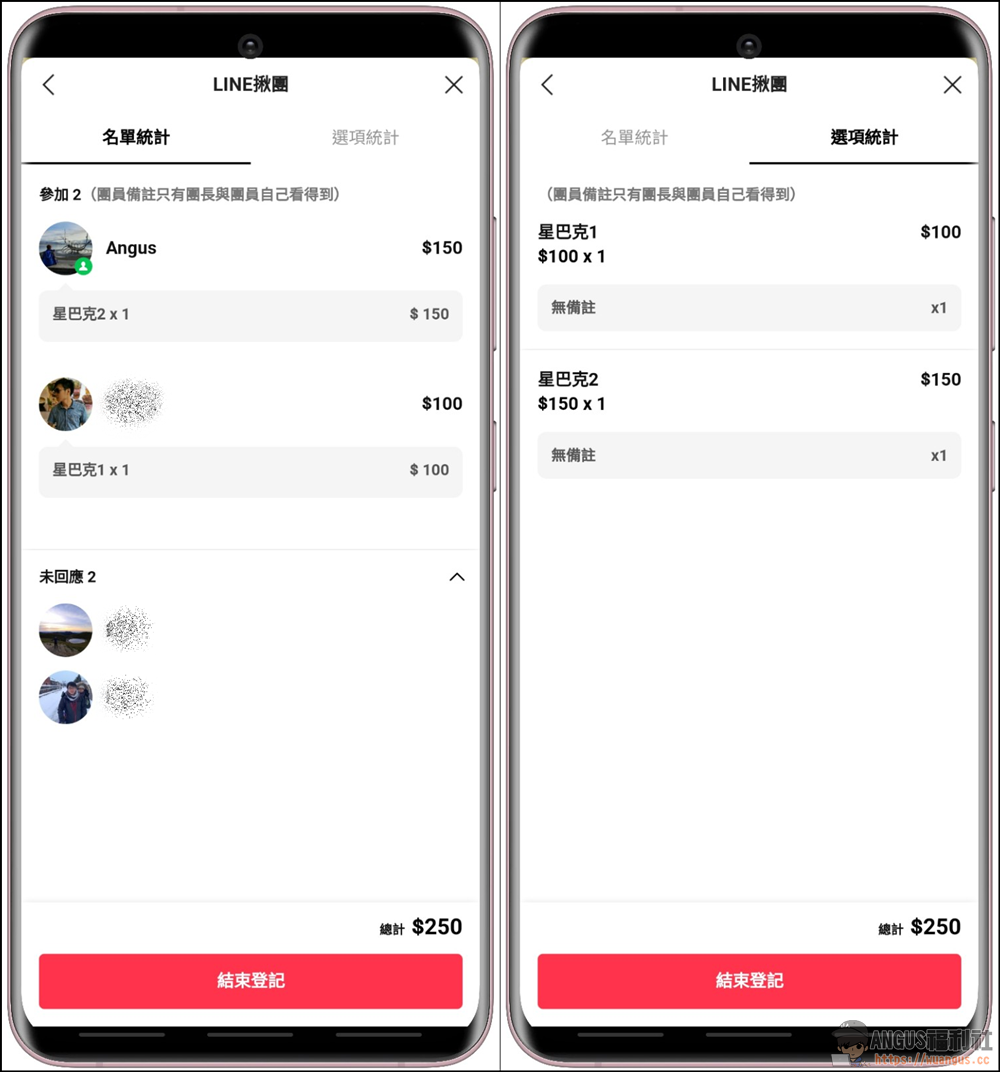
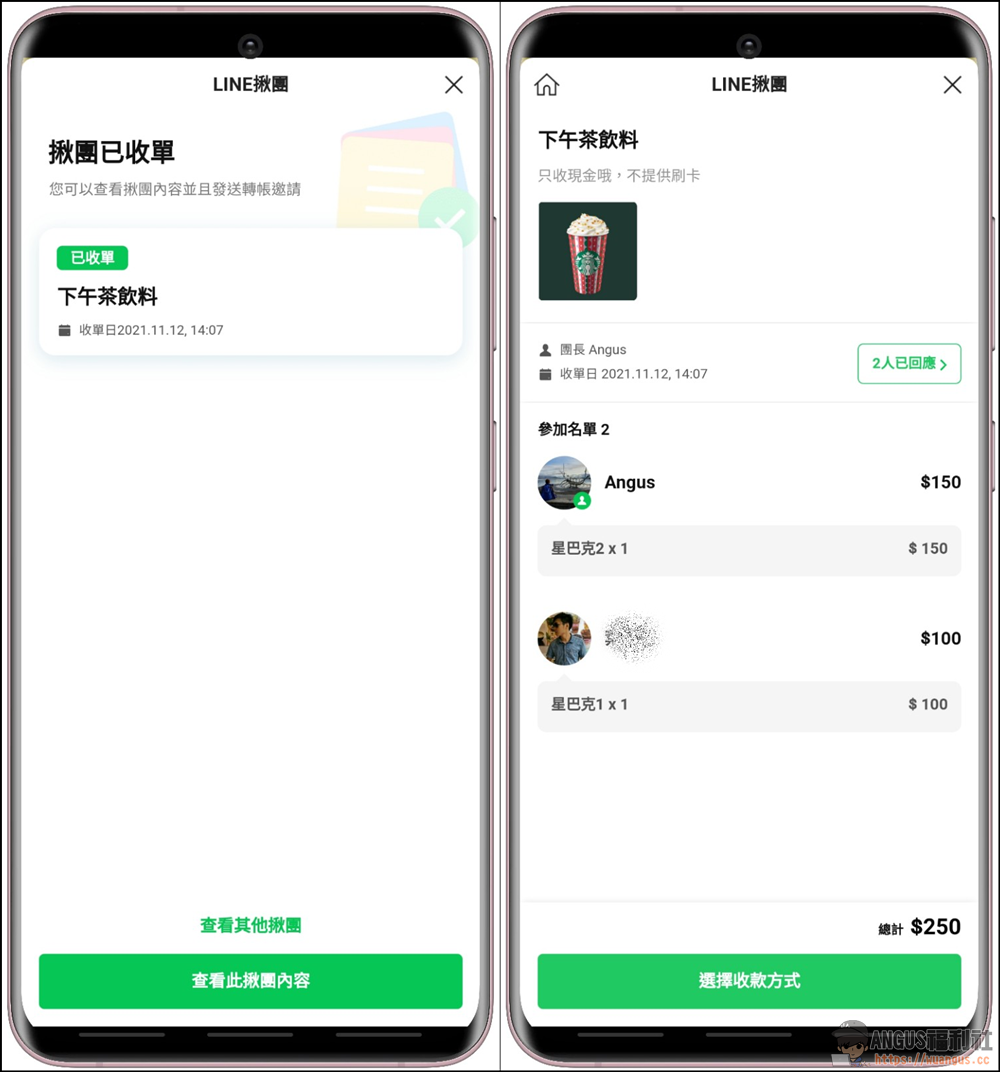
If the group activity is over, you can also view all participants, product quantity, product amount statistics, etc. through the two pages of “List Statistics” and “Option Statistics”…
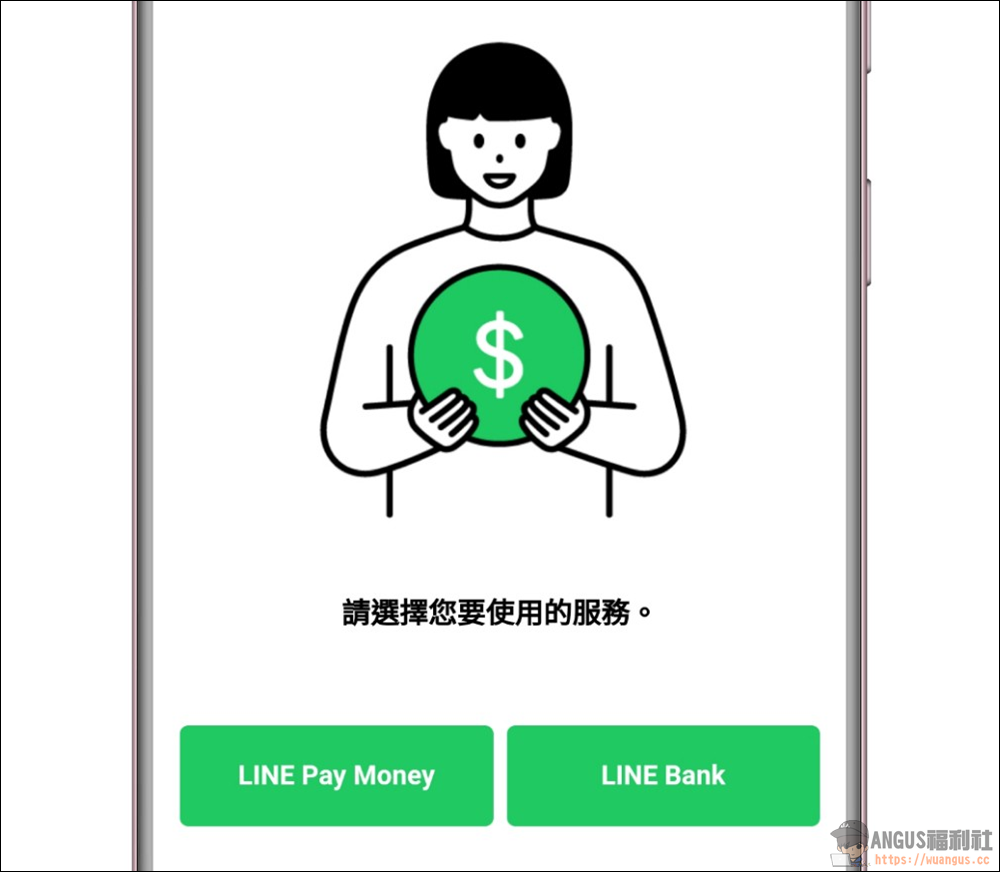
Pay via LINE Pay Money or LINE Bank
The most troublesome part of buying things in a group is collecting money. The biggest fear of the group members is probably not receiving the money. Now LINE Group has integrated the payment function for the group members. That is, through the function of LINE Pay Money or LINE Bank, you can directly ask the group purchasers in the group to pay the amount to you, which makes collecting money super convenient and fast.
If you are a user who has not tested this software, be sure to try this convenient function. I believe everyone will like to use this function more and more in the future!
Source: KOCPC Chinese