


Microsoft is the leading software developer on Android, and there is actually nothing wrong with this argument. Many of Microsoft’s useful software and services are now available on mobile phones. Microsoft has even designed an input method app “SwiftKey” specifically for Android. After years of updates and maintenance, this input method now supports famous multi-language input methods including Traditional Chinese. But as an input method, Microsoft still came up with a killer application, which is to give SwiftKey the ability to synchronize clipboards remotely. This function will directly correspond to the current Windows 10/11. As long as you log in to your Microsoft account on your computer, turn on the clipboard synchronization function, install SwiftKey on your phone and set up the function, you can copy and paste text between Windows and Android. For players who have this need, it is equivalent to opening a convenient door:
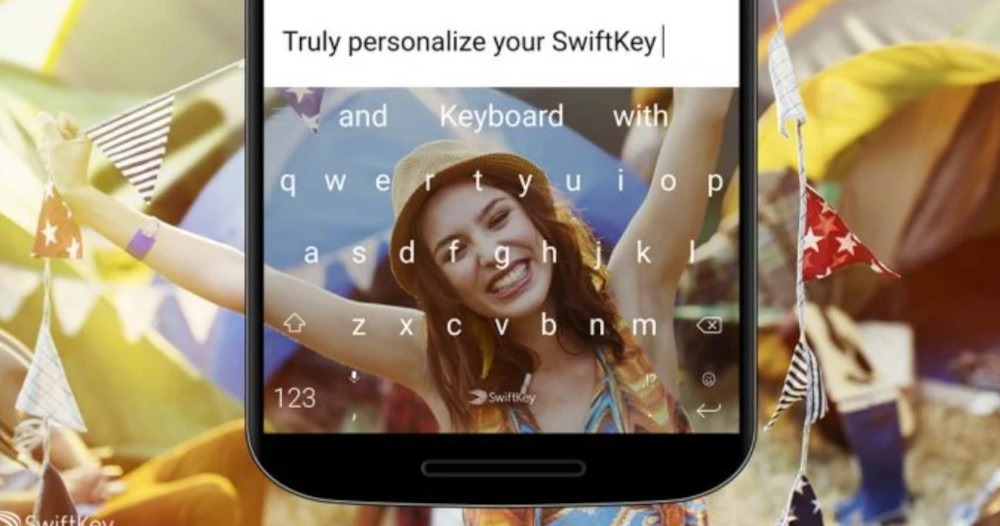
▲Microsoft SwiftKey is an input method software suitable for Android and iOS (Image source)
There are many popular input method apps on Android, and Microsoft’s own SwiftKey is one of them. Recently, Microsoft launched a new feature update for SwiftKey. As long as you upgrade the App version to 7.9.0.5, you can get a very useful feature for many users, which is clipboard synchronization. After setting up, users can easily copy a piece of text from Windows and then paste it into any text input interface on an Android phone or tablet through SwiftKey, and vice versa.
This feature has actually been in preparation for several months. It was previously unveiled in the SwiftKey beta version, but now it is launched in the stable version of SwiftKey. There is a prerequisite for this function, that is, you must log in to the same Microsoft account whether on Windows or SwiftKey to perform synchronization operations. In addition, SwiftKey currently does not enable this synchronization function by default. You must enter the settings screen to adjust the settings after installing the app in order to enable the clipboard synchronization function.
The steps to enable it are very simple. First, for Windows 10, users must go to the system settings to turn on the clipboard synchronization function. Considering that the setting interface of Windows 11 is roughly the same as that of Windows 10, the introduction here is mainly based on the Windows 10 version:
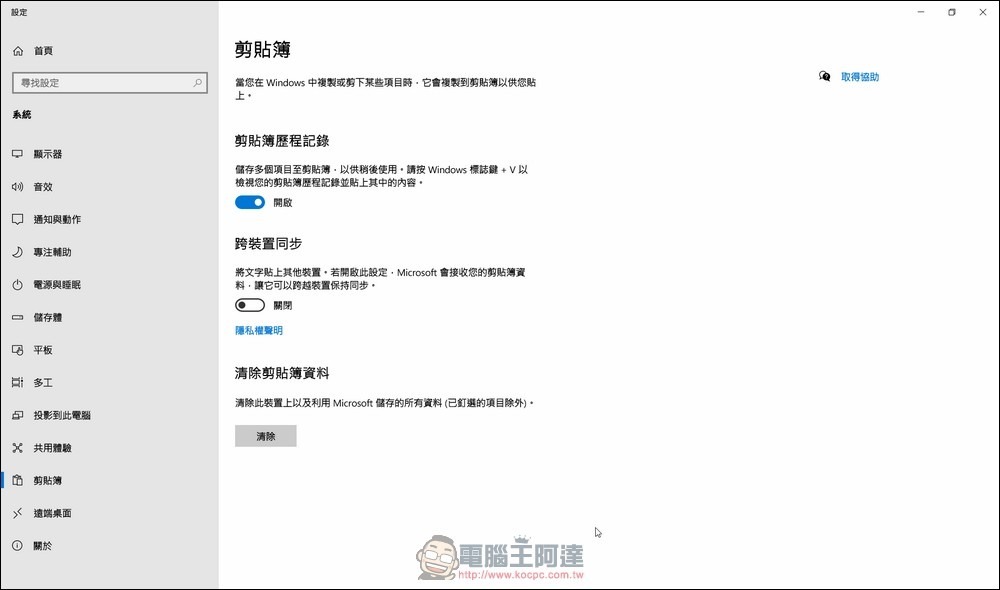
▲Enter the system screen settings, find “System” and click in it, then find the third-to-last “Clipbook” in the options on the left and click in, you can see the screen above
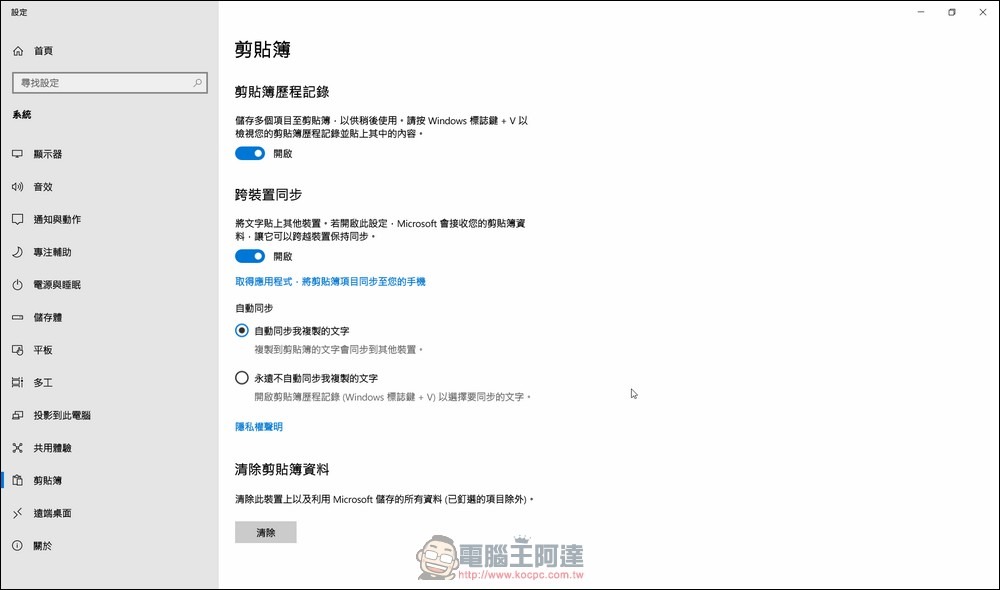
▲The thing to do is very simple, which is to turn the switch under “Cross-device synchronization” from off to on. In the “Automatic Sync” section below, check whether “Automatically synchronize text I copy” is checked. After confirmation, the computer settings are completed.
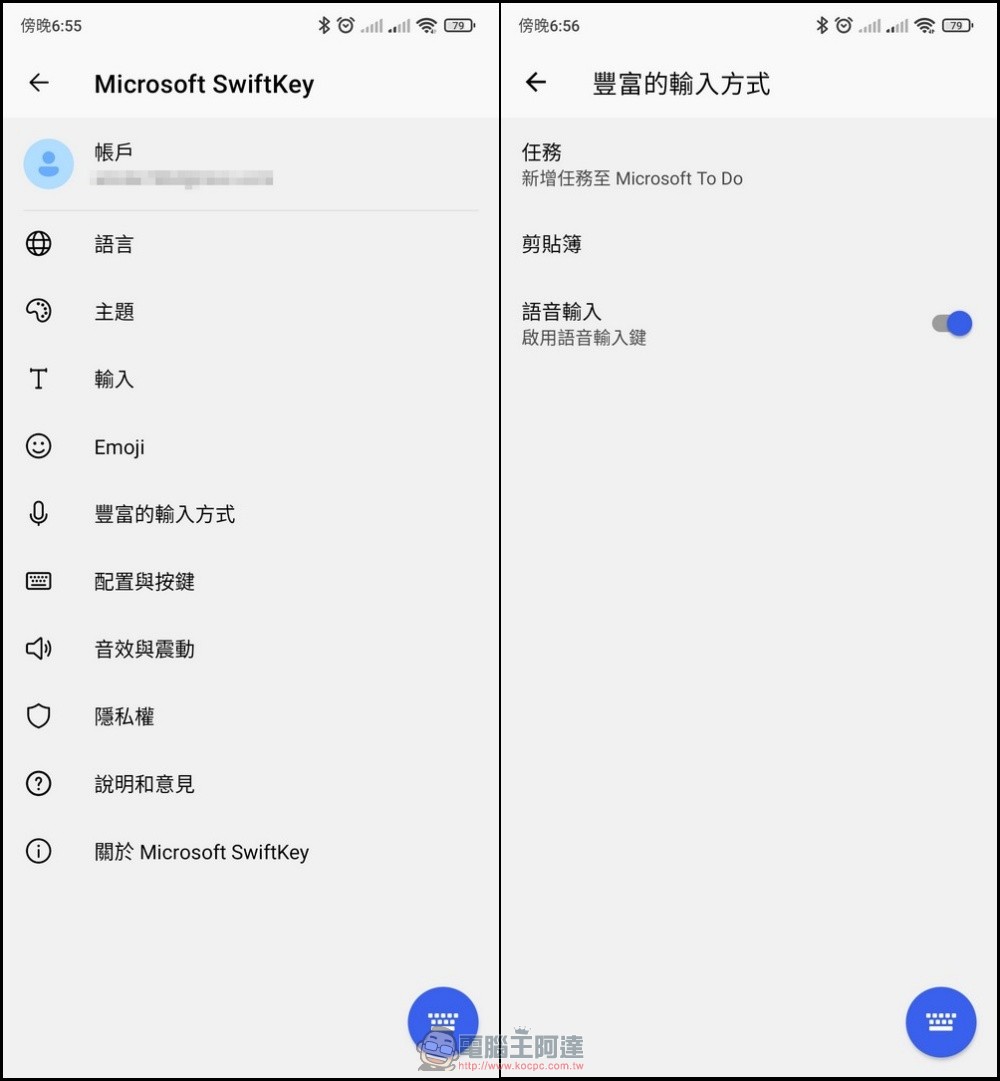
▲First install SwiftKey on your phone. Click on the icon to see the settings screen. Select “Rich input methods” to see the screen on the right. You can find the words “Scrapbook” in the screen on the right. Click on it to see the screen below.
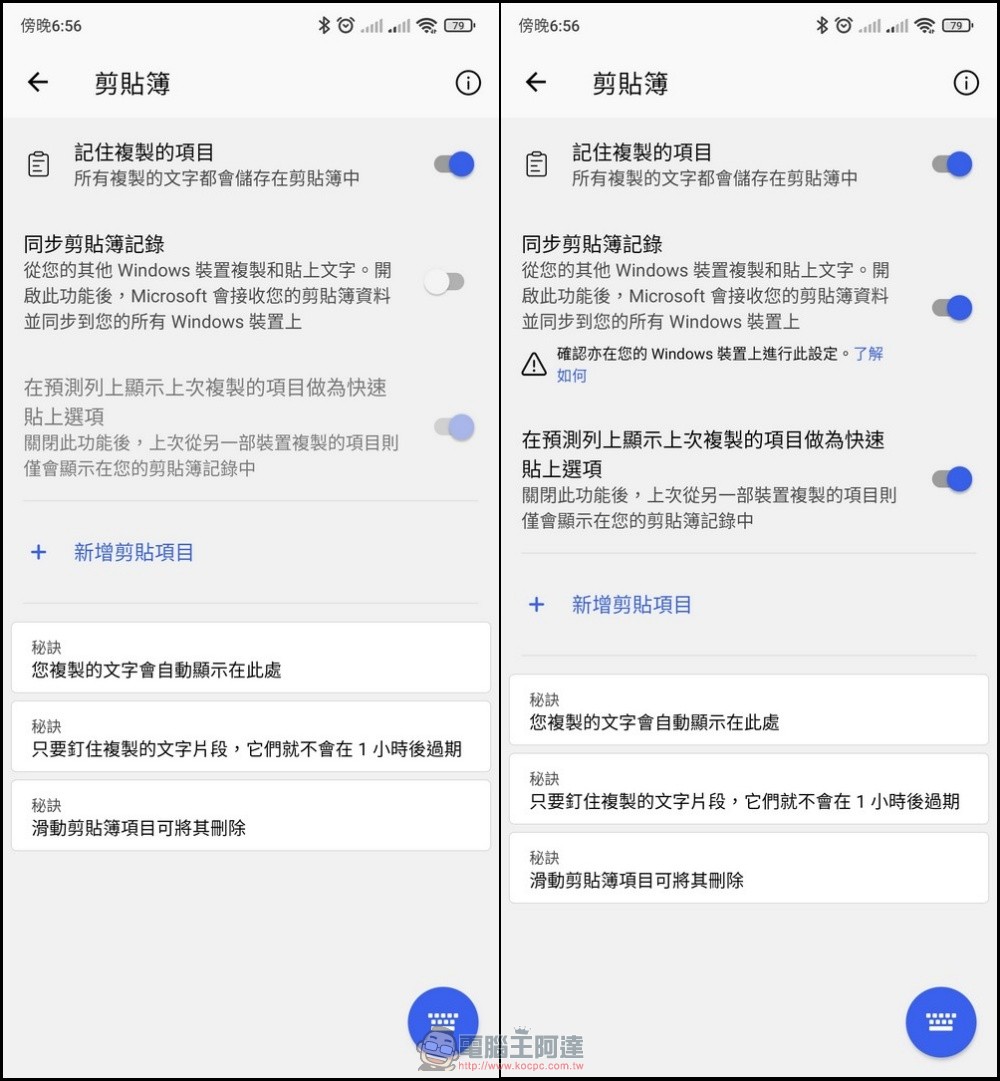
▲In the clipboard settings, you can see that there is a “Synchronize Clipbook Records” setting at the top. It is turned off by default. In order to turn on this function, we must turn it on.
Although the clipboard synchronization function looks cool, Microsoft has also explained the usage requirements and functional deficiencies of this function. For example, the Windows version must be Windows 10 1809 or later. At this stage, this feature does not support Mac and Linux systems, nor does it even include the iOS version of SwiftKey. At this stage, only Windows and Android users can enjoy this feature.
As for Microsoft accounts, it currently does not support logging in with work accounts, GMail or other mailbox accounts. It can only be used with Microsoft’s own e-mails such as Outlook.com and Hotmail.com. It can be said that the convenience is indeed great, but the popularity is still limited to the two limitations of system version and Microsoft account. For users, there is obviously still a lot of room for improvement in this Microsoft feature.
Source: KOCPC Chinese