

• About Us
King of Computer Media
  • Home
  • Tech News
  • AI News
  • Apps & Tutorials
  • Mobile & Telecom
  • Lifestyle
  • About Us
No Result
View All Result
  • Home
  • Tech News
  • AI News
  • Apps & Tutorials
  • Mobile & Telecom
  • Lifestyle
  • About Us
No Result
View All Result
King of Computer Media
No Result
View All Result

Home - iPhone/iPad usage tutorial - HomePod / HomePod mini introduces “Fidelity Compression” and “Dolby Atmos” support. This article teaches you how to activate it!

HomePod / HomePod mini introduces “Fidelity Compression” and “Dolby Atmos” support. This article teaches you how to activate it!

ROSS by ROSS
October 31, 2021 - Updated on August 4, 2026
in iPhone/iPad usage tutorial

After officially providing specifications for Hi-Res 24-bit/192 kHz high-resolution fidelity compression and Dolby Atmos from Apple Music. Among all Apple wireless audio devices, it is confirmed that the HomePod series products can fully support both. And this promised update has officially arrived in the recent HomePod 15.1 update. However, I believe that many people are not sure whether or not these two advanced audio functions have been activated after updating, and where they can activate these two advanced audio functions. This article will teach you how to confirm that they are turned on or off correctly. Continue reading HomePod / HomePod mini introduces “Fidelity Compression” and “Dolby Atmos” support. This article teaches you how to activate it! Report text.
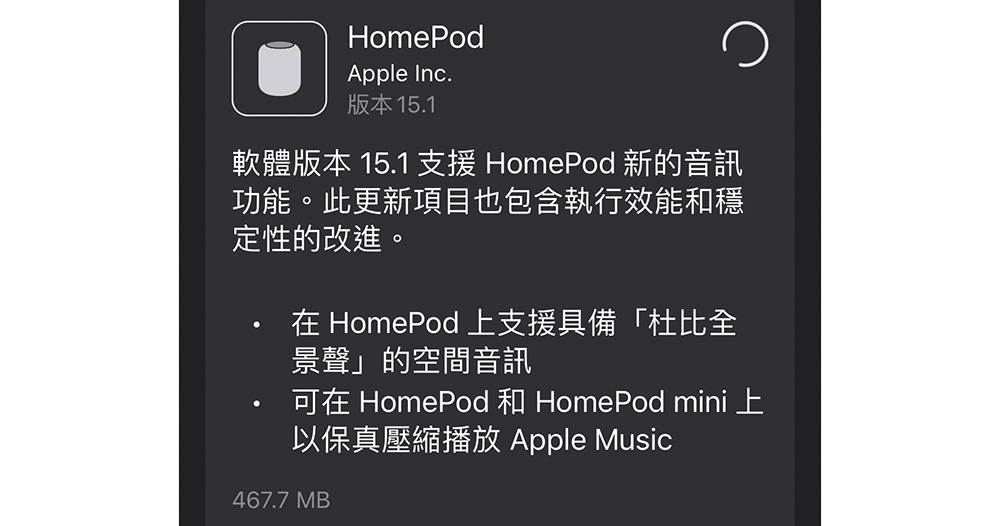
HomePod / HomePod mini introduces “Fidelity Compression” and “Dolby Atmos” support. This article teaches you how to activate it!
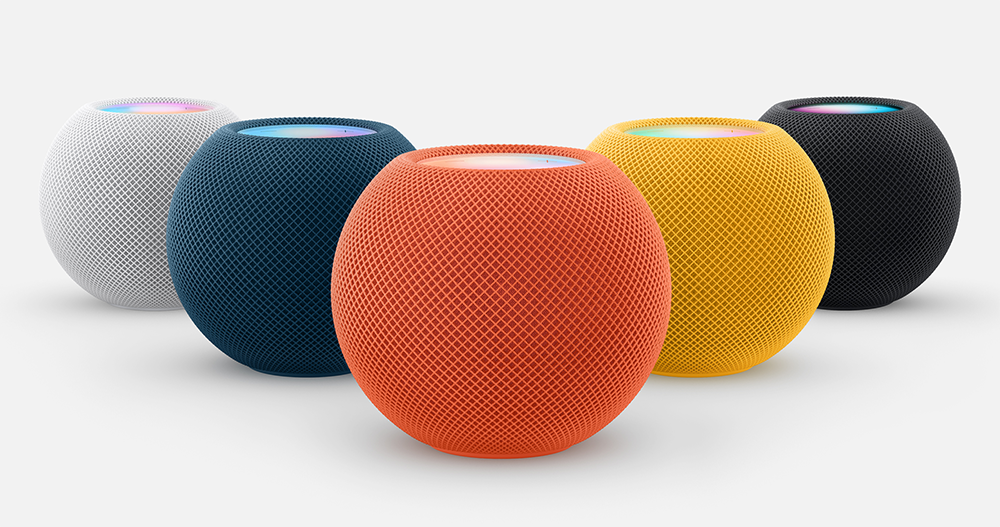

▲Image source: Apple

If you buy HomePod mini / HomePod, etc., Apple has officially updated the software to bring you a new listening experience with the advanced Apple Music experience of “Dolby Atmos Spatial Audio” and “Fidelity Compression”. But after the update, I am not sure whether I have turned on this feature? Come and follow us to the settings to confirm whether you have listened to the highest specifications of Apple’s streaming music service at this stage!
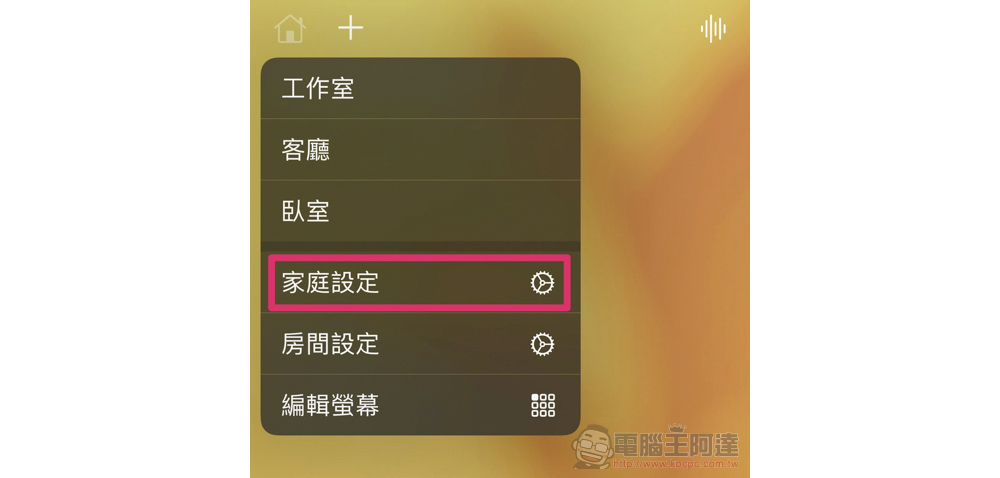
In fact, to be honest, Apple has put this feature too far. Because although the author intuitively opened the “Home app” to search, the options are really there. But I really didn’t expect that this would be a global setting belonging to the “family” category – that is, it cannot be set for individual HomePod devices.
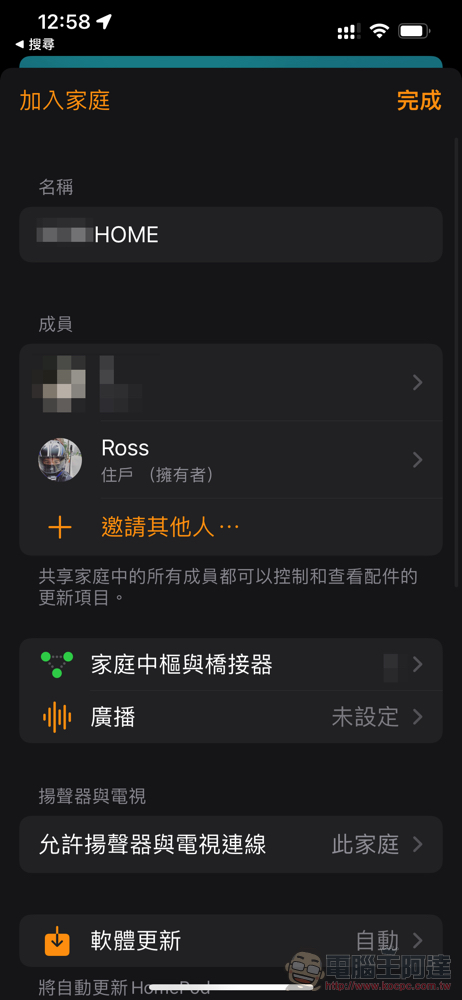
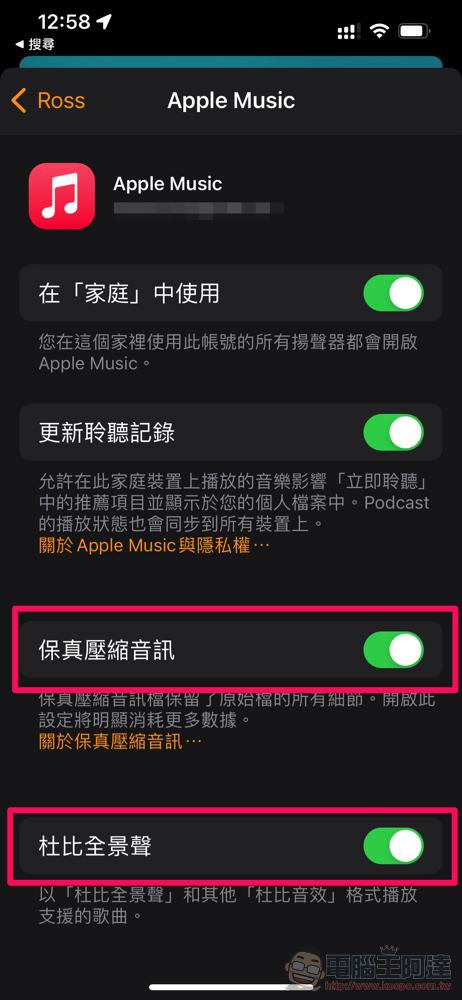
You need to go to “Family Settings” in the upper left corner of the home page of the Family app, and then click on the Apple Music subscriber (if you are the only one in your family, that is yourself). Then select “Apple Music” in the media column, and you will see the options for “Fidelity Compressed Audio” and “Dolby Atmos.” After turning it on, all HomdPod/HomePod mini in this “home” should play with this specification.

Further reading:
HomePod mini follows the trend of colorful Apple devices, launching three bright new colors (and a new Apple Music “voice control” solution!)

iOS 15.1 is here: Join simulcast sharing, iPhone 13 Pro unlocks ProRes! Auto macro can also be turned off (ProRes test shooting comparison video)

Source: KOCPC Chinese

Tags: AppleApple MusicHomePodHomePod miniLosslesslossless audioLossless sound qualitymusicstart upstreaming musicTeaching

Recent Posts

  • The Xiaomi Pad 8S Pro has passed network access certification and will debut with the self-developed XRING O3 chip.
  • The entire Google Pixel 11 lineup has been leaked! Official promotional renders of the Pixel 11 Pro XL have also surfaced
  • Are Chinese phone battery capacities falsely labeled? A brief look at the “capacity locking” phenomenon in Chinese silicon-carbon batteries.
  • NCC is leaderless, recklessly sending out national-level alert messages!?
  • What does “QR” in QR Code mean?

Recent Comments

No comments to show.
  • About Us

We welcome partnership inquiries and product review opportunities from smartphone manufacturers, iPhone accessory brands, and app developers.koc kocpc.com.tw|Privacy Policy |Hosting & Maintenance: Fast Line Taiwan, A-Chang Digital Technology

No Result
View All Result
  • Home
  • Tech News
  • AI News
  • Apps & Tutorials
  • Mobile & Telecom
  • Lifestyle
  • About Us

We welcome partnership inquiries and product review opportunities from smartphone manufacturers, iPhone accessory brands, and app developers.koc kocpc.com.tw|Privacy Policy |Hosting & Maintenance: Fast Line Taiwan, A-Chang Digital Technology