


After updating to iOS 15, the built-in home screen widget function of iOS will add some recommended widgets by default when stacked. Although this function is intended to make it more convenient for users, it actually causes a lot of trouble for users who want to create a customary iOS screen layout. Today I will share with you how to turn off various “suggestion” gadgets when the iOS home screen randomly adds various “suggestion” gadgets from time to time!
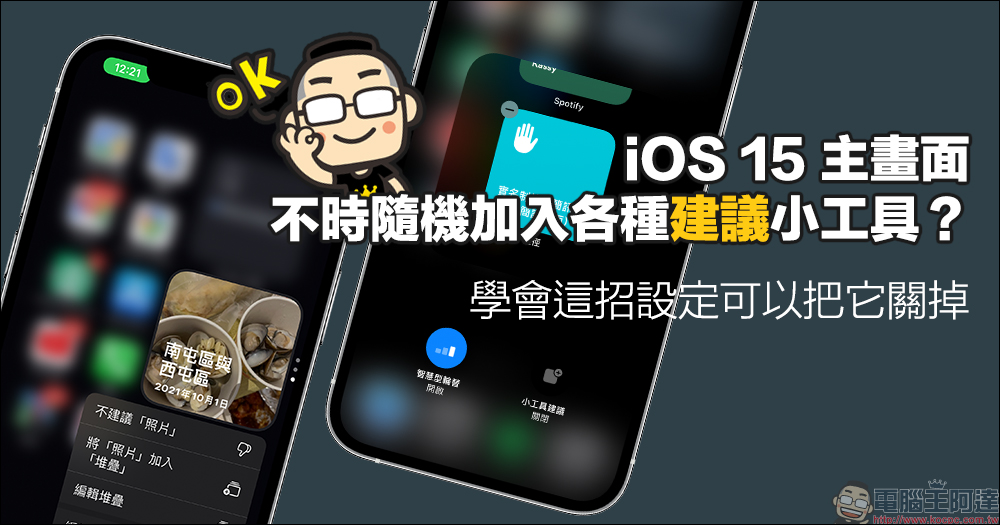
iOS home screen widgets add various widgets randomly from time to time? This setting can turn it off
Apple has introduced the home screen widget function since iOS 14, which allows users to arrange applications that support home screen widgets (Widgets) on the home screen in the form of widgets. This allows users to directly view the latest information of the application on the home screen without having to open applications such as weather, calendar, and streaming music services.
However, starting from iOS 15, many users may have quietly discovered some home screen widgets arranged in a “stacked” manner, and from time to time some widgets that the users have not added will be displayed.
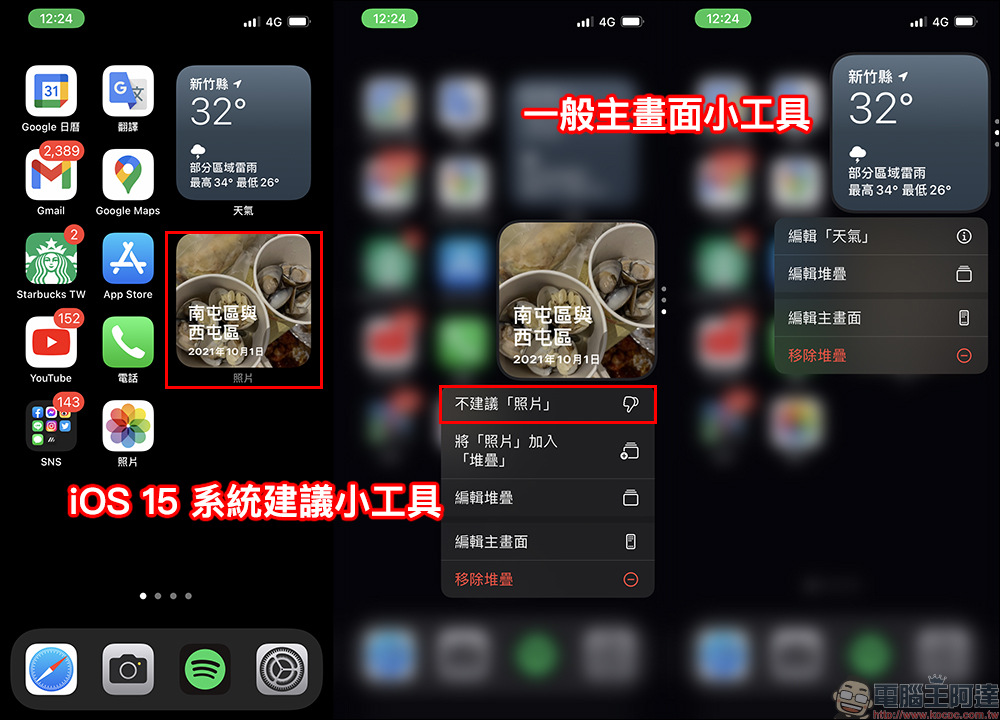
First of all, from the following illustration, you can easily identify the differences between the gadgets recommended by the iOS 15 system and the general home screen gadgets. If it is a general home screen widget, when the user long presses the widget, editing related setting options will appear. However, if it is a gadget that is automatically “suggested” by the iOS 15 system, there will be an additional option of “xxx is not recommended” when long-pressing the gadget.
After further clicking “Edit Stack”, if you look closely, you will find that the upper left corner of the general home screen widget will be “− (minus sign)”, but if it is an iOS recommended widget, the upper right corner will display “+ (plus sign)”.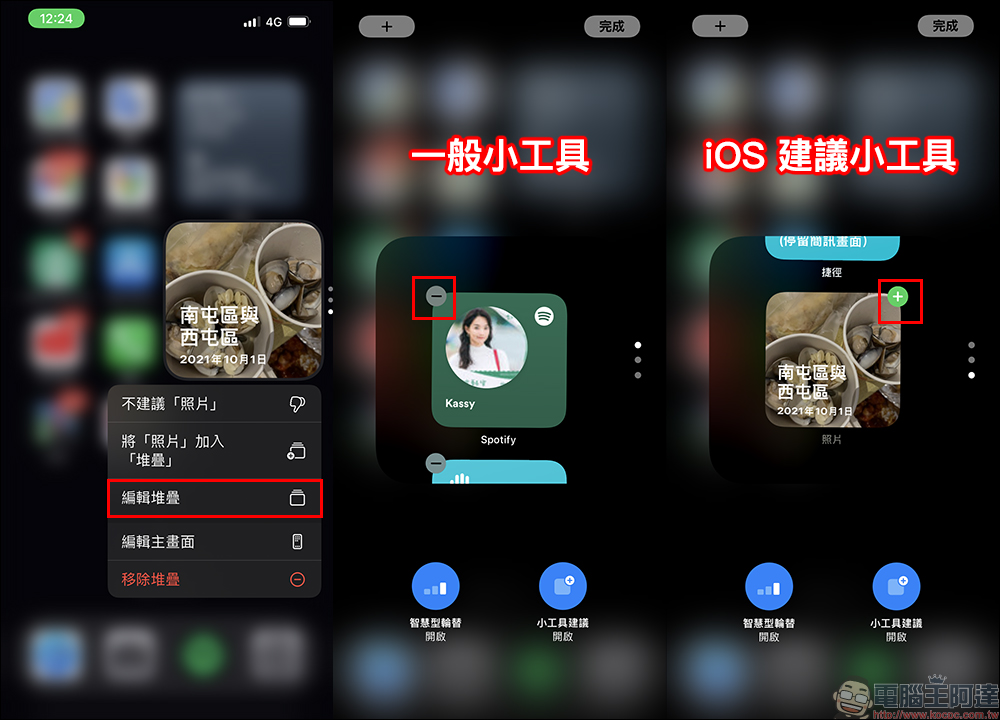
So how do you turn it off once and for all so that it no longer automatically “suggests” new gadgets? In fact, just click “Gadget Suggestions” at the bottom of the screen in editing stack settings to turn it off. However, it is important to note that the settings for each group of stacked gadgets on the iOS home screen are set separately, so if there are multiple groups of stacked gadgets, you need to edit them one by one.
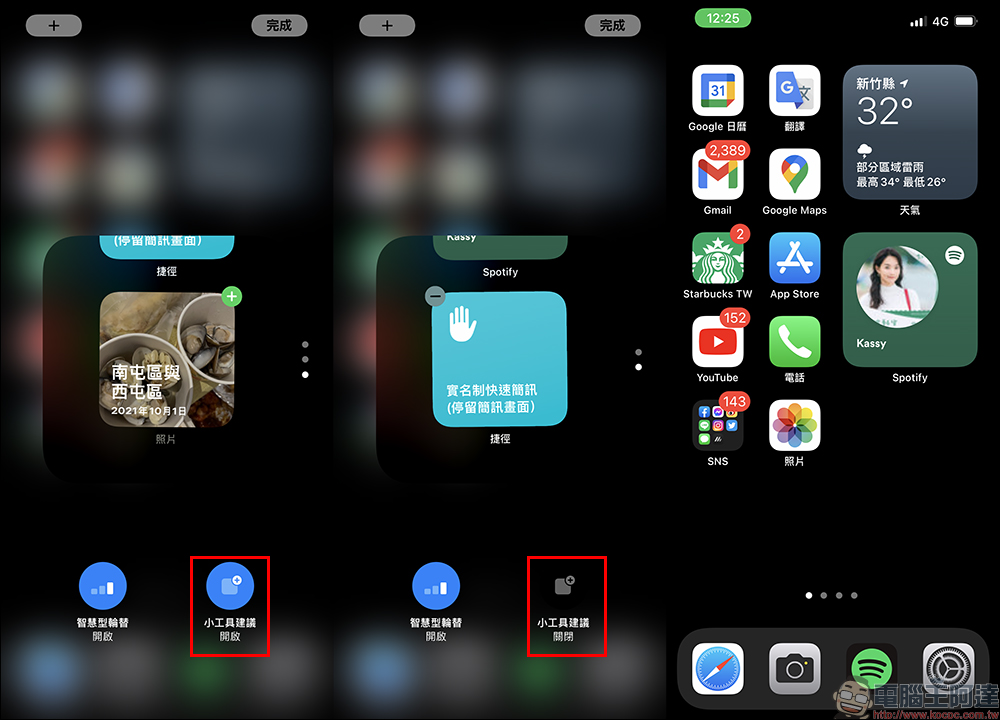
Although these settings may seem inconspicuous, if you do not turn them off manually, new gadgets will be randomly and automatically suggested when the gadgets are stacked. In addition to “Photos”, the system will also randomly recommend various gadgets. If you don’t turn it off, some content you don’t want others to see may automatically appear on the iOS home screen. Therefore, it is still recommended that you be sure to turn off this feature when setting up the home screen widget in iOS 15.
Further reading:
How to set up iPhone to record app activities? Quickly check whether the app is accessing data!
Source: KOCPC Chinese