


Only the new generation iPhone 13 Pro seriesEquipped with ultra-smooth 120Hz ProMotion screen technology, the entire series also has an official battery life of at least 1.5 hours. But if you think that the original screen refresh rate of the iPhone is smooth enough, you may even think that it would be better if you could switch to a longer battery life. Then, maybe you can really consider temporarily “sealing” the 120Hz screens of iPhone 13 Pro and 13 Pro Max to see if it can meet your needs. This article will teach you how to make relevant settings. Continue reading Want iPhone 13 Pro to be the ultimate power saver or not used to 120Hz display? This article teaches you how to get back your original iPhone screen (it’s close).
Want the ultimate power saving on iPhone 13 Pro or not used to 120Hz display? This article teaches you how to get back the original iPhone screen (closer)
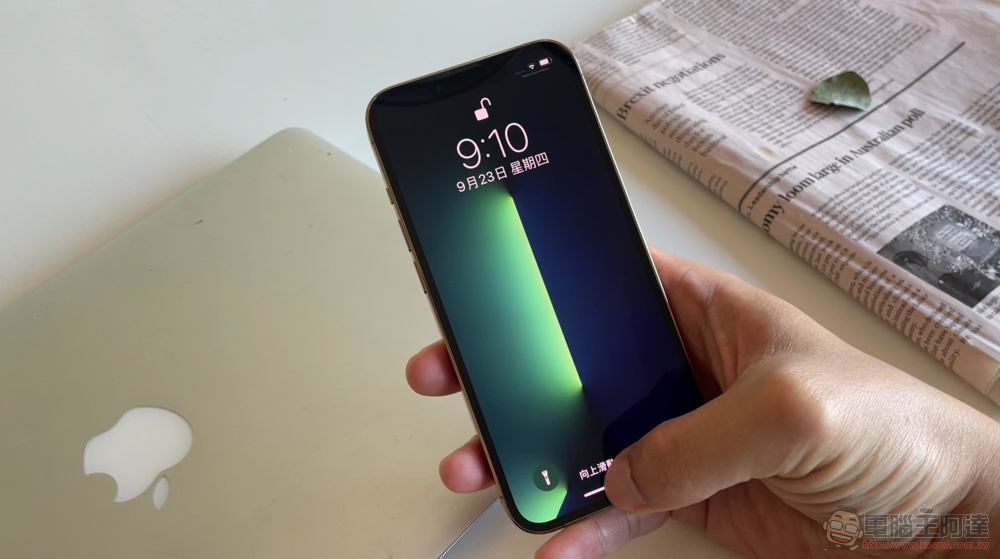
Although the author himself has mostly positive comments about the Pro series iPhone finally getting a 120Hz screen. But if you really can’t see the difference, or the usage environment makes it difficult to charge frequently, so you do everything possible to save battery life as much as possible. Maybe, you really can choose to limit the ProMotion screen to a maximum 60Hz display range – if because PWM strobe characteristics of iPhone 13Friends who feel a little troubled may also try to adjust this function to see if it can improve.
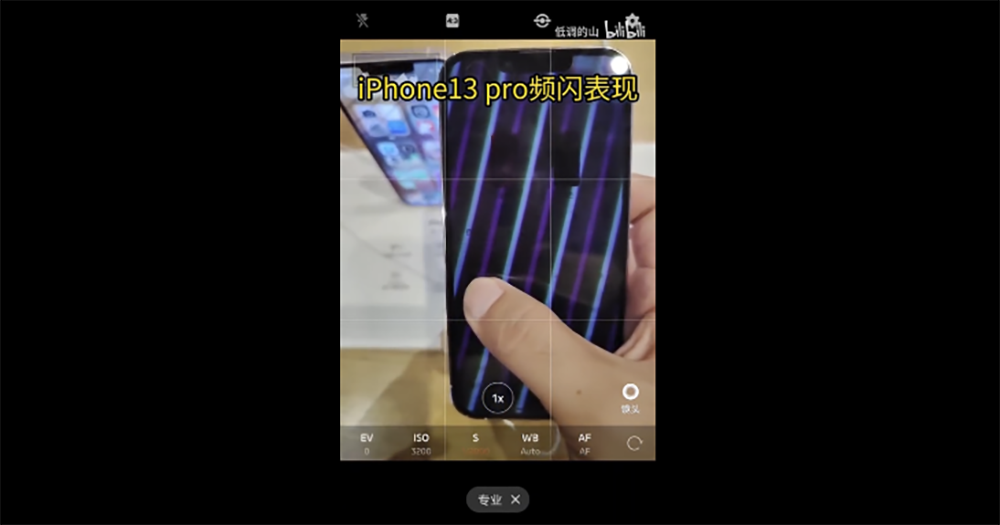
▲Picture source: Low-key Mountain (bilibili)
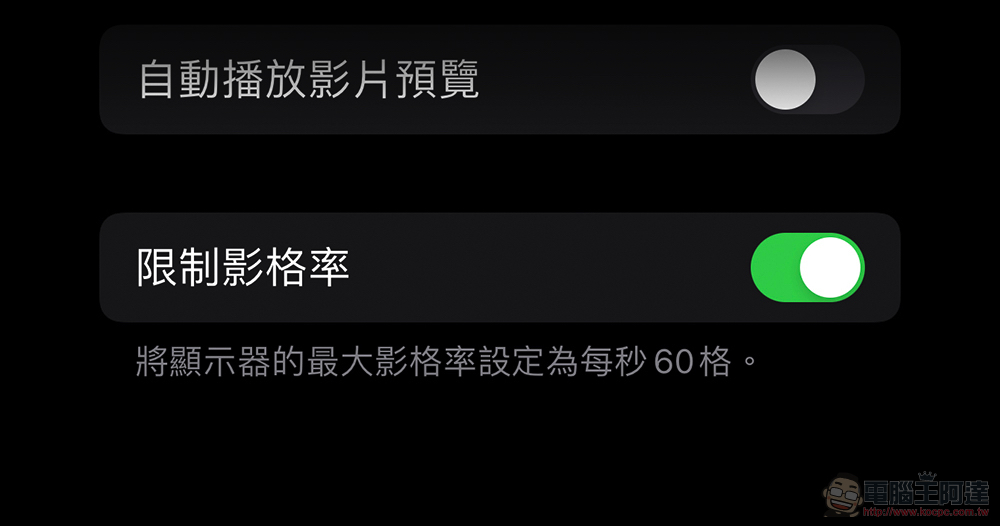
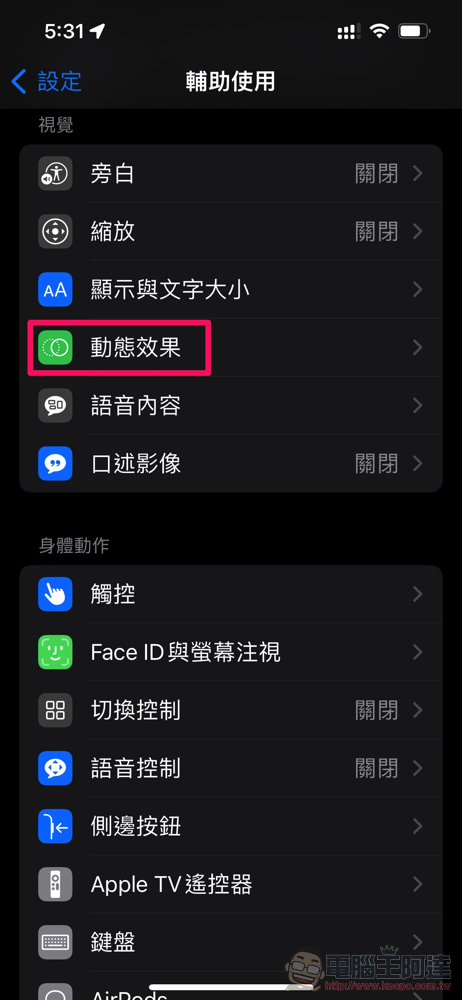
If you have similar troubles, you must have been looking for an option to lock the 60Hz refresh rate similar to other Android phones in the settings of iPhone 13 Pro and iPhone 13 Pro Max for a long time. However, Apple did not actually put this option in the “Display” settings, but placed it in “Accessibility > Dynamic Effects > Limit Frame Rate”. After turning on this option, you can actually quickly feel a more obvious screen gap on the page of the scroll setting function – it displays as: The editor really can’t go back…Orz
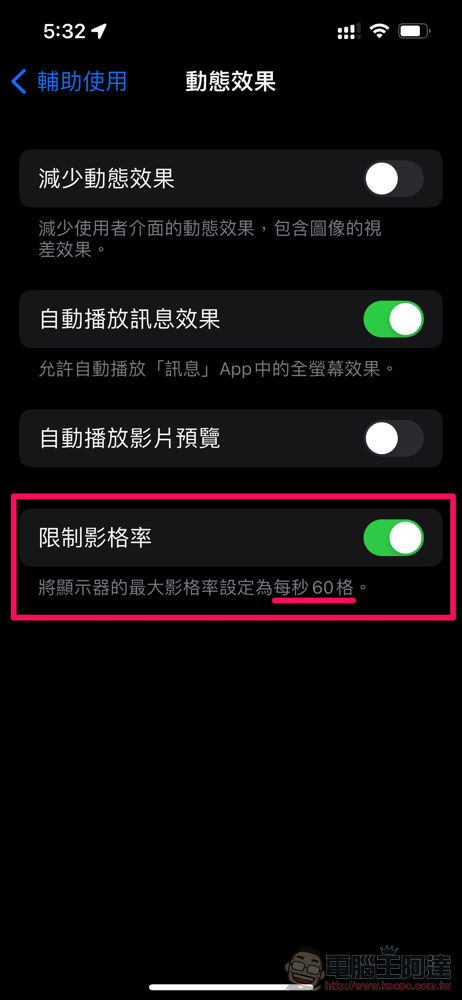
It should be noted that because it is an adaptive refresh rate panel, even if it is set to the highest 60Hz, judging from the literal meaning of the setting, it should still be adjusted to a lower frame rate according to the display content. As for whether it will help battery life? Personally, I think it should be more or less possible, but I don’t think this setting will help much in improving the PWM flicker problem… After all, it’s justIt seems that the existing tests, even at 60Hz on the 13 mini, its low-brightness stroboscopic performance seems to be not far from that of the Pro series.
To put it simply, it is recommended that you try not to use your mobile phone in a low-illumination environment~ (pat on the shoulder)
Further reading:
Canon launches VR full-frame mirrorless mirror, double fisheye RF 5.2mm F2.8 L lens with red circle
Big changes to Instagram videos: General sharing can be up to 1 hour, IGTV changes its name
Source: KOCPC Chinese