


The voice AI that outperforms HeyGen「Fish Audio, you just need to use your phone to record a clip of yourself speaking, upload it toFish Audio can clone a voice source that sounds almost exactly like your own. Can you tell that this was cloned using AI? If you’re interested, keep reading to see how to use this voice AI, Fish Audio, which is completely effortless and so easy that anyone can do it.
Beyond HeyGen: Free Voice AI “Fish Audio” generates ultra-realistic cloned audio files.
Jointly created by multiple well-known TTS open-source project authors, the “Fish AudioThis voice AI has recently launched, and now everyone can register and use it for free.Fish Audio offers a variety of popular voice models, including Trump, G.E.M., Lei Jun, Stephen Chow, and many others. You can use the models provided by Fish Audio or upload your own audio files to create your own custom models. The editor personally finds it very useful, but since it’s a website created by Chinese developers, please use your own discretion if you want to try it!

Go experience Voice AI「Fish Audio」
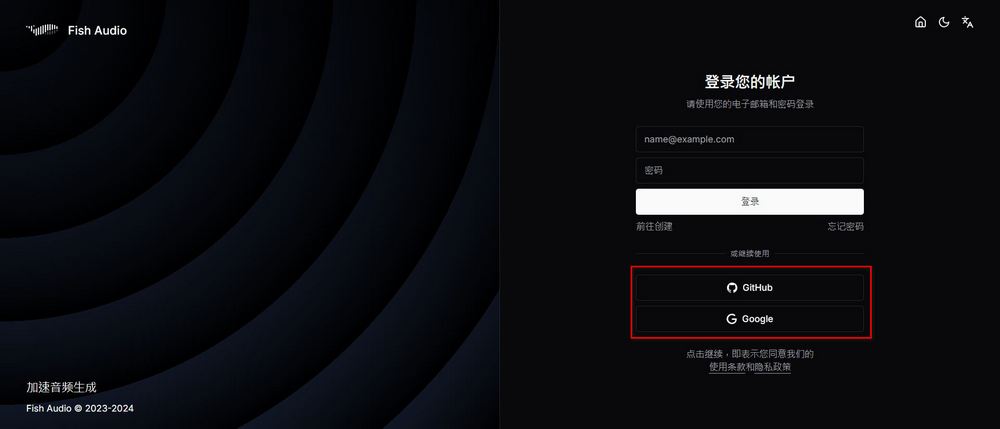
I want to experience voice AI. Fish Audio users first need to register a Fish Audio account. You can choose to log in using Gmail or a GitHub account.
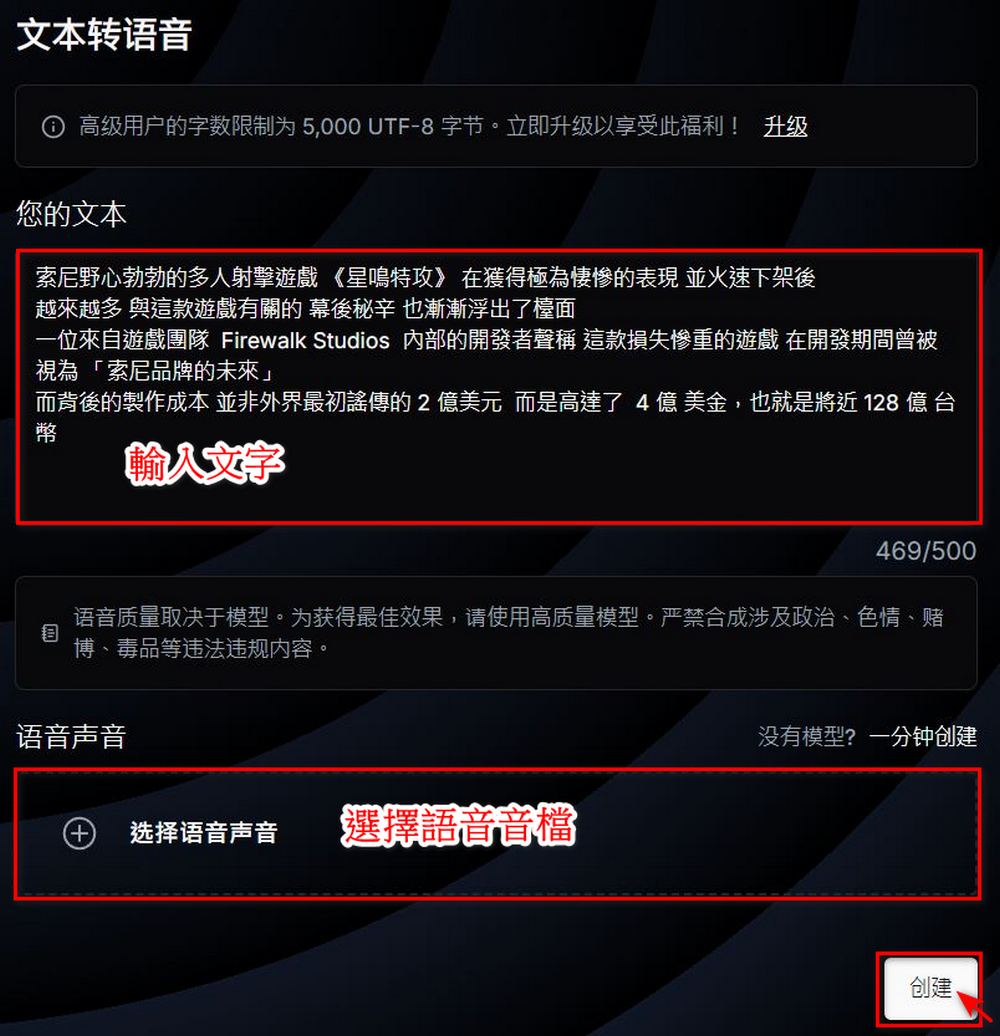
After logging in, you can use Fish Audio to generate audio files. Click the「 at the very top of the webpage.For “voice synthesis,” input the text content you want the AI to read aloud (the free version can generate audio files of up to 500 characters at a time). Select “voice sound,” where you can explore and find the audio file you want to use. After making all your selections, click “create,” and Fish Audio will generate an audio file in just a few seconds.
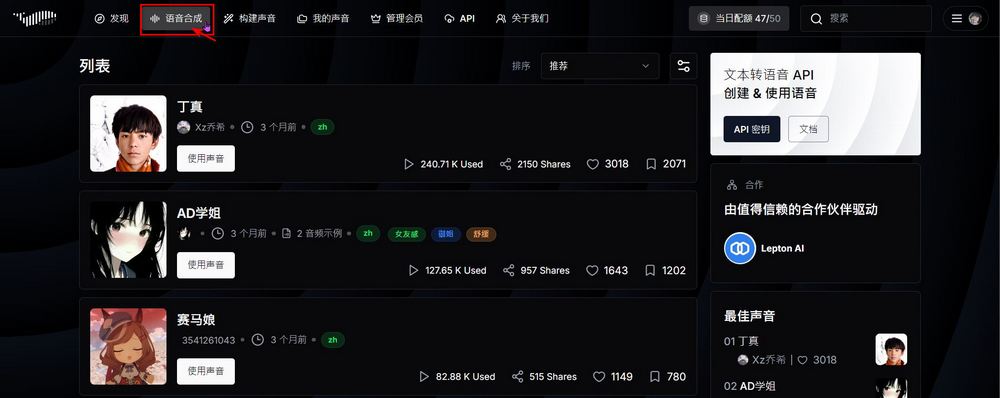
Free-tier Fish Audio users can generate up to 50 audio files per day, with each file capped at 500 characters. The quota resets every 24 hours, which should be more than enough for those trying it out.
Here at the editor’s desk, we use Using the audio file of Xiaomi’s boss Lei Jun provided by Fish Audio’s exploration, two audio clips were generated. Everyone can listen and see if they really sound like Lei Jun himself.
Create your own audio model
If you don’t want to use it today The audio files provided by Fish Audio allow you to also create a voice model of your own voice using the platform. It’s very easy to use—just click “Build Voice” at the top of the page, and you’ll be taken to the page for training a new voice. Creating your own voice model involves just two steps, and the only required fields are “Type” and “Audio File Name.” Leaving the rest blank won’t affect anything. It’s recommended to select “Not Publicly Displayed” so that others can only use your audio file through the link you share with them.
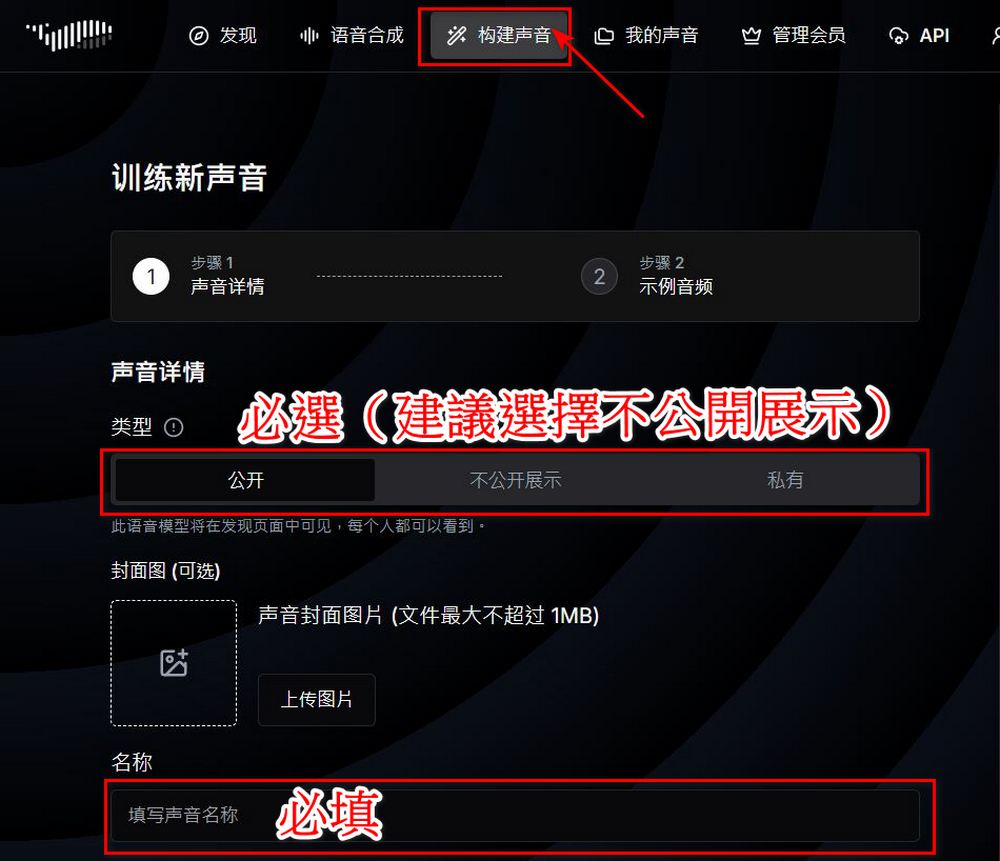
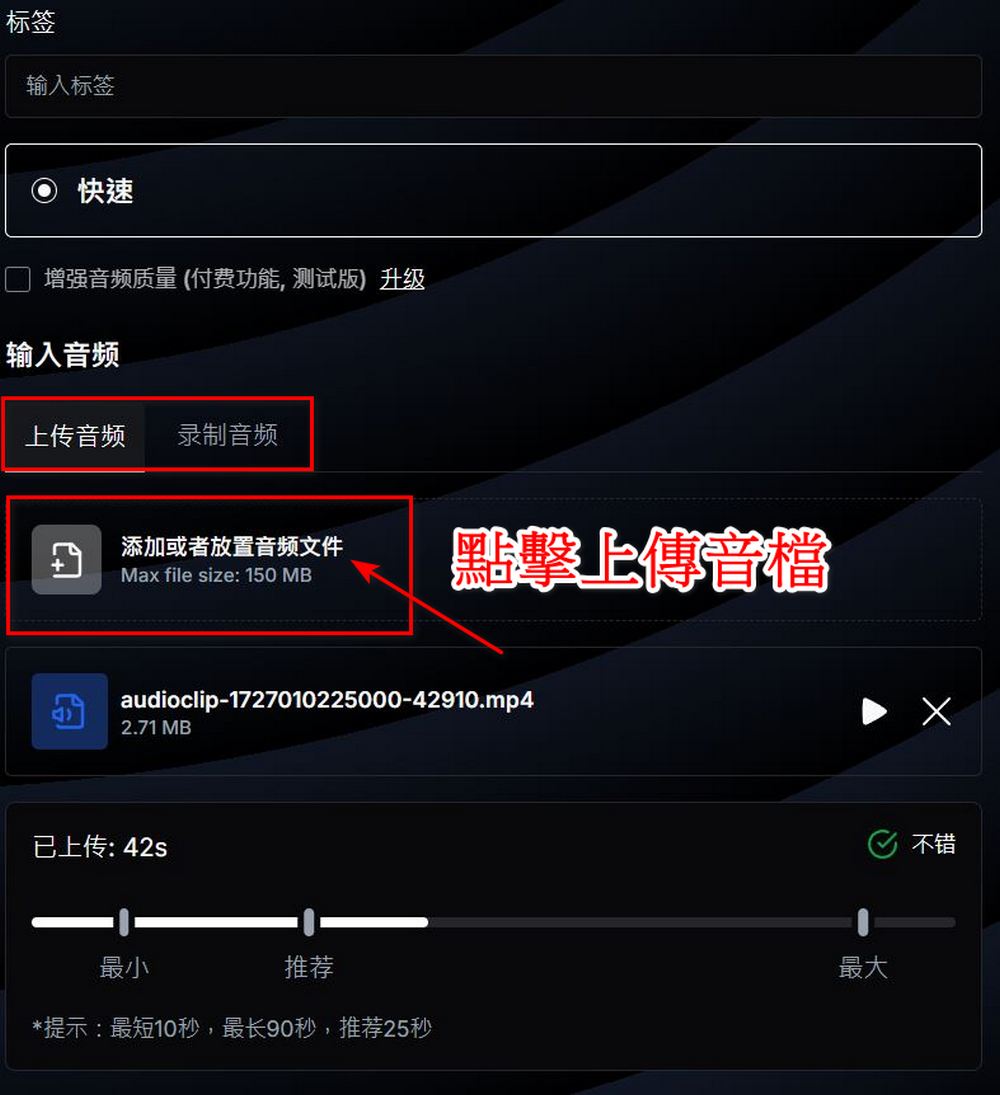
After completing the form, upload a recording of the voice you want to generate. You can upload an existing audio file or choose to record directly. The recommended duration for the uploaded audio is around 25 seconds. After uploading, click “Create” to proceed to the next step.
The second step is the sample audio, which you can simply skip here.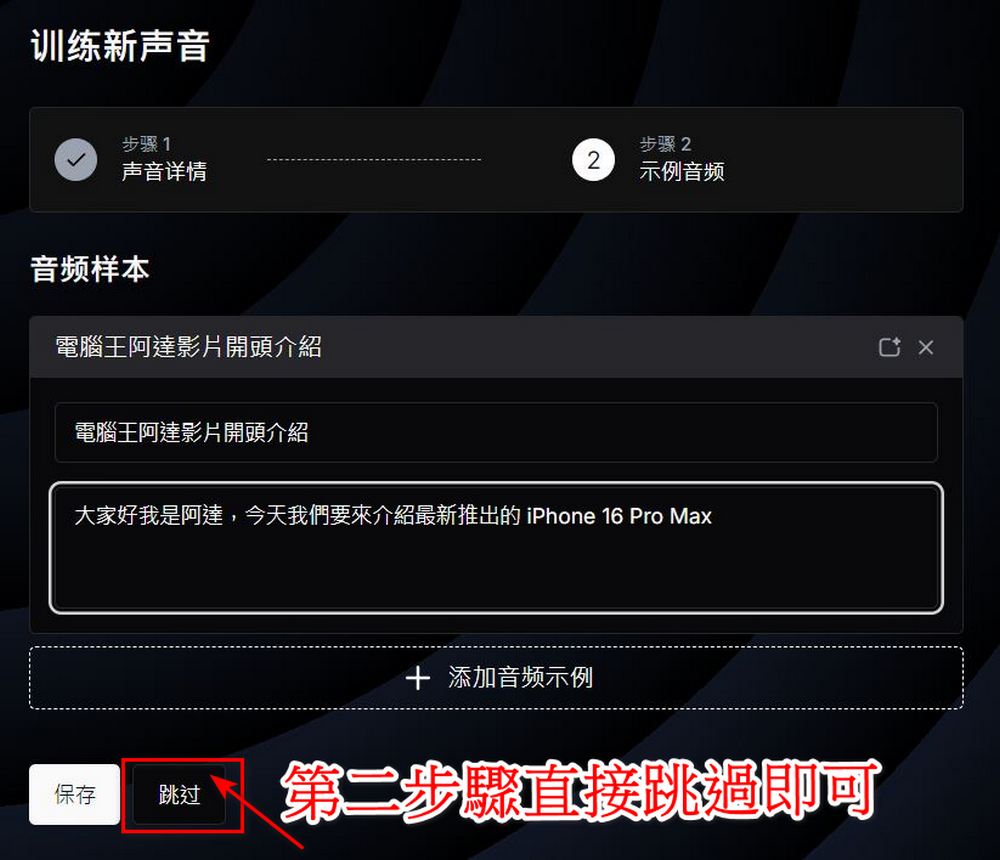
After completion, you can see all the audio files you’ve created under “My Voice.” The next steps are just likeThe beginner’s tutorialIt’s the same, except the selected audio file is replaced with one you made yourself.

Here are a few audio clips generated using the boss’s voice. Aside from some issues with intonation and phrasing,Fish Audio performs quite well. The editor noticed that you just need to press the spacebar before and after the words where you want a pause, and the segmentation in the generated audio will meet your standards.
If you’re interested and want to experience it, you can go by yourself. Fish Audio is being tested, but everyone, please don’t use this handy tool for illegal purposes!
Go experience Voice AIFish Audio」
Source: KOCPC Chinese