


We have introduced many applications that can play white noise in the past, and you can also find some online white noise playlists on platforms such as YouTube. With the release of the official version of iOS 15, the hidden “white noise” function is finally available to all users!
This “Background Sound” feature is actually one of the auxiliary features hidden in iOS 15 and iPadOS 15. It allows users to play background sounds to cover up environmental noise. You can choose to play a variety of calming sounds, such as ocean or rain sounds, to cover up unwanted environmental noise and help reduce distractions so that you can concentrate or rest.
iOS 15 application tips: built-in support for “white noise” function, “background sound” setting and playback tutorials
Starting from iOS 15 and iPadOS 15, users can turn on “Background Sound” through the built-in accessibility feature to set various calming white noises and use background sounds to cover up unwanted environmental noise. These sounds also help to minimize environmental noise interference, helping users stay focused, calm and relax.
As for how to turn on this feature? First go to “Settings”, then select “Accessibility” > “Audio/Visual” > “Background Sound”.
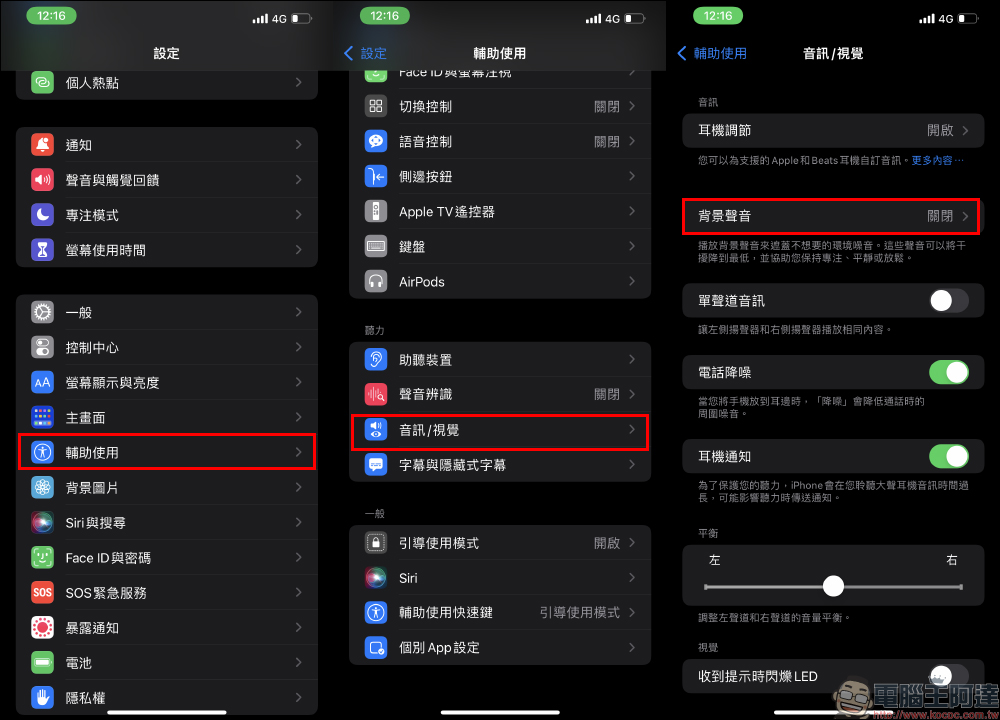
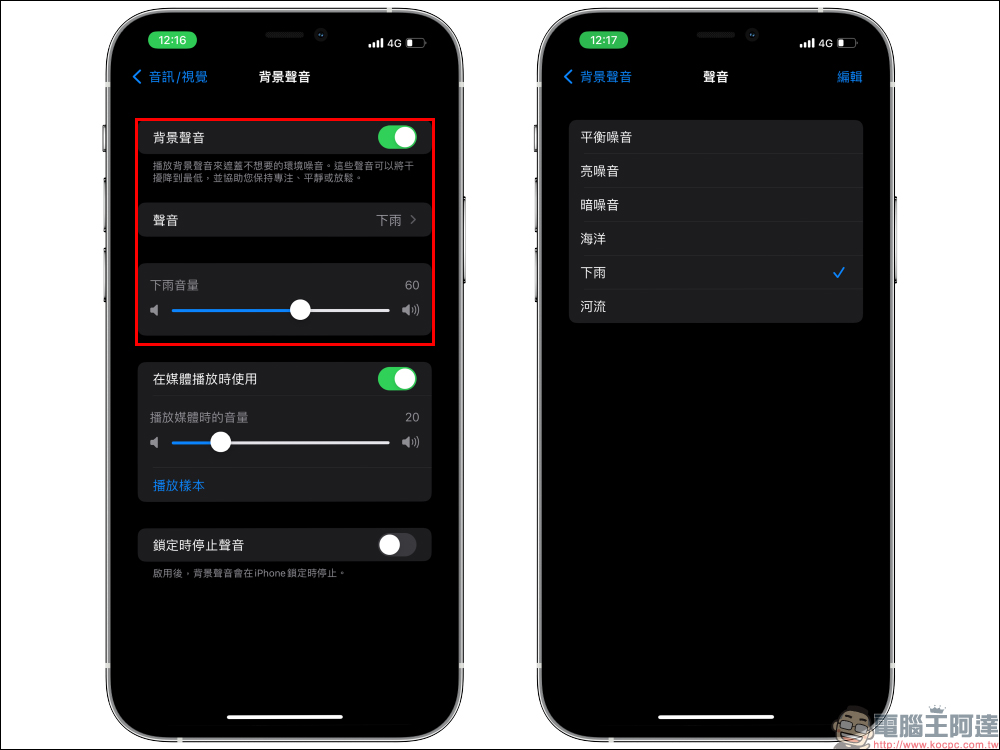
Then turn on “Background Sound”. After turning it on, you can click “Sound” to choose various background sounds such as “Balanced Noise”, “Bright Noise”, “Dark Noise”, “Ocean”, “Rain” or “River”. In addition, users can also drag the slider in the settings to adjust the volume of the background sound, or set the background sound to automatically turn off when the iPhone plays media.
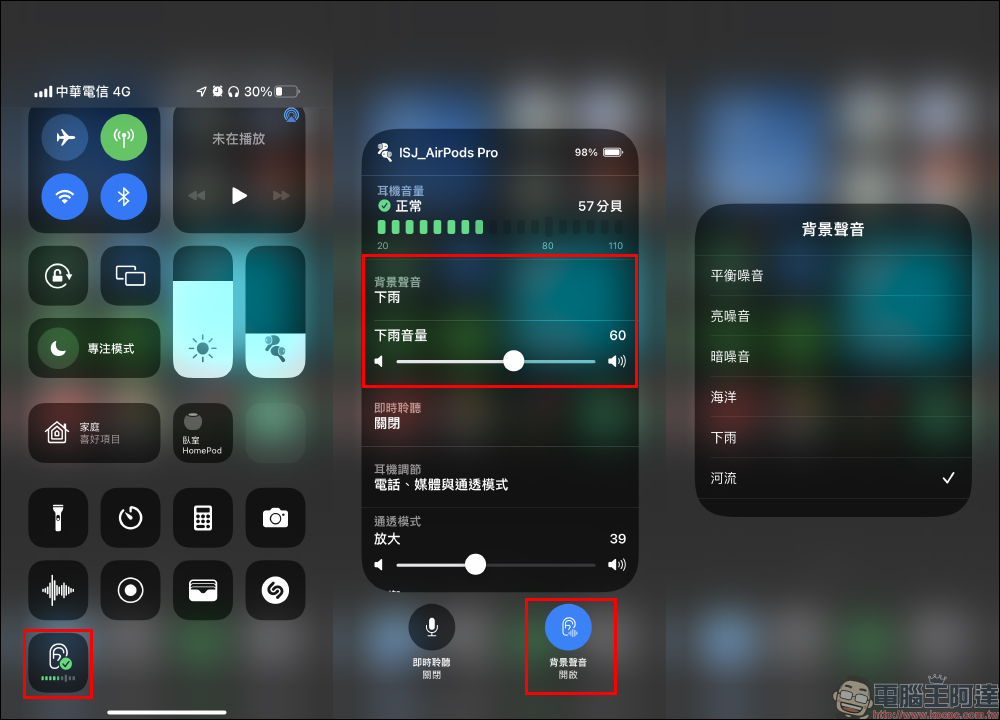
What should I do if I want to turn on or off white noise (background sound) temporarily? In fact, just pull down the screen to open the control center, and long press “Hearing/Ears” to turn on and off the background sound or switch between different types of background sounds and volumes.
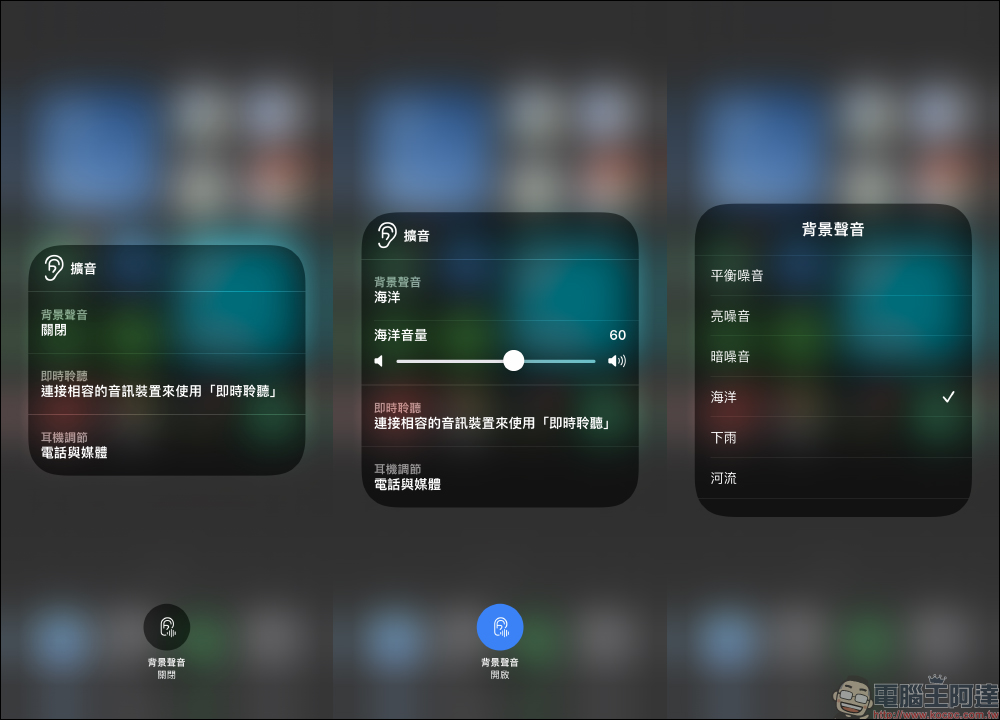
In addition to turning on the white noise (background sound) function when wearing headphones, background sound can still be turned on when the device is not connected to headphones, but at this time it will automatically be played directly from the device’s built-in speaker in amplified mode.
Further reading:
Foreign media compiled the top 10 new features of iOS 15, which are a must-read for users who have updated iOS 15!
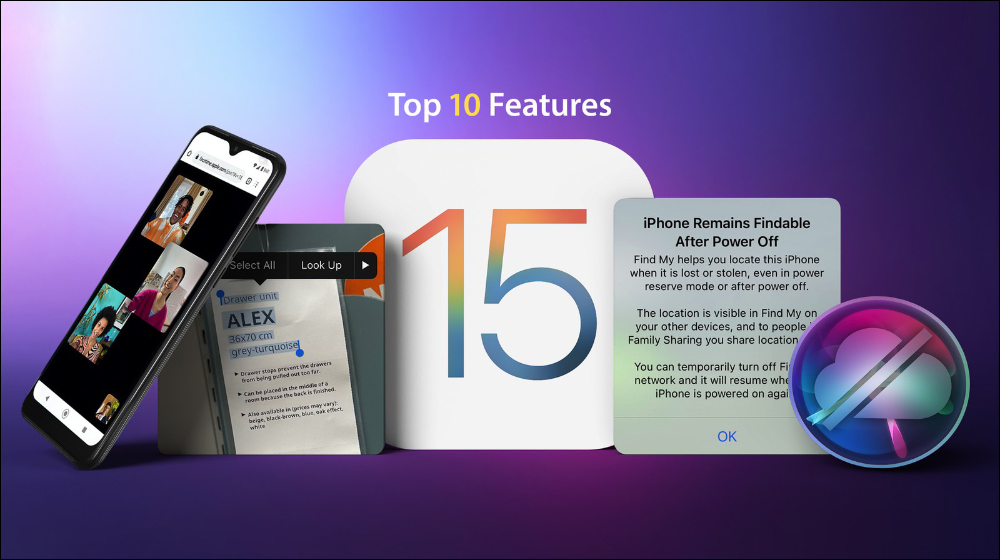
▲Picture source:MacRumors
Source: KOCPC Chinese