


When we chat with friends on LINE, we often share some interesting content. When a LINE user pastes and sends a URL, information such as the page’s title, description, and thumbnail will be displayed below the link, making the URL more attractive to click. However, sometimes we will find that the website thumbnail, title and other information cannot be displayed correctly. Today we will share some tips on how to eliminate errors and force updates to correct them.
LINE application tips: The thumbnail title of the LINE sharing link website is wrong and cannot be displayed? Use this tool to force updates and fixes
When sharing a link in a LINE chat room, you can usually see the title, description, and thumbnail of the link displayed in the conversation window. This information is extracted from the Open Graph tag of the page.
Web developers specify information such as website titles, descriptions, URLs, and image links through the Open Graph tag, allowing search engines, social networking sites such as Facebook, or instant messaging software such as LINE to use this content to display preview effects. However, if the user modifies the title, changes the image, etc. and updates the Open Graph tag of the page, there is a high chance that the link preview will still display the old data. Unless the temporary data expires after a period of time, it will be re-crawled. Therefore, in order to avoid displaying old data, developers must use relevant tools to “manually update” the temporary data.
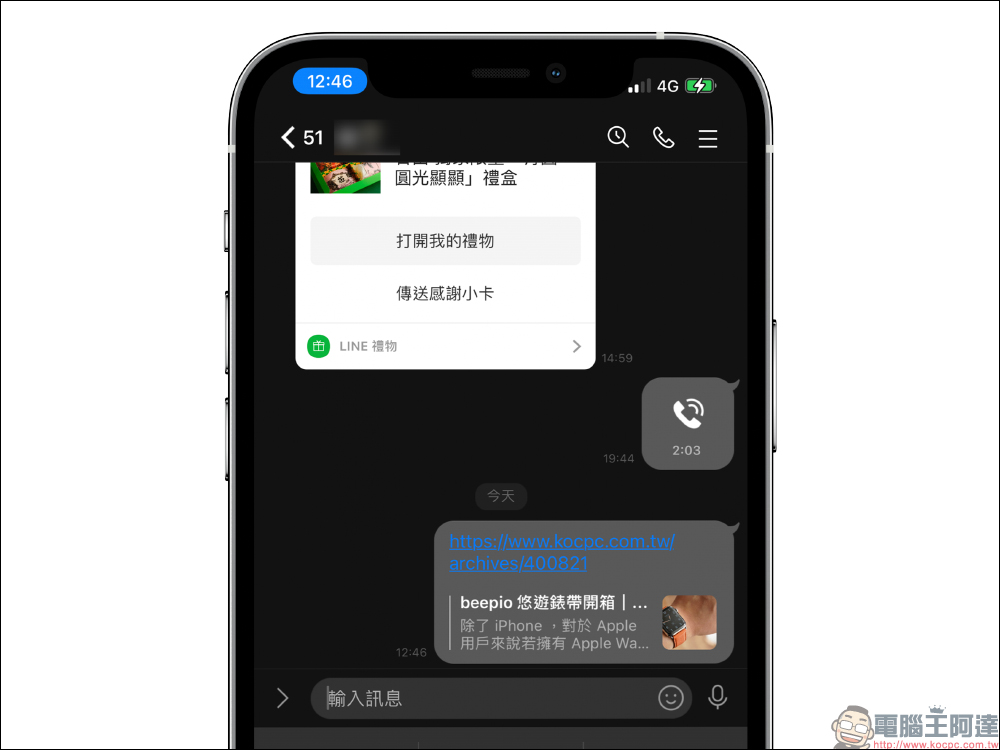
LINE Page Poker:Click here to go
If you encounter errors in the preview results, Facebook users can use Facebook Debugger is a Facebook sharing detection tool (click here to go), enter a URL to ask Facebook to update the URL preview information.
In fact, many people don’t know that LINE also provides a detection tool function “LINE Page Poker” similar to Facebook. If you want to manually ask LINE to re-crawl the preview data of the URL after updating the page title, thumbnail or description, you can use “LINE Page Poker” to solve the problem. This is also very necessary for users who often use LINE to share information.
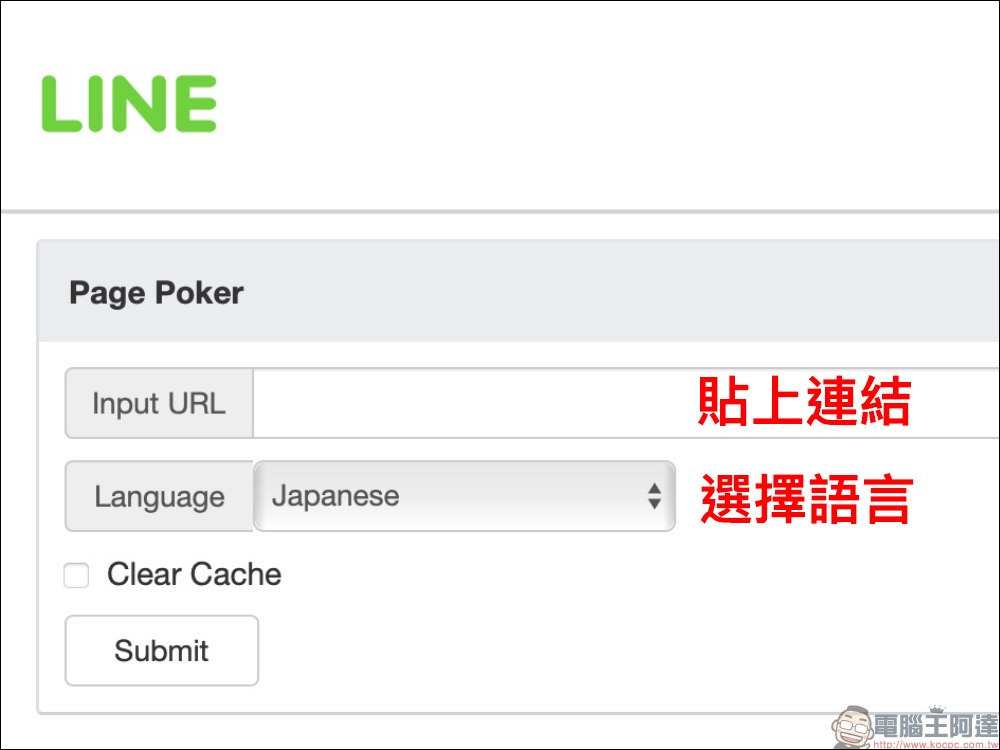
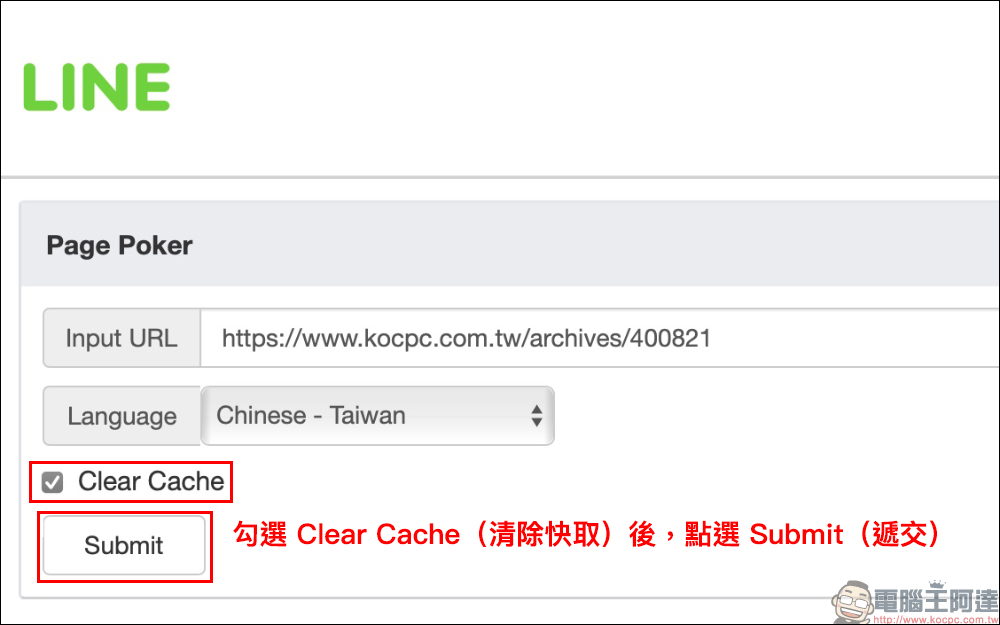
First, open “LINE Page Poker” and paste the link, then select the “Language” of the page.
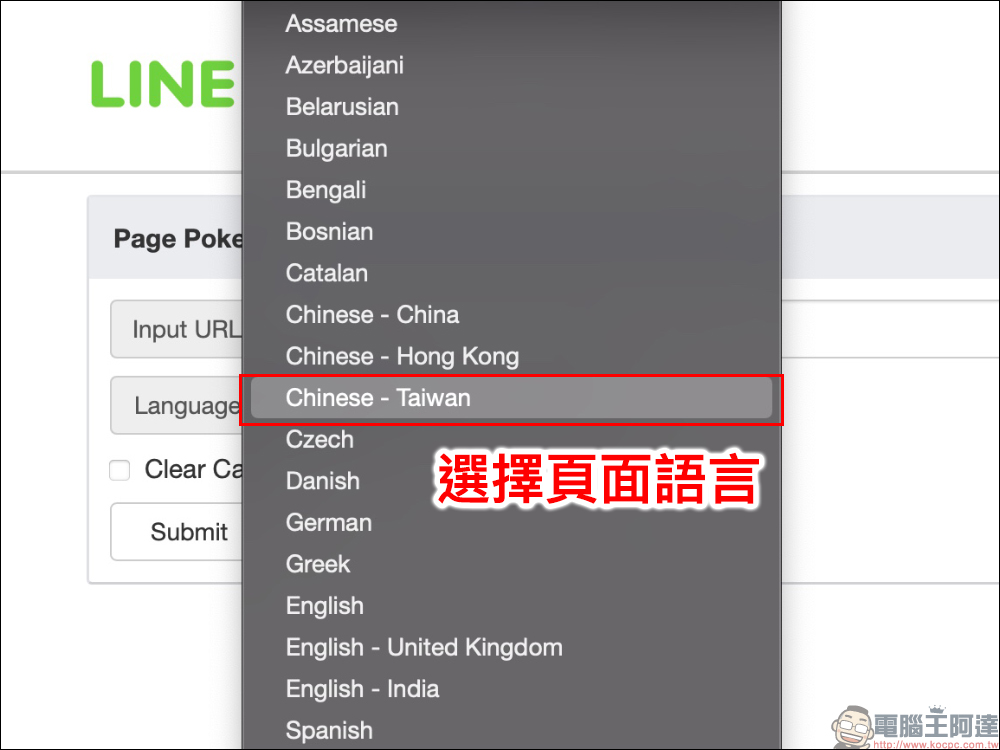
The URL shared by the author as a demonstration is in Chinese, so I chose “Chinese – Taiwan”.
Then remember to check Clear Cache and finally click Submit.
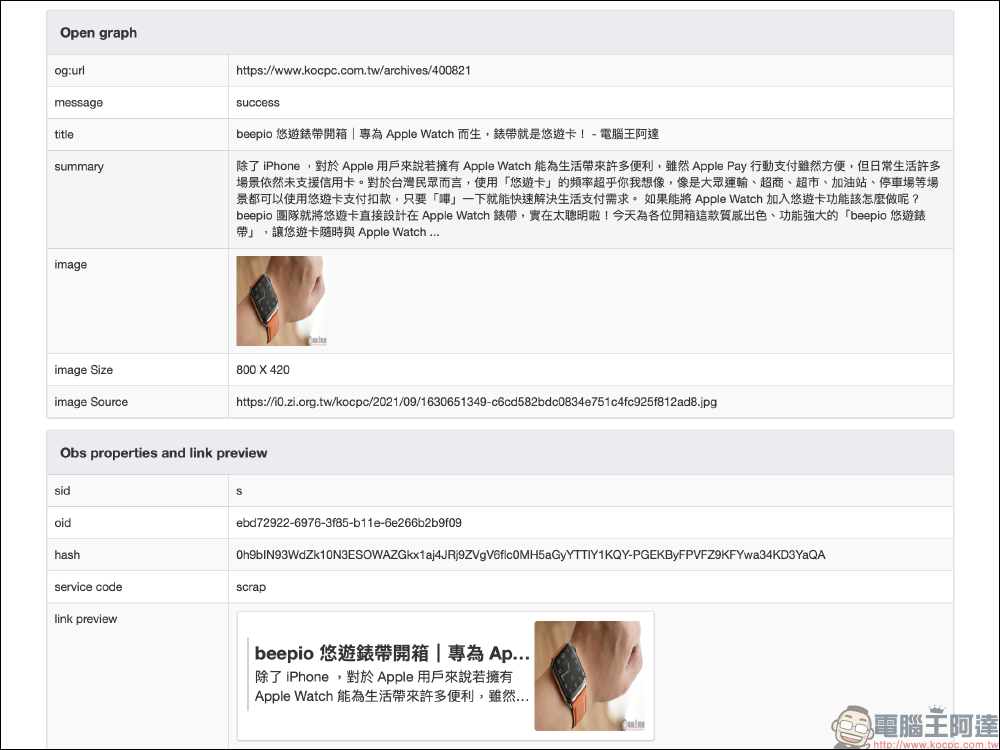
The LINE Page Poker results page will display the crawl update time, postback code, retrieved page URL, domain name, server IP address and other information. From the Open Graph field, you can see the successfully crawled website title, description, thumbnail, image size and URL. In addition, a preview of the URL after it is posted to the LINE chat room is also provided at the bottom.
LINE Page Poker:Click here to go
Further reading:
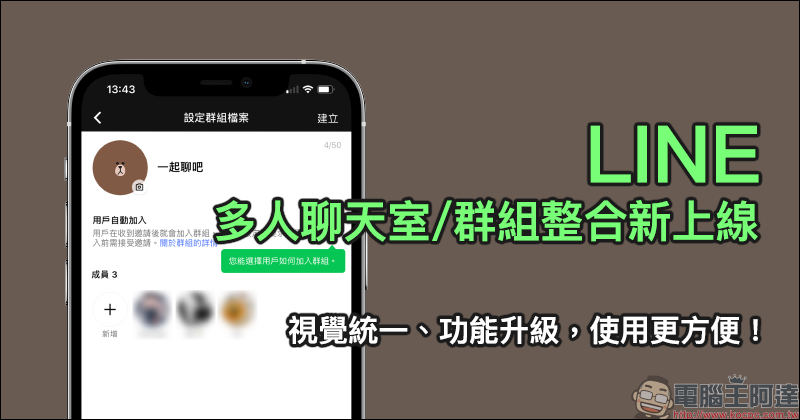
LINE 11.15.0 version update: LINE photo images support avatars, call quality rating window and other 3 updates

Source: KOCPC Chinese