


Whenever you are chatting on LINE, there will always be times when you accidentally send the wrong message with your hand and want to take it back. If you accidentally press “Retract” instead of “Delete” by mistake, the message will be deleted on your phone, but the chat room environment still exists but you cannot take it back. What should you do? Today I’m going to share a LINE application tip and teach you how to easily solve this troublesome problem!
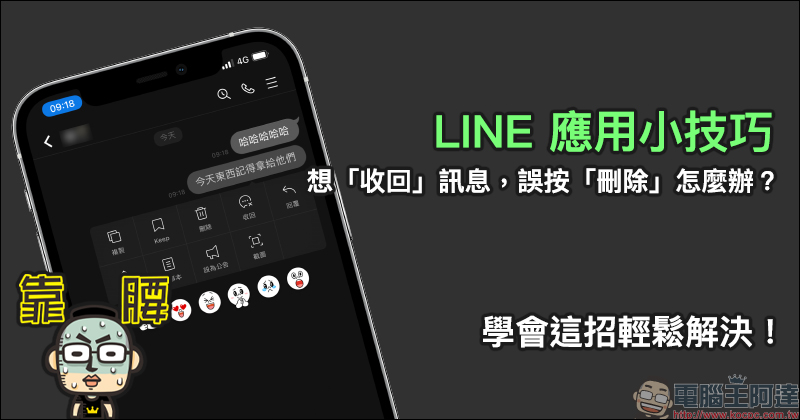
LINE application tips: What should I do if I accidentally press “Delete” when I want to “take back” a message? Learn this trick to solve it easily!
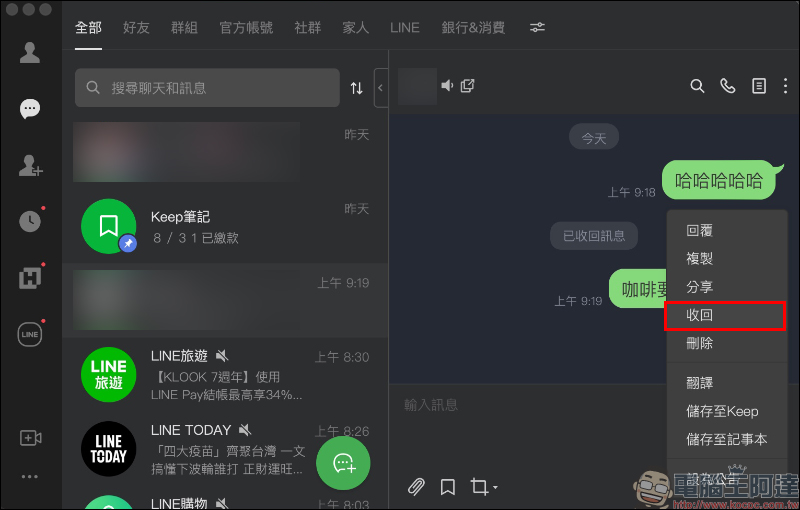
In LINE chat rooms, users can select many functions by long-pressing a message, such as specifying replies, sharing, copying, screenshots, setting as announcements, saving in notepad, as well as the most commonly used functions of “delete” messages and “recall” messages.
- Delete a message: Deleting a message means deleting the message content seen in your own chat room. After deleting the message, the other party’s chat room messages will not be affected (nor will you be notified).
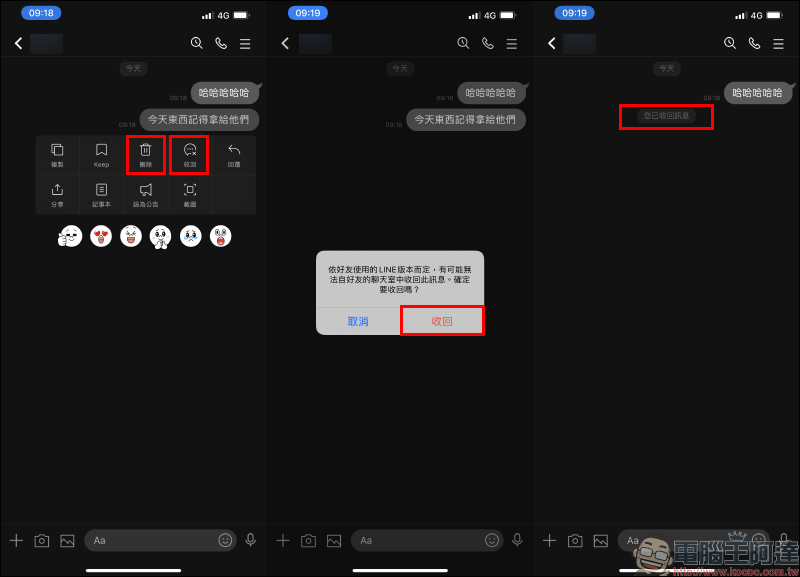
- Recall message: When you accidentally send the wrong message and want to cancel the message transmission, you can select “Recall message”. Recalling a message can only retract messages sent within 24 hours. After retracting the message, the other party’s chat room will also display the retraction. After the message is retracted, a record of “You have retracted the message” will be left in the chat window.
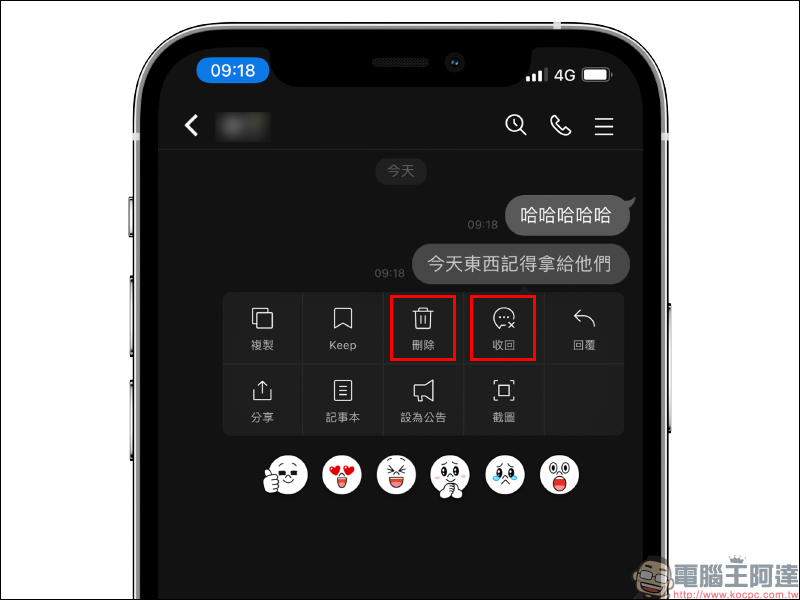
After long-pressing the message you want to retract and selecting “Retract”, the message will disappear in both parties’ chat rooms after retracting the message.
*Tips: It should be noted that if the other party’s LINE version is too low, the message recall function is not supported. Recalling messages is applicable to all devices of this account. If you recall a message on LINE on your mobile phone, LINE messages on the computer version or iPad will also be recalled.
On the other hand, if you click “Delete” on the message, the message will be deleted in your own chat room, but it will still exist in the other party’s chat room and other devices of the user. Therefore, if you accidentally delete a message from your mobile phone, you can log in to your LINE account through another device and recover it.
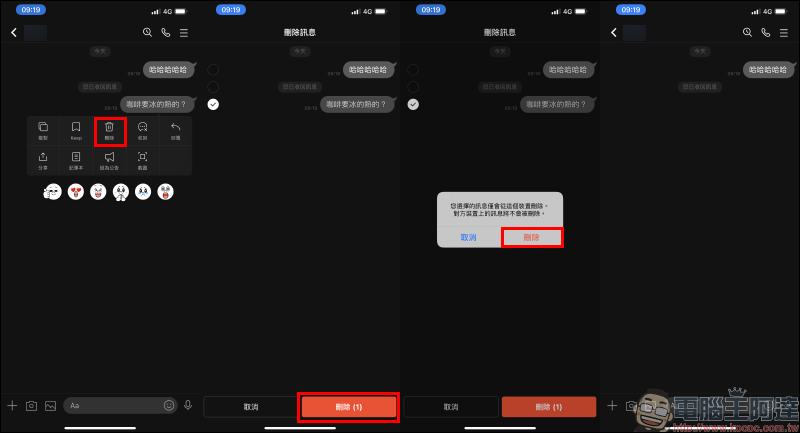
For example, if you accidentally delete a message on your mobile phone as mentioned above, as long as you log in to the computer version of LINE or other devices (such as iPad), you will find that the message still exists. If you want to take back the message, you still need to complete it within 24 hours of sending the message.
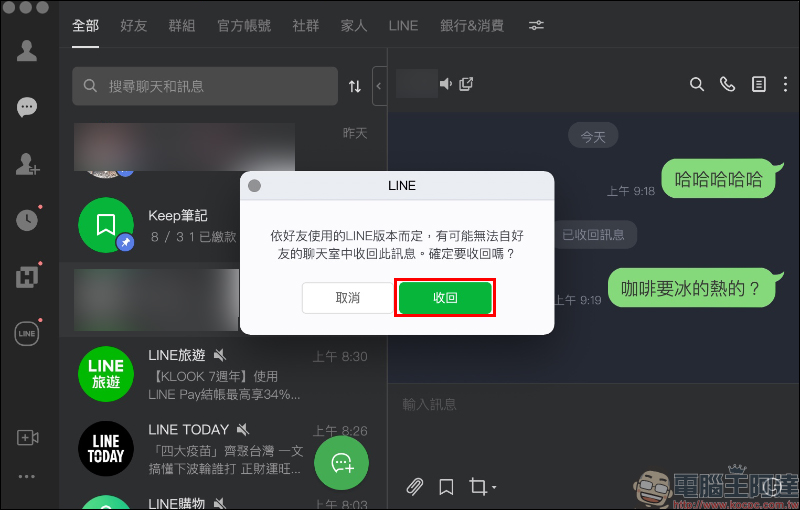
A reminder window will pop up before retracting the message. If you want to retract the message, click the “Retract” button.
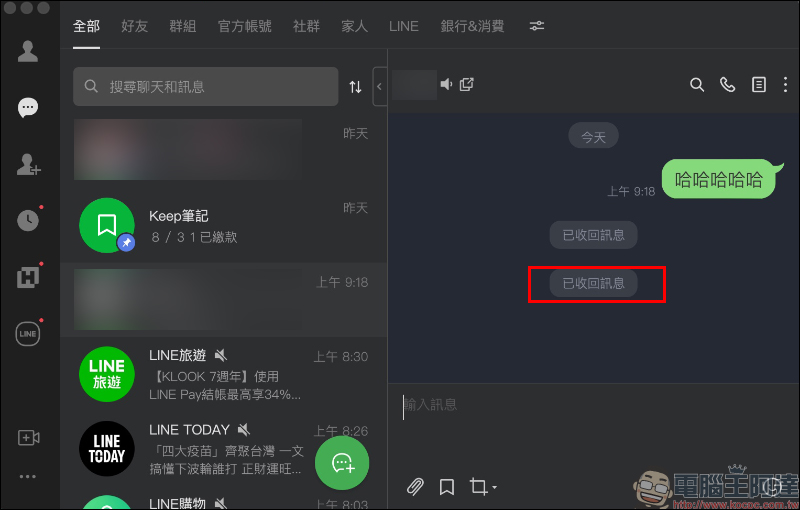
After the message is successfully recalled in the LINE PC version, “Recalled Message” will still be displayed in the chat room.
Source:LINE Taiwan official BLOG
Further reading:
LINE Backup Official Lazy Pack: LINE Chat History Backup Methods, Preparations and FAQs Read this article!
Source: KOCPC Chinese