


Lately, mobile systems have focused on more than just making the permissions requested by ads more transparent. The positioning information users give to applications has also become an issue that Google’s smartphone system is preparing to pay more active attention to. Recently, people who have upgraded to the Android 12 beta version believe that whenever they install a new application, they will notice a new option. When the system asks for the user’s GPS positioning information, there will be “precise positioning” and a new “rough positioning” option. Continue reading the article on how to protect yourself from revealing too much GPS information through Android 12’s “rough positioning” (setting tutorial).
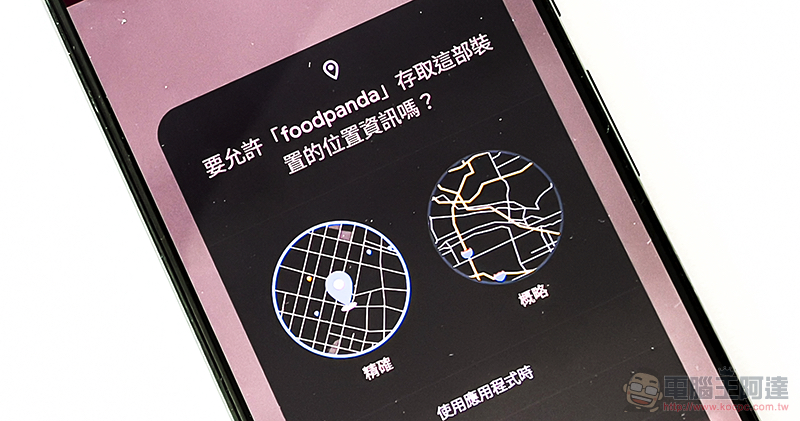
Use Android 12’s “rough positioning” to protect yourself from revealing too much GPS information (setting tutorial)
Although many applications must use the geographical location information of the device, do they need to be so accurate? In fact, for the positioning function such as weather or general scenic spot suggestions, there should be no need to provide GPS positioning with an error range of several meters. In the past, because mobile system users like you and me didn’t have many options to choose from, they almost always gave them permission. Play on hold Forget it – maybe just turn off the GPS and let the system get a true rough position? But in Android 12 Beta, which is currently undergoing intensive testing, “rough positioning” has become one of the options when the app requests positioning permissions.
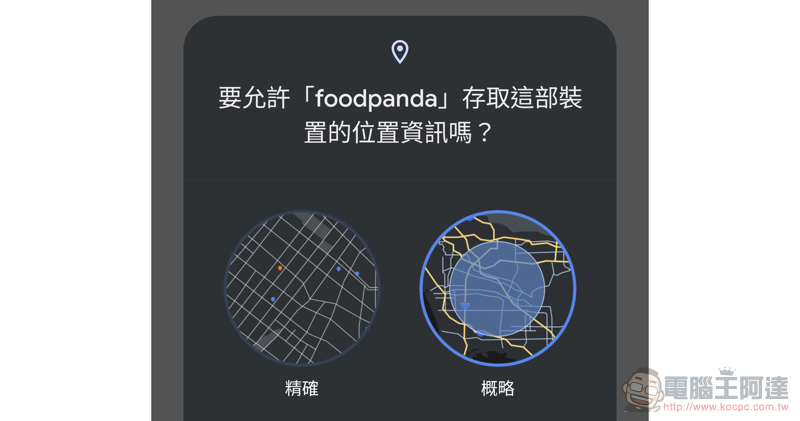
To put it simply, if you upgrade to Android 12 and install a new application, it will ask for location information. The system will pop up a new window option when you choose to provide positioning information. Here, you can basically choose whether to give precise positioning according to your needs – this is a fairly simple setting process.
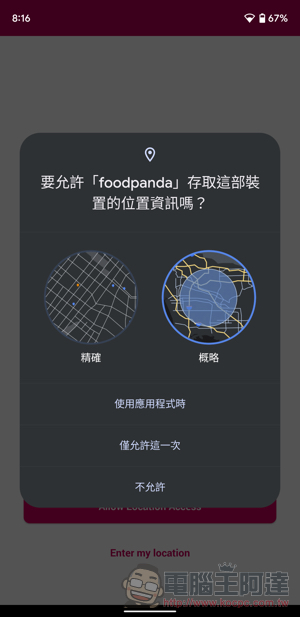
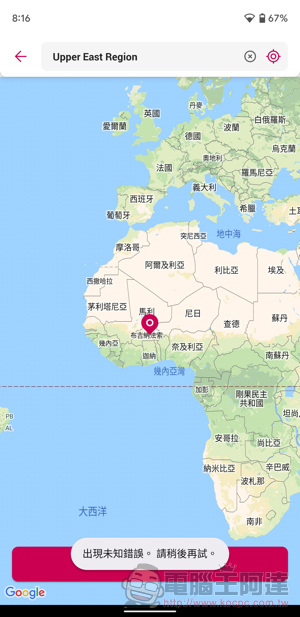
▲Picture: Try installing a new app. It seems that apps that really need precise positioning will cause errors XD.
That is, if you are like the editor, you have upgraded directly from the previous Android system, but you feel that you want to change to “non-precise positioning” for applications that have been previously given permission. You can go to the settings page of the app; long press the app shortcut or select “App Information > Permissions > Location” and you will find the “Use Precise Location” option at the bottom. If you want to use rough location targeting instead, just uncheck the box to complete the setting.
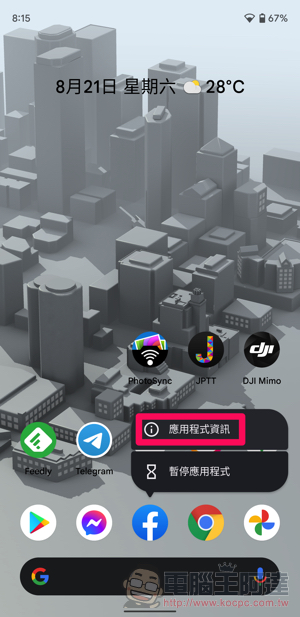
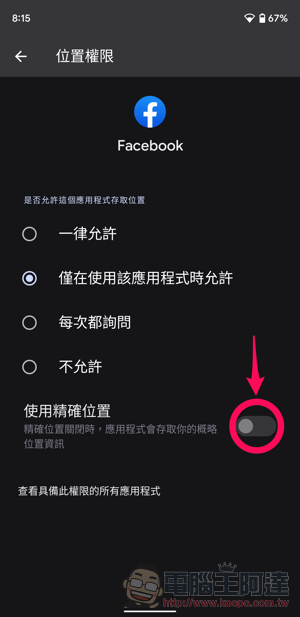
Isn’t it very simple~ If you upgrade to Android 12 in the future, remember to check it out.
Further reading:
Source: KOCPC Chinese