


Jina AI, a startup dedicated to building natural search services powered by AI technology, is now fully invested in multimodal AI. Recently, it released a solution that fundamentally helps AI language models understand web content more easily. Continue reading: with just adding a URL, AI can easily parse web pages. Jina AI’s latest free open-source tool, Reader API, is now open for use (with a hands-on tutorial).
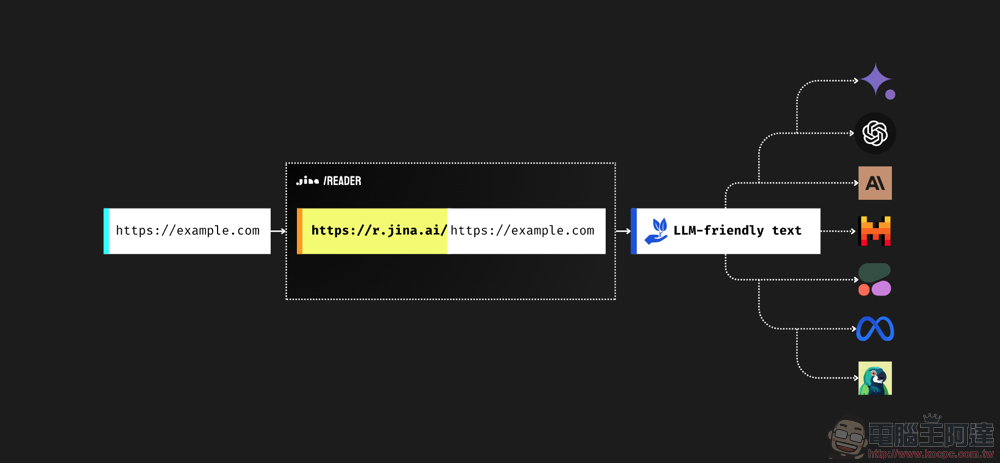
▲ Image source for this article: Jina AI
Super easy! Adding a prefix to a URL lets AI parse web pages more accurately. Jina AI’s newest free open-source tool, Reader API, is now available for use (hands-on review and tutorial).
A startup dedicated to building natural search services powered by AI technology, Jina AI has now fully committed to multimodal AI technology. Recently, it released a tool that fundamentally helps AI language models understand webpage content more easily, enabling AI to perform URL-based crawling behaviors by “solving these problems by extracting core content from URLs and converting it into clean, LLM-friendly text, ensuring high-quality input for your agents and RAG systems.”

According to the official statement from Jina AI, the free open-source Reader API they released this time uses a proxy to fetch any URL, rendering its content in a browser to extract high-quality main content.
For users or developers testing or using this API, basically just paste “https://r.jina.ai/” before the URL you want to parse, and then paste the URL you want to parse after it. Then run or navigate to it in a regular web browser to see the results parsed by Jina AI’s Reader API.
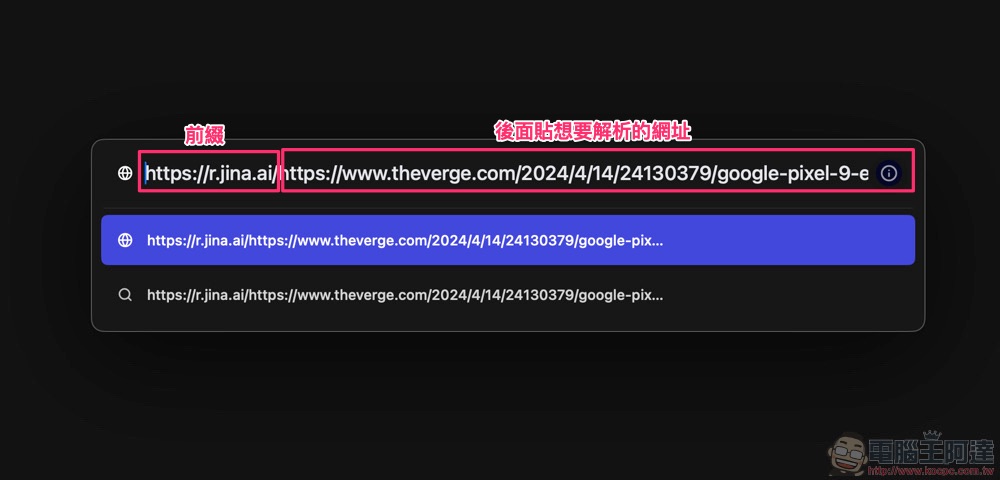
Let’s test using the review article “SHARP 四氣流水潤溫控吹風機” by 電腦王阿達 at “https://www.kocpc.com.tw/archives/542403”. Basically, the URL is “https://r.jina.ai/” plus “https://www.kocpc.com.tw/archives/542403”, and you get “https://r.jina.ai/https://www.kocpc.com.tw/archives/542403The results of this page – interested friends can use this method to test on other web pages.
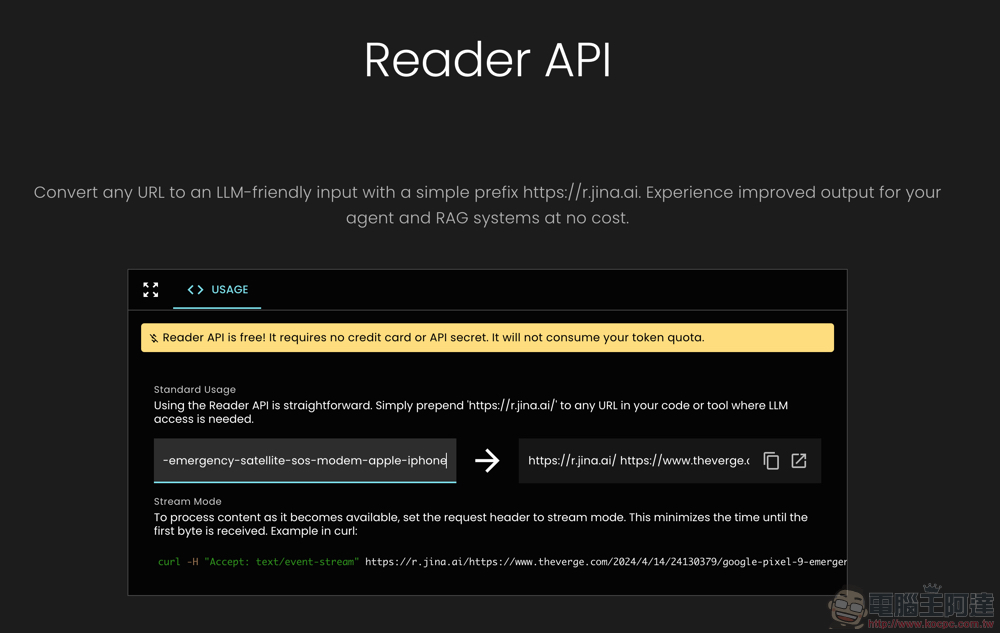
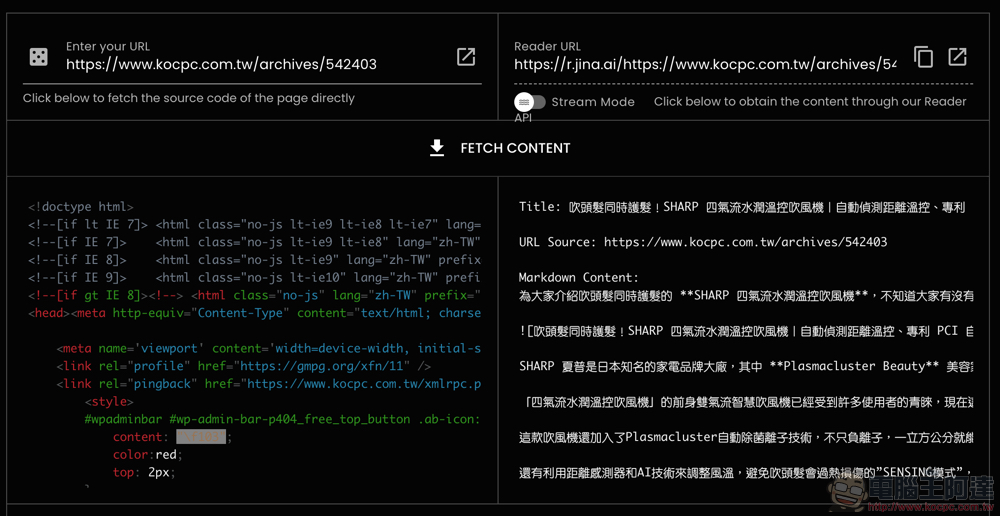
Jina AI Reader API basically works similarly to many “reader” tools. However, unlike regular readers that remove ads to make content easier for people to read, what it extracts is organized into a plain-text page with Title, URL Source, and Markdown Content sections respectively. The goal is to organize web content in a way that makes it easier for various AIs to “read,” providing more accurate analysis or summarization capabilities.
In short, this API is not limited to LLMs developed or certified by Jina AI. Its free and open-source nature allows anyone—developers included—to leverage Jina AI’s technology to make it easier for AI to understand web content.
Jina AI Reader Usage Tutorial
The official team also provides a Demo page that lets you actually test the effect of applying the Reader API to LLM models for parsing web pages – this is something that general users like you and me can also take full advantage of.
from Demo Page (Portal)We can directly paste the URL we want to parse into “Enter your URL,” and then a “Reader URL” will be automatically generated. Next, press the “FETCH CONTENT” button between the tables, and it will instantly parse the webpage content into code on the left and Markdown Content on the right. (PS: If you run into any issues, you can try switching to “Stream Mode” to read it – though the author hasn’t encountered any problems so far.)
If you would like to try using generative AI to parse and summarize information from webpages, you can directly ask questions about large language models in the “Pose a Question” field below.
Based on what we posted earlier, “SHARP Four Airflow Moisturizing Temperature Control Hair DryerTaking the article URL as an example. When we pasted it into Google Gemini AI for summarization, it failed for some reason; when pasted into Microsoft Copilot for summarization, it displayed information about a different product introduction, which is quite strange – perhaps it’s related to the webpage having a feature that automatically reads the next recommended article?
However, with Jina AI’s Reader API, it went smoothly; right after “Summarize Link”, it obtained the following summary, and the results were quite commendable:
「SHARP 四氣流水潤溫控吹風機是一款具有多項功能的吹風機,它採用了獨家的速乾方式「簾狀四氣流」技術,能夠提供更強勁的風力和更快的乾髮時間。此外,它還搭載了Plasmacluster自動除菌離子技術,能夠保護頭髮的水分和蛋白質,減少靜電和摩擦所帶來的傷害,並保護頭髮的色彩。此外,它還具有距離感測器和AI技術,能夠調整風溫,避免過熱損傷頭髮。這款吹風機還具有輕巧的機身和多種吹風模式,非常適合日常使用和旅行。」
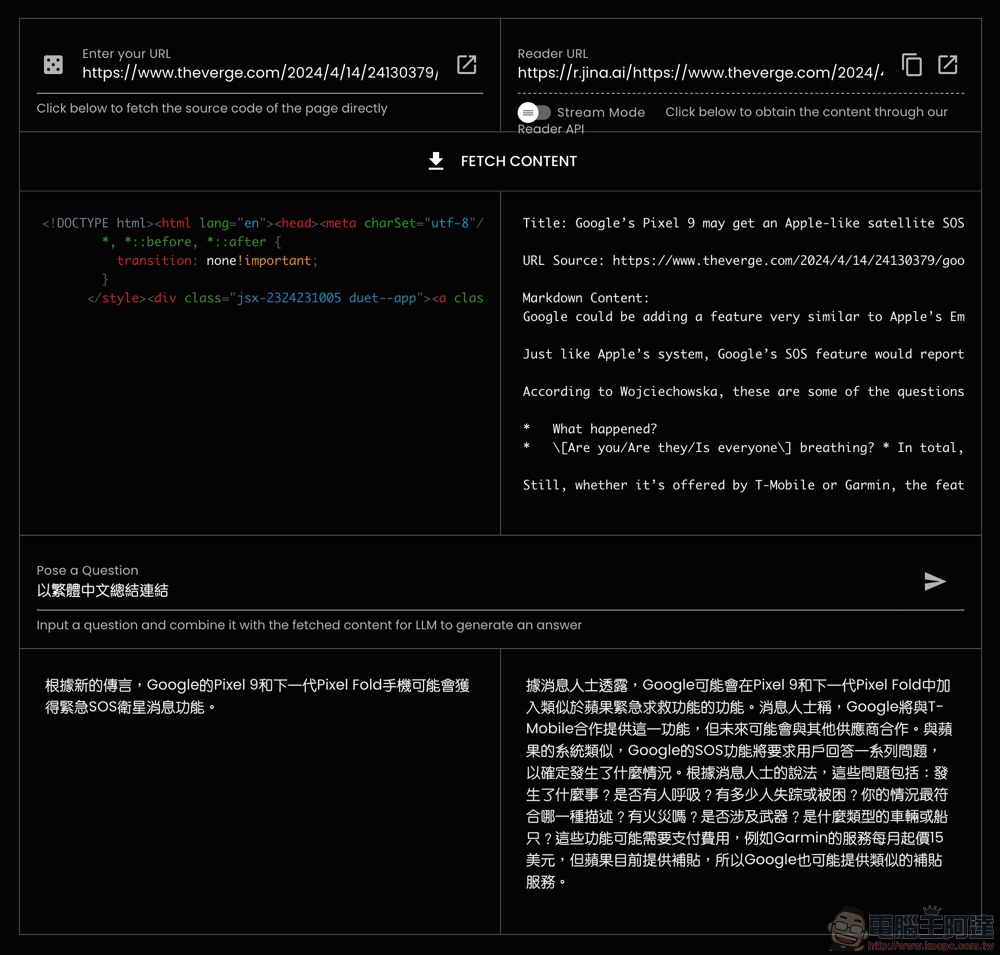
According to Jina AI’s description, their “AI web reader” does not provide translation functionality. Therefore, any foreign-language websites you parse will obviously appear entirely in English. For example, on The Verge’sGoogle’s Pixel 9 may get an Apple-like satellite SOS featureTaking a news webpage as an example, you would basically only receive analysis information in English. But in fact, simply changing the command to something like “summarize the link in Traditional Chinese” can address this usage scenario (though copying the English into Gemini or Copilot for translation is also easy). The following is a simple summary example:
「據消息人士透露,Google可能會在Pixel 9和下一代Pixel Fold中加入類似於蘋果緊急求救功能的功能。消息人士稱,Google將與T-Mobile合作提供這一功能,但未來可能會與其他供應商合作。與蘋果的系統類似,Google的SOS功能將要求用戶回答一系列問題,以確定發生了什麼情況…」
Conclusion
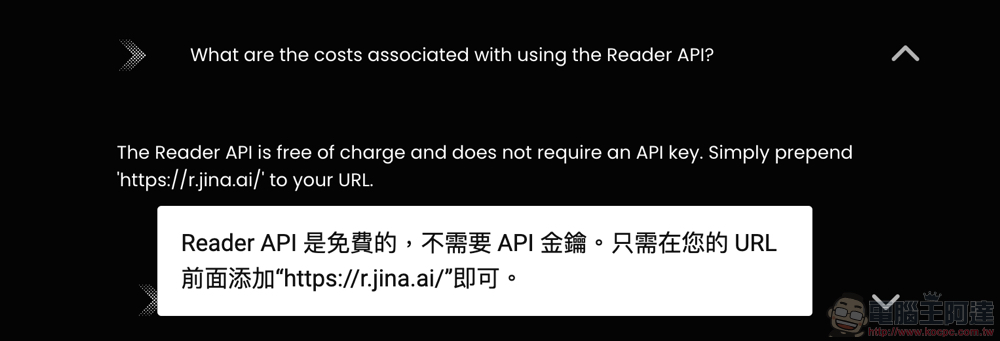
Overall, while Jina AI’s Reader API is mainly aimed at letting other developers use this tool to improve how large language models interpret web pages at the source, I personally think this Demo page is also well suited for handling web pages that make AI throw up its hands and fail to read, or that cause it to extract incorrect data.
Although it feels like such “reading” ability should have already been deeply integrated into Jina AI’s models – this API is, to some extent, also their show of force? So obviously the simplest way is to use their service to get this kind of webpage parsing capability at any time.
That said, there really aren’t that many web pages where other AIs run into problems, and AI in general is still constantly improving (who knows, they might just adopt this API directly). So personally, I’d recommend using this as a temporary workaround when you run into issues with other generative AI services parsing web pages. You might want to save the https://jina.ai/reader/#demo page for future use.
Further Reading:
Man warns online that Find My iPhone tracking feature could be maliciously exploited by robbers.

Source: KOCPC Chinese