


When using some images, you might sometimes find watermarks a bit annoying. Although you can remove them with Photoshop or similar, it’s not that easy for the average person. As AI becomes more powerful, there are now quite a few watermark removal tools online. Recently, I came across this free tool called “Lama Cleaner lama” which works quite well. It’s simple and intuitive to use, so even people without any photo editing background can easily get the hang of it.

Lama Cleaner is a free AI online tool for removing watermarks, and it works quite well.
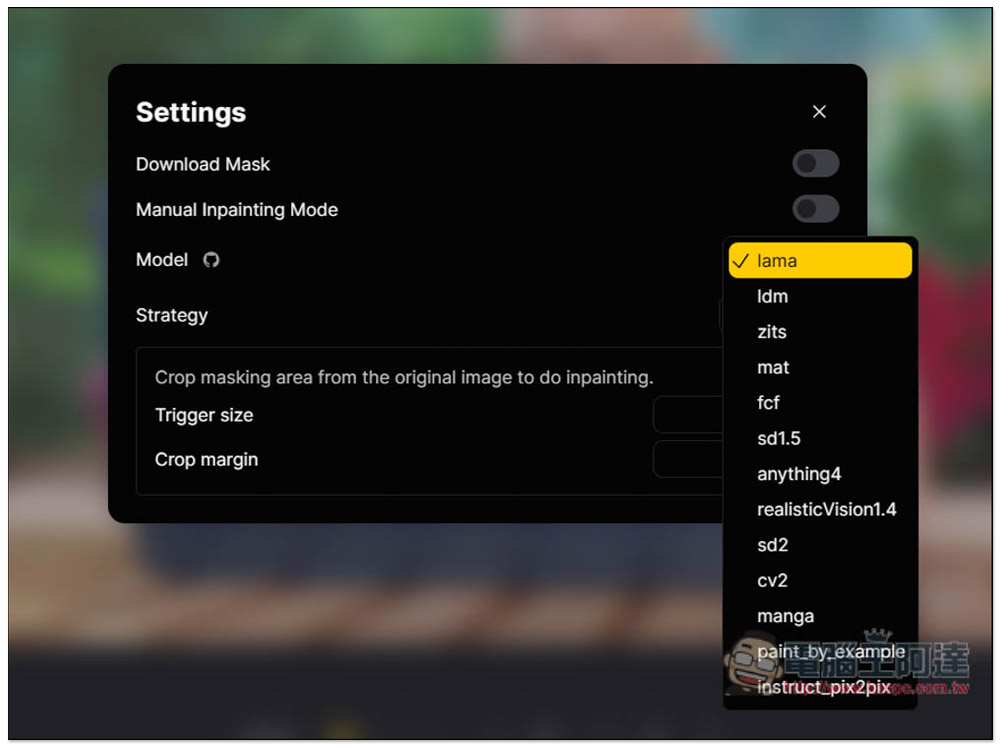
Lama Cleaner is an AI tool hosted on Hugging Face. It uses the Lama model by default, but also offers other model options like ldm, zits, mat, fcf, and so on. I think Lama works just fine.
The operation is very simple: just use a brush to paint over the area where you want to remove the watermark. You can keep painting the whole area, or paint it block by block. The results are inconsistent, since it’s all done through AI computation.
For backgrounds that aren’t too complex, this tool can basically deliver near-perfect removal results, and you can even use other photo editing tools to enhance them. But if it’s too complex, I think the effect is just okay.
When removing the background, you can undo the previous step at any time. If you accidentally misclick or want to reselect an area, hotkey support is also available.
After clicking the link above to enter the Lama Cleaner lama tool page, import the image or photo you want to remove the background from:
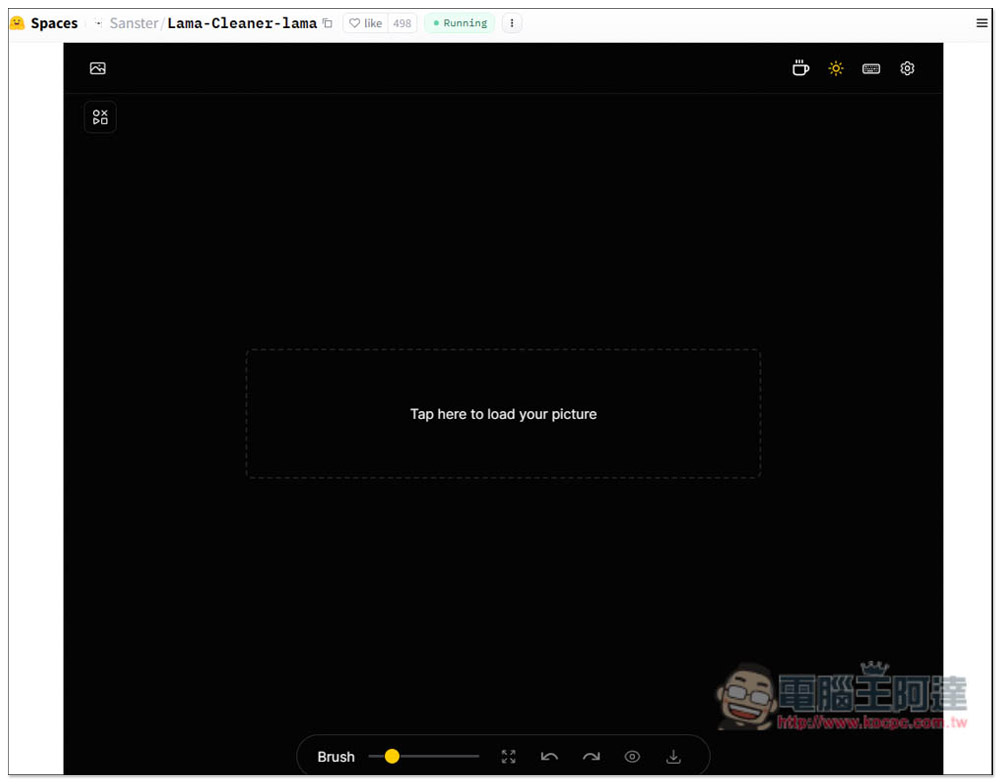
I’ll use this photo of Ada as an example; there’s a watermark of 電腦王阿達 in the bottom-right corner. It’s not too difficult, though the coverage area is quite large. When you move the mouse over the photo, you’ll see a yellow brush icon. At the bottom, Brush allows you to adjust the size, and Undo and Redo are also on this control bar:

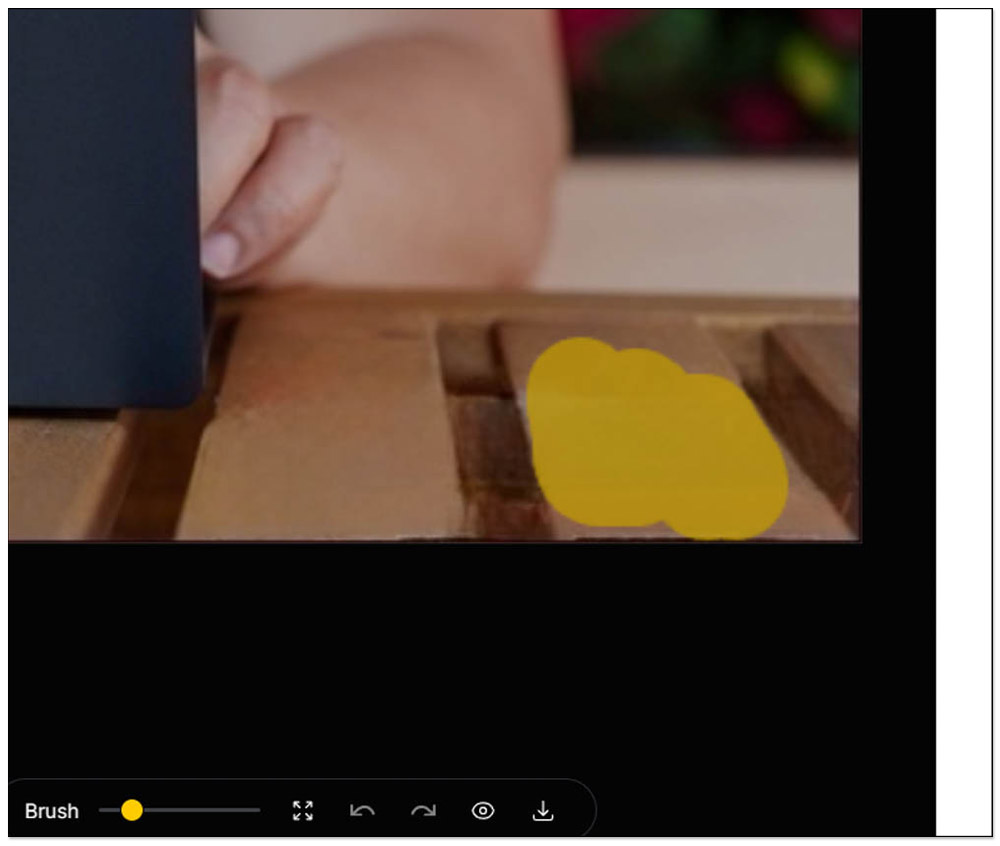
After you draw over the area you want to remove, it will immediately use AI to process it. Each stroke triggers a processing run, so remember to draw the entire area you want to process at once:

The operation takes about a few seconds. If you’re not satisfied, just draw it again. Like the area I drew just now didn’t get completely removed, so I redrew the part that wasn’t removed.

This way, it gets cleaner:

As for whether to draw all the watermark areas at once or draw them separately, I suggest trying both. For example, in the next step, I’ll draw all the watermark areas together and see how the removal effect turns out.

It turned out to be pretty good, but there are still some areas where the colors aren’t quite right, so we can keep refining it:
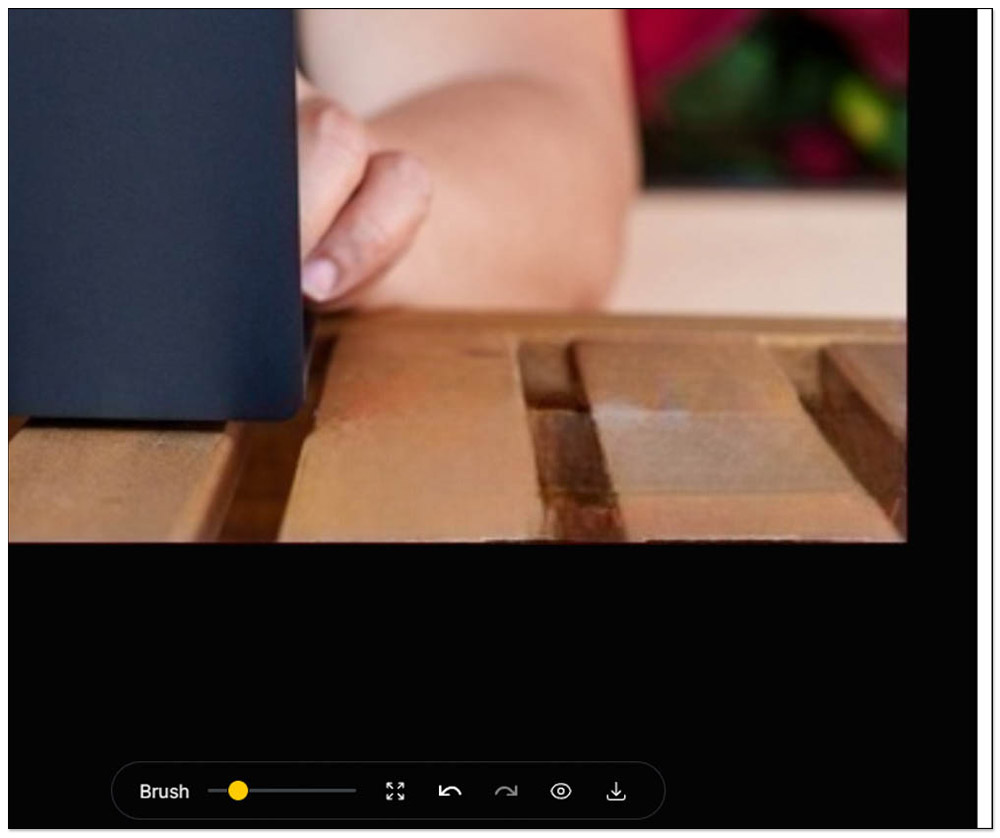
Just mark the areas you want to improve the same way, but sometimes it may not be very effective. When that happens, you can only use other photo editing software to enhance it, or try different AI models:
You can switch to other AI models in the settings — it’s the ‘Model’ option. You can also configure whether to download Mask, size, strategy, and so on:
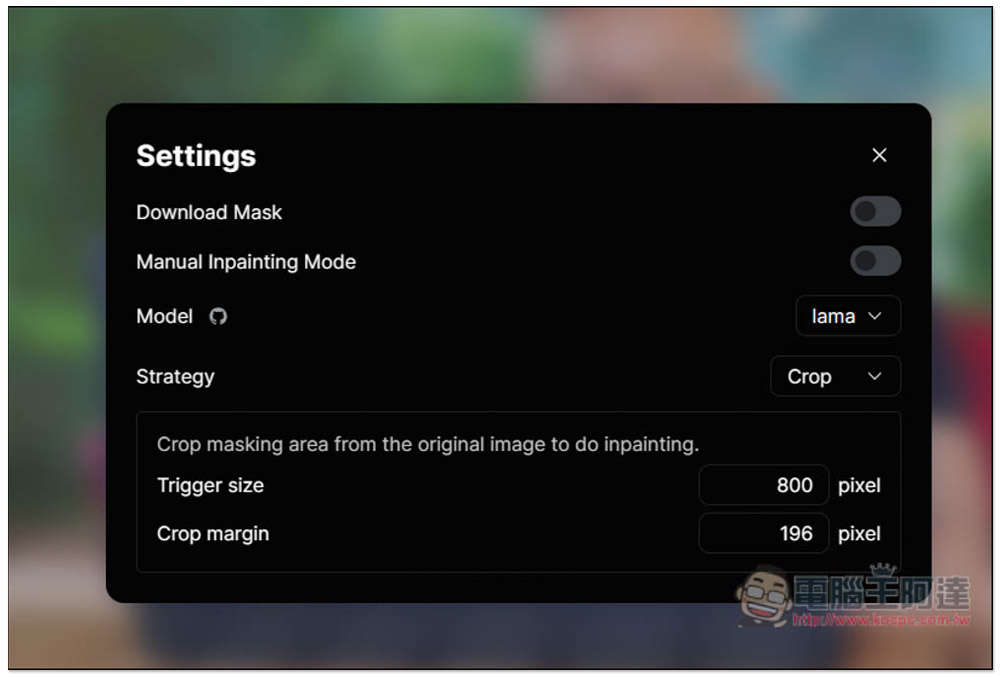
There are tons of model options provided, 13 in total:
If you’re satisfied, just click Save Image on the far right to download it:

Watermarked version:

The version with the watermark removed using this tool actually works quite well. If you weren’t told that this photo originally had a watermark, you might think the gray in the bottom right corner is a dirty table:

Source: KOCPC Chinese