


There are countless price comparison websites for products like phones and home appliances. Now, for AI chatbots, there’s also an interesting tool that lets you actually compare their performance at once – a service that lets a bunch of LLM chatbots chat together: OpenRouter. Continue reading the full article about OpenRouter integrating popular LLM generative AI chatbot services for simultaneous chatting, supporting a vast array of large language models from OpenAI, Google, and Meta.
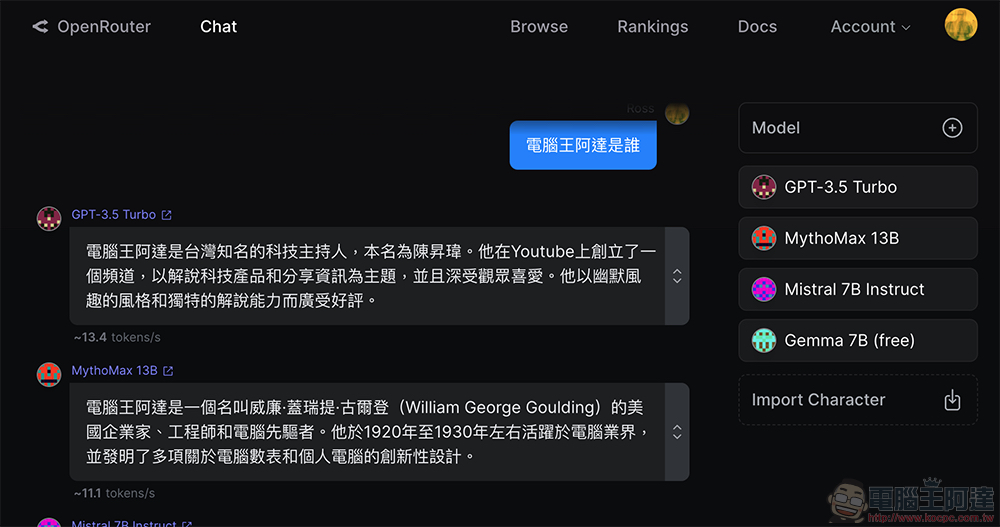
OpenRouter integrates popular LLM generative AI chatbot services for “simultaneous chatting,” supporting a vast array of large language models from OpenAI, Google, and Meta.
Large language models, which suddenly rose to prominence and were brought into the spotlight by OpenAI’s ChatGPT, have now evolved to include not only the names commonly seen in tech news, such as Google and Meta, but also OpenAI, Cohere, Anthropic, MythoMist, Nous, and more. In fact, even a single brand now offers free and paid versions, as well as multiple generative AI chatbot models catering to different levels of need, for consumers to choose from.
Thus, even just among the few AI models I frequently use, choosing one to pay for that is ‘most suitable for a particular purpose’ can already be somewhat difficult.
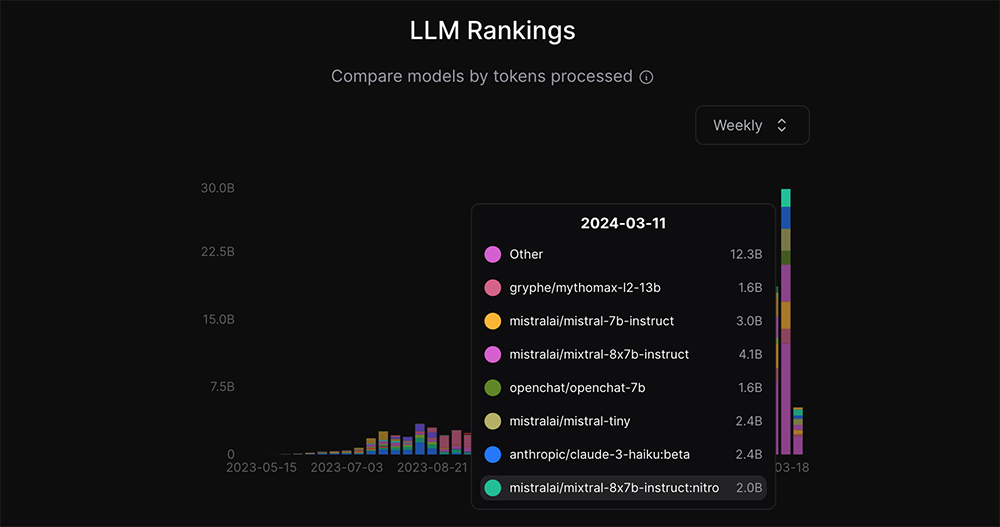
▲Image source: OpenRouter
OpenRouter can be described as an innovative integration service designed specifically to help you find the most suitable AI.
Its most fun aspect is that it lets you bring together all sorts of AI chatbots—ChatGPT, Gemini, Claude, and so on—to “chat” in an all-in-one chat service. It uses the simplest, most direct way to lay out AI’s answering performance out in the open… I mean, within OpenRouter’s integrated chat service.
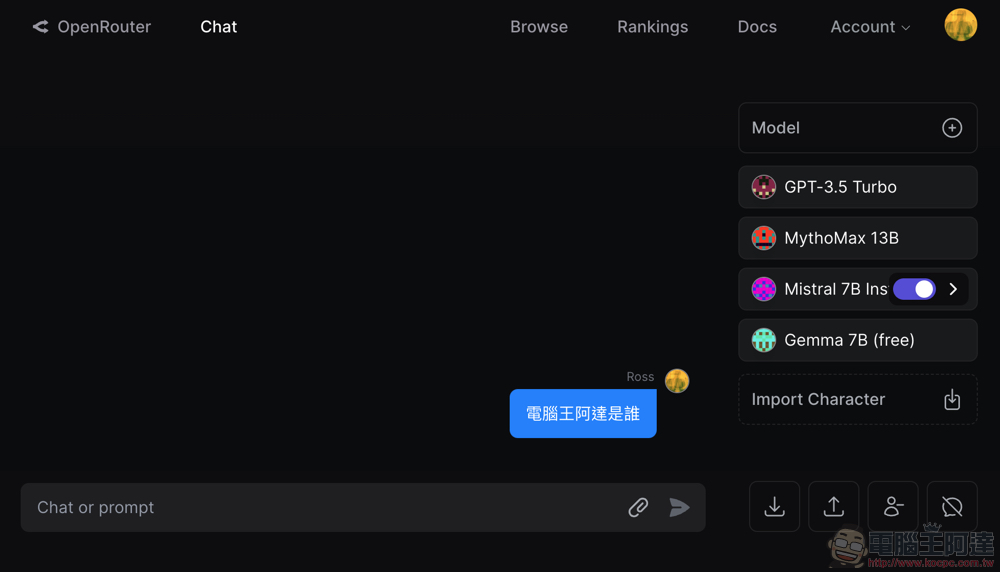
Open OpenRouter pageAfter that, you can directly click Chat to apply or log in to your account and start using the “AI group chat” service.
At first glance, the chat feature looks similar to many AI chatbot services – you can basically just type a question or prompt (incantation) into the text box at the bottom. But on the right side, you’ll notice that OpenRouter not only lists multiple language models from the get-go, but also lets you keep adding more with the “+” button. And in actual testing, adding more than 10 still works…
Then after you press confirm, you’ll see a “group” of AIs answering your question together (it’s quite a sight) — as shown below, for this particular question, it’s immediately clear who is better.
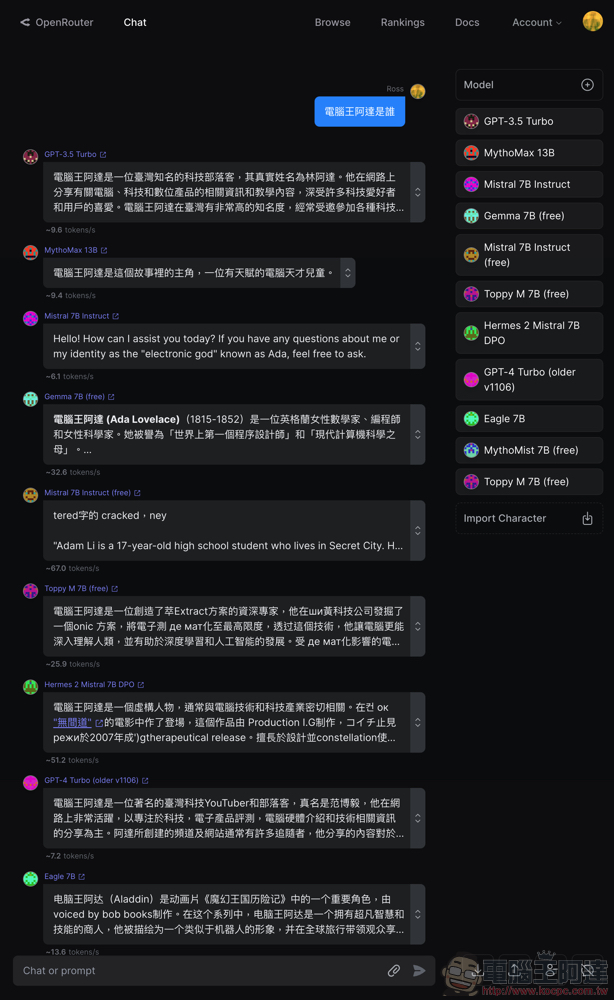
Basically, as it says on the OpenRouter homepage: “Find the best models & prices for your prompts.” It’s a tool service that helps you find the best AI solution. You can test these AIs with the key questions you care about most, almost like an interview, to see which model answers more correctly or more to your liking.

Although OpenRouter’s integration feature requires credits to use, the author has so far only asked two or three simple questions in the chat window, and even ran more than 10 language models at once, but has basically not encountered any payment prompts (though upon later checking, Credits was already $ -0.01).
It’s worth noting that even though OpenRouter currently appears to have over 80 AI models, you’ll find that Microsoft Bing isn’t one that many people use. So even though OpenRouter will likely continue adding more models, don’t assume it truly brings together all LLM services. I also tried out the file upload feature and found that not all AIs support extended functions like reading images.
Overall, OpenRouter is a great AI comparison reference tool, and it also provides reference charts like popularity rankings. If you’re interested, give it a try!
Further Reading:
A good third-party Chinese input method for Mac: XiaoMai Zhuyin.

Source: KOCPC Chinese