


If you want to buy a cup of coffee at Starbucks before going to work, do you often end up being late because you have to queue up to order and wait for food during peak hours? For Starbucks Star Rewards members, if they wanted to accumulate stars through consumption, they had to order and pay at the store. Because using the food delivery platform is an independent operation, Star Miles cannot be accumulated for consumption.
Recently, Starbucks’ new “mobile pre-order” service has finally been launched and is currently in trial operation in designated stores across Taiwan! How to use “Action Point”? Please continue reading this article for practical experience!
Actual test of the operation of Starbucks’ new “Mobile Pre-order” service: Customized pre-ordering, simultaneous accumulation of stars, and leisurely collection without queuing!
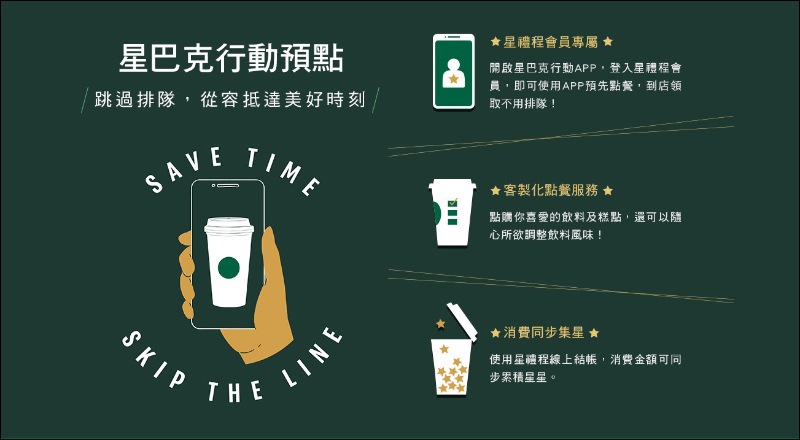
Recently, Starbucks Taiwan finally launched a new exclusive service “Mobile Pre-order” for Starbucks Rewards members, and it has now begun trial operation in designated stores across Taiwan! Starbucks Rewards members can pre-order drinks and meals through the “online pre-order” function in the StarbucksTW App on their mobile phone. Drinks and meals can be customized according to personal tastes and needs, making itinerary planning easier and eliminating the need to wait in line when picking up items at the store. In addition, when you use Star Gifts to check out online, you can also accumulate stars simultaneously with your consumption amount.
How to use Starbucks “Mobile Pre-order”?
First, you must become a Starbucks Rewards member and download the Starbucks App to log in as a member. After opening the App, click the “Mobile Pre-Order” function button at the bottom of the main page to start ordering meals or drinks! Before ordering food, it is recommended that you choose a nearby store that is convenient for picking up food. After all, the mobile pre-ordering function is currently in the trial operation stage, and many stores have not yet opened this function. If the selected store supports the “Mobile Pre-order” function, the store information will be displayed in black text.
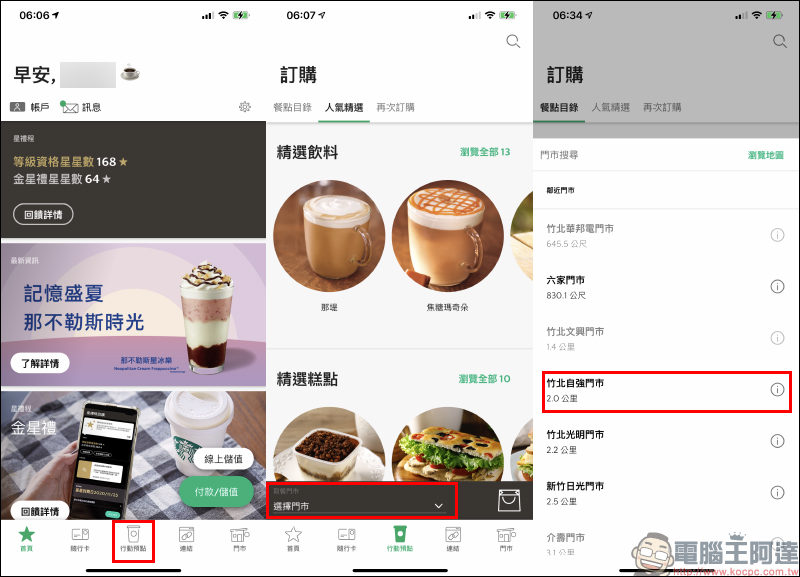
After choosing a store, you can start ordering drinks and meals! Depending on the content of meals and drinks, there are also complete introductions and nutrition label information.
If you choose a meal such as bread, you can also choose whether to “heat” it.
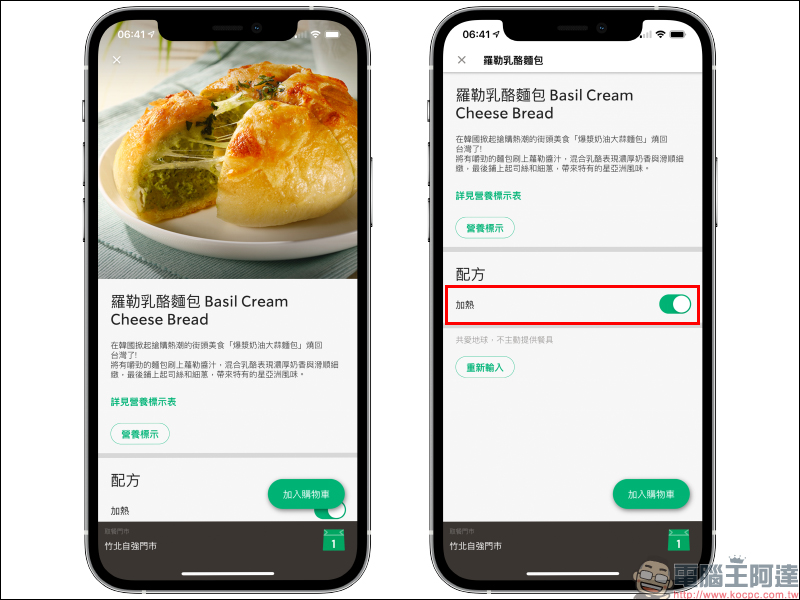
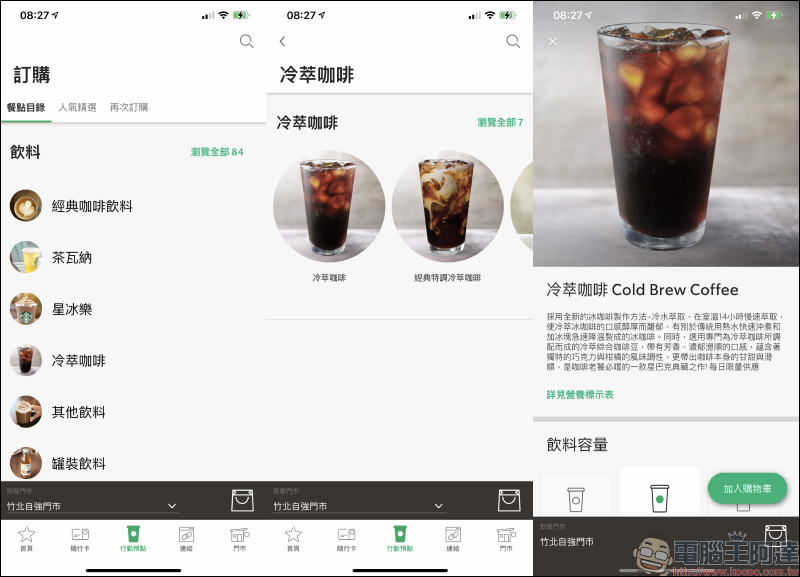
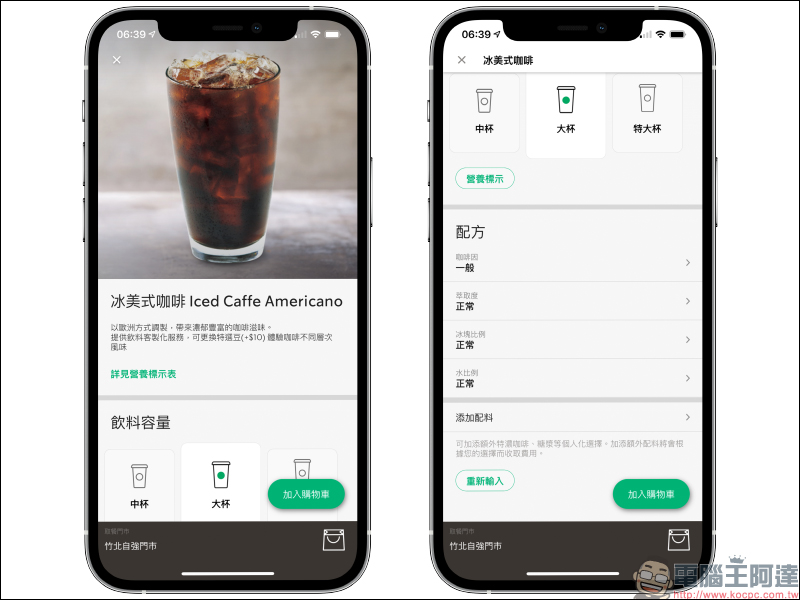
Take the iced Americano as an example. In addition to selecting the beverage volume, you can also customize the caffeine, extraction amount, ice cube ratio, water ratio and other customized options according to personal taste.
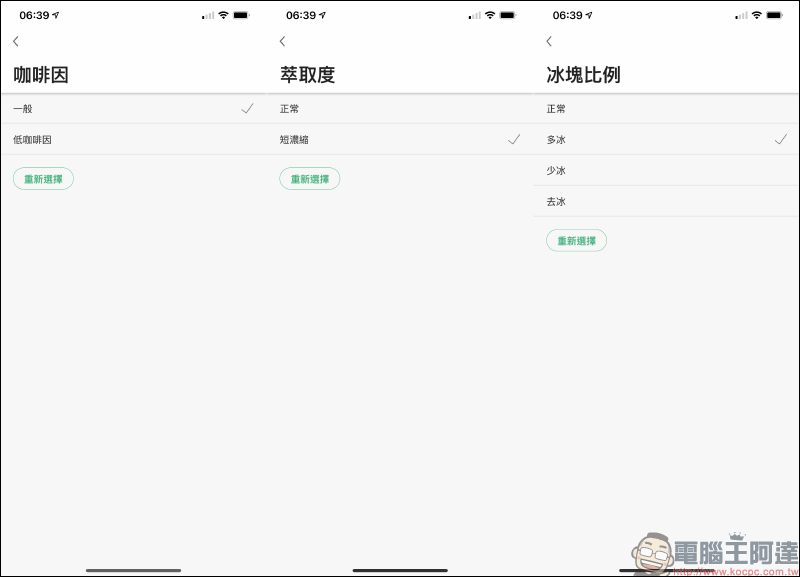
For example, you can choose normal/low caffeine, normal/short concentrated extraction, and the ice ratio can be customized according to your preferences from “more ice” to “no ice”.
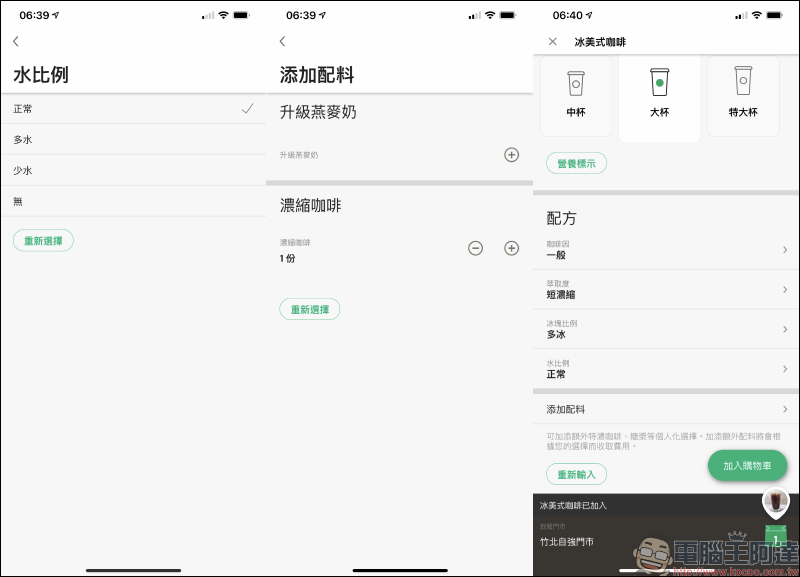
The water ratio can also be adjusted, and espresso can also be added as a customized option. Taking a large iced Americano as an example, up to 4 espressos can be customized. After the settings are completed, you can add the meal to your shopping cart!
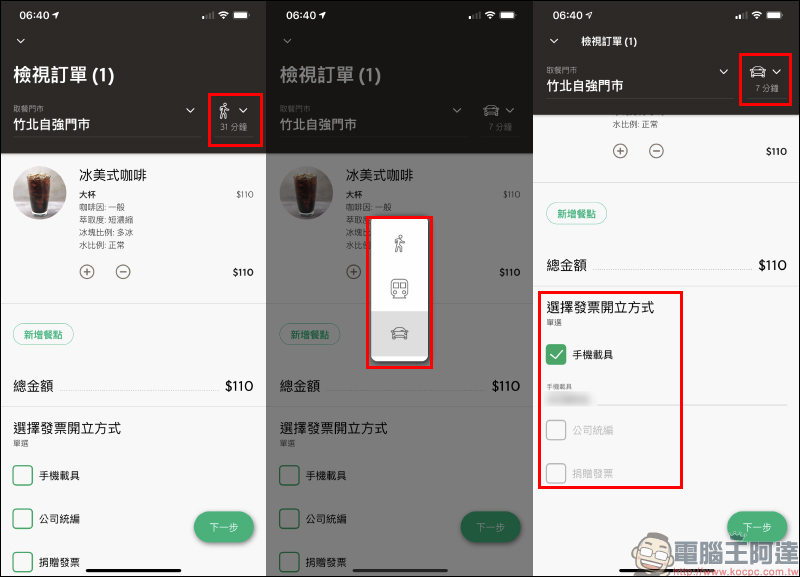
On the shopping cart (order) page, consumers can still reselect the store where they want to pick up food. Interestingly, the transportation time required to reach the store is also evaluated based on the user’s current location. The time required is also updated based on walking, public transportation, and driving. Consumers can choose the invoice issuance method before checking out. If they want to save their mobile phone, they can also enter it at this step.
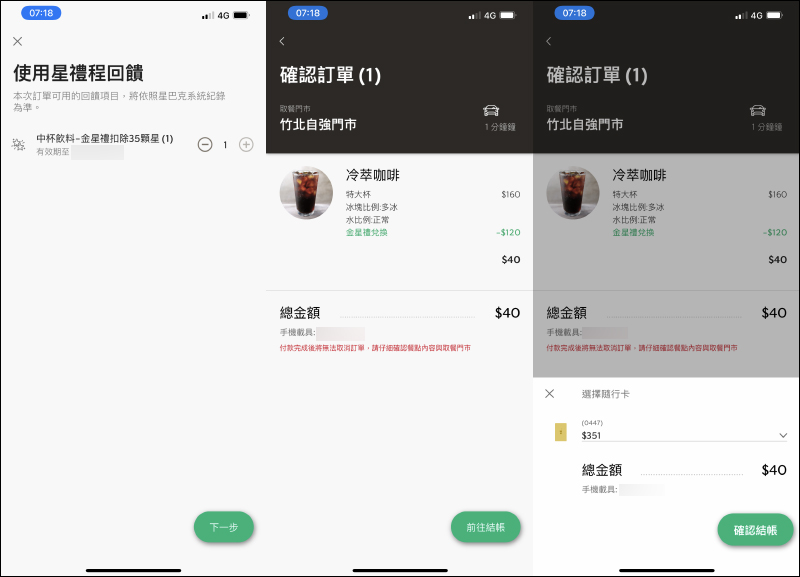
Go to the next step. If there are Star Miles rewards that can be redeemed, you can choose whether to use them in this order. After confirming the store where the food is picked up and the content and amount of the meal, you can use the Starbucks gift card to choose the accompanying card to check out directly!
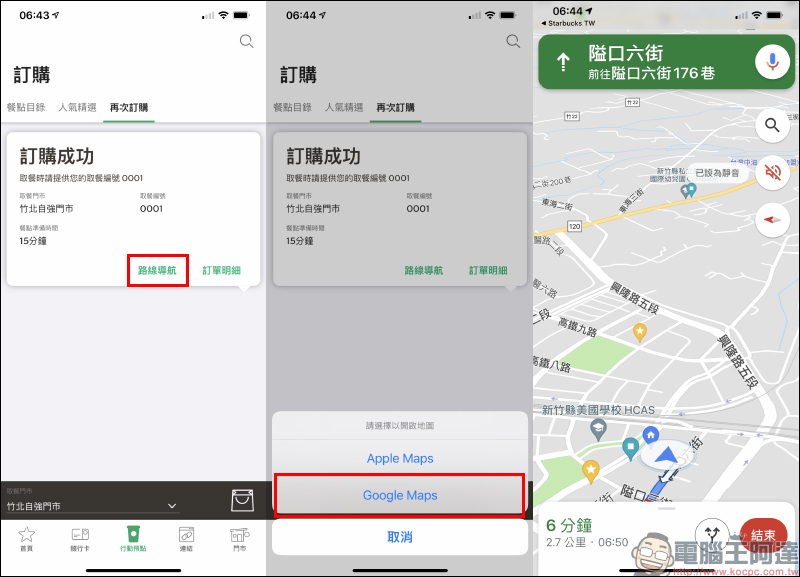
After a successful order, the order number, pick-up store, and estimated meal preparation time will be displayed on the order (it may be earlier or later depending on the on-site order status of the store). Users can directly click “Route Navigation” to directly open the map navigation function, making it more convenient to go to the store to pick up food.
When the meal is available for pickup, the system will update the order information, and then you can go to the store to pick up the meal.
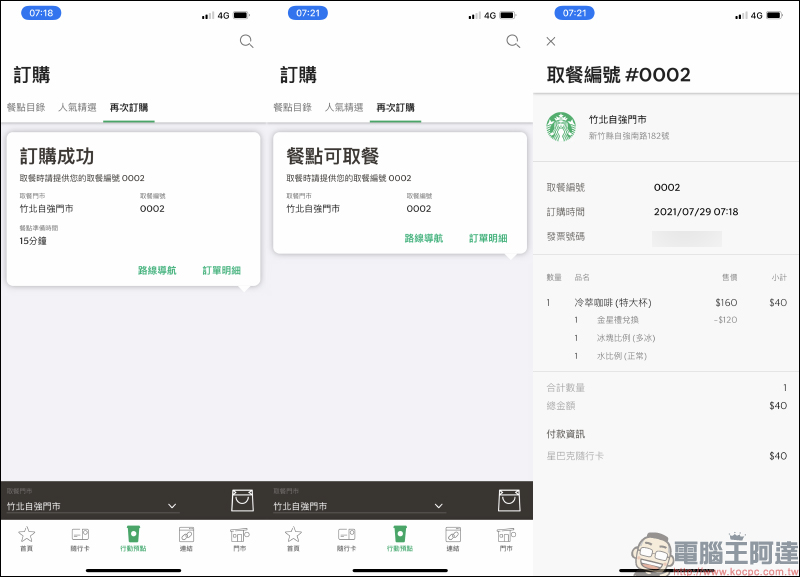
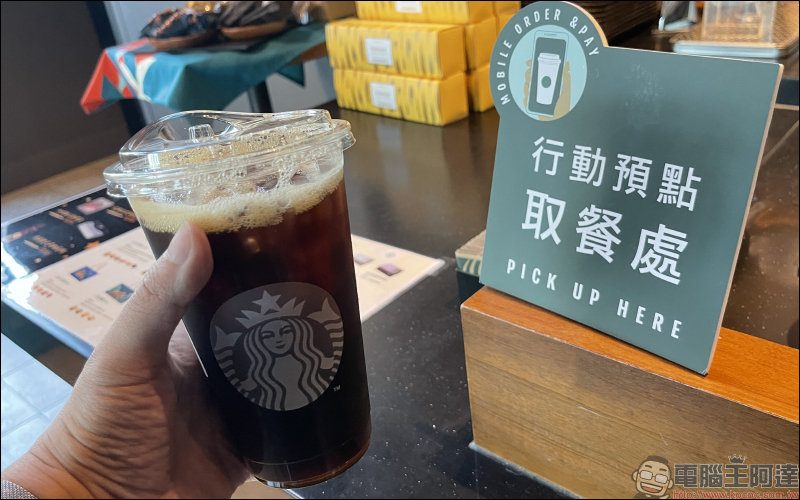
After arriving at the Starbucks store you selected to pick up your order, just tell the store service staff your order number directly at the “Mobile Pre-Order Pickup Counter”.
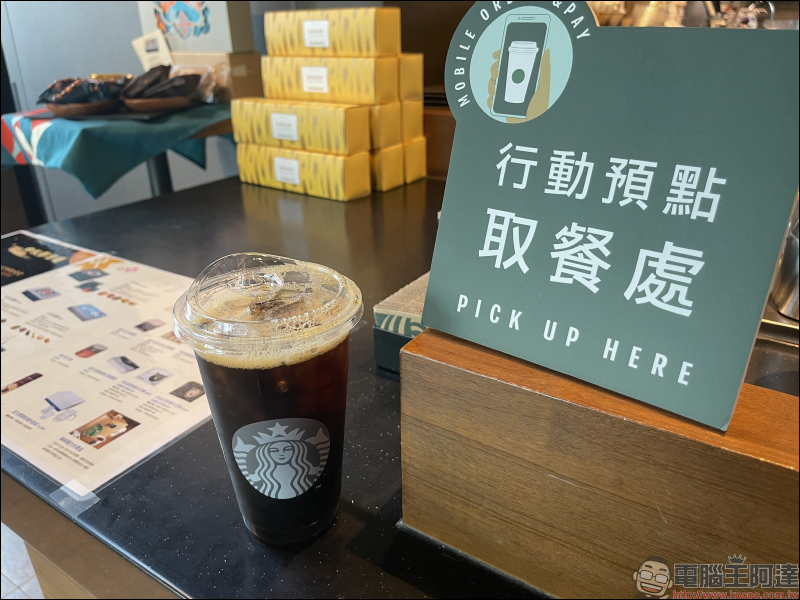
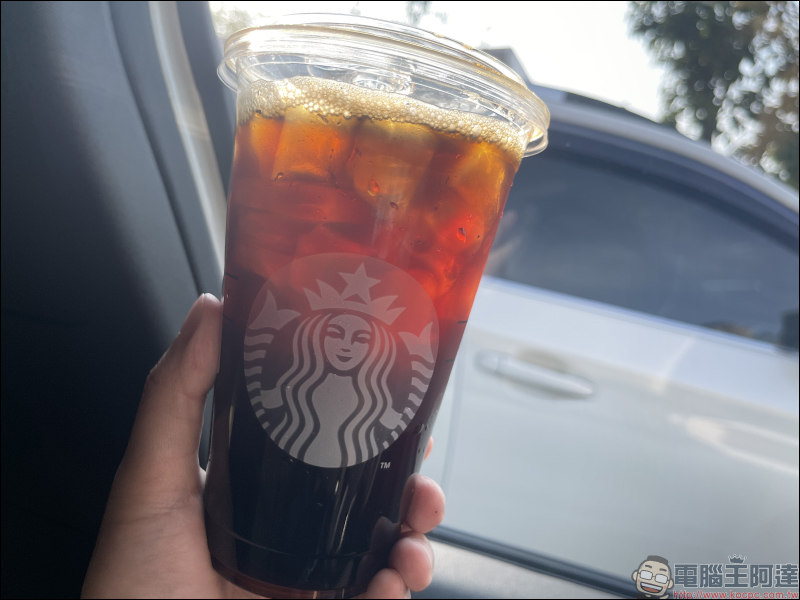
Earlier, I used the Starbucks mobile pre-ordering function to order an extra-large cup of cold brew coffee (customized to adjust the amount of ice), and received a cup of coffee full of ice cubes (satisfactory).
Further reading:
LINE free stickers collection: 21 LINE stickers for free download, including Bye Bye Jiu Jiu, Q version Tai Ge, Fa Dou Bai Pao, etc.
Source: KOCPC Chinese