


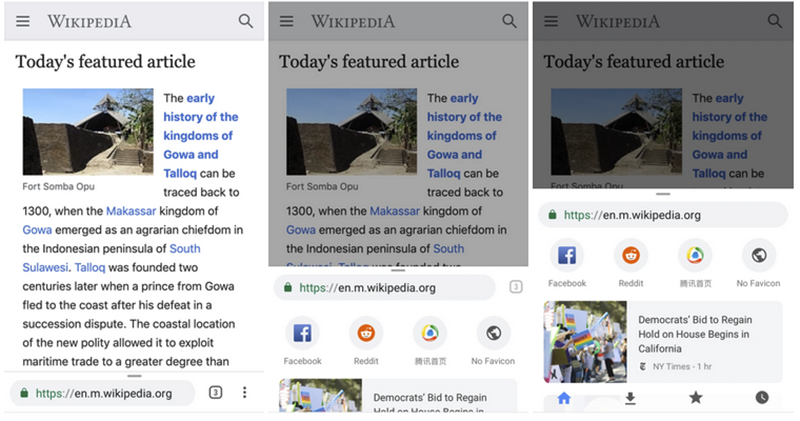
Seriously, Apple has revamped the bottom toolbar of iOS 15’s built-in browser, which is still in testing. To some extent, even Google should feel “Respect” – after all, even the Android system, which has been regarded as relatively open in the past, has made similar attempts on the Chrome experience (Chrome Home Have you heard of it? ), but ultimately failed to adopt it because they wanted to cater to the habits of most users. Since it is such a major change, in fact, even Apple still made many adjustments between versions after the public beta version was released, and it even felt a bit hesitant (eh). Continue reading The iOS 15 beta version has adjusted the Safari interface, seems a bit too “lively”? Report text.
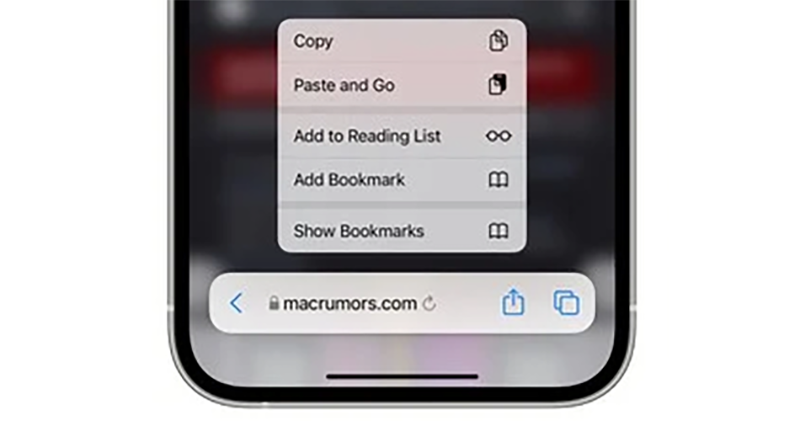
▲Image source: MacRumors
The iOS 15 beta version has adjusted the Safari interface, and the address list at the bottom seems a bit too “busy”?
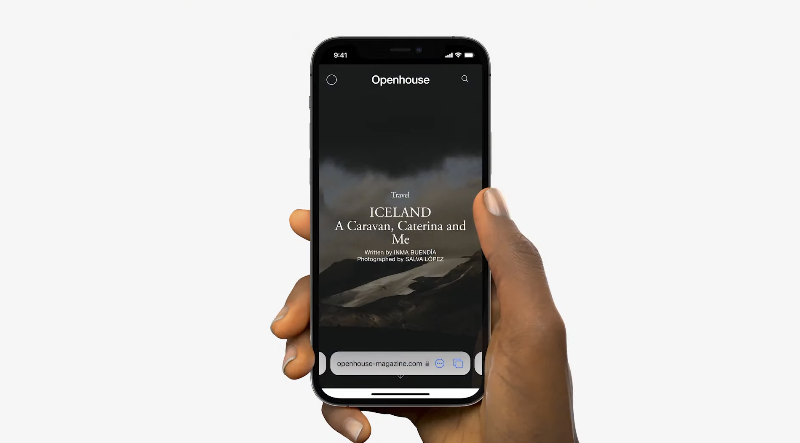
In the recent iOS 15 Beta 4 update, foreign media MacRumors discovered that Safari’s major revision has put all functions and the address bar into the floating toolbar at the bottom – coupled with new operation gestures, it seems that when opening the browser, a “one” system operation bar has been added. Now, with the update of the small version, the interface has been adjusted again, adding more buttons, and at the same time, this short operation bar has become quite crowded in an instant.
Although we know that Apple will definitely make good use of the testing time and make experience corrections based on feedback from developers and public testers. At present, it seems that Apple is still quite hesitant about which functions should be retained or provided in the iOS 15 Safari toolbar.
▲Image source: Apple
In the latest Beta 4, Safari has returned the reset button that used to be at the end of the address bar (as well as the buttons for the previous and next pages XD). This probably corresponds to the fact that the new interface requires a forceful pull down of the web page to reorganize the page. On the one hand, users may not be able to get started immediately, and on the other hand… after all, to complete this gesture, you have to pull to the top of the page.
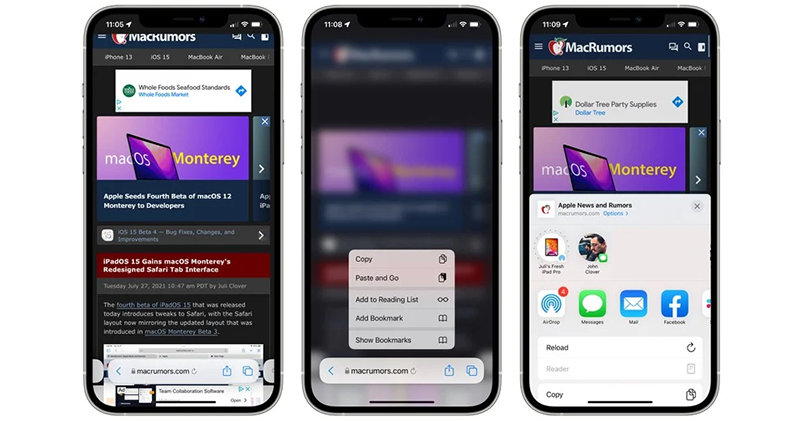
▲Image source: MacRumors
Therefore, for such functions that may be operated relatively frequently, Apple may hope to provide them in the form of dedicated buttons (I’m really guessing). In addition, the same “re” button that appears in the Safari address bar can also be seen as a shortcut button for the reader – which will appear depending on whether the web content is supported or not. In fact, in the previous version, the editor discovered that long pressing “…” can bring up the reader interface.
There’s a total of *six* different touch targets in the iOS 15 beta 4 tab bar in Safari.
These exclude the ability to long-press the tab bar, swipe across it to change tabs, and swipe it up to open the Tabs view.
I’m…starting to think a single, small toolbar just won’t do. 😬 pic.twitter.com/EiD2mekVRL
— Federico Viticci (@viticci) July 27, 2021
As for the “…” function paging button in the previous version, this version has been changed to a sharing icon – the page functions have also been adjusted accordingly, and other copy, reader and other operation options have been placed at the bottom of the new version of the page that mainly features sharing functions such as AirDrop. Interestingly, these corresponding operations can also be invoked in this version by long-pressing the address bar to invoke shortcut operations similar to the right-click menu. It also includes the functions of bookmarking and adding to reading list.
▲Image source: Apple
Although this adjustment really makes Safari’s shortened URL toolbar look much more crowded. However, the operation is indeed more intuitive, and it also allows users to have the opportunity to use the desired operation whether from the detailed menu, long-press operation, or directly clicking the shortcut button on the address bar. As for how to balance beauty and practicality… it seems that will be the focus of the next adjustment, right?
Pictures/sources cited in this article
Further reading:
Someone revealed why Chrome abandoned the iOS 15 Safari-like bottom UI design early
The name of the hidden dessert codenamed Android 13 “T” was quietly leaked, and it is quite famous!
Source: KOCPC Chinese