


Many people regularly watch the live broadcasts of epidemic news from government units. Now that the Olympic Games are about to start, exciting programs are even more difficult to miss. Although YouTube itself has a mini player function, as long as you jump to the tab, you will not be able to see the screen, which greatly limits your computer use. This time I will tell you how to use the super practical “Picture-in-Picture” (PiP) mode to watch YouTube videos in the three major browsers of Chrome, Microsoft Edge and FireFox!

How to watch YouTube with “picture-in-picture” in Chrome, Microsoft Edge and FireFox?
The convenience of the “Picture-in-Picture” mode is that it is not restricted by paging. You can switch to other pages to browse the website and continue watching videos. Chrome, Microsoft Edge and FireFox are currently the most popular browsers, and they all support picture-in-picture. How do you use them?
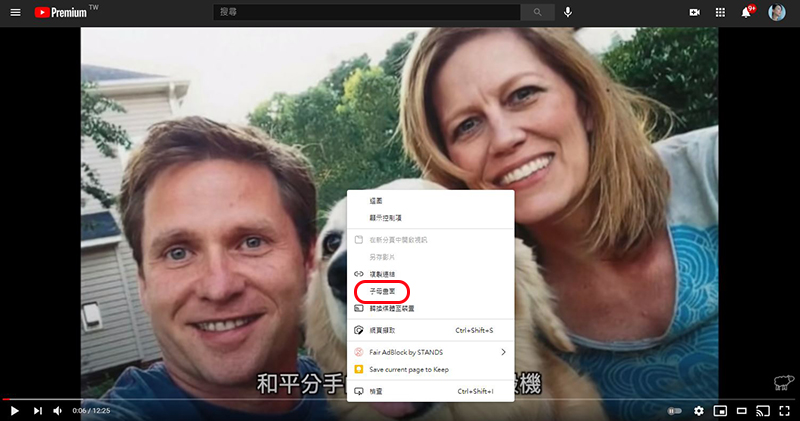
Microsoft Edge
- Open any YouTube video in Microsoft Edge
- Double right-click on the player and select “Picture in Picture”
Chrome
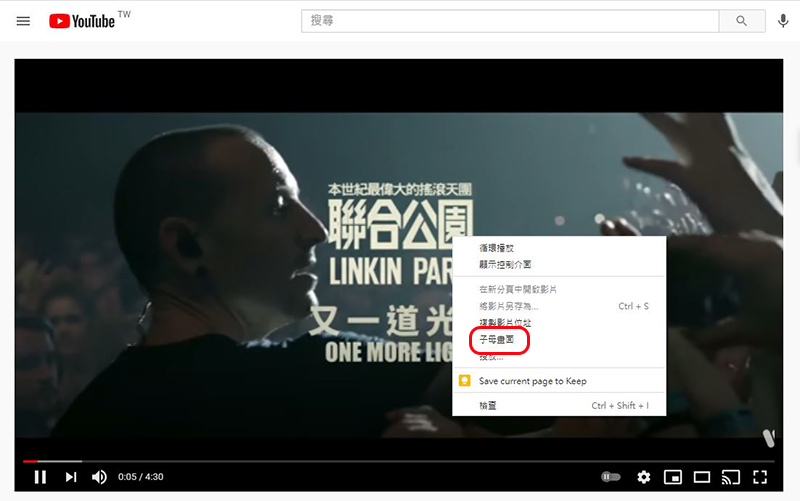
- Open any YouTube video in Chrome
- Double right-click on the player and select “Picture in Picture”
FireFox
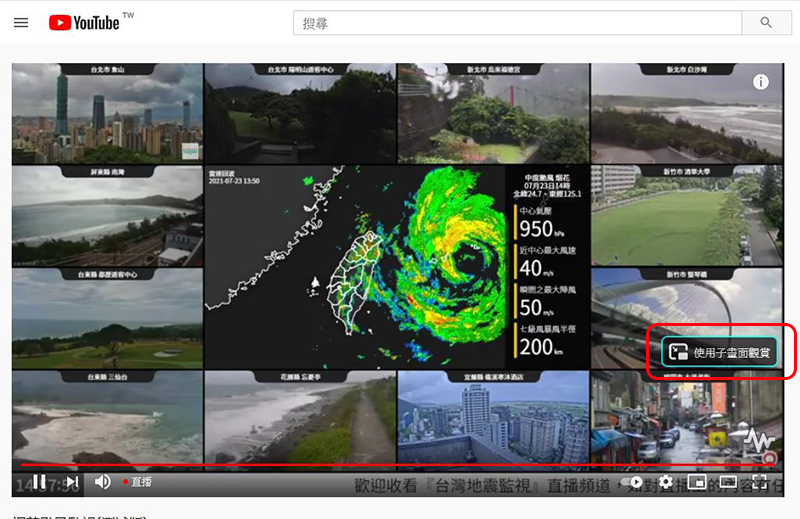
- Open any YouTube video in FireFox
- Hover your mouse cursor over the video player and click the “View in picture picture” icon that appears on the right
This feature is free, and there is no need to pay to subscribe to YouTube Premium. It is a function built into the browser. You can also drag it to change its placement or customize its size. It is super easy to keep up with the latest typhoon dynamics or epidemic news at any time!
Source: KOCPC Chinese