


With the continuous evolution of the Android system, new features that were previously biased towards testing have gradually become features that many people have chosen from the beginning after carving out the user experience – for example, the current system gestures are the best example, from the original three-key system to more and more keys (eh), and then there are hidden functions that are out of sight to ensure the height of the screen. Finally, it becomes a small one (and gradually becomes thinner…). In order to help users who bought new phones after Android 12 use the boot of this system for the first time, the beta test version launched by Google recently also introduced a new generation of boot setup process. Continue reading: Will the setting interface of new Android phones look like this in the future? The new interface of Android 12 beta version can be used to read the text of the report.
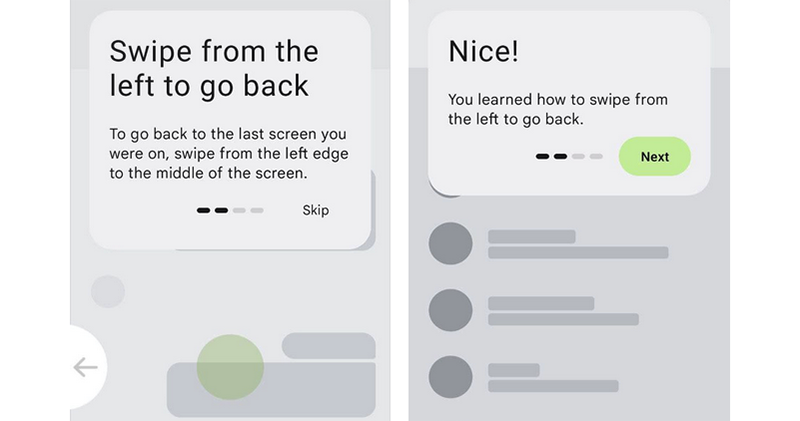
▲Image source: 9to5Google
What will the setting interface of new Android phones look like in the future? Android 12 beta new interface is eye-catching
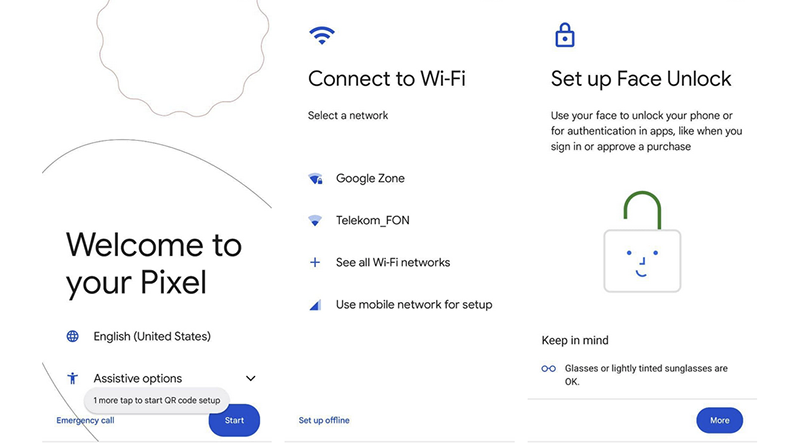
As the Android system gradually evolves, we have also begun to see Google bring a new evolution from the ground up for popular mobile devices – really starting from the “scratch”, because this time they have specially brought a new generation of new machine setup boot process for Android 12 Beta. There are still many familiar steps throughout the process, including setting up language, connection, and biometrics/passwords. As for the new system gestures that the new generation of Android begins to support, there is a more in-depth description.
▲Image source: 9to5Google
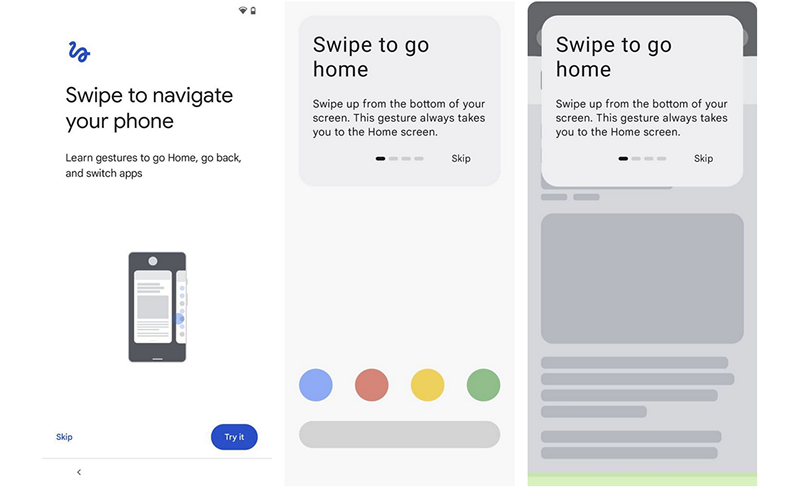
In order to make it easier for users who are new to Android to get into the situation, Google has specially introduced a new tutorial page in the initial settings. Interestingly, before officially entering the page, you can still see the “<" button at the bottom to return to the previous step - this is indeed the case. After all, people who have never used a mobile system may not necessarily understand the return gesture on the edge of the screen.
▲Image source: 9to5Google
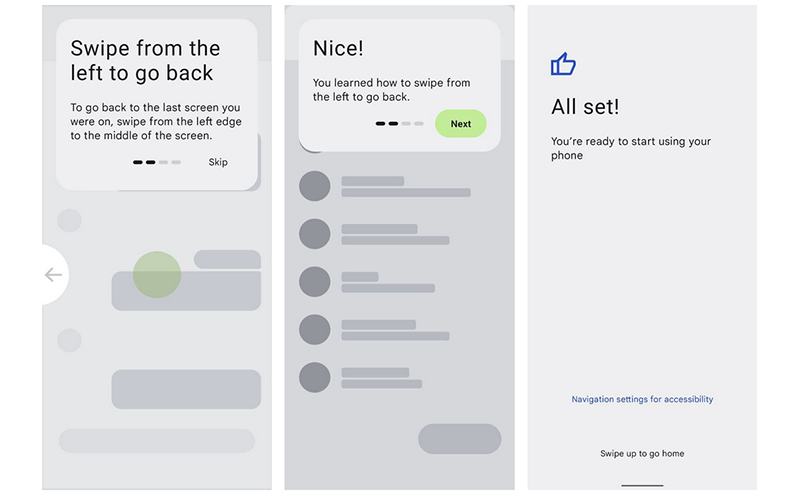
According to the screenshots taken by foreign media 9to5Google, the guidance function of the new version of Android 12 will be taught step by step starting from how to use new gestures. It also includes the multi-tasking page gesture of sliding up and hovering. After learning everything, you can officially start trying various new features of Android 12!
▲Image source: 9to5Google
That is to say, it is said that the start page animation of this new interface will also have tactile vibrations as the icon collides with the edge of the screen. It’s also a very interesting little detail.
Pictures/sources cited in this article
Further reading:
Gogoro VIVA XL officially released: large size, suitable for the whole family

Source: KOCPC Chinese