


If you are using Apple’s built-in map service, I believe you will be very impressed by the thoughtful feature of finally built-in speed camera reminder function. Starting today, both on iOS devices and the CarPlay interface, Apple has also begun to provide real-time incident reporting functions that effectively take advantage of the “everyone for one, one for everyone” advantage of connected maps – not only can people enjoy more real-time reports on accidents, construction, and even new speed camera locations, this way can make information more real-time through the power of the community.
The point is, you and I can quickly provide more real-time and localized information for this map service by quickly asking Siri for help through the interface or even opening our mouths – even while walking! It’s basically just “Hey Siri” to help when there’s a rough road (laughs). Continue reading Apple Maps launches “accident/road construction/speed camera/unsafe incident” quick reporting function in Taiwan (teach you how to use it!).

Apple Maps launches “accident/road construction/speed camera/unsafe incident” quick reporting function in Taiwan
It follows a similar path as many Apple ecosystem features. This report function for Apple Maps is actually not only integrated within the app, but also the Siri voice assistant can help you complete such work – “speaking” is really fast, but by clicking through the app, you can set the location, description and even upload photos more accurately.
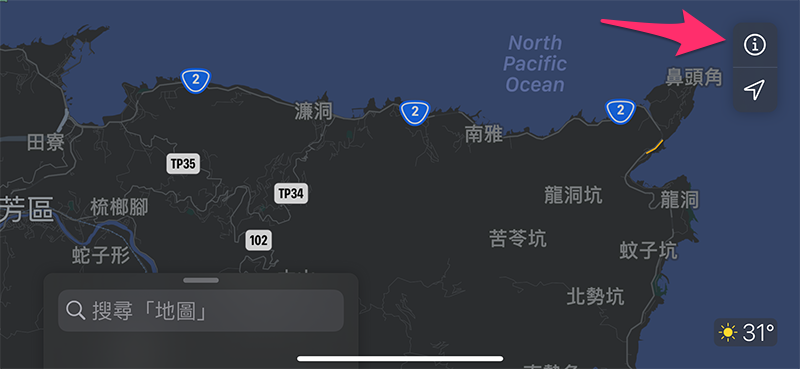
After your device obtains the accident/road construction/speed camera/unsafe incident reporting function of Apple Maps (the editor’s iOS 15 Public Beta already has it), you will be able to click the “i” in the upper right corner of the map interface of iOS 14.5 or above or find the “Report a Problem” option at the bottom of iOS 15 to choose to report real-time map conditions; this function can also be found on CarPlay, and you can directly press “Hey” during navigation Siri” commands to report “there’s an accident ahead” or “there’s a situation on the road”, so you don’t have to click on the screen while driving.
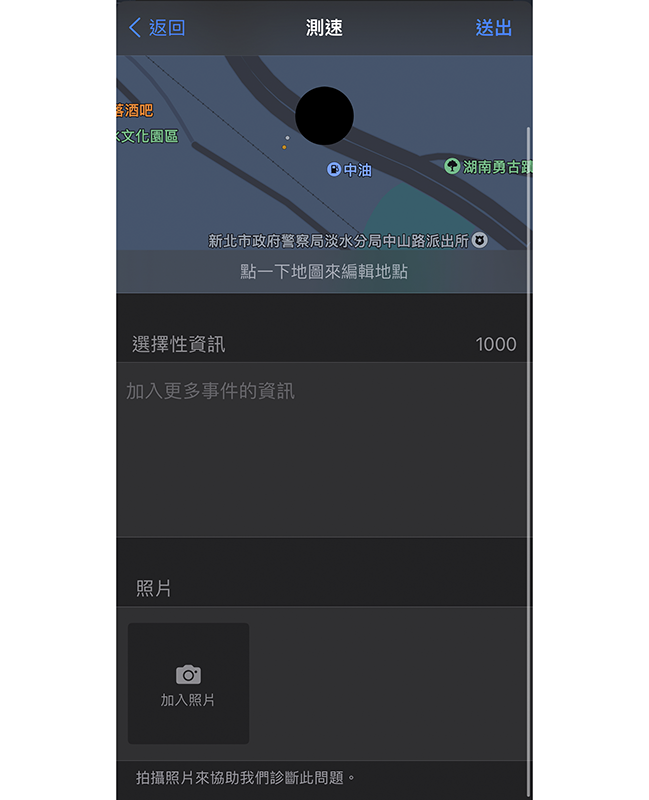
Siri voice assistant’s map event reporting commands also include:
Hey Siri, report an accident
Hey Siri, report an unsafe incident
Hey Siri, report speed test
Hey Siri, report speed camera
Hey Siri, report an event
Hey Siri, there’s a car accident ahead
Hey Siri, here’s a speed camera
Hey Siri, there’s still an incident on site
If the incident has been eliminated (or you have tested this function and don’t know how to cancel it – the editor is XD), you can also report that the incident has been resolved through the following command:
Hey Siri, clear accident
Hey Siri, dismiss unsafe event
Hey Siri, dismiss event
Hey Siri, the incident has been resolved
Okay, everyone can start asking “Hey Siri” to help when there is an injustice. Thank you in advance for your help (salute).
Further reading:

Source: KOCPC Chinese