


In short, before seeing the official solution to this problem. iOS users currently see Wi-Fi wireless network hotspots with strange strings in them (especially those with the “%” character). It is recommended to think twice before clicking to connect. Because you are likely to encounter problems with the iPhone’s wireless network and even functions such as AirDrop or even more. As for why this happens? Continue reading iPhone Wi-Fi crashes when encountering a specific string of words? Maybe it really has something to do with “%”… Text of the report.
iPhone Wi-Fi crashes when encountering a specific string of characters? Maybe it really has something to do with “%”…
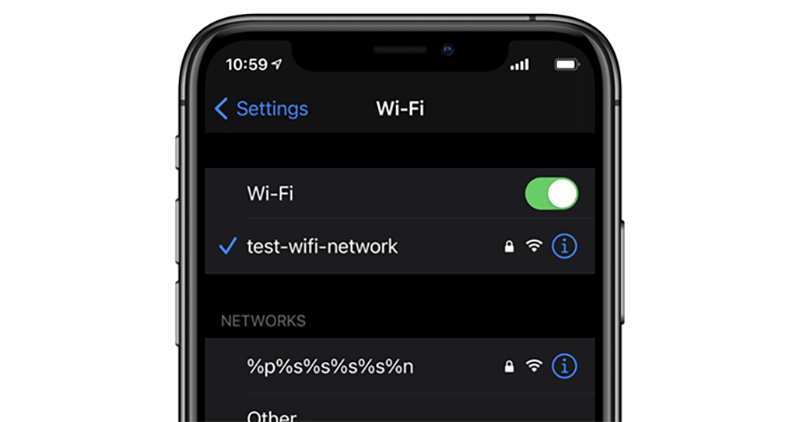
Our Computer King Ada team has previouslyreported, if an iOS device is connected to a Wi-Fi that contains a strange string like “%p%s%s%s%s%n”, the Wi-Fi and AirDrop function may be confused. And even if you restart the computer, it won’t solve it. Fortunately, you only need to reset the network settings in settings to solve this situation.
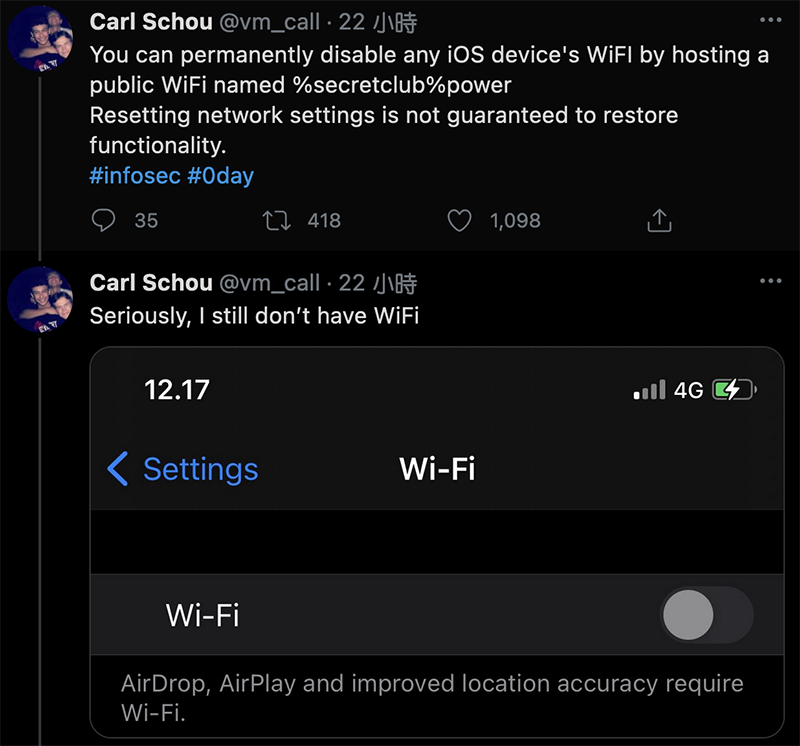
However, recently someone discovered that if the iPhone is connected to a Wi-Fi hotspot named “%secretclub%power”, in addition to network-related functions, it will hang. It is said that even if you try to reset the phone using the original method, there is still a possibility that it cannot be used normally – at least after the discoverer Carl Schou personally tried the poison (?), his Wi-Fi really could not be activated for a long time (this is a miserable word).
According to the analysis of foreign media 9to5Mac, this is most likely due to a specific bug that causes the iOS device to treat the “%” that appears in it as a programming language when connecting to the SSID through Wi-Fi, and it is passed to the Wi-Fi subsystem to perform specific functions such as variable formatting. Such strange problems may cause the iPhone to cause arbitrary memory overwrite and buffer overflow errors, and then iOS will terminate the program or even stop Wi-Fi wireless network-related functions.
Simply put, before the official correction comes, it seems that as long as there are strange strings in the SSID (especially those starting with “%”), it is recommended that everyone holding an iOS device really think twice before connecting. After all, the problems that come out of reverse engineering are still limited to Wi-Fi-related functions. But it’s hard to say whether interested parties will discover more malicious uses of similar methods, so it’s better to remain vigilant for the time being.
Further reading:
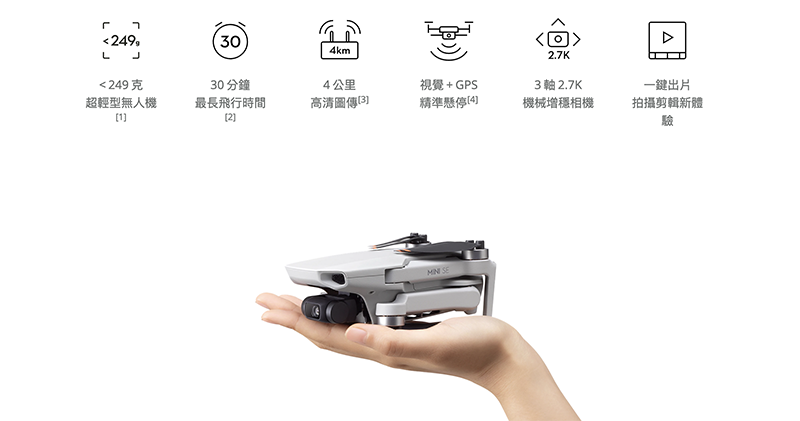
Falling below the 10,000 threshold! DJI Mini SE aerial camera officially released
Directly losing power, Porsche’s first electric car Taycan also encountered small battery problems

Source: KOCPC Chinese