


Forgot Apple ID, iPhone unlock password, iTunes backup password, or iPhone has MDM settingsAt that time, many people may directly seek Apple’s official assistance if they want to solve the problem. However, anyone who has tried it knows that the process is very cumbersome, and they must also know some of the security issues that were originally set, and not everyone can remember this. In fact, it doesn’t have to be so troublesome, because you only need this versatile iPhone unlocking software “WooTechy iDelock”, which can easily solve the above problems without using JB, and the operation is also simple. Even people who are not familiar with computers don’t need to worry. There are Windows and Mac versions. Let’s teach you how to use it one by one.
In addition, for friends who have been using iPhones for a long time, it is actually highly recommended to collect this set, because you may encounter similar problems during use, even relatives and good friends around you, so if you have iDelock, you can solve this problem immediately. Please continue readingHow to unlock iPhone without passcode tutorial。
Go to WooTechy iDelock official website
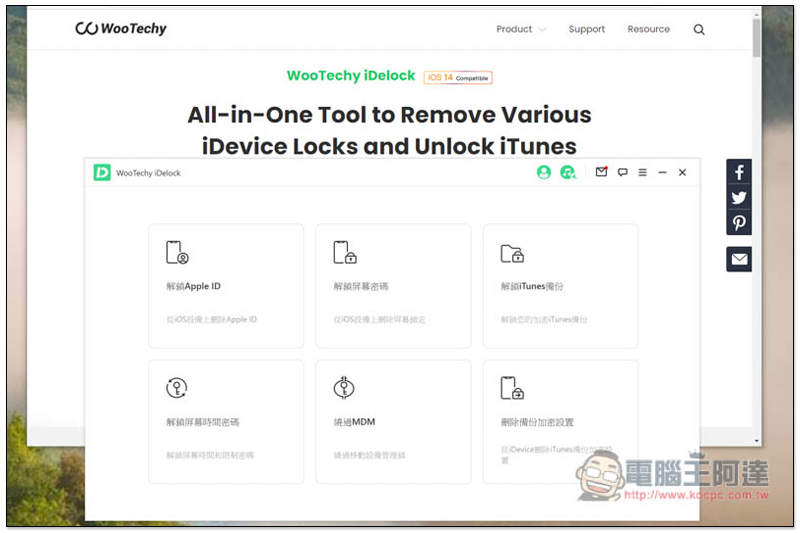
iDelock has six major functions, “Unlock Apple ID”, “Unlock Screen Password”, “Unlock iTunes Backup”, “Unlock Screen Time Password”, “Bypass MDM” and “Delete Backup Encryption Settings”.
Go to WooTechy iDelock official website
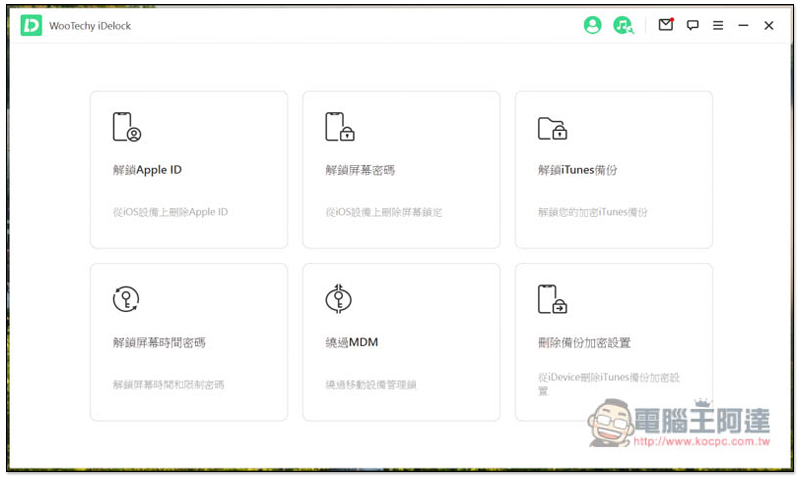
Unlock Apple ID password on iPhone
Apple ID passwordAlthough it is unlikely for young users to forget, the same cannot be said for elders. Even if they wrote it down specifically when applying, they may forget where they put the piece of paper. If they really can’t remember it, they can’t retrieve the password from Apple’s official website. This problem can be said to be very difficult. Not only are many functions of the iPhone limited, but there is also no way to install applications from the App Store.
iDelock’s “Unlock Apple ID” function can easily solve this dilemma, allowing you to remove the binding to this iPhone and then log in to another Apple ID account without knowing the Apple ID password. However, one thing to note is that this operation will also clear all the data on the iPhone, which means it will be in the cleanest state when you first got the iPhone:
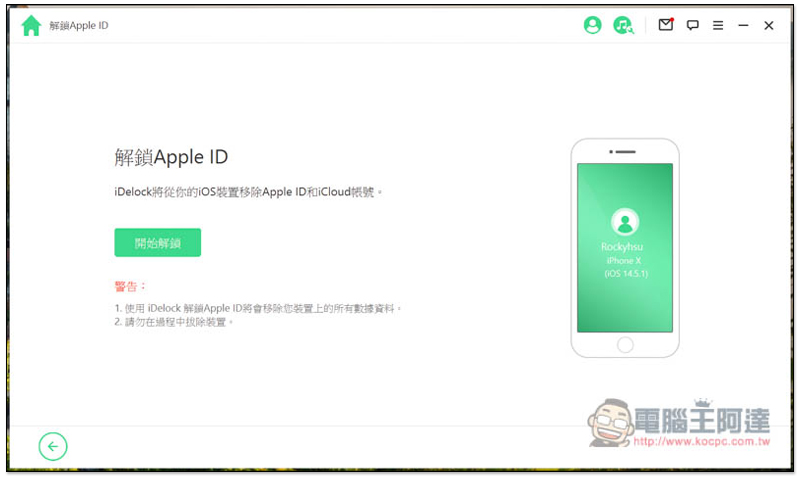
There are three situations when unlocking your Apple ID:
- “Find My iPhone” feature is turned off “
- Find My iPhone is on
- “Two-factor authentication” is turned on
The iDelock screen will pop up prompts for each step of the solution to all situations, so just follow the instructions step by step.
The first two solutions are relatively simple. The first iDelock will immediately start unlocking the Apple ID without operating anything. The second one requires manually entering the “Reset” option in iPhone settings and using the “Clear All Content and Settings” function.
The third one is more troublesome and requires downloading firmware. I will demonstrate this one below. It happens that my iPhone has the two-factor authentication function turned on.
Before unlocking, you need to download the iPhone firmware. iDelock will automatically detect your iPhone model. Once found, click Download:
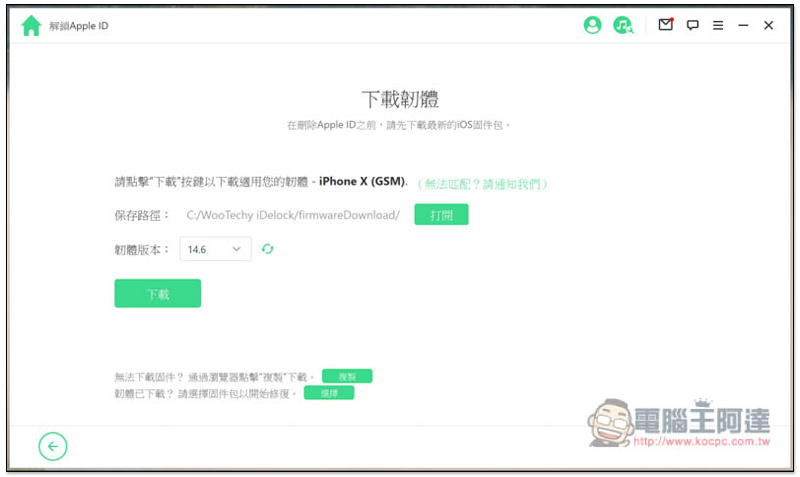
The file size of iPhone firmware is quite large, so it will take a while. After downloading, it will be automatically decompressed:
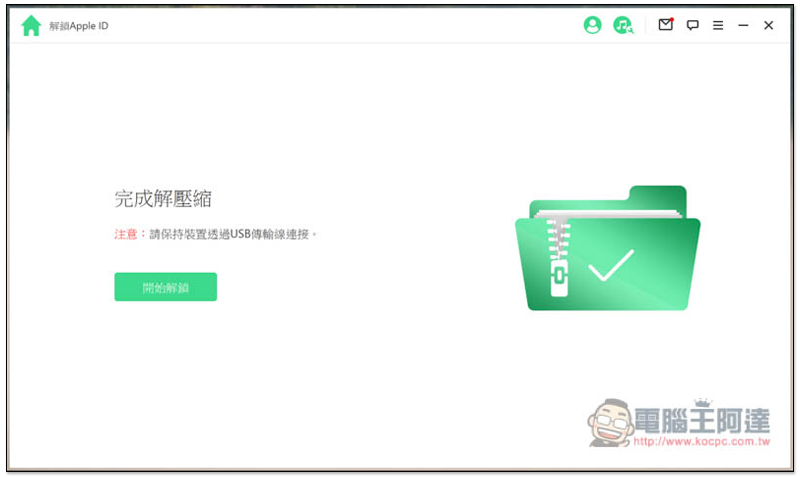
Then enter 000000 to confirm that you want to remove your Apple ID and clear your iPhone data:

The whole process takes about 5 to 10 minutes. During this period, don’t pay attention to your iPhone. No matter what screen pops up, just let it finish by itself. Remember not to unplug the transmission cable:
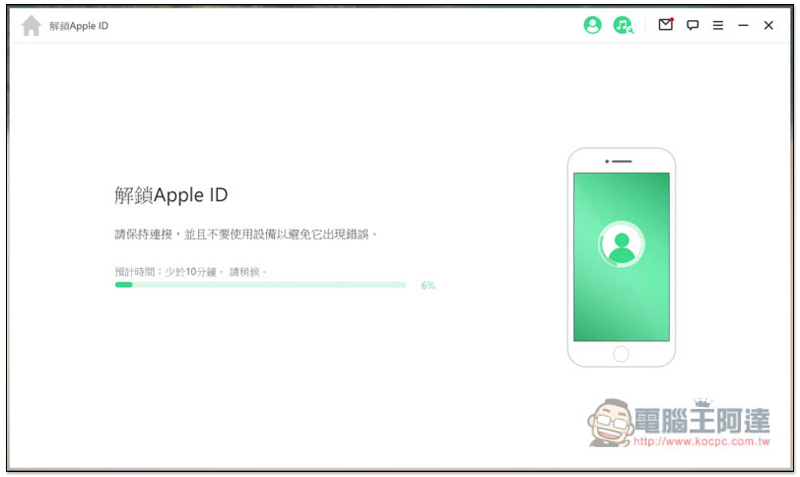
When this screen appears in iDelock, it means that the unlocking is complete. It also prompts that when setting up the iPhone, you need to select “Unlock with device password” to start the locking step:
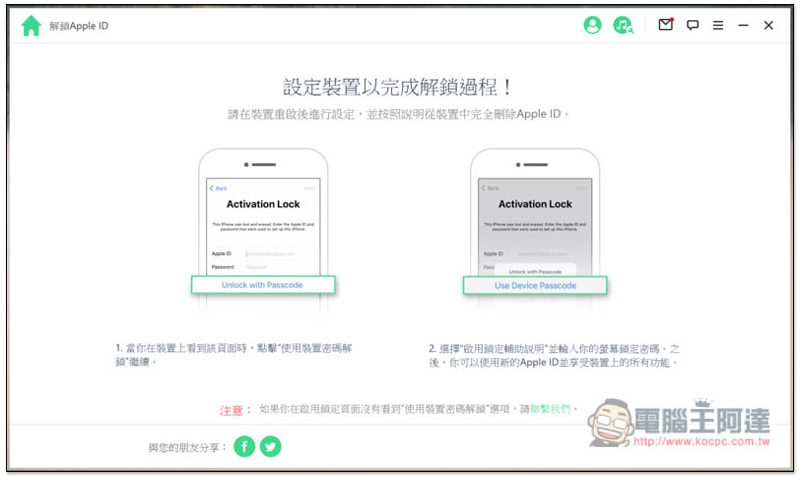
This is the step where you are required to enter your Apple ID and password. Click below to unlock using your device password:
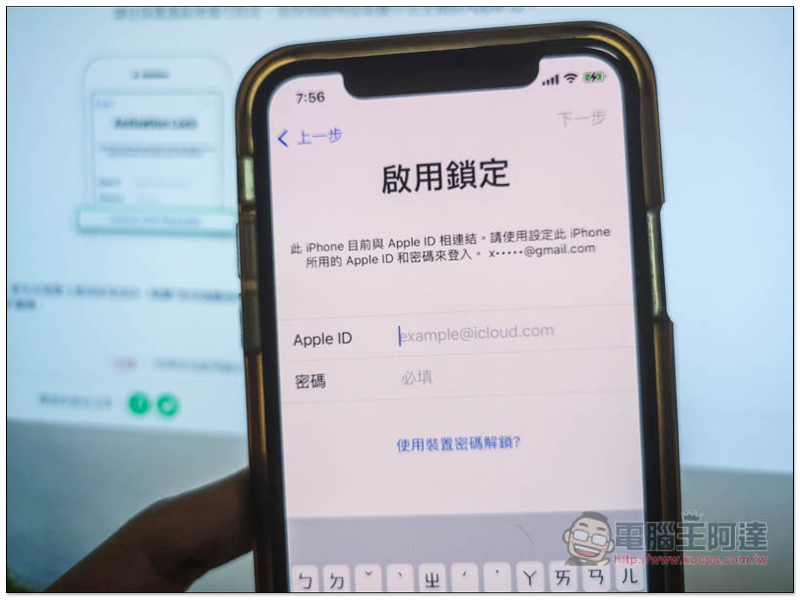
Three options will pop up, use the first “Use device passcode”, and then enter the iPhone’s screen unlock passcode:
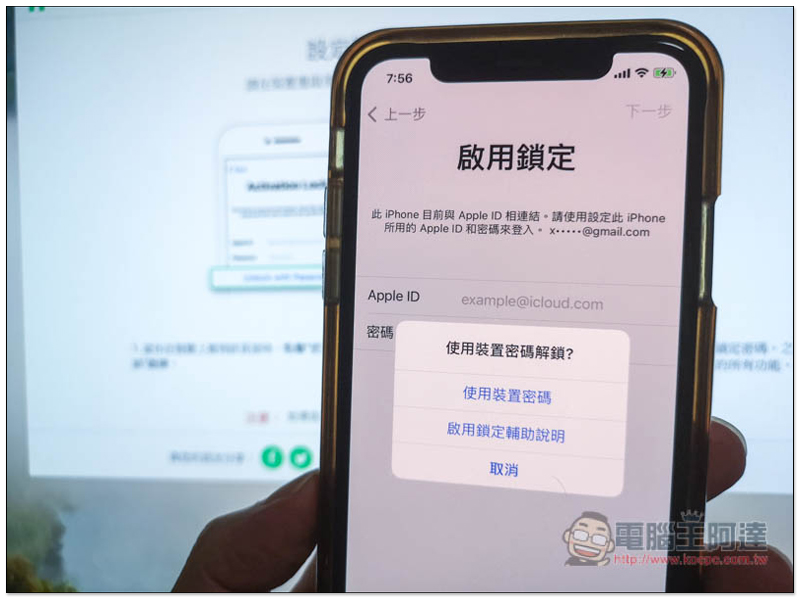
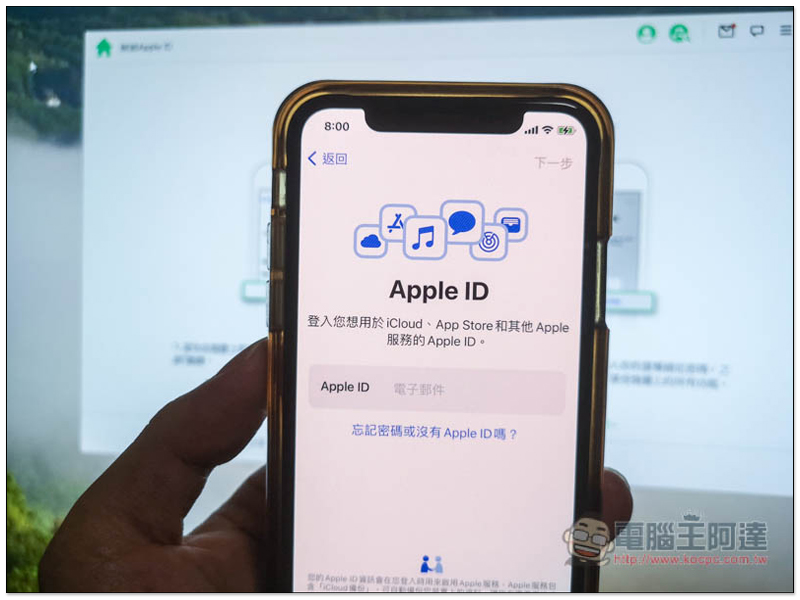
The originally bound Apple ID has been removed! You can enter a new Apple ID:
Unlock iPhone screen passcode
After switching to a new iPhone, most people would put their old iPhone away first and then take it out when they suddenly need it. At this time, they may forget the screen unlock password.
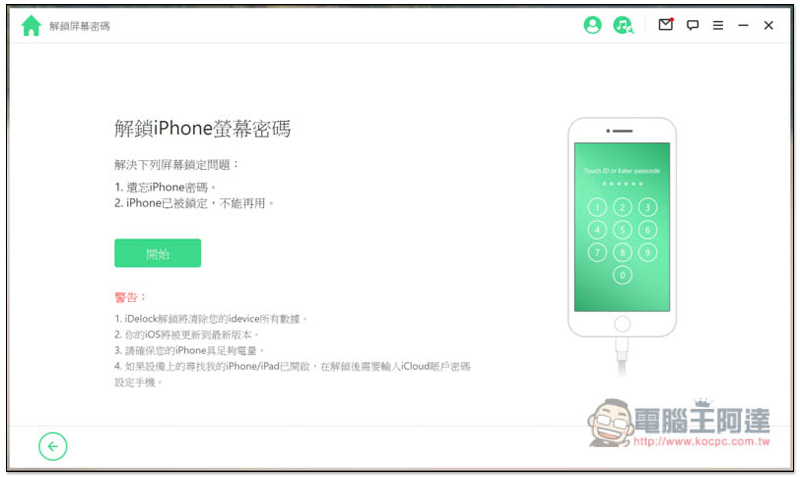
Although Apple has official solutions, the steps are a bit complicated and not easy to understand, especially for people who are not familiar with technology products. iDelock’s “Unlock Screen Password” function is very simple, just follow the steps on the screen.
This step will also clear all data on the iPhone, so those who have important data should be aware that it will be cleared even if they use Apple’s official method.
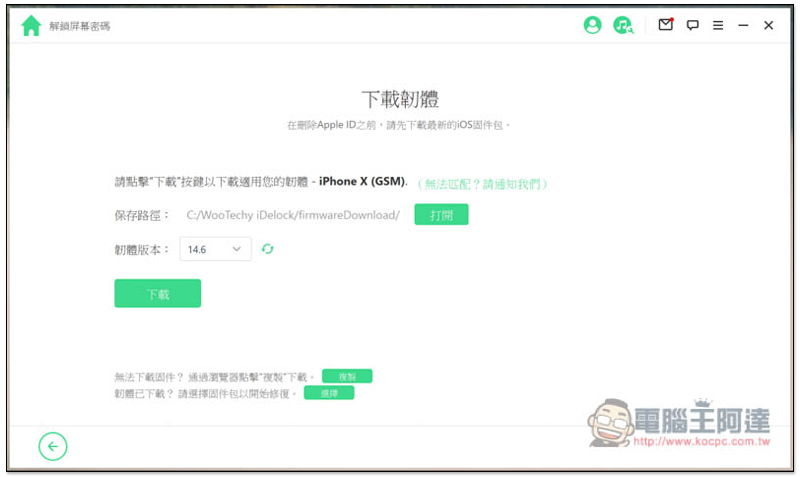
You also need to download the firmware. It will also automatically detect your iPhone model. Once found, just press download:
After downloading and decompressing, you can start unlocking. Please enter 000000 to confirm:
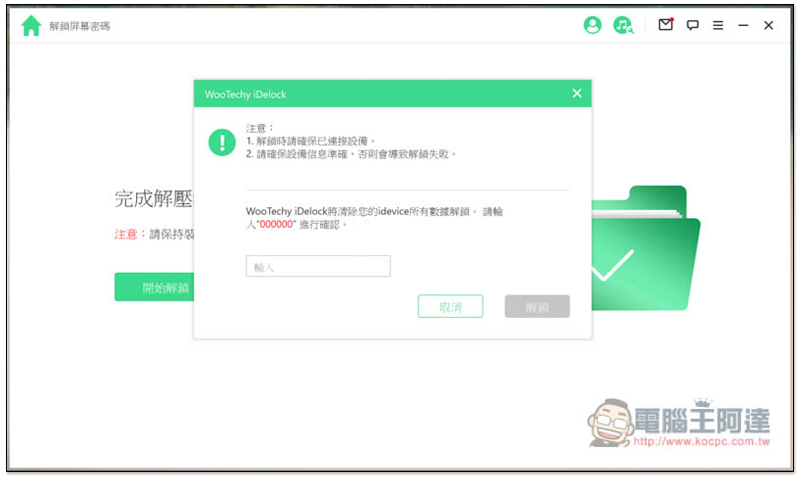
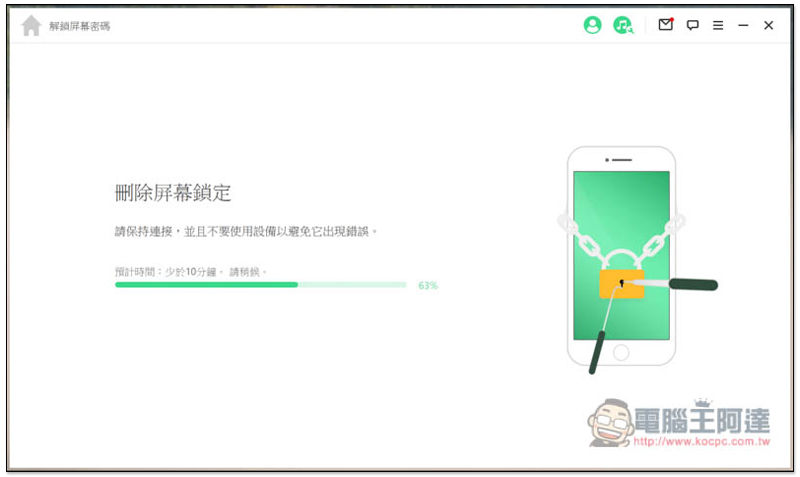
Then just wait for the unlocking to complete without doing anything:
Displaying this screen means it is unlocked: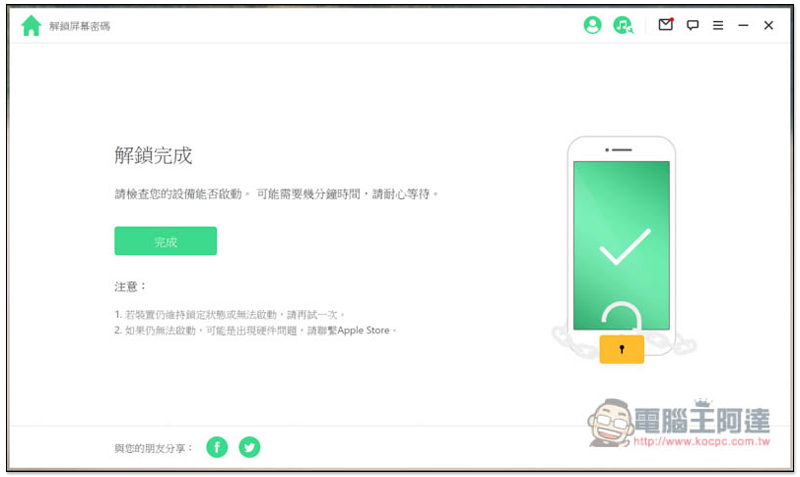
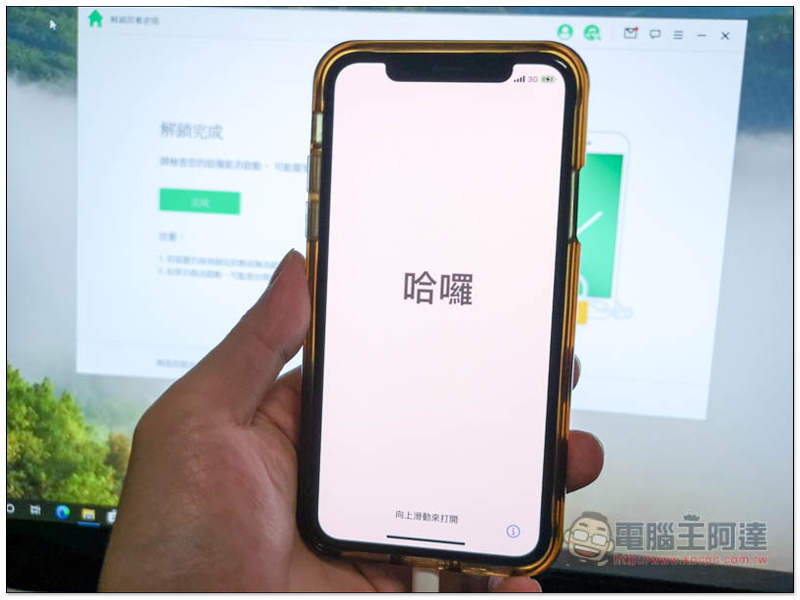
The iPhone will enter the initial setup screen. In addition, if you have turned on the “Find My iPhone” function before unlocking, you will need to enter the same iCloud account password to set up:
Unlock iTunes backup
When backing up an iPhone using iTunes on a computer, a password will be added for data security. Like me, an embarrassing situation happened to me in the past. Because I hadn’t used iTunes backup for a long time, I suddenly wanted to restore the iPhone to the backup to retrieve some data, but I forgot what the password was.
Although the chance is very small, if you happen to encounter it, iDelock will use the “automatic password cracking” method often seen in movies to help you find out the password by force. Even if you don’t remember it at all, it’s no problem. This function is really powerful.
After clicking to unlock the iTunes backup function, the list will list all the backups you currently have in iTunes. A lock appears in the password field, which means it is encrypted. Select the iTunes backup you want to unlock, and then click Next:
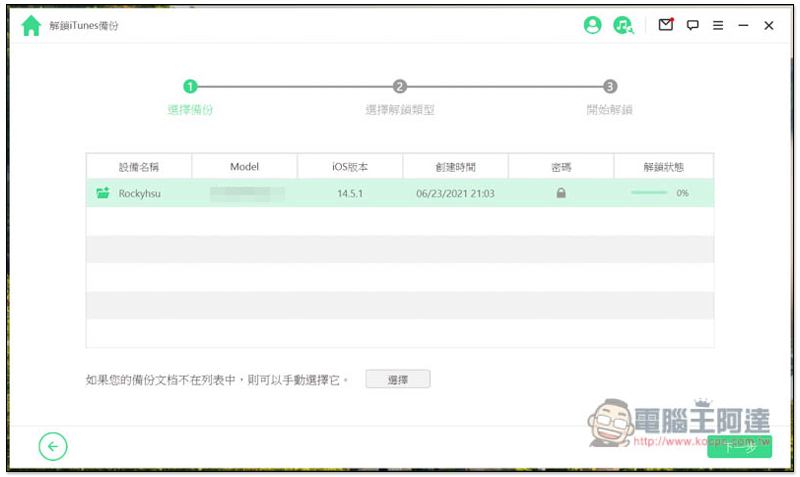
There are three cracking methods:
- Dictionary cracking
- Mask cracking
- Brute force cracking
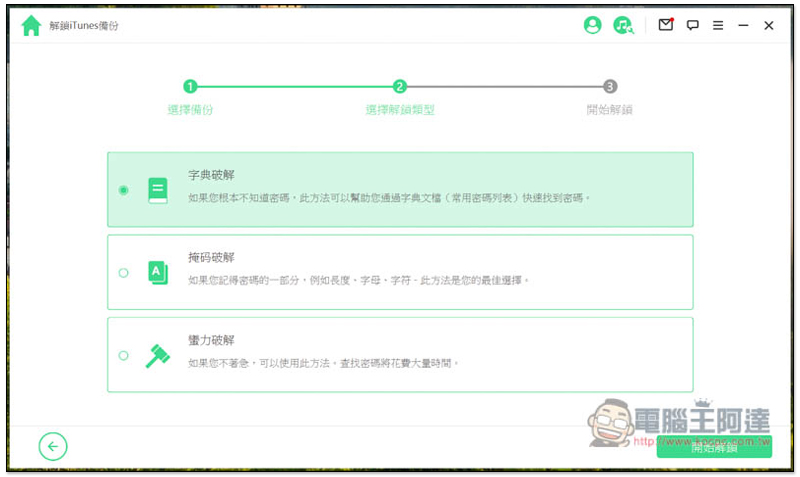
If you use some common password lists when setting passwords, you can use the first “Dictionary Password” first. It will try the most commonly used passwords on the Internet one by one, and this list will be updated at any time to ensure the latest status. Just let it run slowly, it will take a while:
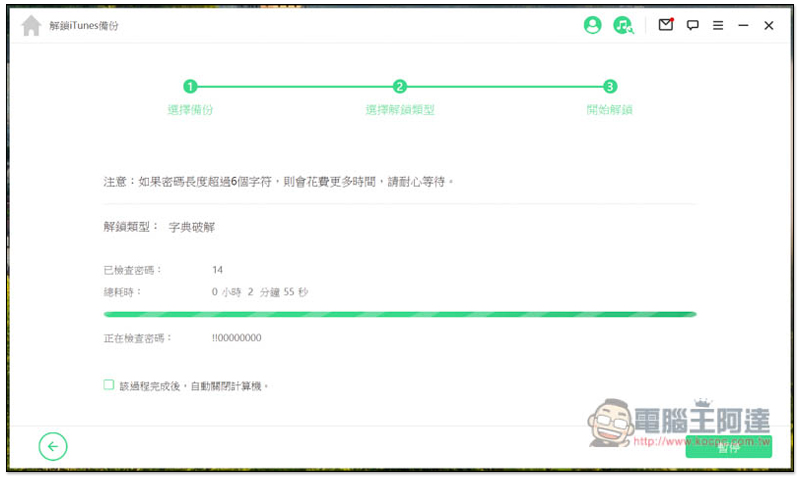
For those who still remember a little bit of the password, it is recommended to use the second “mask cracking” to save a lot of time. This method will provide 7 pieces of information for you to set, such as: the length of the password, the number used, upper and lower case letters, whether there are special symbols, and the first or second half of the password:
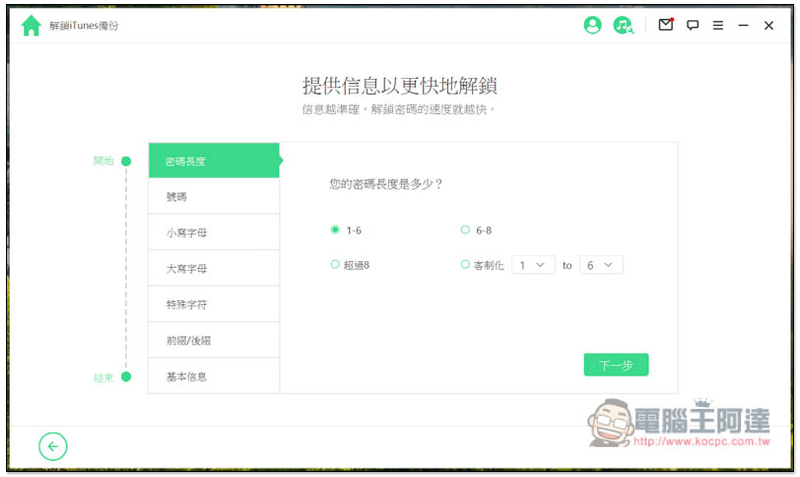
In the last basic information, you can enter your birthday, mobile phone number, anniversary date, and even common passwords, and let it try it to improve the success of cracking. In addition, these data will not be retained and are only used to crack your iTunes backup:
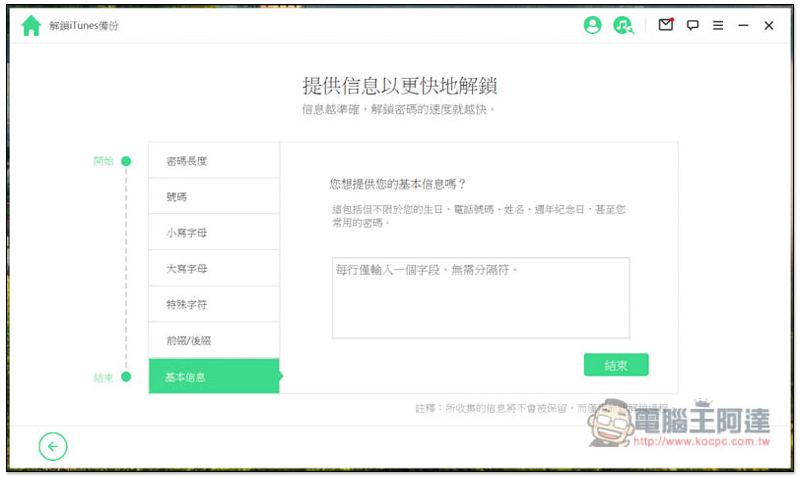
Confirm that the information you selected and entered is correct. If there is no problem, press “Start Unlocking” and the cracking process will begin:
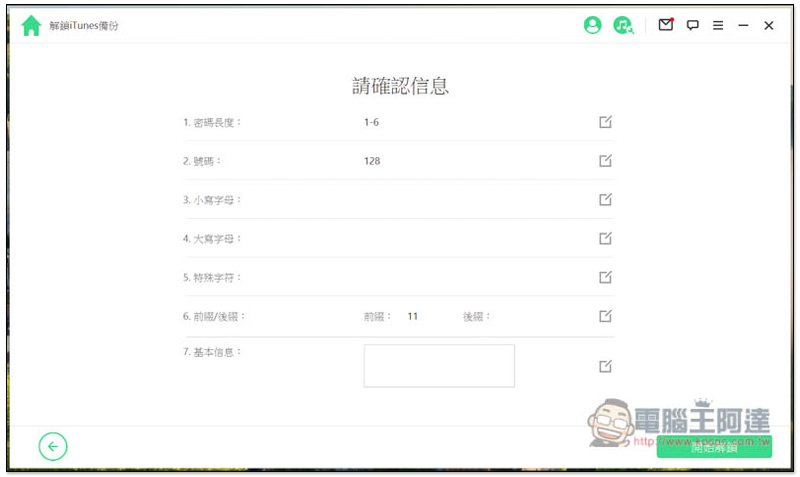
All password combinations tried are based on the conditions you set, which can narrow the range and shorten the cracking time:
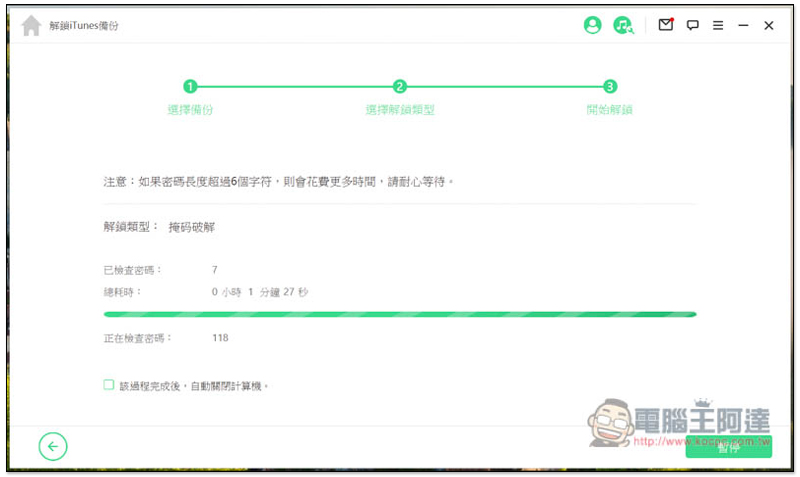
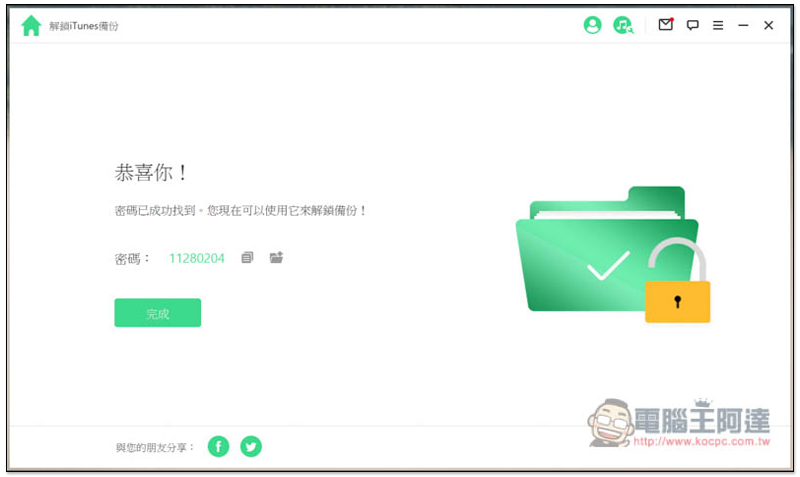
In my actual test, I found out the iTunes backup password I set correctly, which is great! Once you have the password, you can use this iTunes backup to restore your phone:
For those who don’t remember the password at all, they can only use the last “brute force crack”. This will take a long time, so just leave it running in the background:
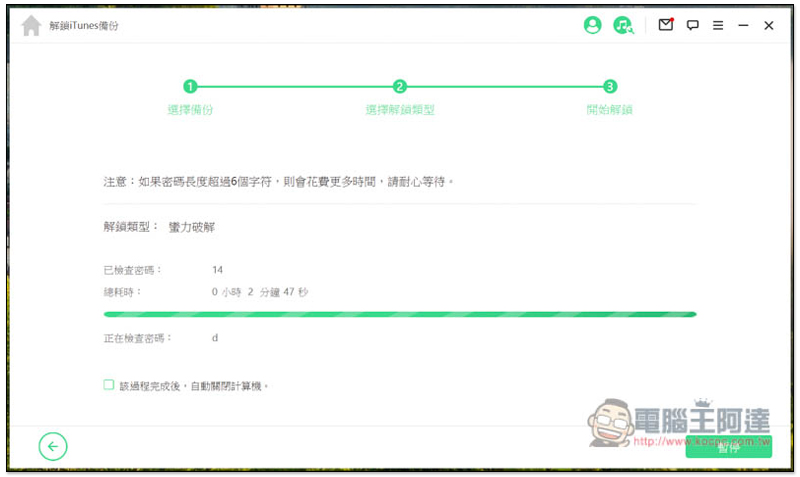
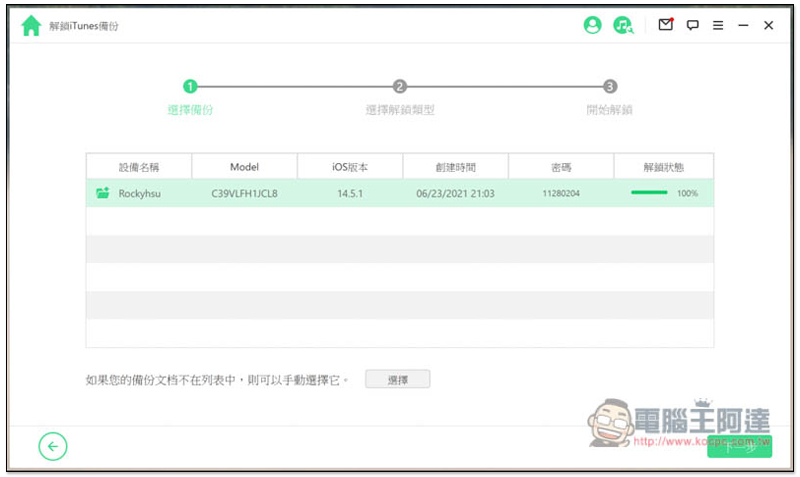
After successfully finding the iTunes backup password, iDelock will automatically record it in the password field. Therefore, if the cracking time is too long, you can check the “Automatically shut down the computer after the process is completed” option below, and the computer will shut down automatically after the process is completed. In addition, if you accidentally forget it again in the future, you can also come back here to check:
Remove iTunes backup encryption settings
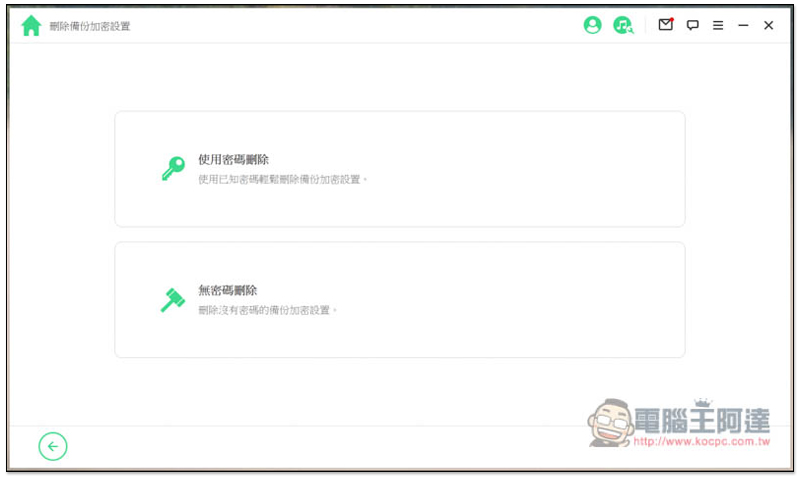
iDelock can also remove previously encrypted iTunes backups, so you don’t have to worry about passwords in the future, making it easier. Two deletion methods are provided: “Delete with password” and “Delete without password”. If you already know the password or retrieve it through the previous step, you can use the first one. If you don’t know it yet, you can use the second one.
In addition, before using to crack iTunes password, you can actually try “Delete iTunes Backup Encryption Settings without Password”, which will save time, but the premise is that the iPhone must be at hand, which is needed when deleting.
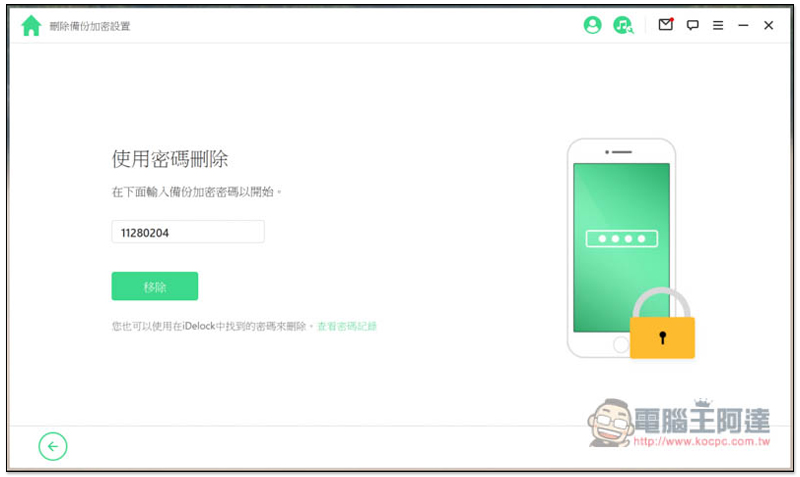
“Delete with password” just enter the password of the iTunes backup, then click Remove, and you’re done:
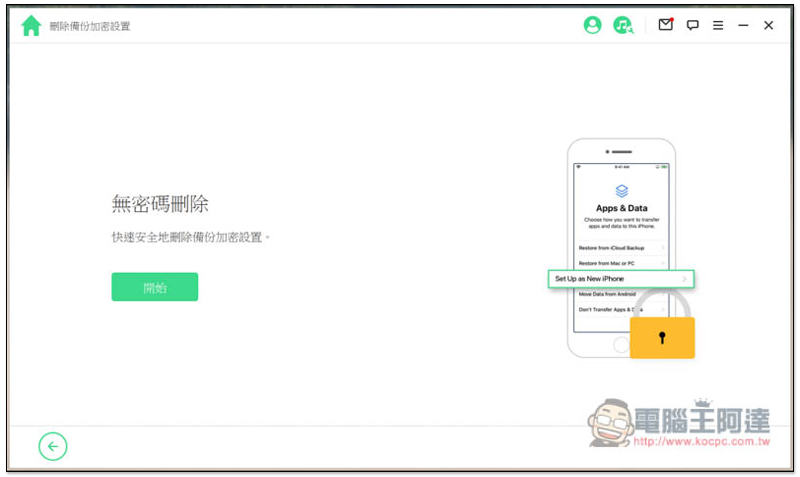
After “passwordless deletion” is deleted, the iPhone will enter the reset process, but no data will be lost, so you can rest assured. In the Apps and Data screen, remember to select “Set up as a new iPhone”:
Unlock screen time passcode
Parents who buy iPhones for their children or lend them their own iPhones will basically set a screen time password to prevent them from using it for too long. This password will not be the same as the password to unlock the screen, otherwise it will be too easy for children to crack, and therefore there is a possibility of forgetting it.
At this time, use iDelock’s screen time password unlocking function. It can be easily unlocked in less than a minute or two, and the iPhone data will not be lost. You can use it with complete confidence: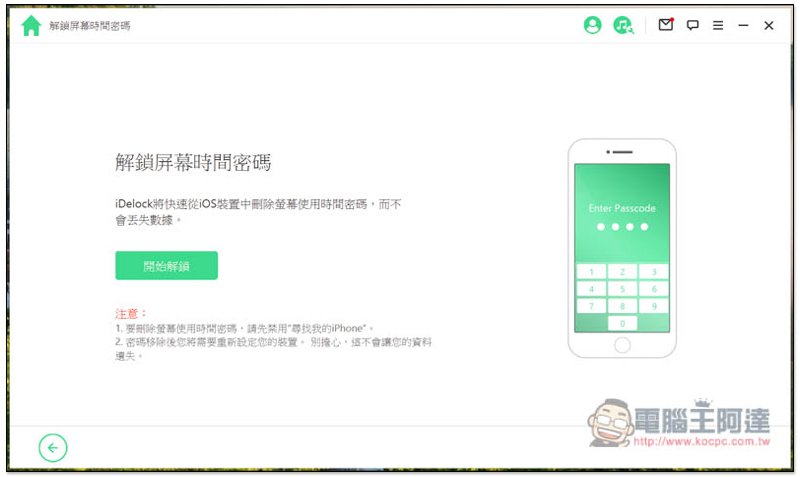
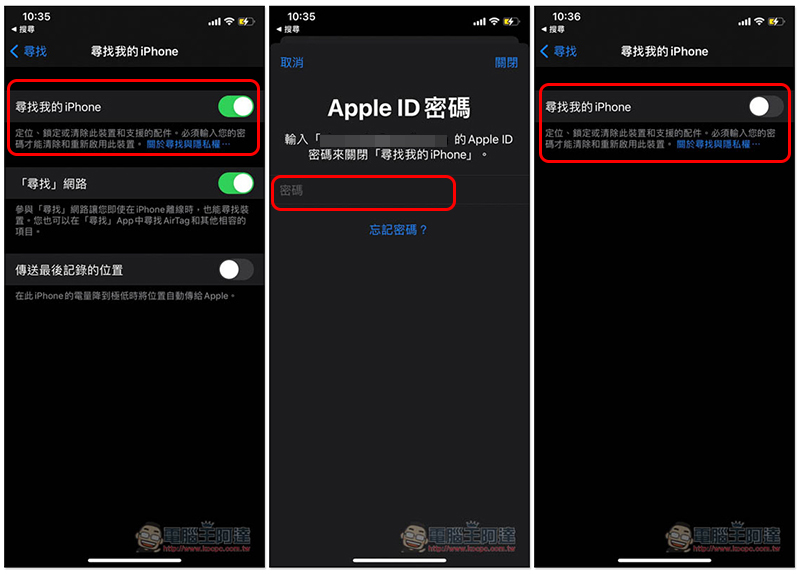
Before unlocking, you must turn off the “Find My iPhone feature” of your Apple ID:
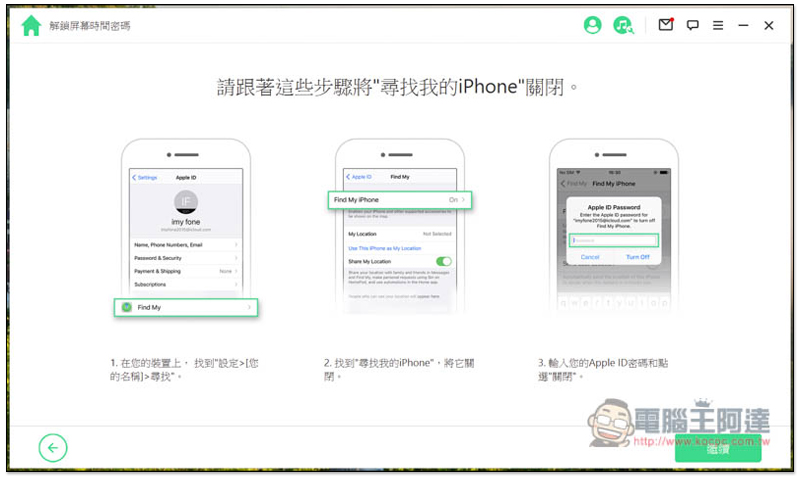
Steps to turn off Find My iPhone
Open iPhone Settings, enter the Apple ID at the top, click Find -> Find My iPhone. If it says “On” on the right, it means it is currently on and must be turned off:
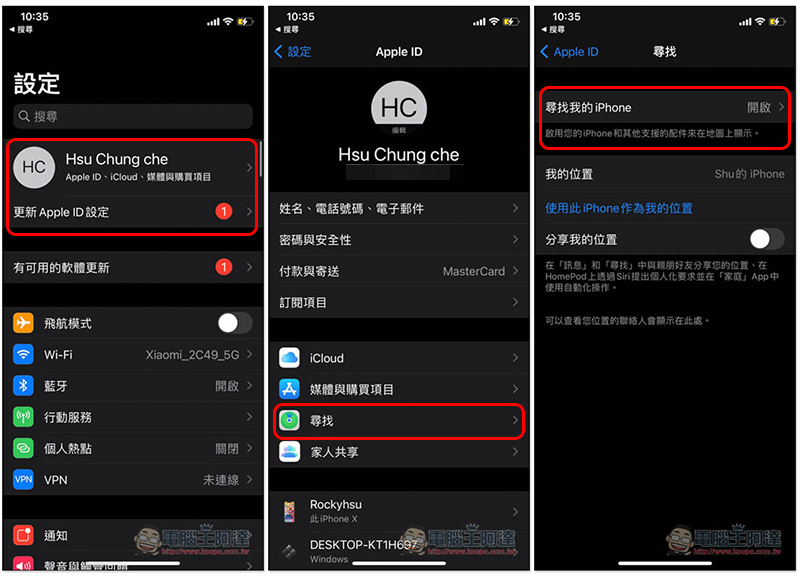
Turn off the Find My iPhone switch, and then you will be asked to enter your Apple ID password. If it shows gray, it is successfully turned off:
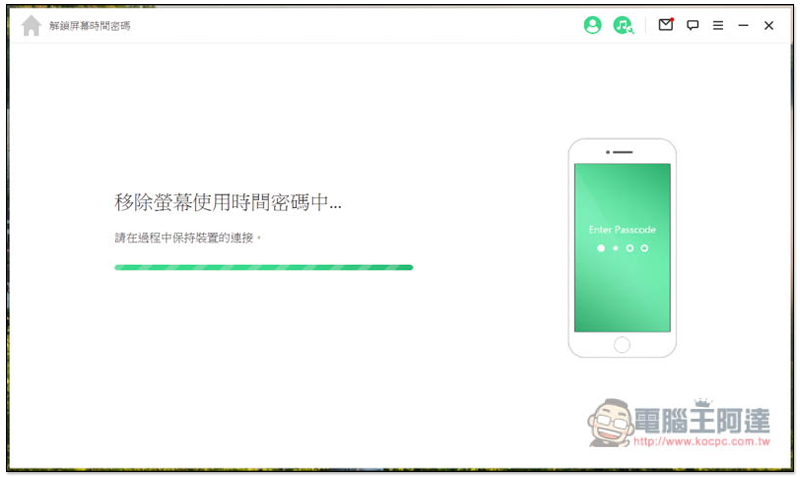
Don’t move your iPhone or unplug the Lightning cable when you start to unlock it. It takes about a minute and is very fast:
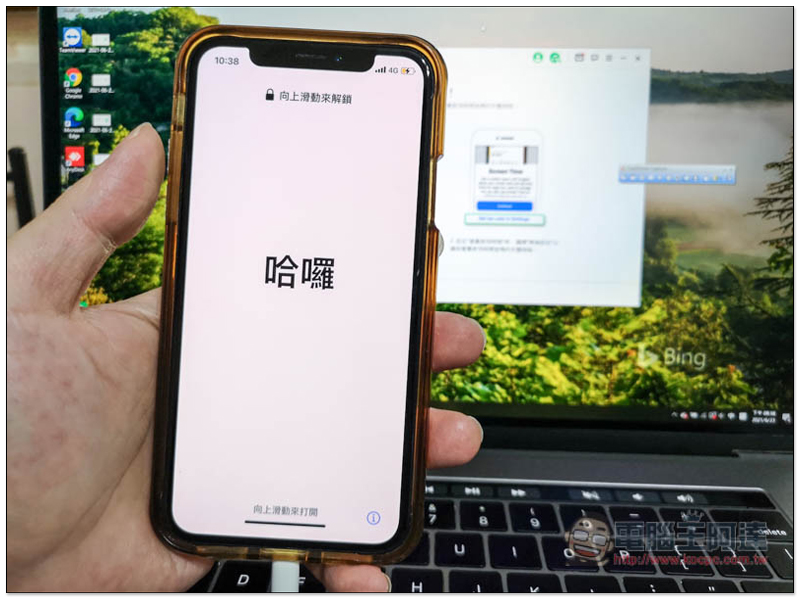
After completion, the iPhone will automatically restart and display the Hello screen. Don’t be nervous at this time. All the data on your iPhone are still there and have not been deleted:
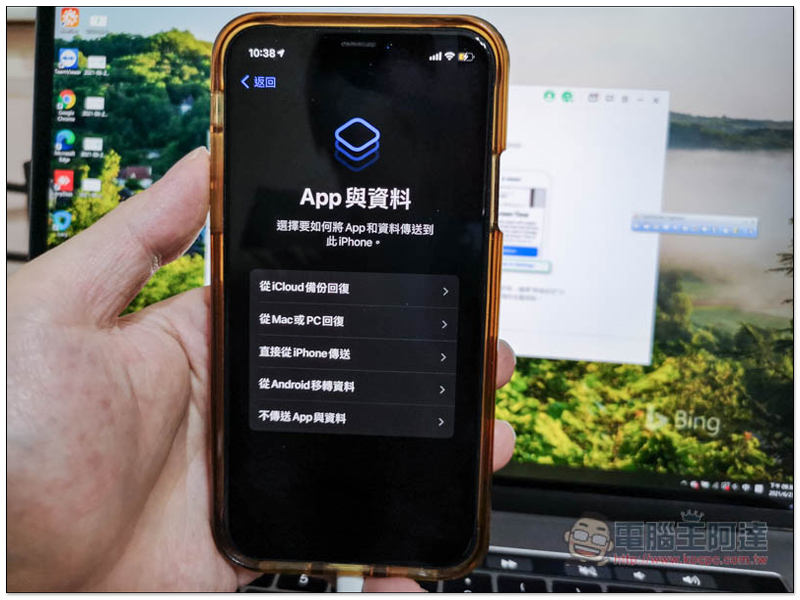
Remember to select “Don’t transfer apps and data” in this step to avoid losing original iPhone data:
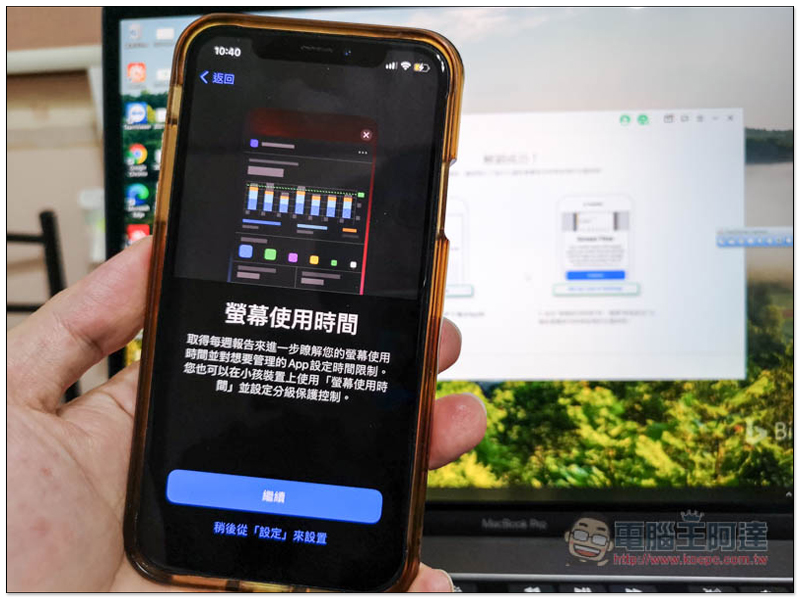
The Screen Time passcode has been successfully removed! To see if you need to reset it, you can also click “Set it later from “Settings”” first and decide later:
Bypass MDM restrictions
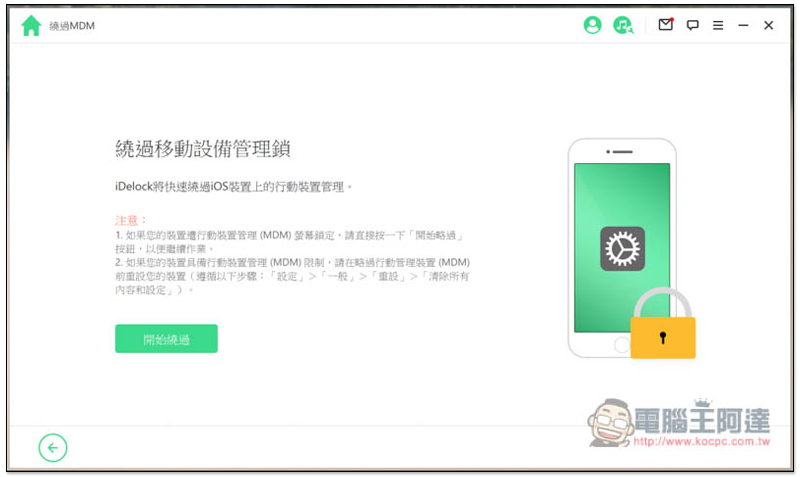
If your iPhone, iPad, or iPod device has some MDM access restrictions set by the company or IT personnel, iDelock can also help you bypass it. However, my iPhone does not have this situation, so I cannot test it for everyone. Readers who are interested in knowing the operation steps canRefer to the official websiteofHow to bypass MDM activation screenTutorial, and the official video below
Official MDM operation instruction video:
Summarize
iDelock is really a very powerful universal iPhone unlocking software. Every one of them was successfully unlocked without encountering any problems. The operation is also simple. You don’t need to have any technical knowledge. You can just follow the steps step by step on the screen. This is really a plus. Therefore, when this kind of situation occurs, you don’t need to spend a lot of money to find someone to help fix it. You can solve it yourself by turning on your computer.
iDelock has a free trial, but its functions are somewhat limited. For the paid version, I recommend purchasing the “Lifetime Plan” directly. It supports 5 iOS devices. You can use it for life after paying once, and future versions can be upgraded for free, which is very cost-effective.
Source: KOCPC Chinese