


AI-generated art is quite popular now, with more and more tools becoming available. Although we’ve previously covered text-to-video AI generation tools like Runway and Pika.art, there’s still a certain learning curve if you want to generate animations from videos. Today, we’ll show you how to use the low-barrier, free AI application “DomoAI” to turn real videos into animations. No advanced technical skills required—just a computer is all you need to easily create an animated clip from your own video online in just a few steps.
DomoAI: Effortlessly turns real videos into AI animation and anime images into realistic people
DomoAI, an AI app that turns real videos into animations, requires no advanced technical skills or complex prompts—just a computer. You can easily create an animation from your own video online in just a few simple steps, and it’s free. You can also choose from various animation styles.
Click here to visit Discord’s homepage
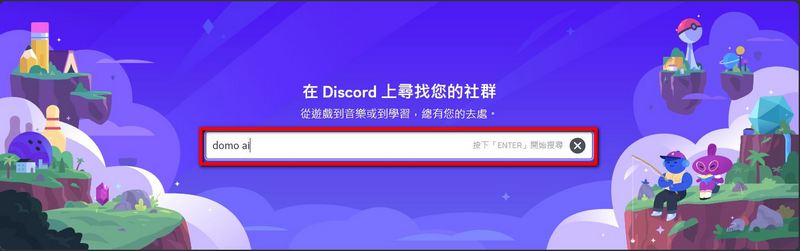
First, go to Discord’s main page and click on “Explore Discoverable Servers.”

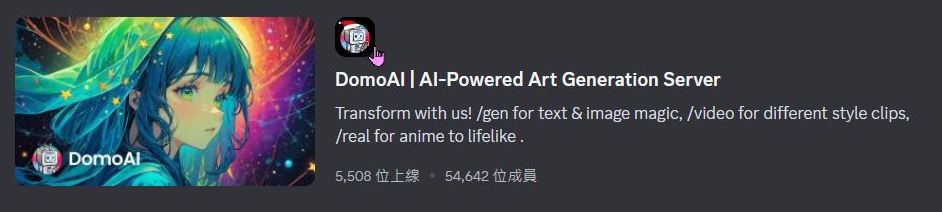
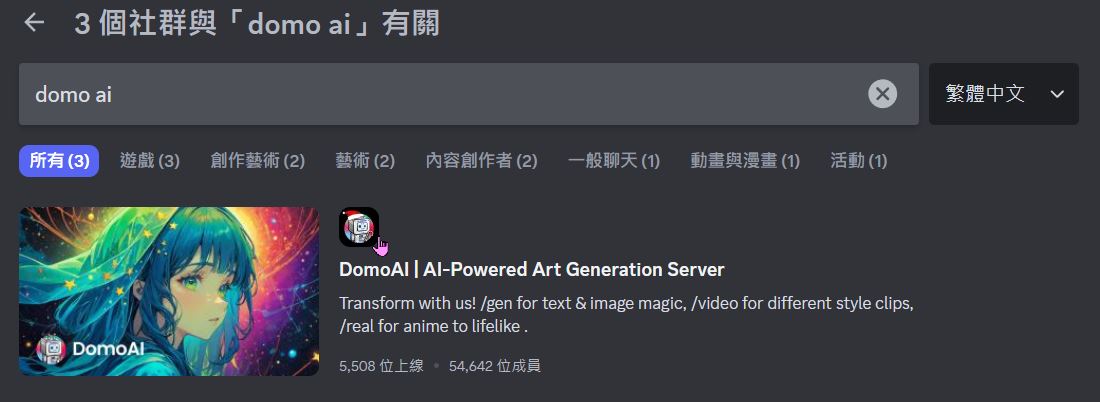
A screen for the Explore community will appear. Enter “DomoAI” in the input box and select this option shown in the image.
After entering DomoAI, find the “USE DOMO” category in the left toolbar. Choose any option from generate-video to generate-video 3 to convert your video into animation. Your age will be verified before you start. Once that’s done, you can begin creating your animation. (generate-nsfw contains 18+ content, please select with caution)
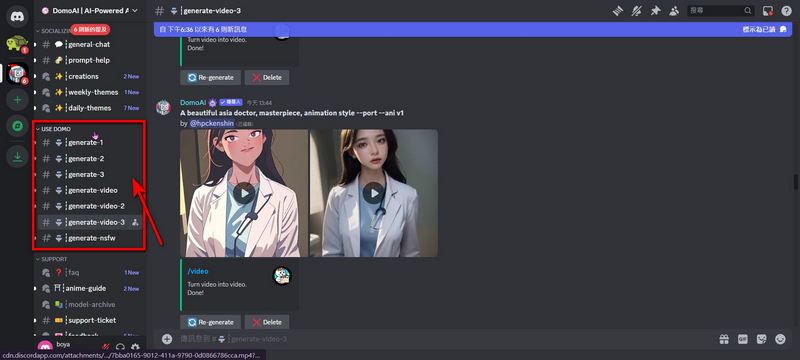
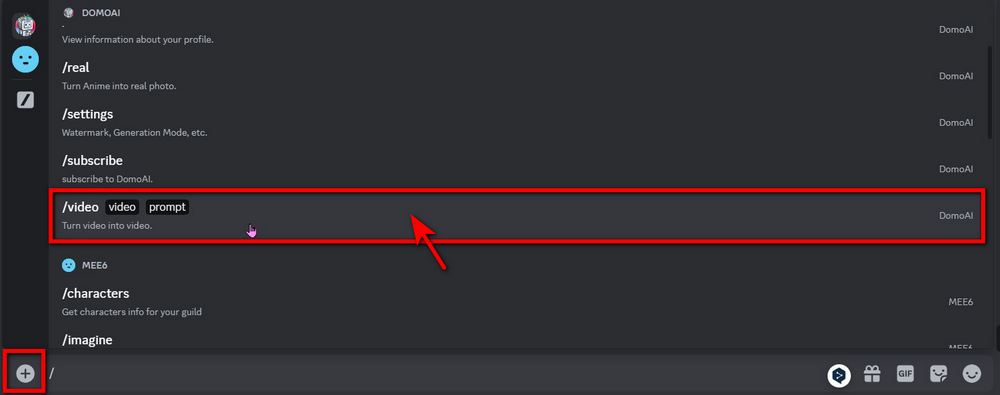
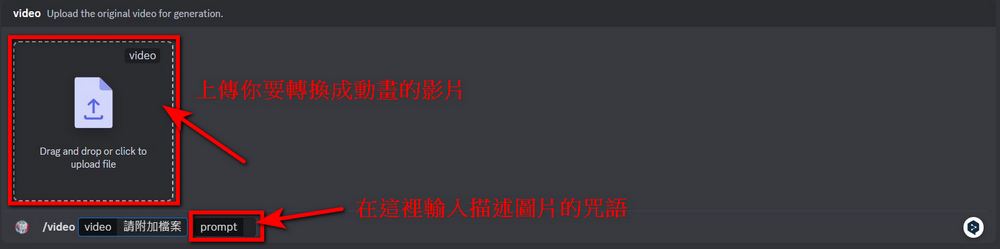
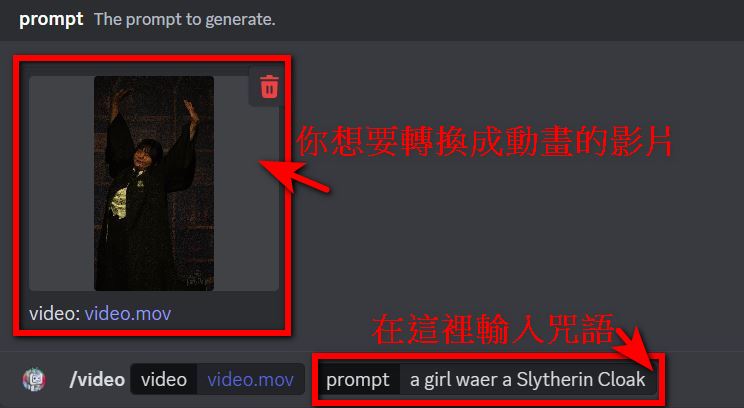
Click “+”, click “Use app”, select “/video”, upload the video you want to convert to animation, briefly describe your video content in the prompt, and press ENTER.
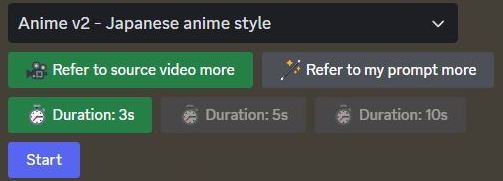
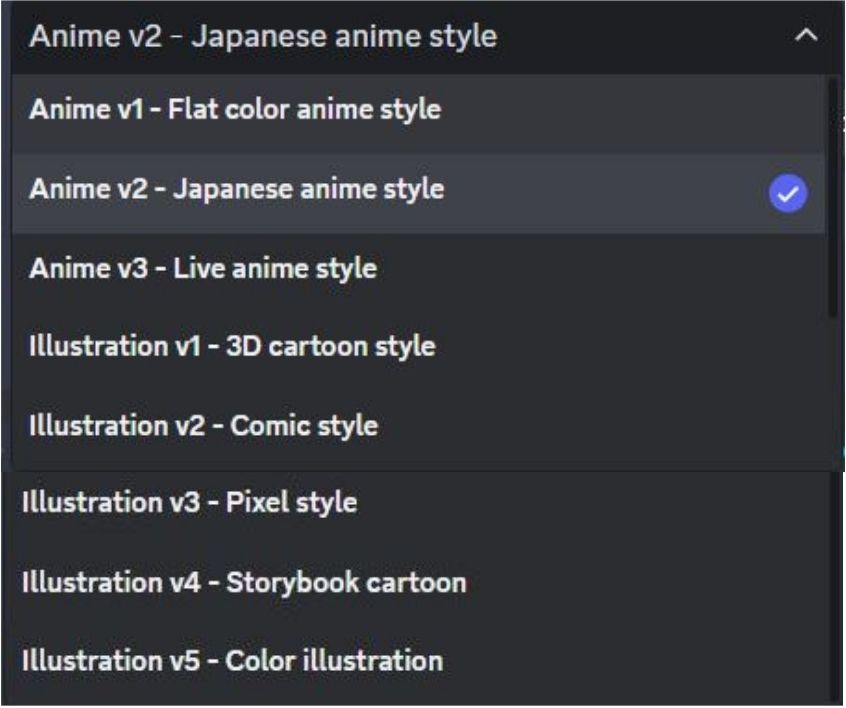
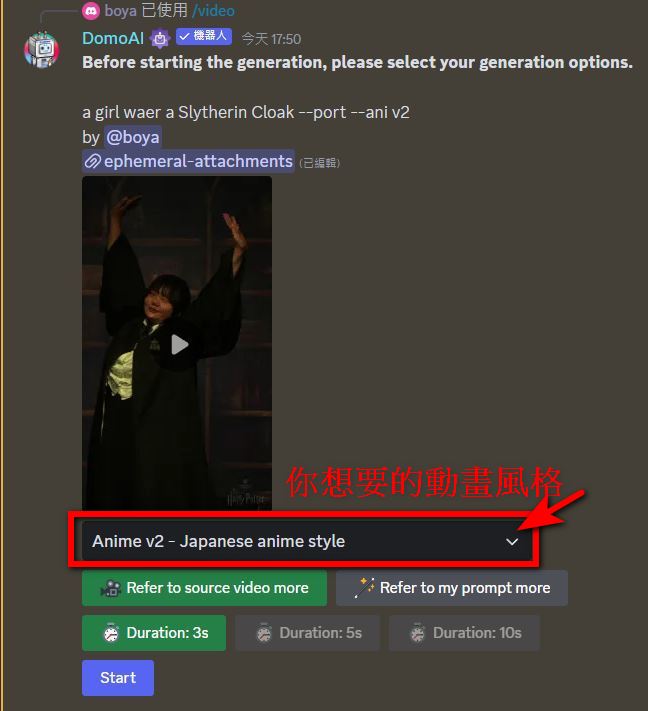
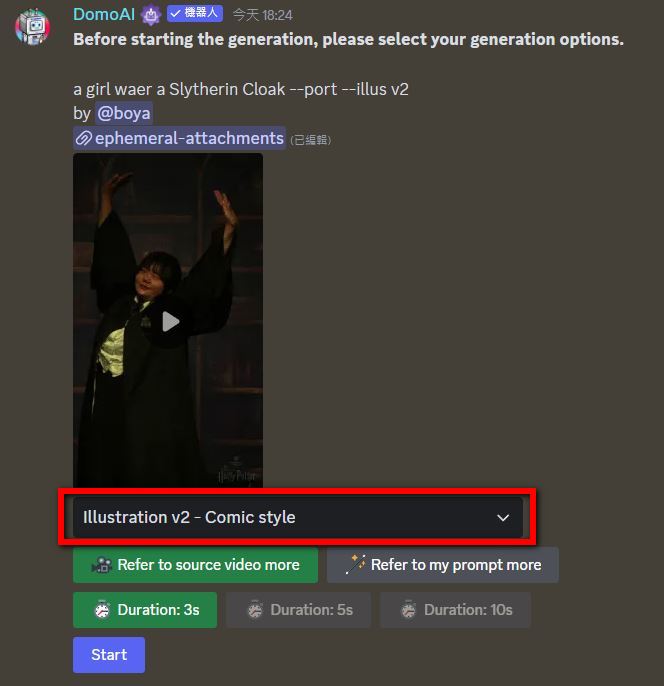
Before you start creating, you can choose the animation style you want, including flat anime style, Japanese anime style, pixel style, 3D cartoon style, and more. You can create animations in whatever style you prefer. You can also choose the desired animation length, with a maximum of 10 seconds. (The best part about DomoAI is that the prompts don’t have strict requirements—just briefly describe what you want in the video.)
You can only create up to six animations per day. Anything beyond that requires payment.
Case study
Here, get the one from beforeWarner Bros. Studio Tour Tokyo – The Making of Harry PotterConvert filmed videos into animation. Upload video, enter prompt “a girl wear a Slytherin Cloak ” then press the ENTER key. Choose the desired style, which offers two options: “Anime v2 – Japanese anime style” and “Illustration v2 – Comic style” animation.
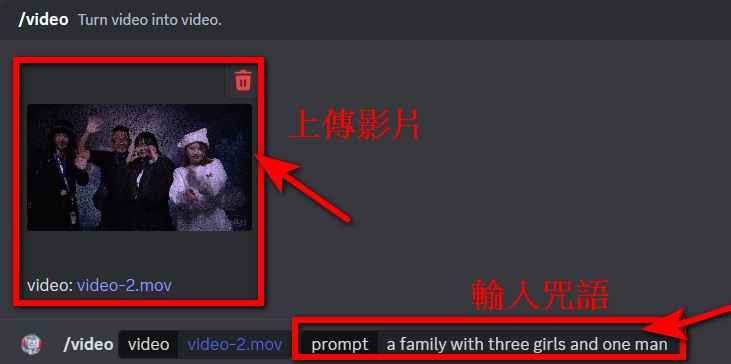
The editor tested that it works with multiple people—a family of four can also be animated. Upload a video, enter the prompt “a family with three girls and one man” (it’s really a simple prompt that DomoAI can also accept), and press ENTER. Choose the desired style—it also offers two styles: “Anime v2 – Japanese anime style” and “Illustration v3 – Pixel style” animations.
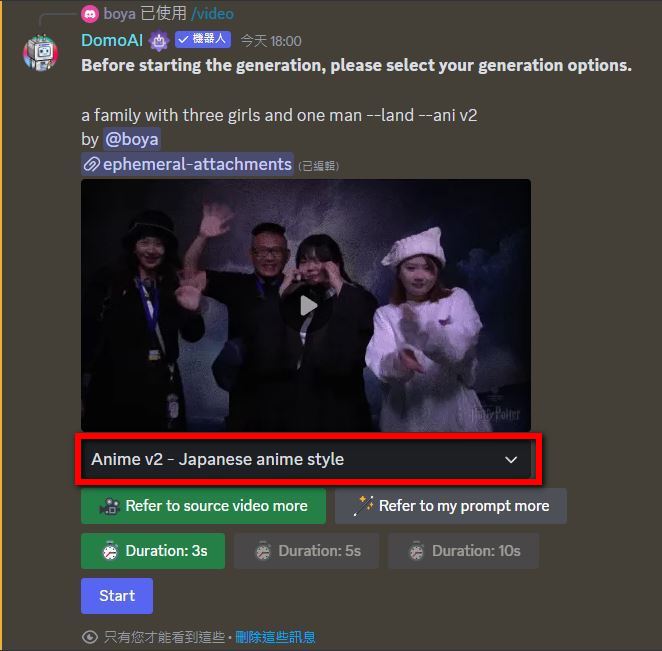
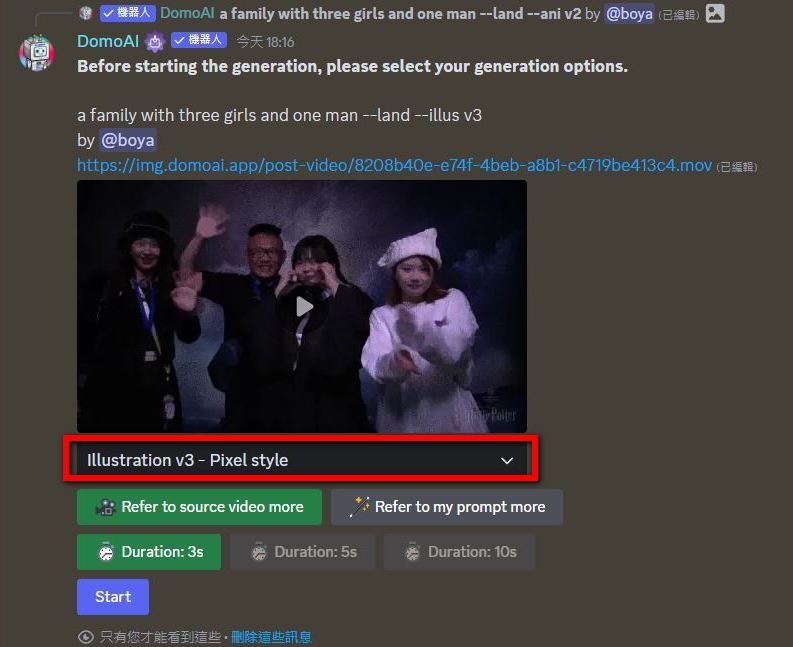
DomoAI is a low-barrier AI app that turns real videos into animations—give it a try! Even someone like me who can’t write prompts can create animations, so beginners will definitely be able to do even better!
Convert anime images into real photos
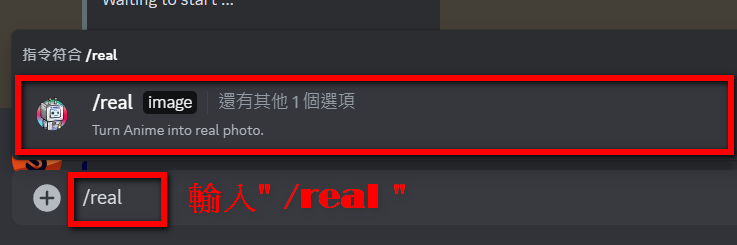
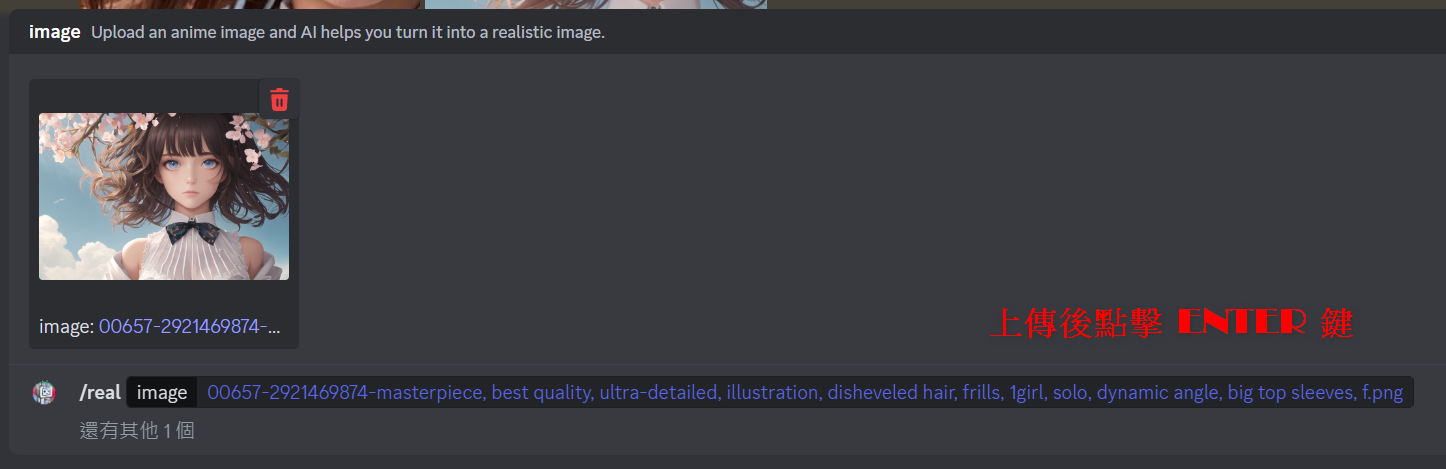
Here’s another feature of DomoAI – converting anime images into real photos. Type “/real” in the input box and click the option in the red box.
Upload the anime images you want to convert
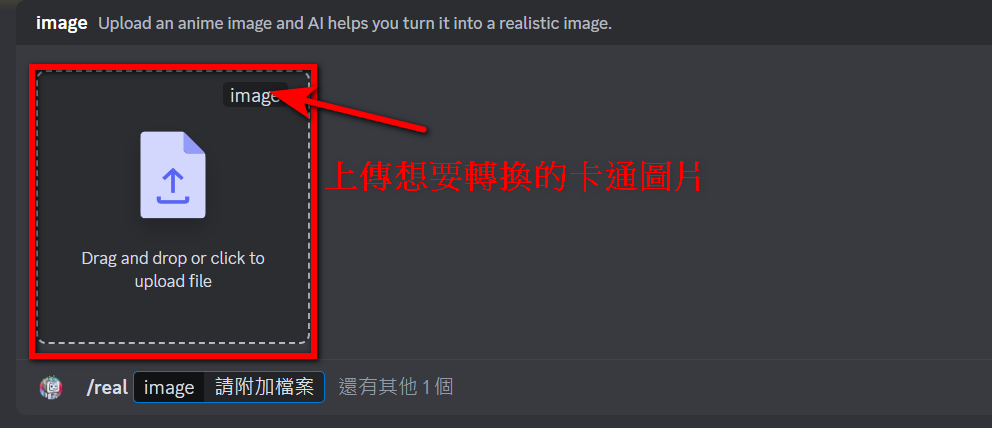
After uploading, press the ENTER key, and DomoAI will start converting your anime images into real photos.
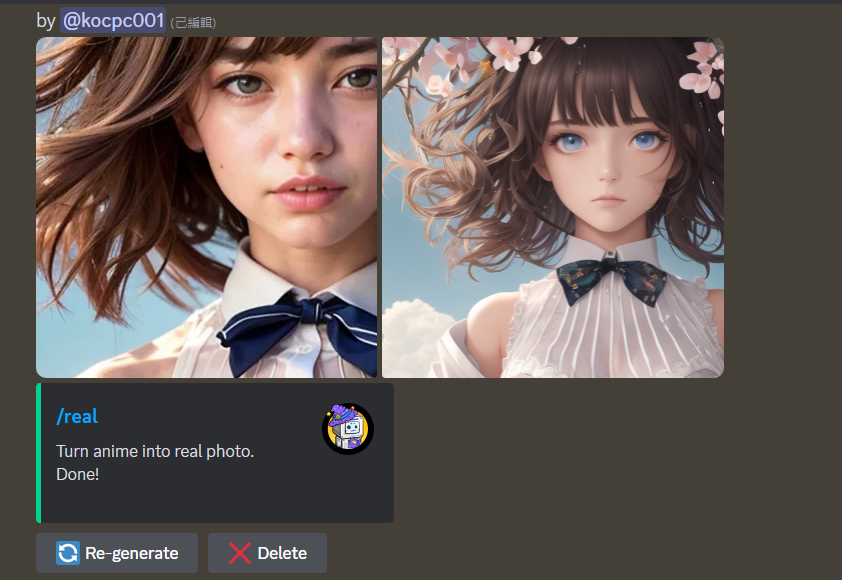
The converted real photo is shown below. If you’re not satisfied, you can click “Re-generate” to create a new one.
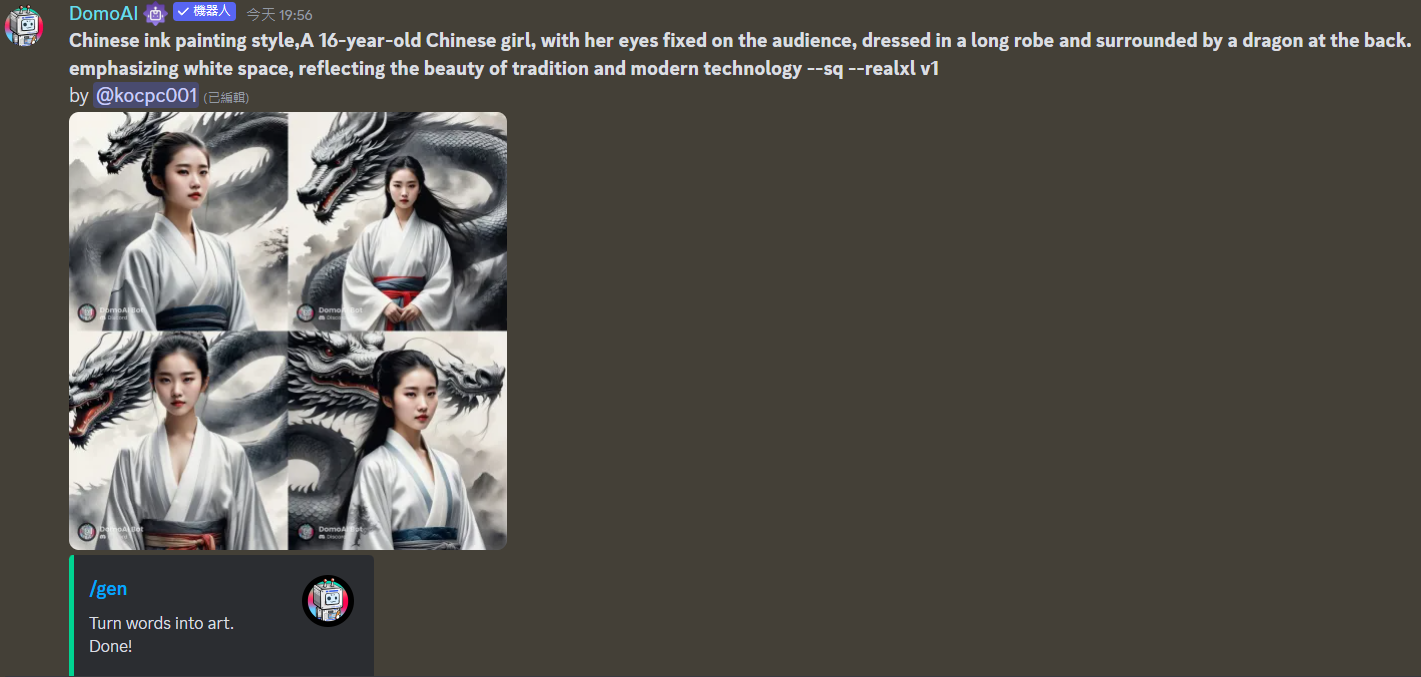
DomoAI can also convert text to images, as shown in the example below. DomoAI has many features, so you can try it out yourself and see if you can come up with more creative ways to use it.
Source: KOCPC Chinese