


When it comes to video editing software, many people think of Adobe Premiere, PowerDirector, etc. Although they are indeed good and have professional functions, they are really not cheap, and the functions that most people will need are nothing more than:
- Basic editing functions
- Free soundtrack
- Special effects and transition animations are provided, which can be easily applied
- Can output at least 1080p quality video
There are actually other good options with higher CP value on the market, this one iMyFone Filme It is one of them. In addition to the above mentioned (it also supports up to 4K), it also provides a “large number of slideshow templates” that many people will love, allowing you to easily create high-quality birthday, wedding, and recording videos. It also has some good additional practical functions, such as screen recording, voice changer, unique QRCode scanning and importing materials, etc., which will be introduced in detail below.
iMyFone Filme official website
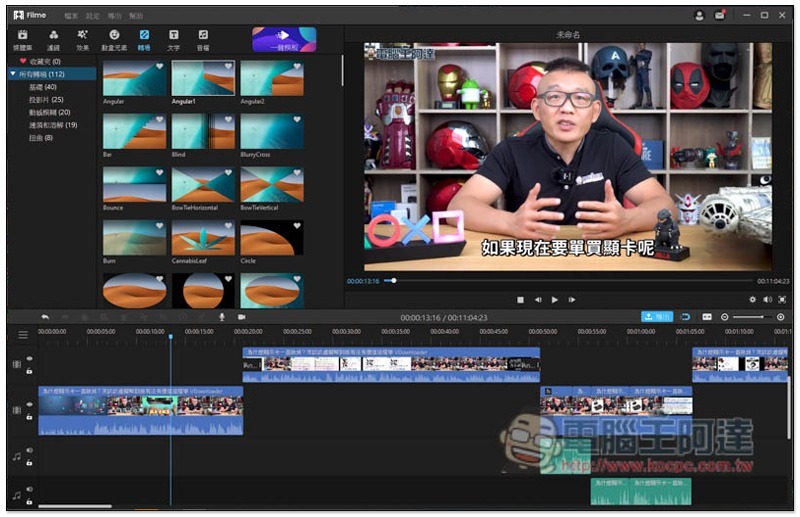
Easy-to-use interface
For some friends who have never been exposed to video editing software, they may find it difficult to learn. This is true for some editing software, but iMyFone Filme This set doesn’t do that at all. It has a Traditional Chinese interface. You can understand what all the functions and tools are used for. The layout is also clear and you can easily find the functions you want to use.
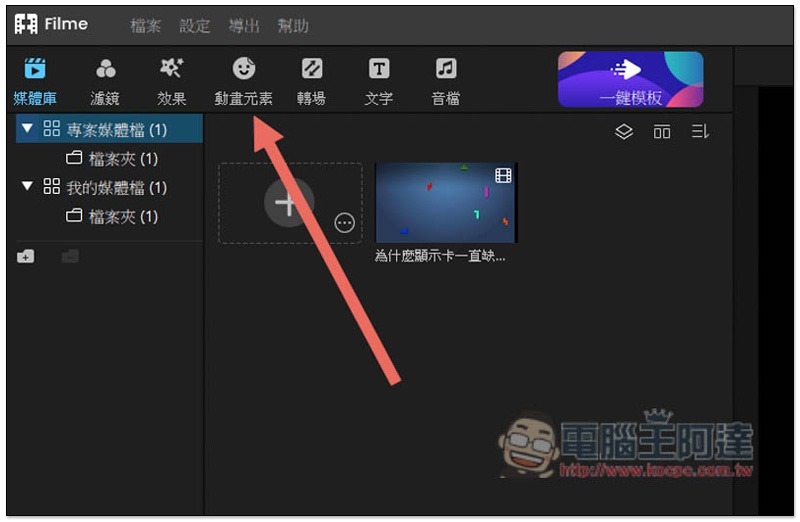
The main function selections are located in the upper left corner: “Media Library, Filters, Effects, Animation Elements, Transitions, Text and Audio Files”. You can find the materials you want to use after clicking on each menu, which is really good. I have used some editing software in the past. I don’t know if it has too many functions or for other reasons. Special effects and filter effects have to be found through many layers of function menus. It is really not very convenient to use.iMyFone Filme No such problem:
The editing tools are located above the track. Basically, each one has a shortcut key. Once you are familiar with it, you can press the keyboard shortcuts in the future to use the tool you want to increase the editing speed. On the far right there are recordings andScreen recordingfunction, it will be directly inserted into the track after recording:
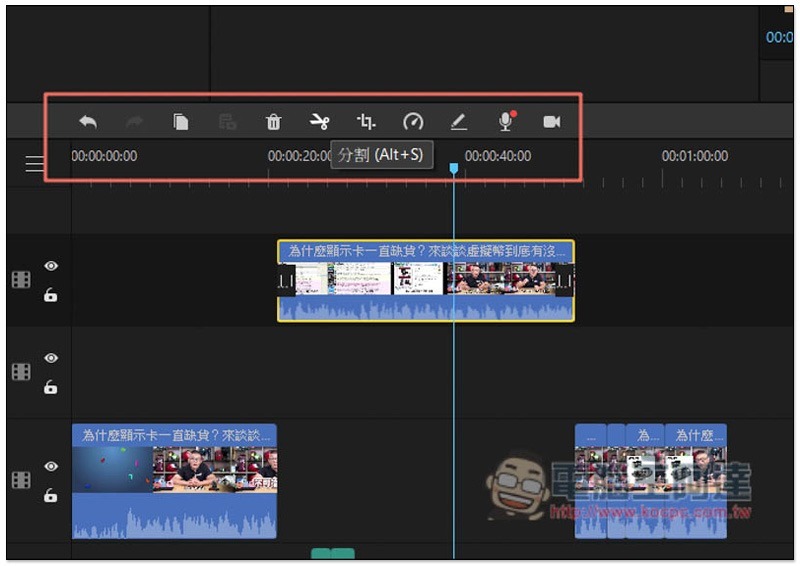
Like this, pressing the ALT+S split tool shortcut key will instantly split the clips on the track:
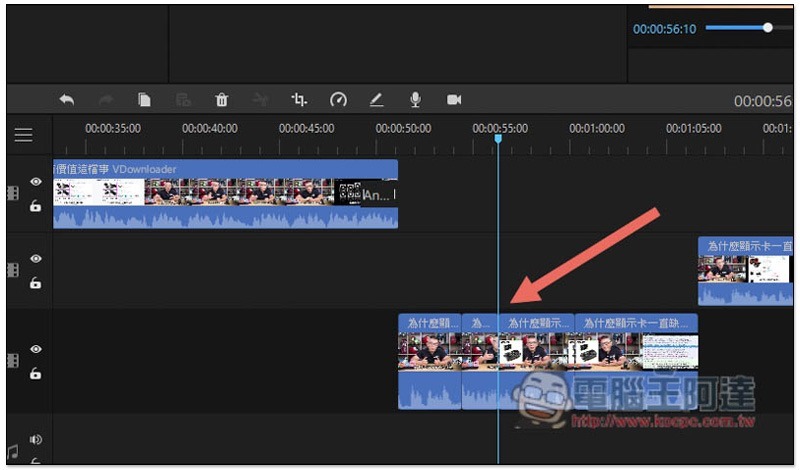
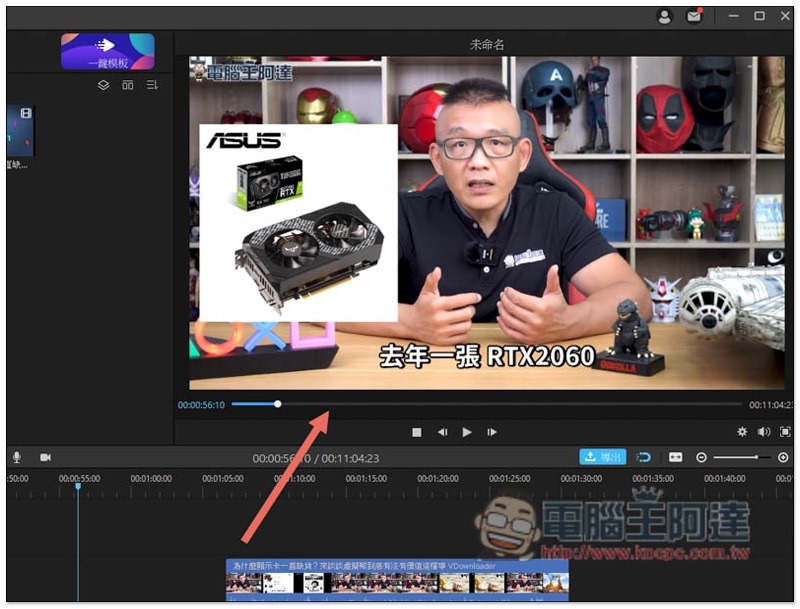
You can preview the video in the upper right corner:
Built-in a large number of practical special effects, transition animations and filters, which can be easily applied with one click
When watching some well-known YouTubers, movies, and advertising videos, cool transition animations or special effects will appear, and you will definitely want to add this to your own videos. iMyFone Filme You can do it, there are many common special effects built-in, and they can be easily applied with one click.
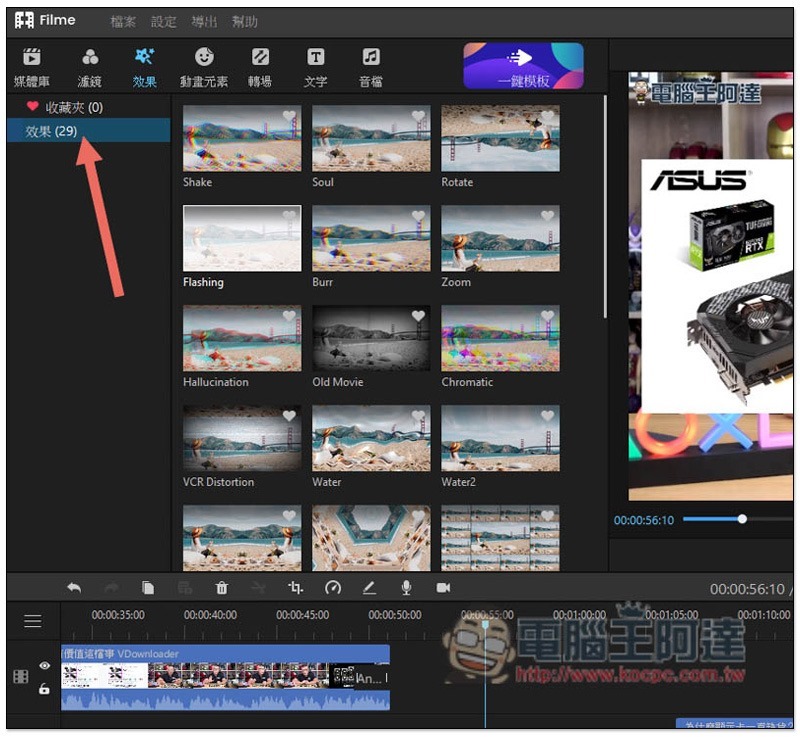
In terms of special effects, there are currently 29 in total, including: Shake, VCR Distortion, Flashing, etc.:
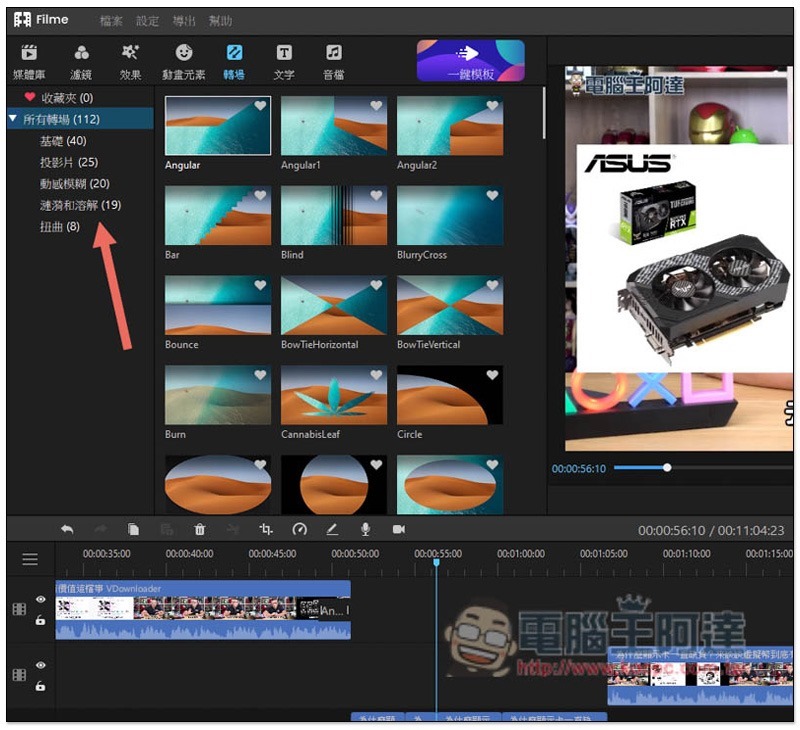
There are more transition animations, up to 112, with five categories: “Basic”, “Slideshow”, “Motion Blur”, “Ripple and Dissolve” and “Distortion”. This number is really huge and is definitely enough for you:
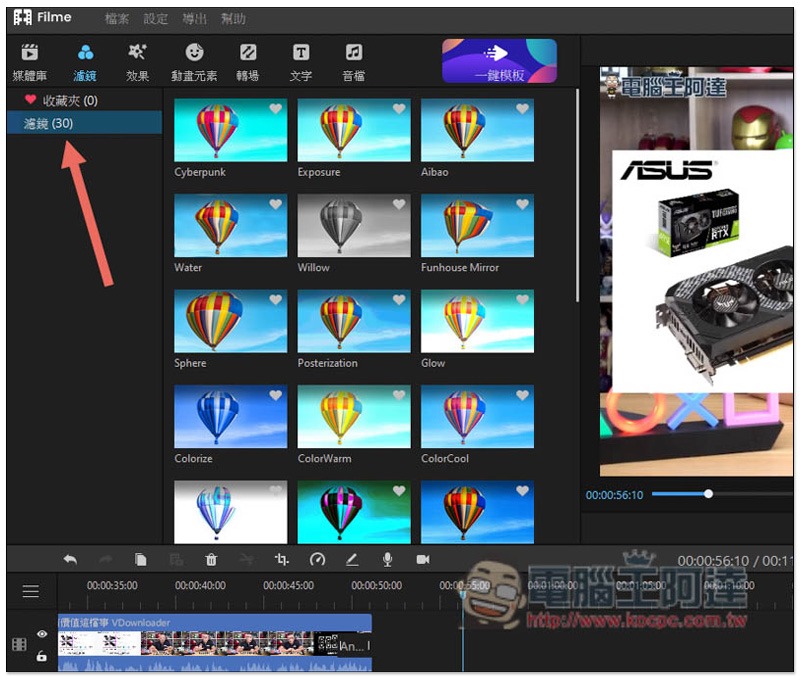
There are also up to 30 filters, each with a small preview, so you can know how the color will change before applying it:
If you think the preview image is too small, you can also double-click to preview it. Special effects, transition animations and filters are all supported:
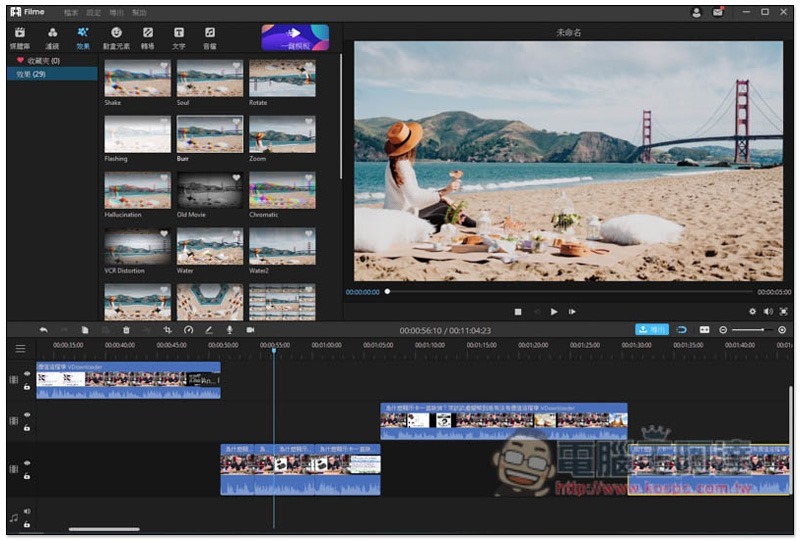
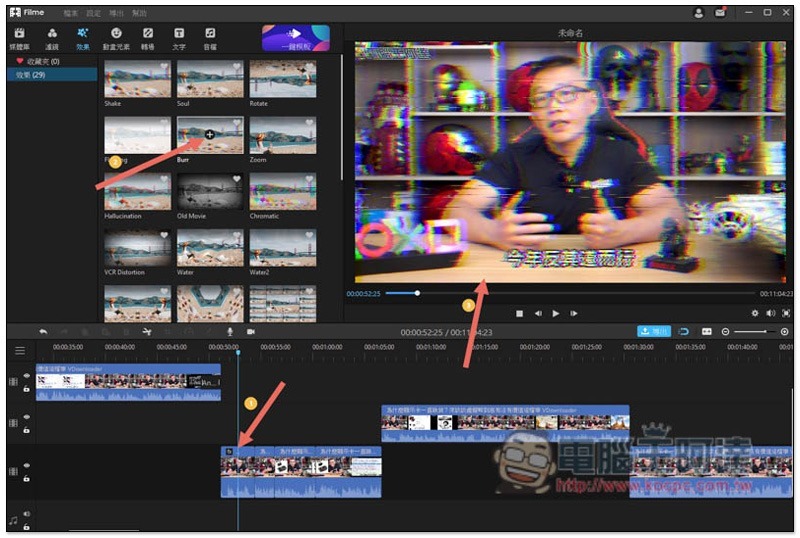
After selecting the video clip you want to apply, click + in the preview image or drag it above the video clip to apply it immediately. The preview on the right will also show you the effect in real time. The operation is super simple:
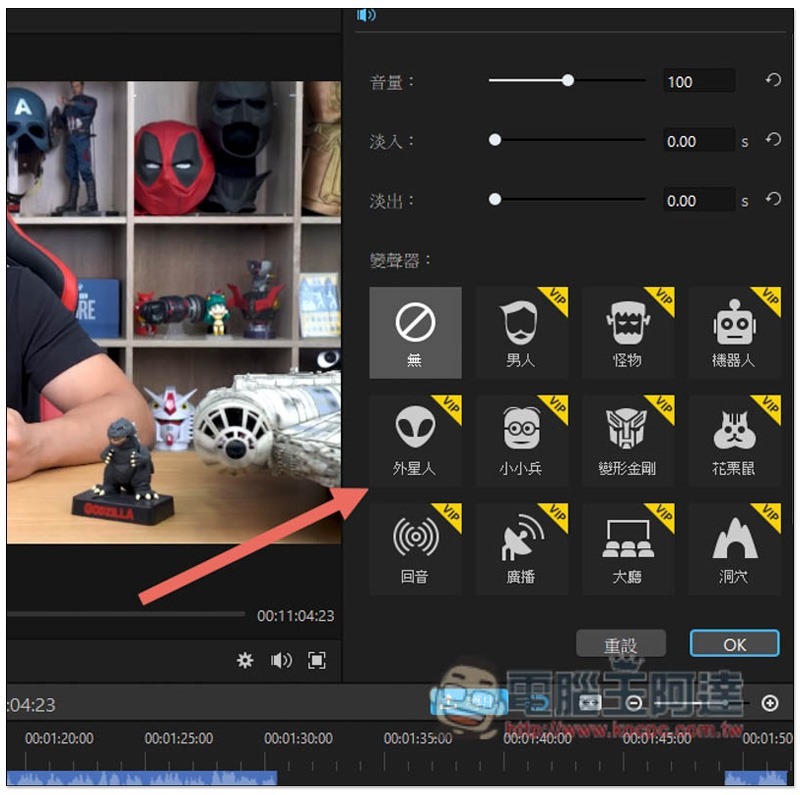
Enable the voice changer function to make your video sounds more interesting
The voice changer function is quite fun. Just double-click the track you want to change your voice, and you can see the related functions. You can transform into a robot, an alien, a minion, a Transformer, or even a female voice into a male voice:
The iMyFone Filme Voice Changer event is now open. Upload your voice changing video and you will have a chance to win prizes such as a MacBook Pro.
iMyFone Filme Recently, the Voice Out Different Self with Filme Voice Changer! Voice Changer activity was launched. iMyFone Filme With the voice changer function, create a video and upload it. After it is reviewed by the Filme team, the video can start voting.
The top four users at the end of the event will receive a MacBook Pro, an insta360 GO Video Cam, a $50 Amazon gift card, and a 3-month free serial number for the professional version of Filme. Don’t miss it if you want to get a MacBook Pro for free (I secretly say that not many people are participating yet).
iMyFone Filme Voice Changer Activity

Lots of free background music for you to enjoy
If you want to make the video look more interesting and vivid, sound effects are an indispensable element. Although there are many free materials available on the Internet, downloading and organizing them is very time-consuming.iMyFone Filme The great thing is that it not only provides nearly 200 songs, but they have also been sorted and categorized and can be used directly. You can watch video clips at any time and add appropriate sound effects.
Not only that, it even has the most troublesome free soundtrack for many people. It can almost be said that when you use this set to edit videos, you don’t have to worry about background music materials at all.
After opening the audio file menu, you can see all free background music categories. There are 23 soundtracks in total, including “pop music”, “electronic rock”, “light music” and “film and television music”. You can listen to it first by clicking twice, and then insert it into the track if you like it:
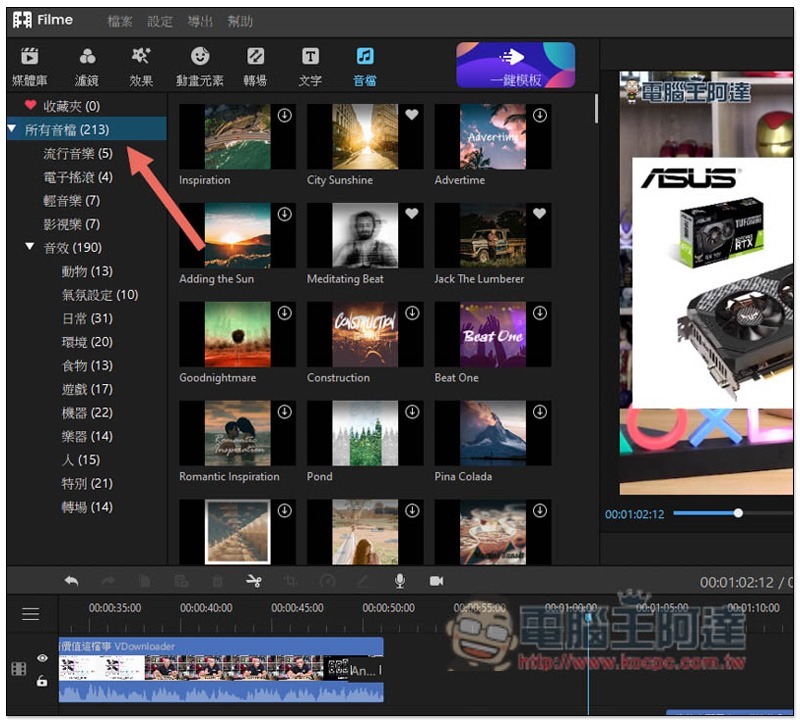
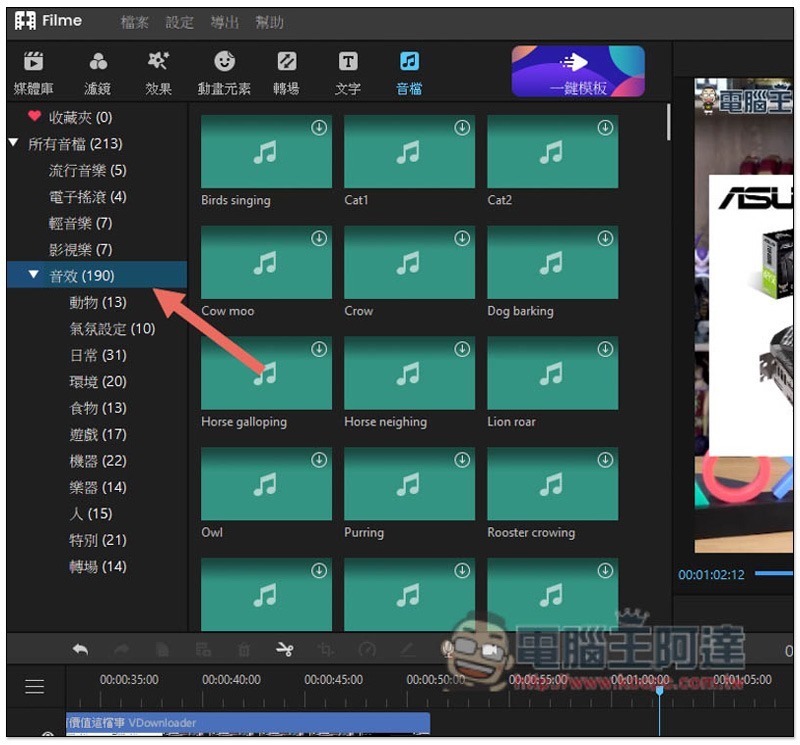
There are 190 sound effects in total, with more types, ranging from “Animals”, “Atmosphere Settings”, “Daily”, “Environment”, “Transitions”, to “Games”:
Create high-quality slideshows with one click and apply photos from your phone wirelessly
This can be said to be iMyFone Filme My favorite feature is that most editing software on the market doesn’t have free templates like this built-in.
When it comes to weddings, birthdays of relatives and friends, or memorable travel experiences, you will want to make a projection slideshow to show every important memory photo. However, for people who don’t know much about editing or have no design background, it is really difficult to create it from scratch. I have tried it before. Although I know how to edit videos, I have no artistic talent. I spent a whole day messing around, but the result is still very poor, and I feel like time is wasted.
and iMyFone Filme There are 32 built-in projection slideshow templates that every user can easily create for free with one click. There are quite a few categories, including weddings, birthdays, festivals, travel, education, and business. Moreover, it is very simple to import your own photos into the templates. I believe you will also love this.
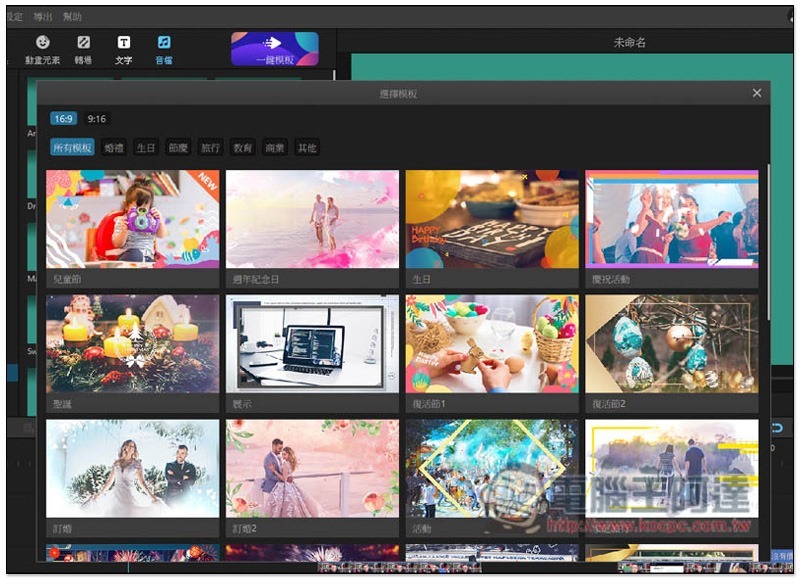
After turning on the one-click template function, you can browse all free templates. In addition to categories, you can also choose the size you want 16:9 or 9:16:
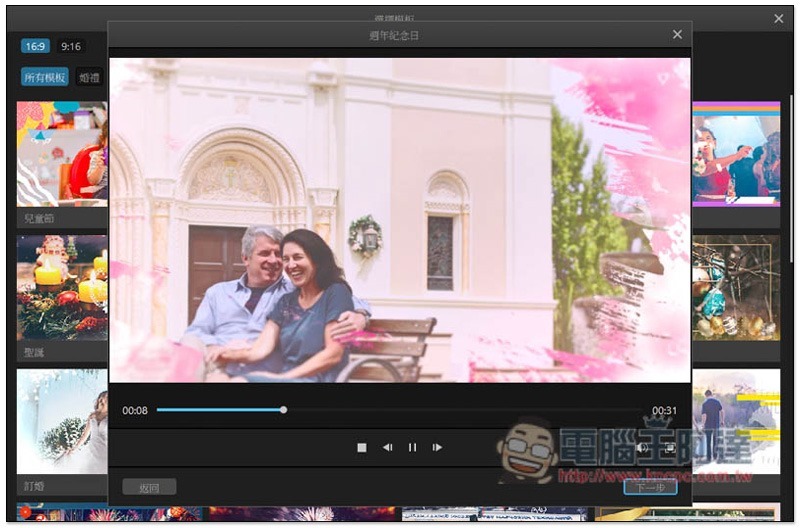
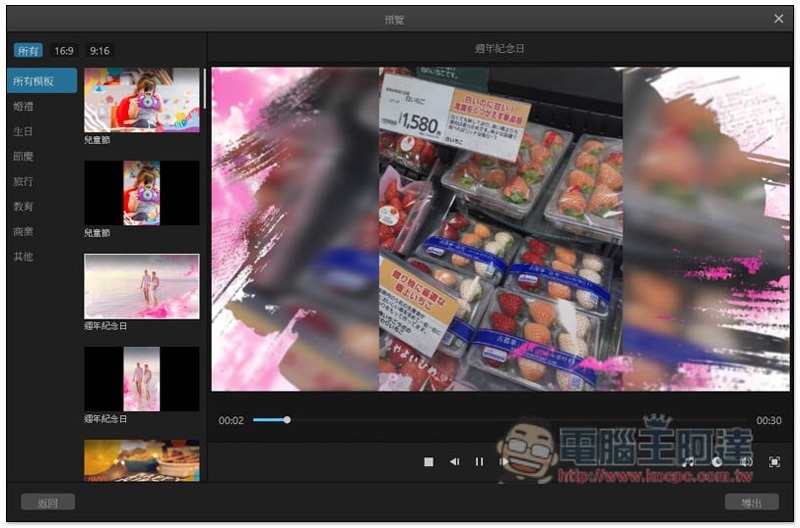
After you decide on a template, you will be given a preview of the effect first, and you can continue if you like it. Each template has already been soundtracked, so you don’t need to worry about the music:
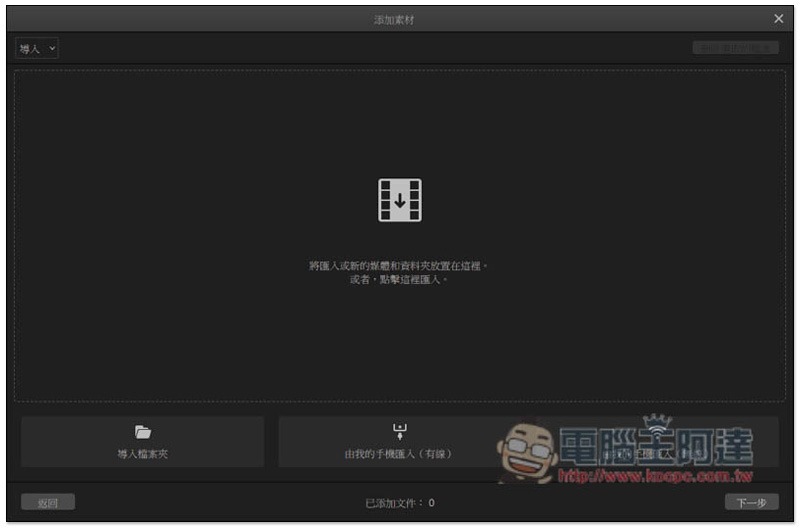
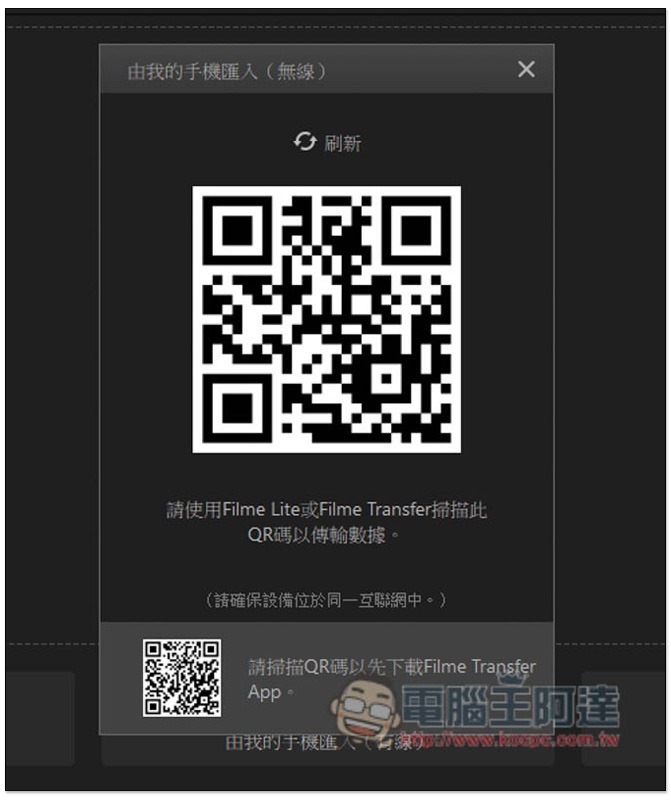
There are three ways to import photos, “Folder”, “Mobile wired import” and “Mobile wireless import”, among which mobile phone wireless import is iMyFone Filme Unique features, super convenient:
Use Filme Lite or Filme Transfer mobile app to scan the QRCode in the screen. In addition, this function can only work under the same wireless network:
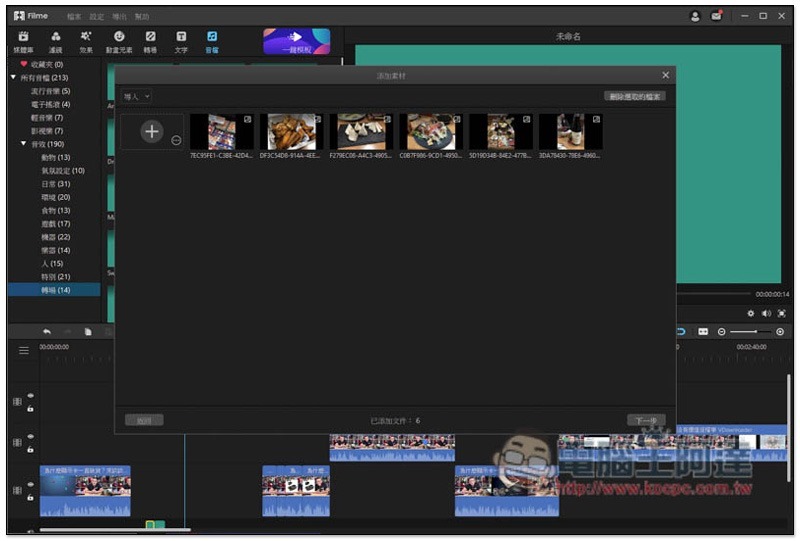
After the scan is completed, your mobile phone can select the photos you want to put into the slideshow, and then the photos will be automatically wirelessly transferred to the computer without connecting a transmission line. This is super convenient:
What’s even better is that after importing the photos, if you think the presentation effect is good, you can change it to other interesting slideshow templates with one click. This function is really rare. Most software that provides templates, if you want to change it after selecting it, you have to do it all over again.iMyFone Filme This adds a lot of points:
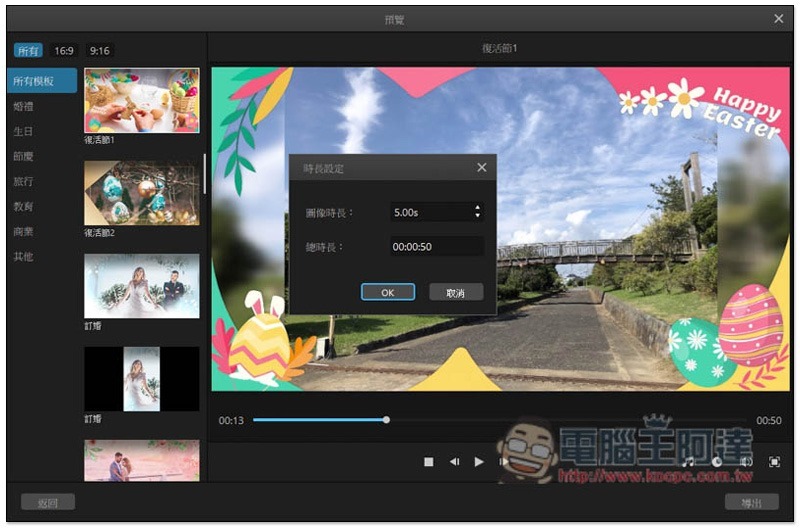
Of course, the soundtrack and the duration of each photo can also be changed manually:
Make your videos look cuter and more interesting through the animation element function
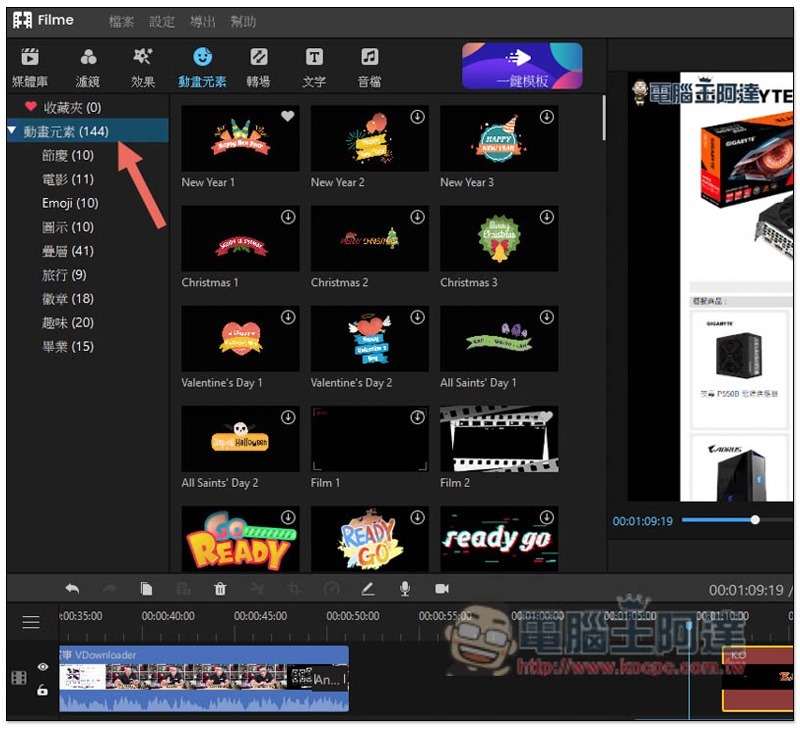
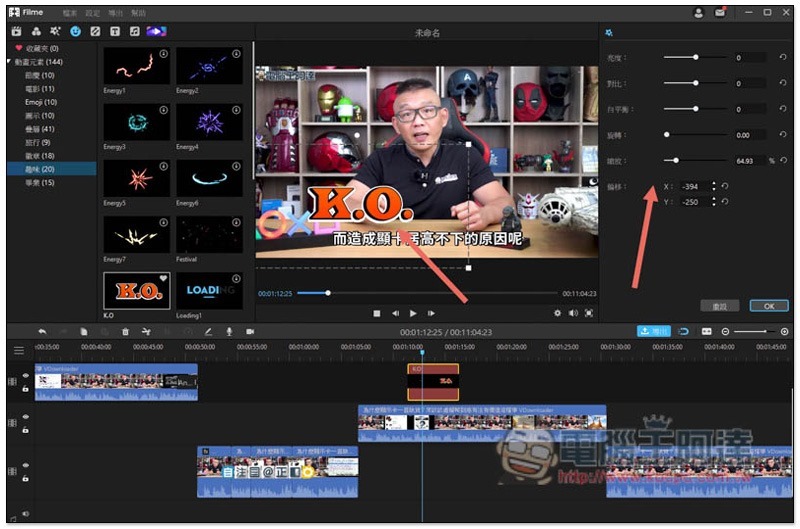
In order to make the video look more vivid and interesting, you will definitely want to add some animation elements, but not everyone knows how to make it, and it is not easy.iMyFone Filme In addition to the free materials mentioned above, there are also animated elements, and they can be easily added to video clips with just one click, and the position and size can be freely determined.
The number of animated elements has also reached 144, ranging from festivals, movies, Emoji, icons, fun, to graduation and other categories:
The size, placement, brightness and other settings of the added animation elements can be adjusted freely:
Supports output in multiple formats, and can also directly upload to social video platforms such as YouTube and Facebook
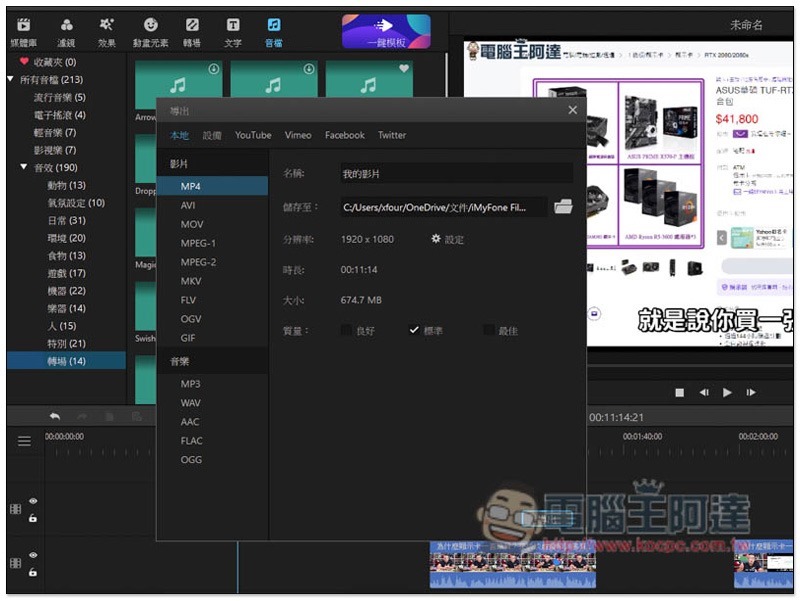
iMyFone Filme The output format interface is also one of the few with a simple design. Select the format you want to output on the left, and select resolution (resolution) and quality (quality) on the right. There are not many complicated options, which is quite friendly to novices.
The supported output formats are
- Video: MP4, AVI, MOV, MPEG-1, MPEG-2, MKV, FLV, OGV, GIF
- Music: MP3, WAV, AAC, FLAC, OGG
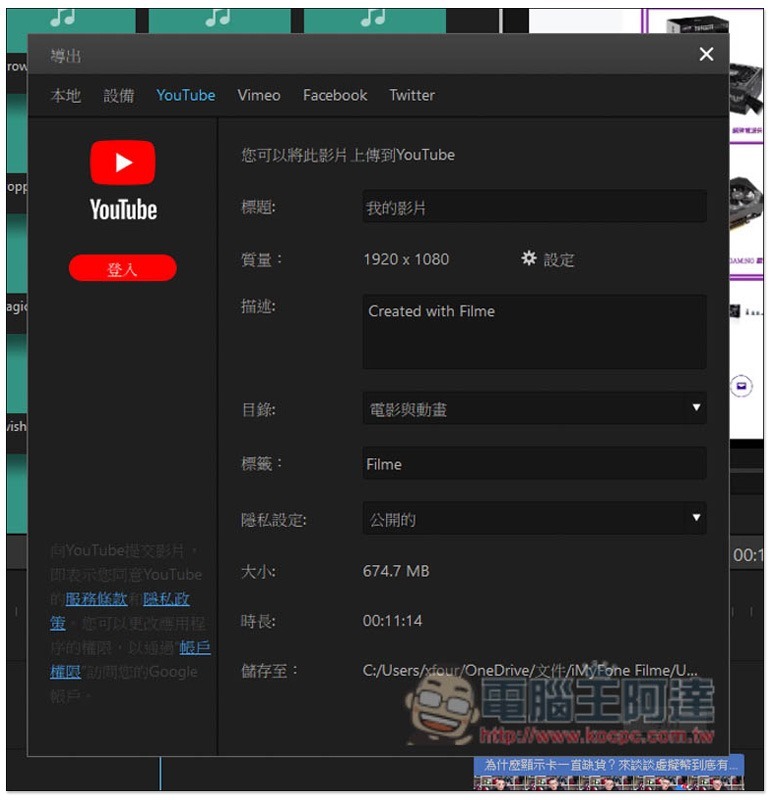
If your video will be shared on YouTube, Facebook, Twitter, or Vimeo social video platforms, it can also be automatically uploaded directly after logging in through the built-in function, saving you time on manual operations:
You can get basic editing functions with the free version, but the paid version is more recommended
iMyFone Filme There are two versions: free version and paid version. The free version can use basic editing functions, and there are no restrictions on the number of projects or output. It also supports up to 1080p, but there is a watermark. For people who only need to edit occasionally, or who don’t care about watermarks, the free version is actually quite sufficient:
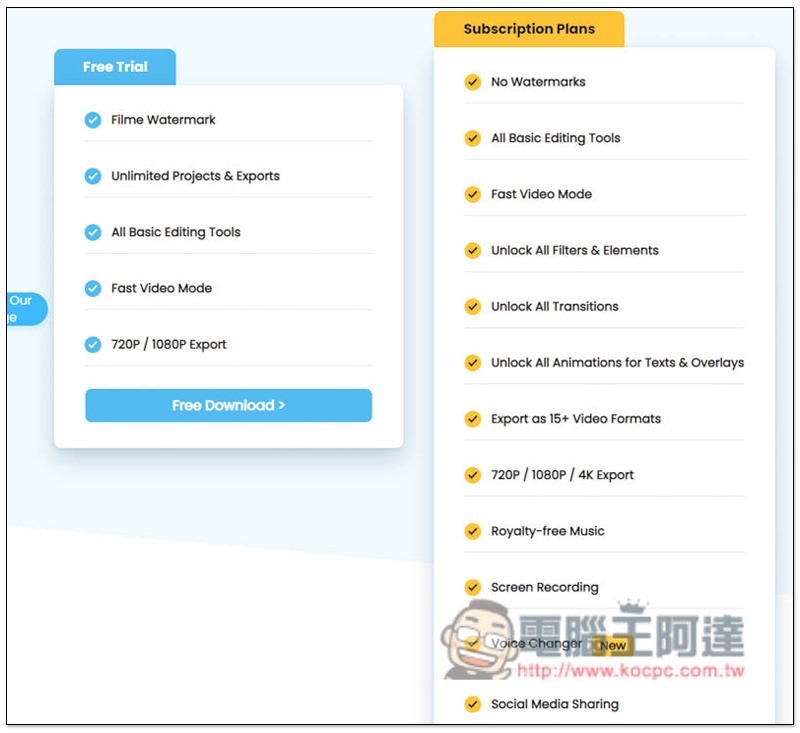
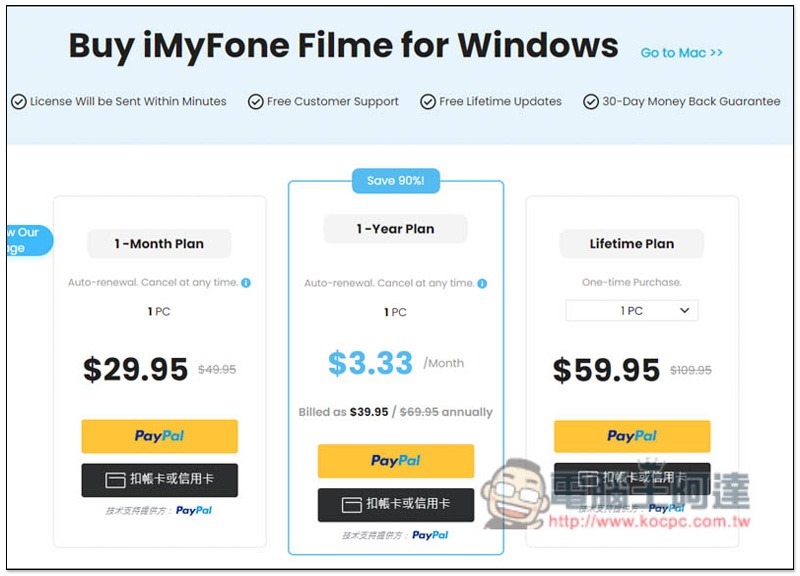
But if you want to have full functions, all material libraries, and output 4K videos, then the paid version is actually worth considering, because compared to other editing software, this price is very cheap, and there is a one-time paid lifetime plan for only $59.95. Of course, you can also consider a one-year or one-month plan:
Summarize
After testing it, I have to say iMyFone Filme It is indeed a very good video editing software. It has complete editing tools, a large number of built-in free materials (even projection slide templates), and unique interesting functions. It can not only greatly increase the speed of editing, but also make the video more interesting and very flexible in editing. The operation is also easy to get started, so even a novice does not have to worry.
The price is also much cheaper than many editing software. You can easily own a professional and easy-to-use video editing software without spending a lot of money. I highly recommend everyone to try it.
iMyFone Filme official website
Official instructional video:
Source: KOCPC Chinese