


Google releases feature updates for Pixel phones almost every few months, adding new tools to the system or improving the existing experience. The stable version of Android 17 has just been released recently, bringing new features such as app bubbles and screen reactions. However, with such a frequent update rhythm within a year, many truly practical details are often submerged. It is not until users accidentally discover it that they realize that such useful things are hidden.
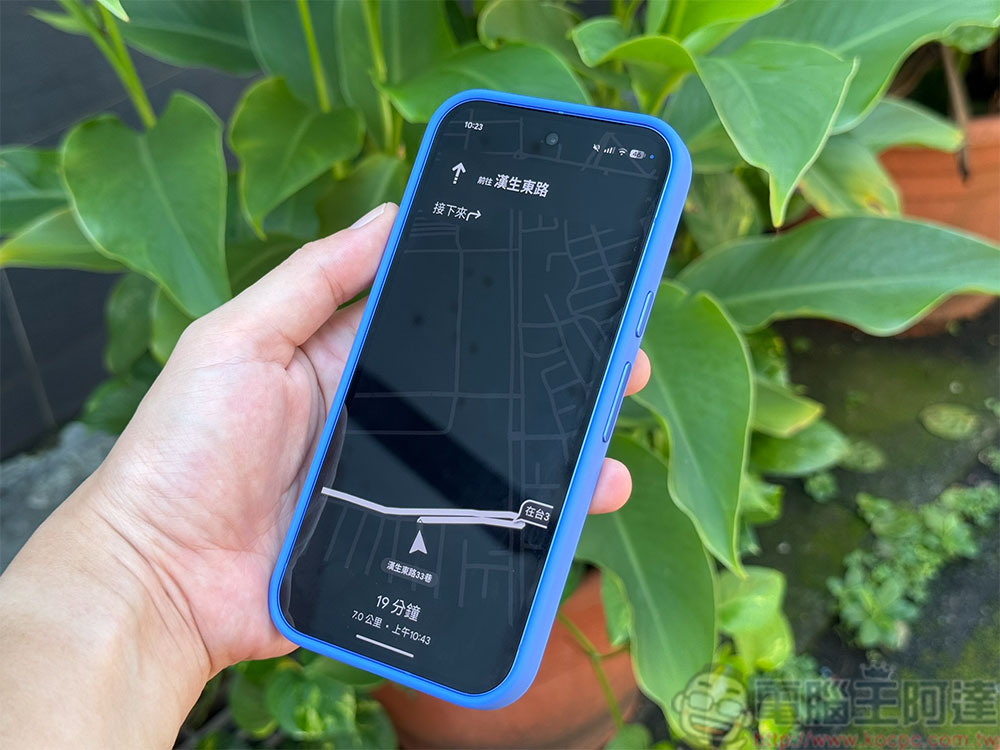
Hidden Google Maps power-saving navigation function makes Pixel 10’s AOD play a big role
The author recently discovered an unexpected highlight on Pixel 10: the “power saving mode” of Google Maps. This feature is currently only available on some Pixel models, but as long as your phone supports it, it can completely change the way you use navigation and even make Always-On Display (AOD) more valuable than ever.

Google Maps’ battery-saving mode will automatically switch to a black-and-white, minimalist navigation interface and display it on the Pixel’s always-on display after you start driving navigation and lock your phone. This high-contrast presentation not only makes it easier to scan routes quickly, but also significantly reduces power consumption. For anyone traveling long distances or commuting daily, this is a change that will make an immediate difference.
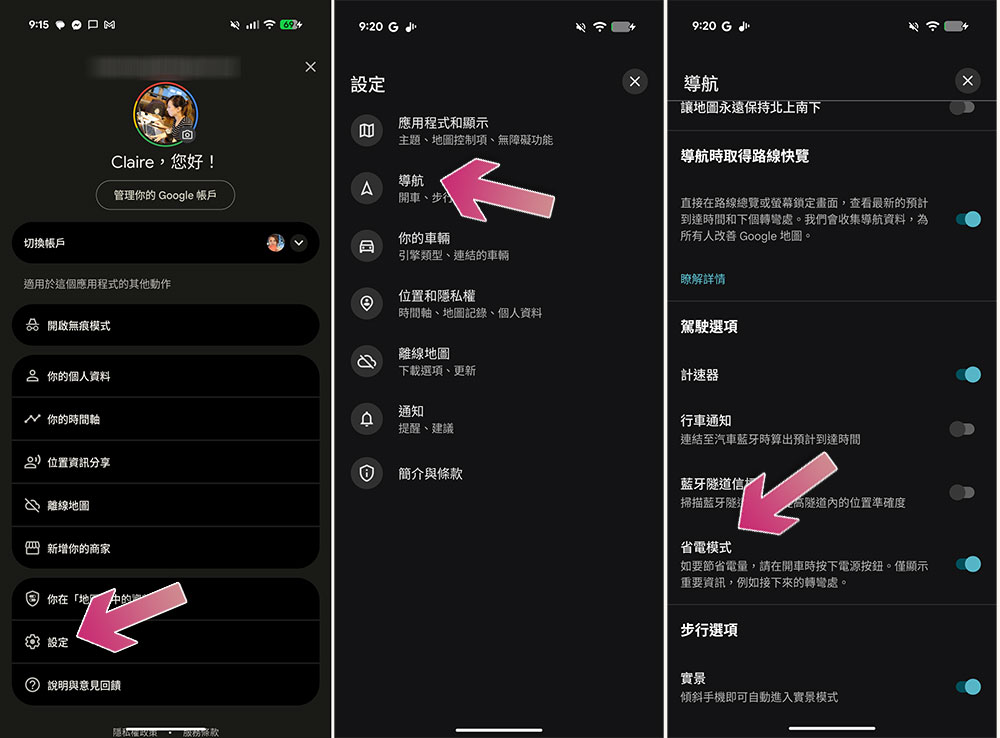
First, go to settings to confirm whether it is enabled:
- Open Google Maps and click on your profile picture in the upper right corner.
- Click “Settings” and select “Navigation”.
- Scroll down and confirm that “Power Saving Mode” is turned on.
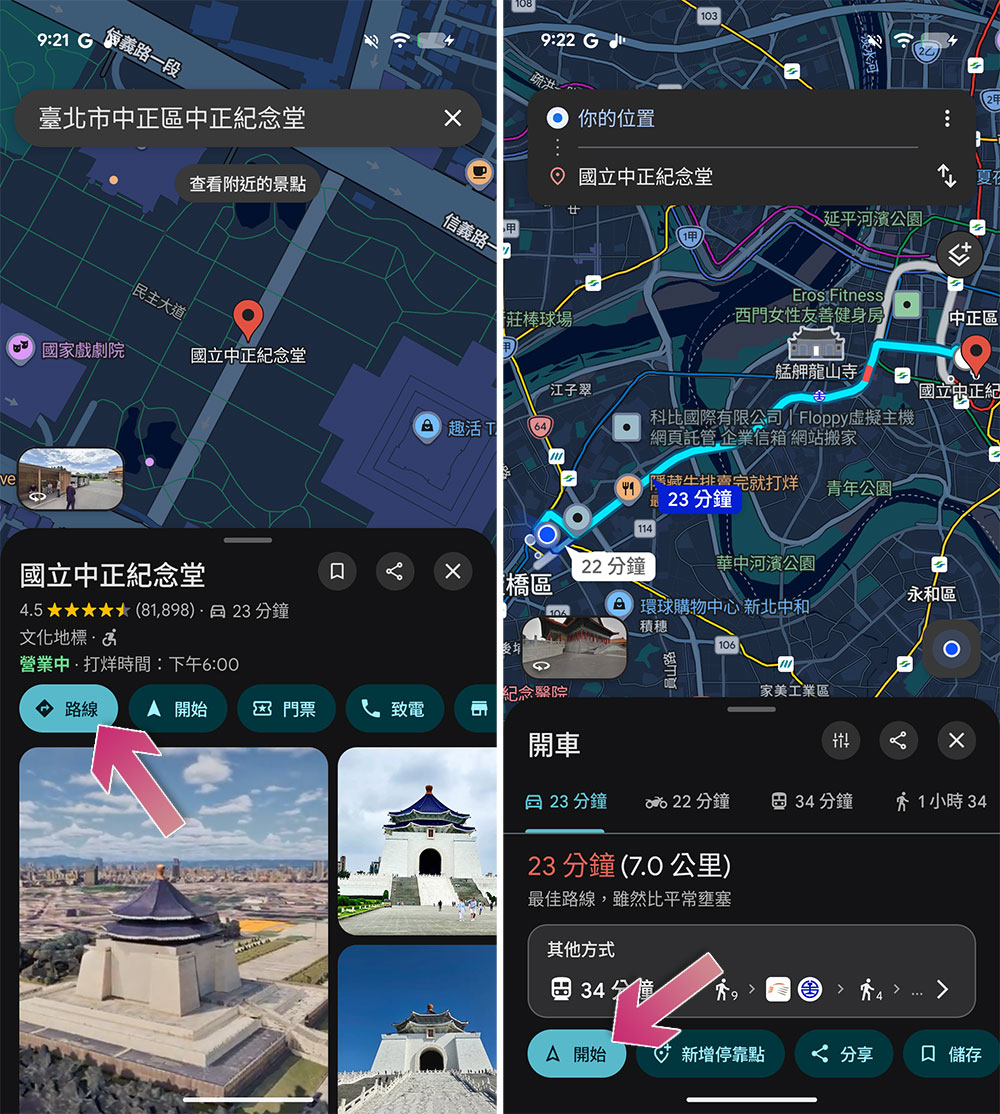
The activation method is also very simple. Currently, this feature only supports the Pixel 10 series, and is not available for the Pixel 9 series or Pixel A series. In addition, it is only suitable for driving navigation, and will not be activated for walking, riding or other modes of transportation:
- Open Google Maps and search for your destination.
- Click “Drive” and start navigation.
- Press the power button on your phone while navigation is in progress to enter power saving mode.
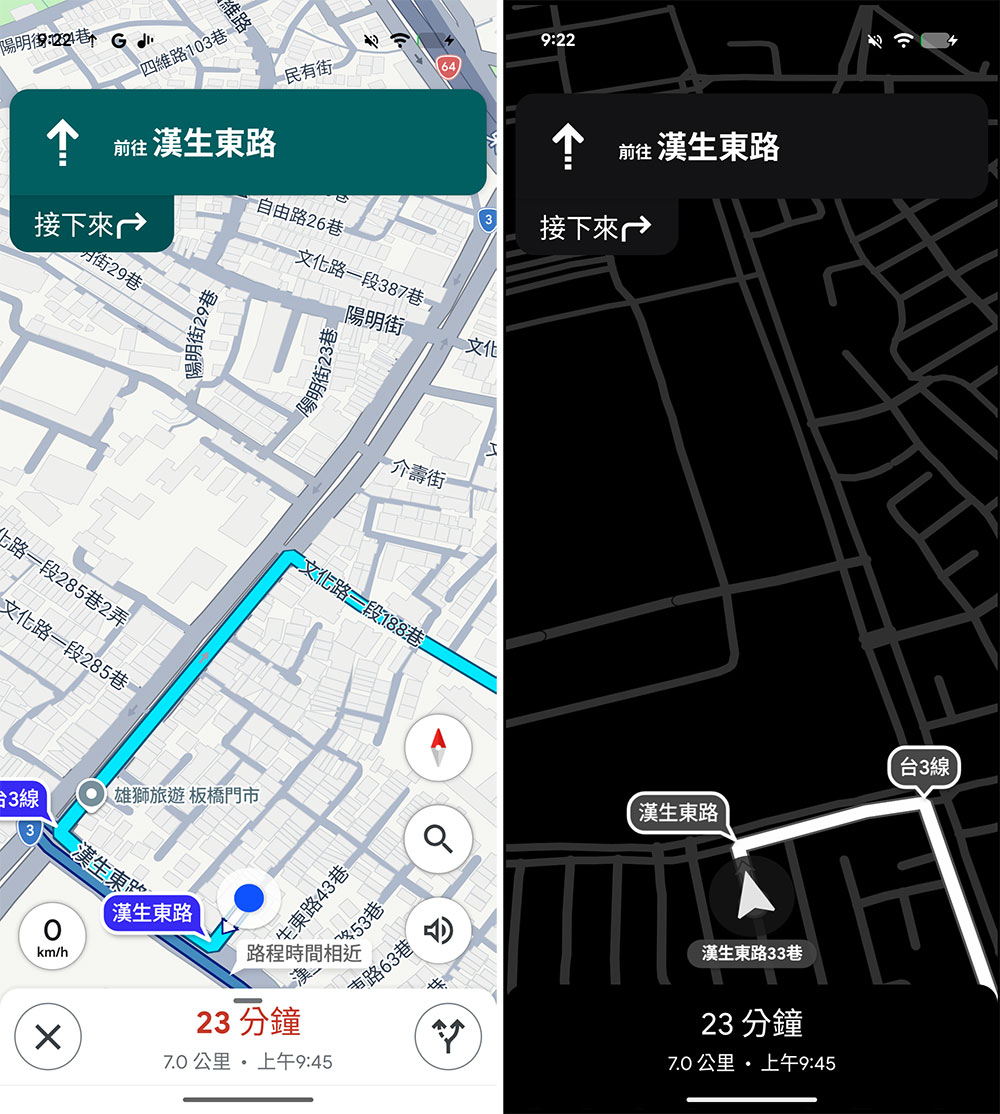
What really makes me fall in love with this feature is not the power saving, but its interface design. The black-and-white navigation screen is clean and clear, and information is concentrated in the most important parts: turn-by-turn navigation, estimated time of arrival, remaining distance and upcoming turn reminders. There is no additional information such as alternative routes, speed display, real-time traffic conditions or search suggestions along the way, but it is therefore easier to interpret quickly while driving. Although I occasionally miss the real-time traffic view, when I need to focus on driving, this minimalist interface is more suitable for my needs.
After using it for a while, I really feel like this feature shouldn’t be limited to the Pixel 10 series. Nowadays, almost all Android flagships are equipped with high-quality AMOLED panels and have the hardware conditions to support low-power displays. Google Maps’ power-saving mode does not rely on special chips or proprietary technology, and can theoretically be extended to more Android devices.
Source: KOCPC Chinese