


Previously, using the advanced GPT-4 version of ChatGPT required a paid subscription, but now you can use GPT-4 for free through Apple’s built-in iMessage with the method we’re introducing today! Today we’ll show you how to use GPT-4 on iMessage with just a simple step.

Free GPT-4! Just use iMessage built into your iPhone to use ChatGPT for free.
Attention Apple users! Now you can use GPT-4 without opening a web browser. The method is as simple as it gets—just use the built-in iMessage on your iPhone to access GPT-4 features for free.Please provide the Traditional Chinese text you’d like translated to English.、Arrange the itinerary、Recommended attractions、Recommend ways to get around、Recommended photo poses、Describe the image content、I cannot generate images. I can only provide text-based responses.You can do all of this and more. Today, let me show you how it’s done!
Update: Due to the high volume of users, please try again later or tomorrow if you experience no response.
Using GPT-4 on iMessage
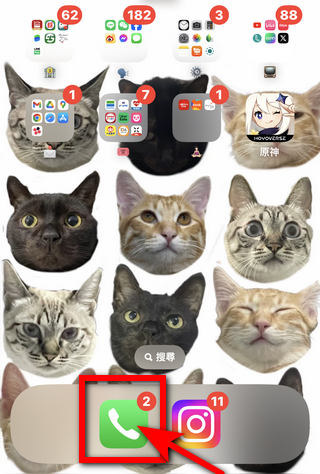
Open the Phone app, tap “Contacts”, tap “+”.
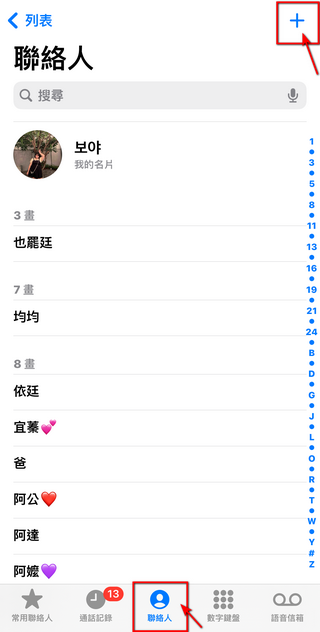
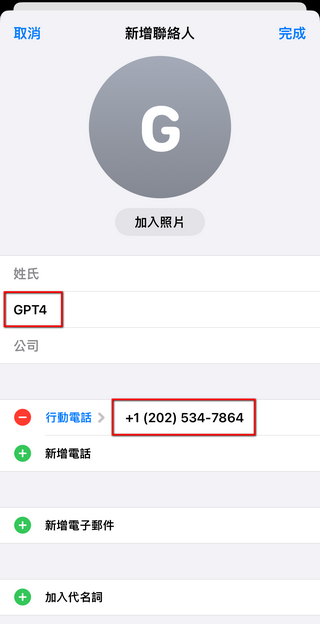
On the Add Contact page, enter “GPT4” in the name field, and “+1 (202) 534-7864” in the mobile phone field. Once you’ve filled in both fields, tap Done. That’s it for the settings! Pretty simple, right?
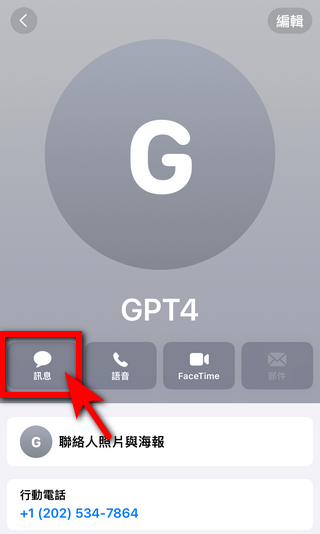
Then click “Messages” and go to the iMessage chat with GPT4. (iMessage is free, so don’t worry about SMS fees.)
Chat with GPT-4
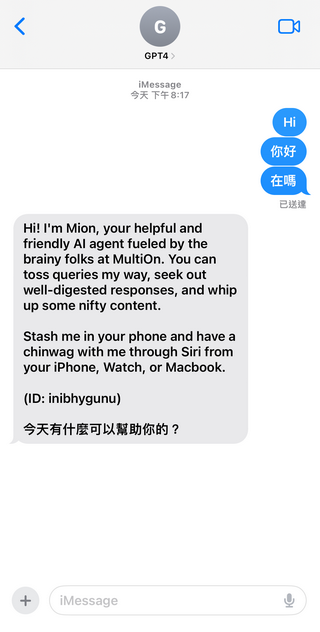
First, you can send a greeting message to GPT4. “Hi,” “Hello,” or “Hey” all work fine. Once GPT4 receives your message, it will respond with its name and explain its background. After Mion replies to you, you can ask questions or ask it to help solve problems. The editors have tested it, and basically everything a general chatbot can do, Mion can do too. From now on, we will refer to it as “Mion.” (When you first greet Mion, it may take some time for a reply, so please don’t be impatient.)
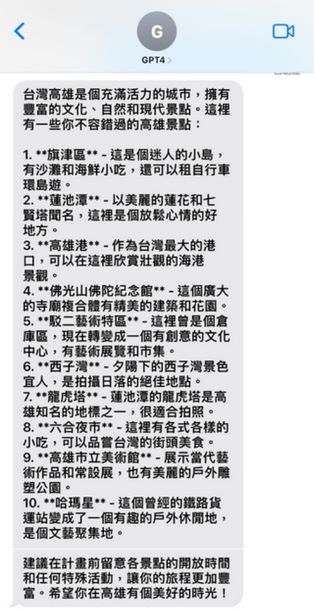
Recommended attractions
The editor asks Mion to recommend 10 attractions in Kaohsiung. While recommending, Mion will also tell you what you can do at each spot, and she’ll remind you at the end to check the opening hours so you don’t make a wasted trip.

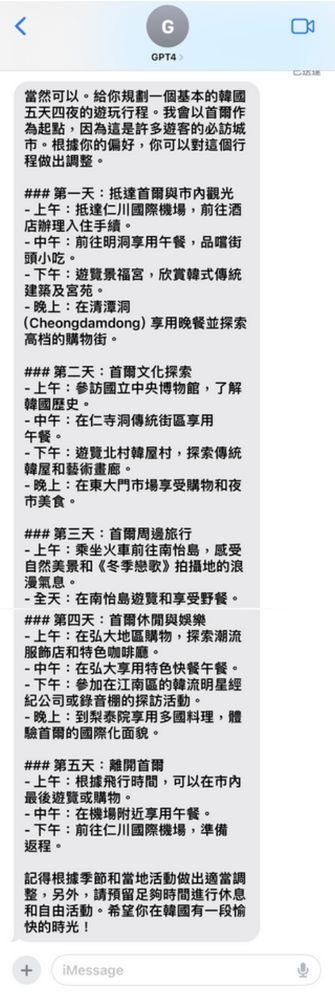
Plan an itinerary
Please ask Mion to help me plan a 5-day, 4-night trip to Korea. Mion can also arrange everything for us, with mornings, afternoons, and evenings all nicely planned out for the five days and four nights. Of course, Mion will also make sure we adjust accordingly based on local weather and activities, leaving enough time for rest and free activities. This meticulously organized itinerary will surely put a smile on any J-type person’s face.

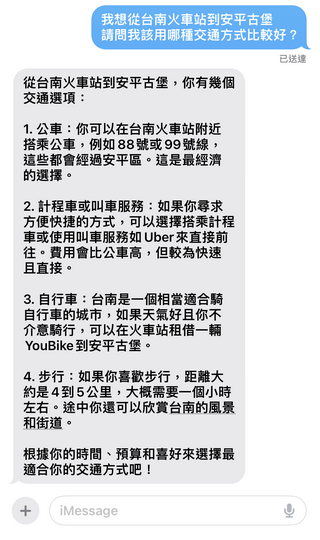
Recommend transportation options
Asked Mion “What’s the best way to get from Tainan Train Station to Anping Fort?” Mion planned 4 transportation options for us. Not only did Mion plan the routes, but Mion also told us that the bus is cheaper than a taxi, but a taxi gets you there faster. If the weather is nice and you want to ride a bike, you can also rent a YouBike at the “train station” and ride to Anping Fort. Otherwise, you can also walk for about an hour and enjoy the scenery and streets of Tainan along the way. In the end, Mion also reminded everyone to choose the transportation method that best suits their time, budget, and preferences. It was really thoughtful!
Generate photo
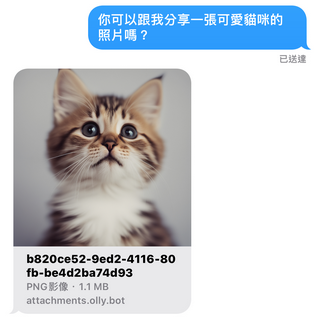
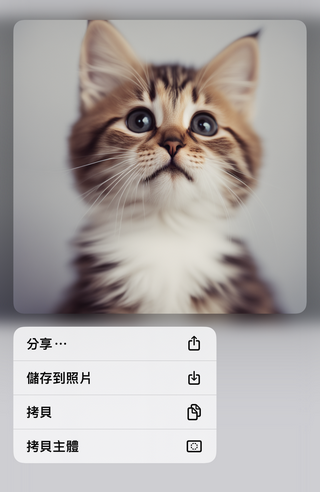
You can ask Mion to generate photos for you. The editor asked Mion to share a cute cat photo, and it actually generated one. All photos created by Mion can be saved or shared!
Recommended photo poses
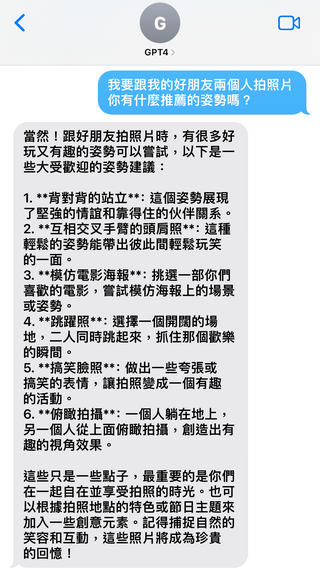
Beyond recommending attractions and planning itineraries, Mion can also suggest photo poses. When asked “I want to take photos with my good friend, what poses do you recommend?”, Mion suggested a total of five poses and explained how to capture them. It also mentioned that these poses are just ideas—what matters most is the time spent together taking photos with friends, which elevates the true meaning of photography.
If you find the poses Mion recommends too abstract, you can also ask it to present the recommended poses in the form of “images.” Mion helped me generate images of the “back-to-back” and “jumping shot” poses, so you can understand these poses more clearly.


Translate / Translation
When it comes to chatbots, most people probably think of using them for translation. Our editor had Mion translate the Facebook bio of 電腦王阿達 into English, Japanese, Korean, and even Spanish — and Mion handled it all. Of course, Mion can also translate English back into Chinese.
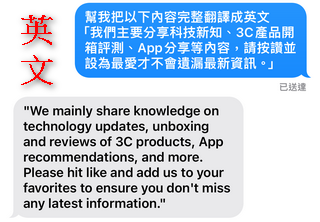
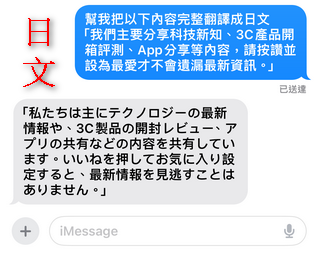
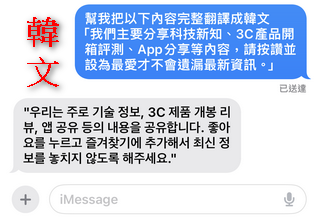
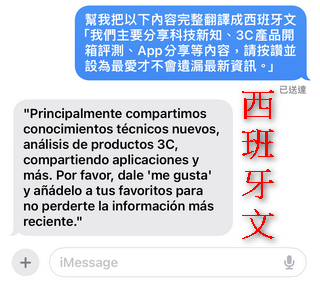

However, Mion is not yet able to translate text in images.
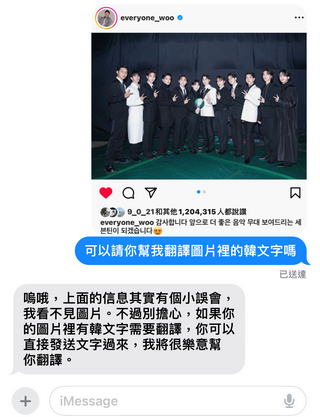
Describe the image content
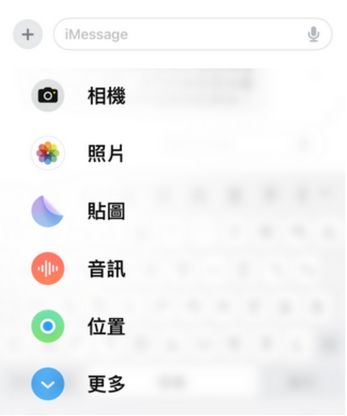
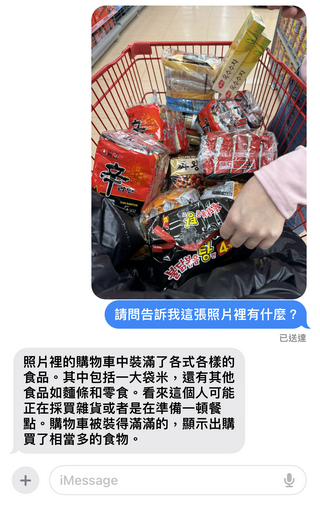
Mion can also describe image content. Click the “+” button in the bottom left corner of the chat room, select a photo, and find the image you want Mion to describe from your album. Then ask “Can you tell me what’s in this photo?” and Mion will start explaining the content of the image. However, there may be some errors—for example, there was no rice in my shopping cart, but it described a large bag of rice. That said, other items in the photo, like instant noodles and snacks, were all described correctly.
After seeing the introduction about how to use GPT-4 for free through Apple’s built-in iMessage, is everyone eager to try Mion? We tested it out and believe Mion can do a wide variety of things – basically everything you can do with a chatbot on your computer, you can do with Mion too. For friends in Hong Kong who want to use ChatGPT, you can check out this method – no VPN needed. Best of all, Mion is free and all you need is Apple’s built-in iMessage. All Apple users, give it a try! This should be the simplest and most convenient chatbot available right now!
Friendly reminder
Mion currently has quite a lot of users, so sometimes it may respond slower. If you enter a command but Mion doesn’t reply, please give Mion some time and try again later or the next day!
Source: KOCPC Chinese