


Although I saw that Adobe was almost the first to catch up with M1 Mac support, but when I bought it, I found that although Lightroom does support the Apple Silicon architecture, it does not include the Classic version. Are you a bit dumbfounded? Now Adobe has finally made up for the shortcomings of incomplete support, and even the vector graphics artifact Illustrator and the typesetting god application InDesign have also added “more efficient” M1 Mac support! Continue reading Adobe Lightroom Classic, Illustrator and InDesign also join the ranks of supporting M1 Mac.

▲Photo source for this article: Adobe
Adobe Lightroom Classic, Illustrator and InDesign also support M1 Mac
Amazing efficiency paired with good enough computing power. The birth of the M1 SoC Mac made many people suddenly discover that even entry-level desktop computers can meet the needs of professional use through efficient ARM architecture changes – provided that applications must be updated to native support.

Although Adobe started to introduce native support for M1 Mac into its professional applications very early, after all, their family meal may be really too big, so some applications have only now completed the support – the Lightroom Classic support that many professional photographers have been looking forward to has finally arrived.并且在双版本都提供了新的进阶预设、共同编辑以及超级解析度的支援。
The best thing is that this time not only the LR dual version has officially supported M1 Mac, but even Adobe’s signature Illustrator and InDesign have also provided updates for this purpose. It will be able to break away from the relatively inefficient Universal Apps support and officially gain M1 native support.
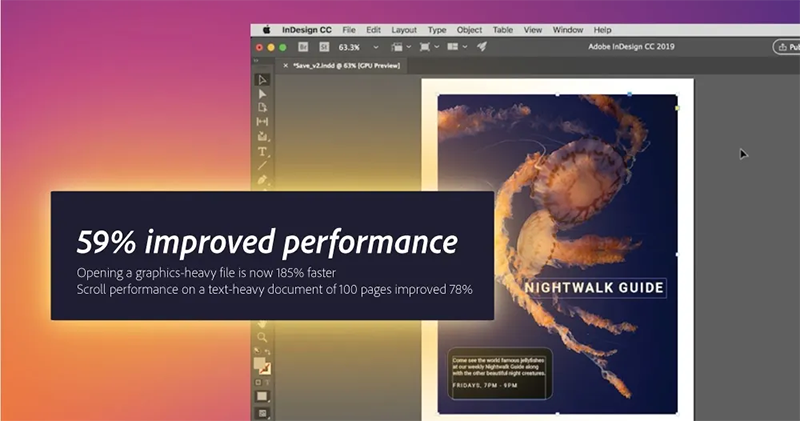
Adobe officially revealed that Illustrator and InDesign, which support the Apple Silicon architecture, have seen performance improvements of 65% and 59% respectively on the M1 Mac. In addition, the performance difference of the Premiere Pro beta version on M1 has also been announced – compared to the Intel versionhad an average speed increase of 77%…
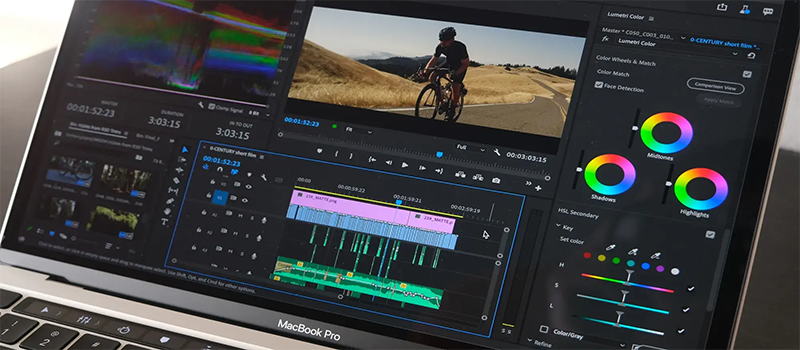
Respectively, the startup time of InDesign after supporting Apple Silicon is 185% faster (!) for image-heavy files. In a third-party test, Illustrator found that starting and creating files was 4 times faster on the M1 MacBook Air and M1 MacBook Air; the page dragging performance of complex vector graphics also achieved a similar improvement, with a 390% improvement. More data can beCheck out the official information, in short, all kinds of fast.
So if you have subscribed to Adobe Creative Cloud and just recently purchased an M1 Mac (please leave a message to express your envy), please open it quickly and update to improve your work efficiency through better performance.
Pictures/sources cited in this article
Further reading:

Source: KOCPC Chinese