


Recently, the epidemic situation in Taiwan has been severe and the level 3 alert has been maintained. In addition to wearing masks when going out and reducing unnecessary going out and gathering in groups, people choose to stay at home and conduct video conferences with colleagues and customers through video calls. Teachers can also use video calls to hand over homework and other matters online to students.
LINE also officially announced earlier today (8th) that LINE free video calls have added a new feature “LINE Meeting Room”, which has been fully released on all platforms in Taiwan. Whether it is LINE iOS, Android or computer version, you can invite the other party to join the LINE meeting room through the connection without creating a group first. As long as you have a smartphone or computer with the LINE application installed.

▲Image source: LINE
The new video calling function of “LINE Meeting Room” is officially launched in Taiwan! You can join the online gathering through a link. It’s free, no need to join a group, cross-device, super convenient!
As long as the LINE iOS/iPadOS and Android applications are updated to version 10.13 (inclusive) or above, and the LINE computer version (Windows/macOS) application is updated to version 6.2 (inclusive) or above, you can use the LINE meeting room function. If you are not sure what LINE version is, it is recommended to directly update the LINE application to the latest version.
If the specifications are met, you will see the “LINE Meeting Room” icon appear on the LINE interface and can start using it immediately.
How to create a LINE conference chat room? (Demonstration using the computer version)
First, in the function bar on the left side of the LINE PC version application, click the camera icon to open “LINE Meeting Room” to create a new meeting room.
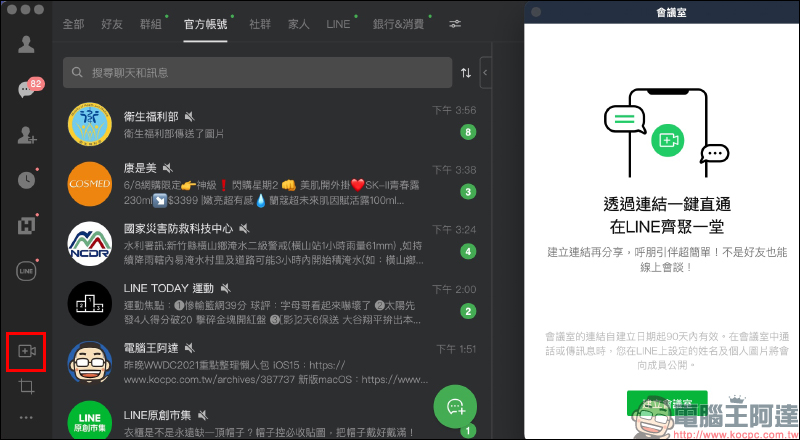
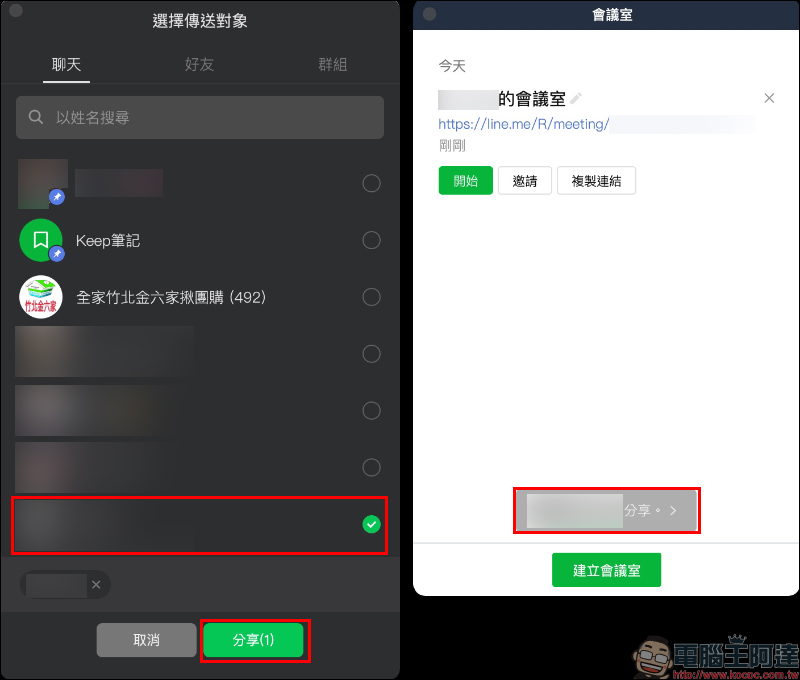
After the conference room is created, a conference room link will be automatically generated. At this time, you can click “Start” to enter the conference room, click “Invite” to send the conference room link to LINE friends, or click “Copy Link” to copy the LINE conference room link and send the conference room link to customers, colleagues or friends by yourself.

When the user invites other friends to participate in the meeting through “Invite”, the conference room homepage will display the reminder “Shared with OOO (friend’s nickname)”:
Taking the computer version of LINE meeting room as an example, users can set the video lens (on/off), microphone “on/off”, horizontal flip of the image and other functions.

In addition to the various built-in filter modes, LINE meeting rooms can also use different “face effects” to bring more privacy and fun to the meeting room.
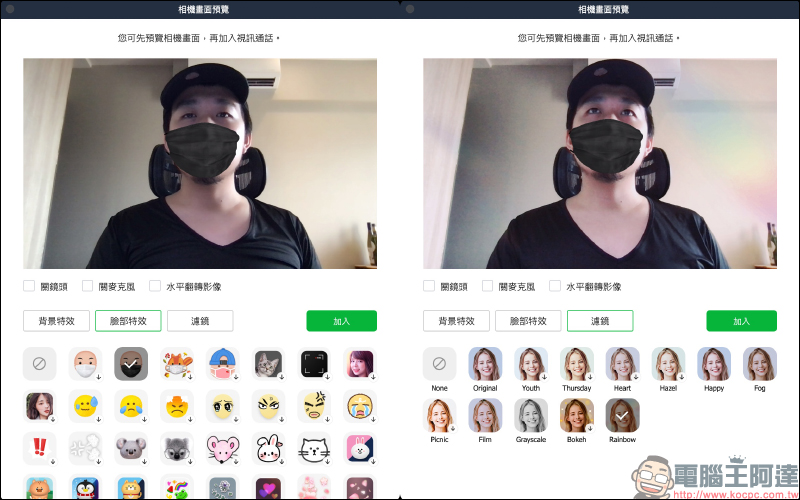
LINE meeting rooms also have a variety of built-in background effects, and users can also upload their own chat room background images to use as the background image for meetings.


Official teaching version:

▲Image source: LINE
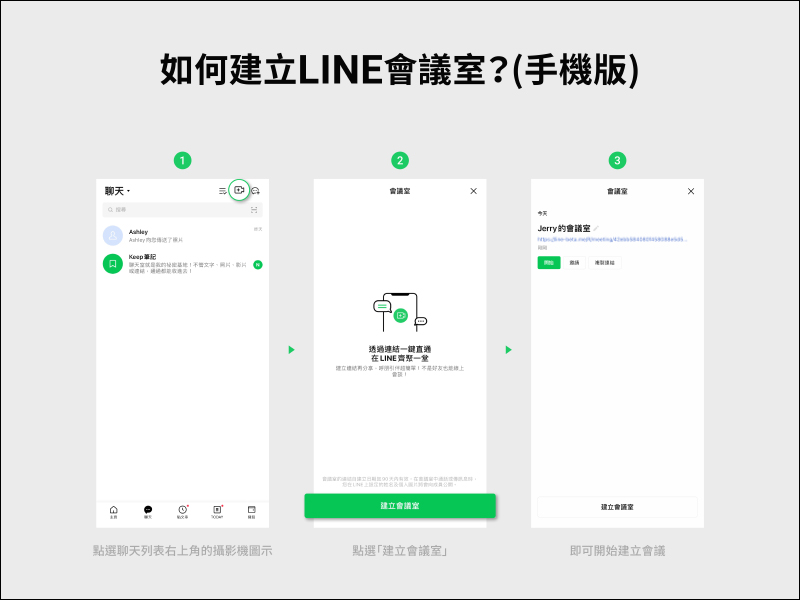
▲Image source: LINE
How to join a LINE meeting room? (Demonstrated with a smartphone)
After receiving a LINE meeting room invitation from a friend on the mobile phone, just click on the meeting room link to switch to the video call page of the meeting room. Users can also customize backgrounds, filters, virtual portraits and other functions.
The “LINE Meeting Room” function has the same interface as the familiar video call, but the biggest difference is that there is no need to create a group first, and you can invite the other party to join the meeting as long as there is a link. However, LINE meeting rooms can be used in more situations. For example, you can put the meeting room link in your calendar, and when the time is up, the meeting notification will be automatically pushed to the other party.
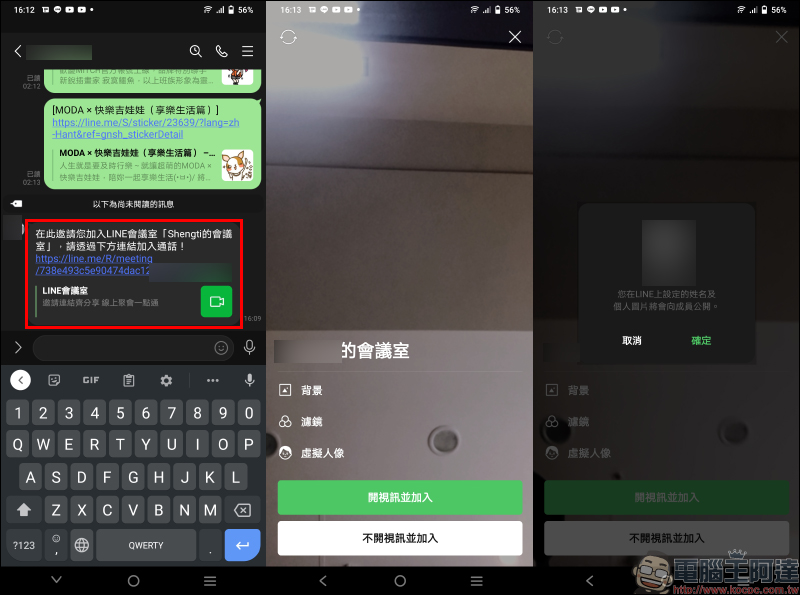
Official teaching version:

▲Image source: LINE
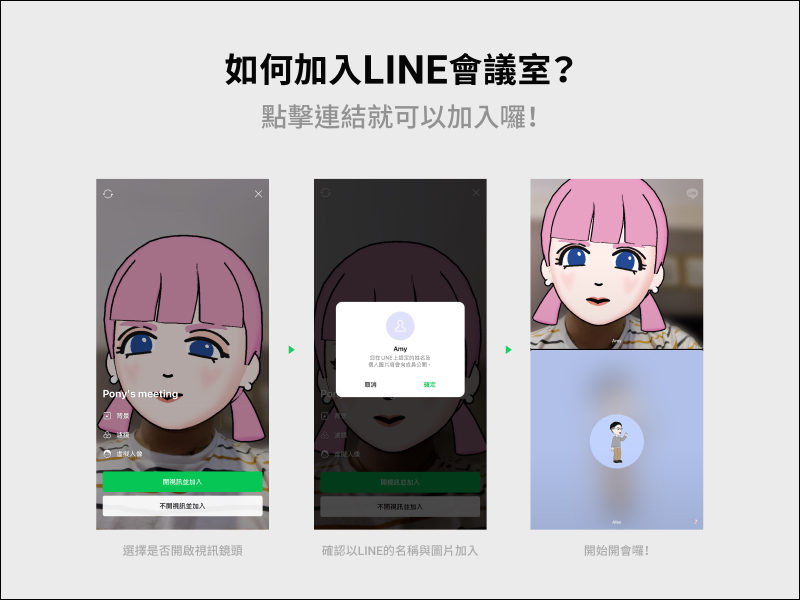
▲Image source: LINE
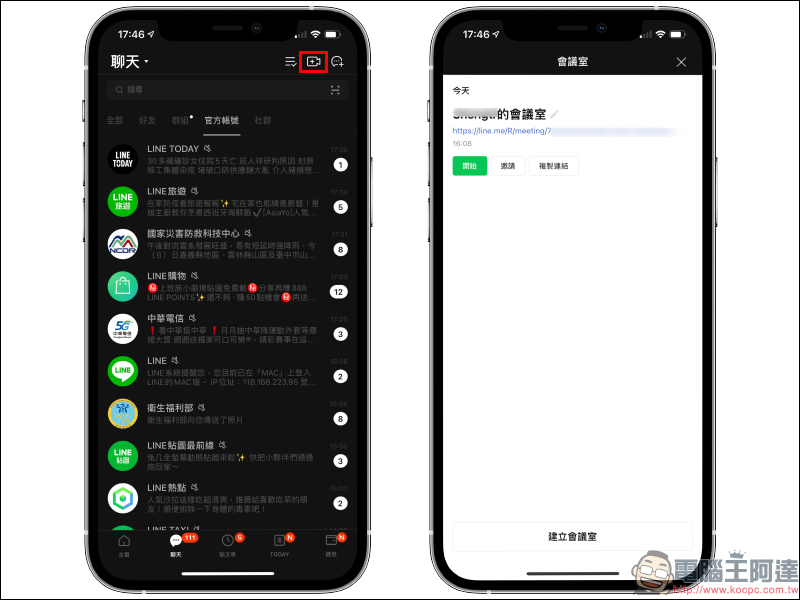
In the LINE mobile app, users can click the video function button in the corner of the chat tab to quickly open and view past meeting rooms to facilitate the next meeting. The same meeting link can be used for up to 90 days, which is suitable for long-term fixed meetings (such as fixed business meetings every Monday).
In addition, LINE meeting rooms are also suitable for more diverse usage scenarios. For example, you can put the link in the calendar and send meeting notifications to the other party.
In addition to the real-time meeting chat room, users can still type or transfer files during the meeting. The LINE meeting room will only open when “someone clicks the meeting link to join.”
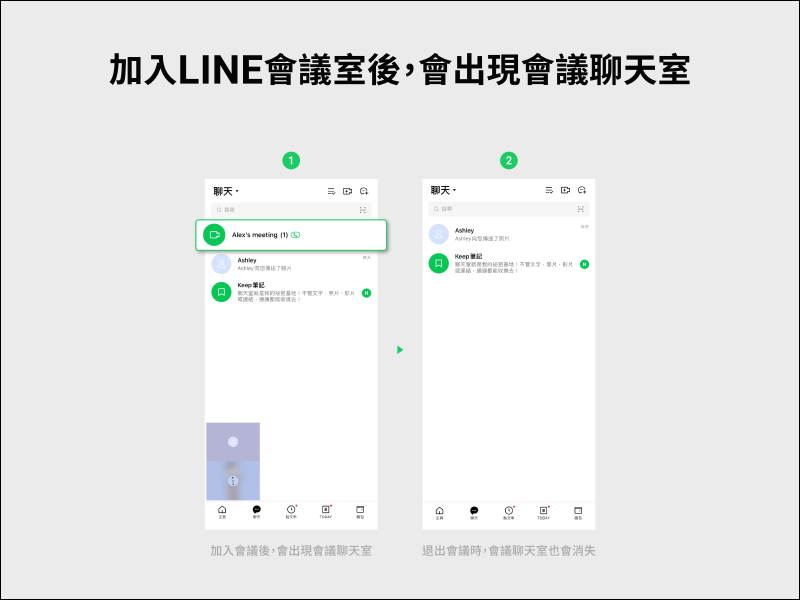
▲Image source: LINE
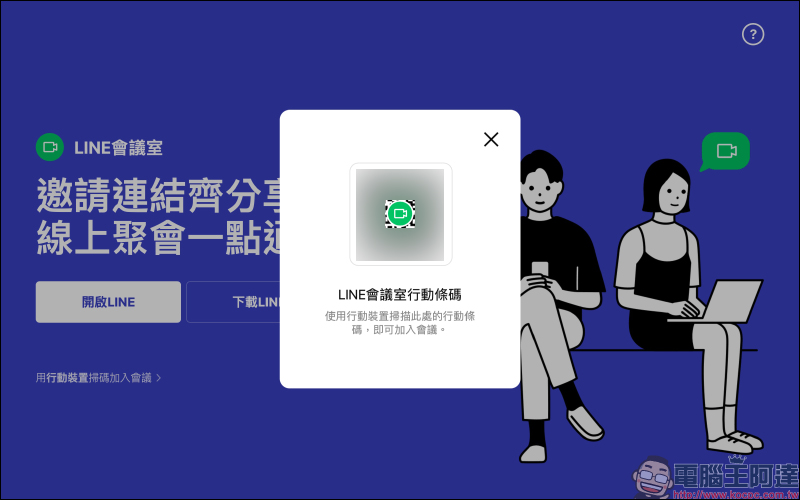
When the last participant leaves the video conference, the conference will automatically end and all content in the instant conference chat room will automatically disappear and all content (including notepad) will be cleared. Because of this, LINE officially recommends that users be the last person to leave the video call who initiated the meeting, and save the content of the LINE meeting room to applications such as Keep as needed. If the other party opens the LINE meeting room link on their computer, the web browser will display the following screen. Users can join the meeting by “Opening LINE” and logging in. If they have not yet downloaded the LINE app, they can quickly download it with one click here.

If you want to participate in the meeting through a mobile video call at this time, you can click “Scan to join the meeting with mobile device”, open the LINE App smartly, scan the LINE conference room mobile barcode, and quickly join the meeting on your mobile phone.
In summary, the launch of the LINE conference room function is very convenient for companies and schools to use free video calls. They no longer have to add colleagues, customers, bosses, teachers, students, and parents of students as LINE friends, nor do they need to create new LINE groups. From now on, as long as the meeting initiator shares the LINE meeting room link, everyone with a LINE account can quickly start an online gathering.
Further reading:
LINE App 11.9.0/11.9.1 update: Chat room adds one-click downloading of multiple pictures function


Source: KOCPC Chinese