


In order to thank Japan for sending 1.2 million doses of vaccines to Taiwan, a well-received Japanese and English speaking practice app “Imhwa: Let’s Speak Japanese and English” in the App Store, the in-app purchase professional version is free for a limited time until 6/10. It is highly recommended for those who have nothing to do at home or want to improve their foreign language skills. It is not bad even if you miss the limited free time, because the free version can challenge 60 sentences every day, which I think is enough!
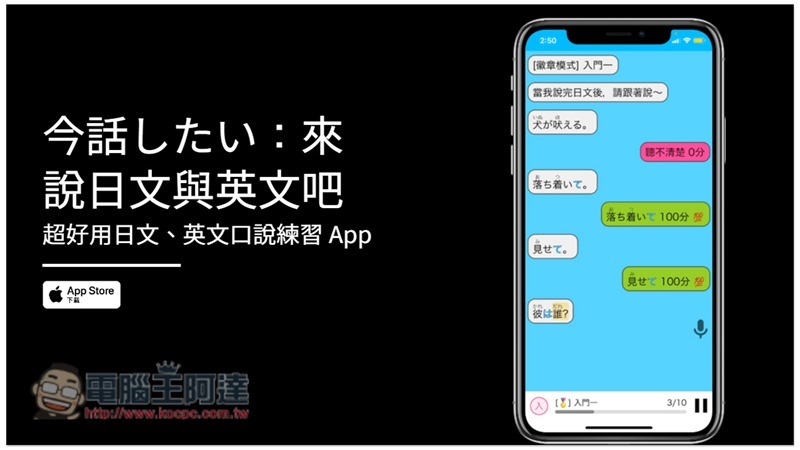
Today’s story: Let’s speak Japanese and English App introduction
Today’s story: Let’s Talk Japanese and English is a free app. In the free version, you can practice 60 Japanese or English sentences every day. According to the introduction of the app, the goal of this app is to help users “go from being able to listen but not speak” to having the ability to speak in daily life. (JLPT N3 or British Inspection Intermediate and Advanced)
App sentences are divided into two types of content: topic sentence groups (1,000 sentences) and infinite challenge sentence groups (20,000 sentences). The topic sentence groups include eight themes: “daily life, love, travel, discussion, honorifics, famous quotes, vocabulary, and grammar.” Each sentence has a Chinese and Japanese translation. A thousand sentences in total. (Japanese only)
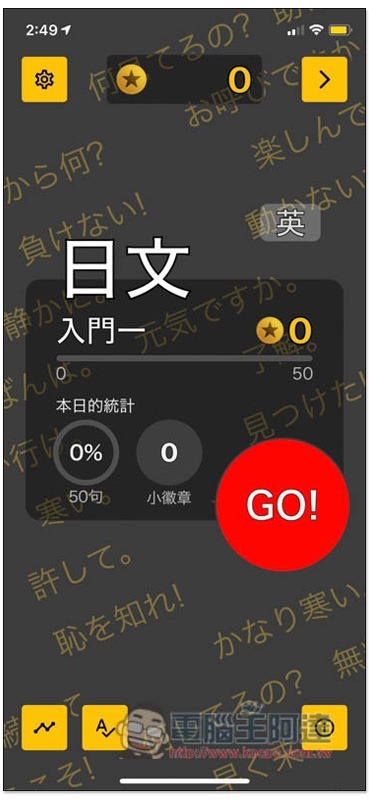
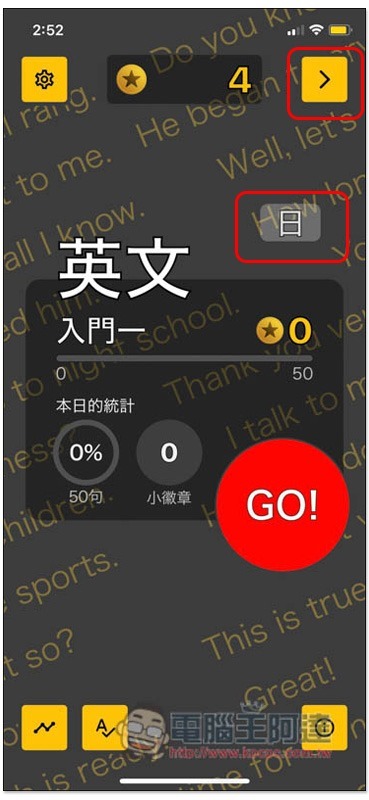
After opening the app, the default setting is Japanese learning. If you want to learn English, you can click the word “英” on the upper right to switch. Press GO below to start practicing:
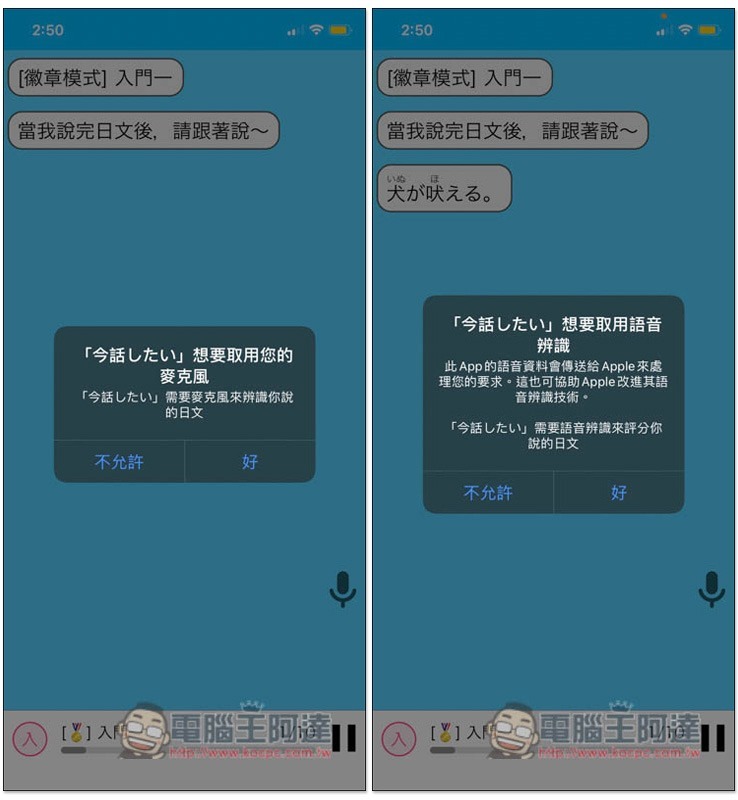
For the first time, you will be asked to access the microphone and voice recognition. Remember to click OK so that your pronunciation can be recognized correctly:
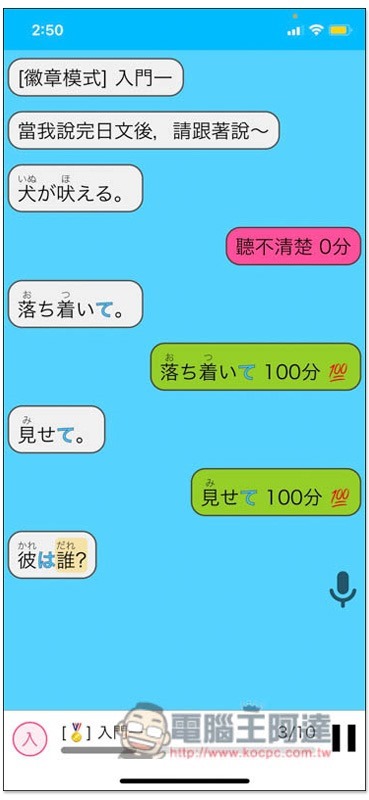
Then the app will read a sentence in Japanese or English, and then you will read it again, and it will instantly identify whether what you said is correct or not. If the sound is not pronounced, it will display 0 points, and the standard is 100 points. If there is a mispronunciation in the middle, it will give appropriate points, such as 70 points, 40 points, etc.:
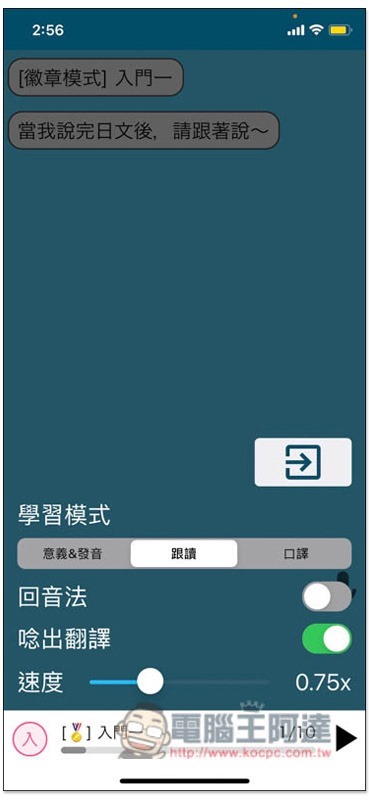
In addition, when practicing, the Chinese translation will not be spoken by default. If you want to have it, you can open the menu in the lower left corner and turn on “Speak Translation”, so that the App will speak Chinese translation + Japanese or English:
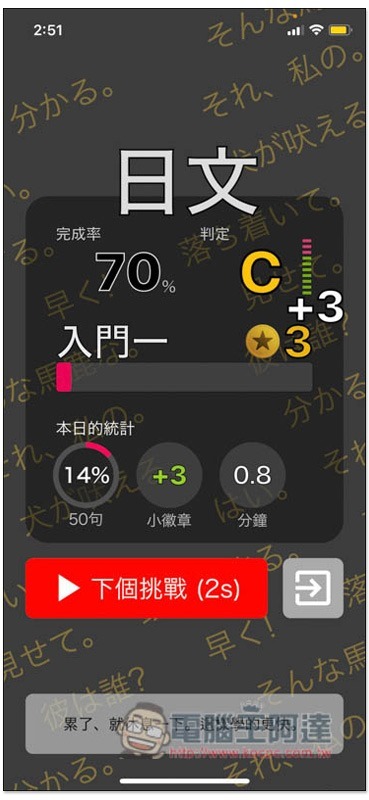
After the challenge is completed, your accuracy and level will be tallied, and then you can end or continue to the next challenge:
The picture below is the screen that switches to English. In addition, if you downloaded this App before 6/10, you can open the > function in the upper right corner:
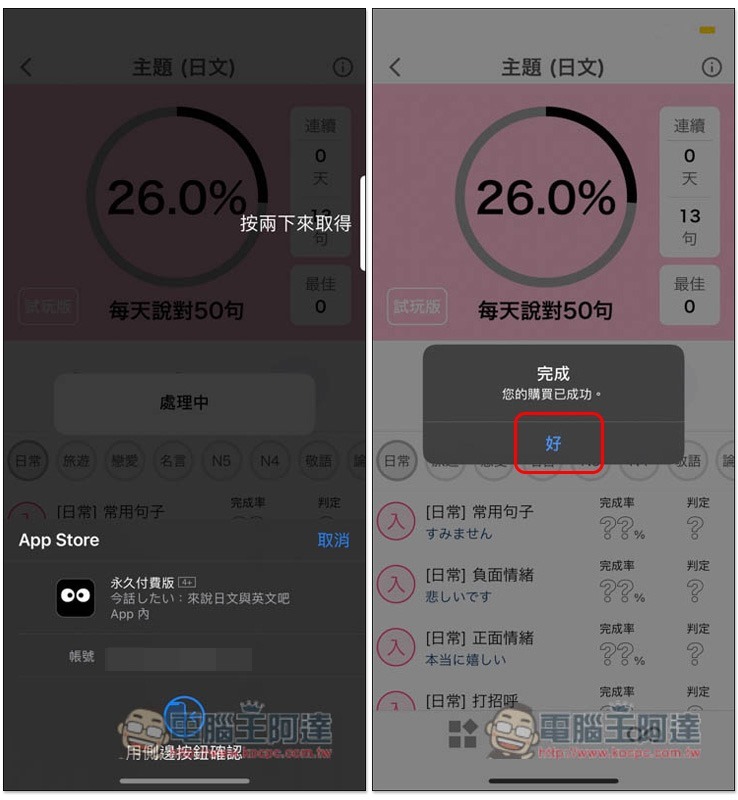
You will find the trial version on the left, click on it and you will see that the professional version is currently free, and you can get it for 0 yuan:
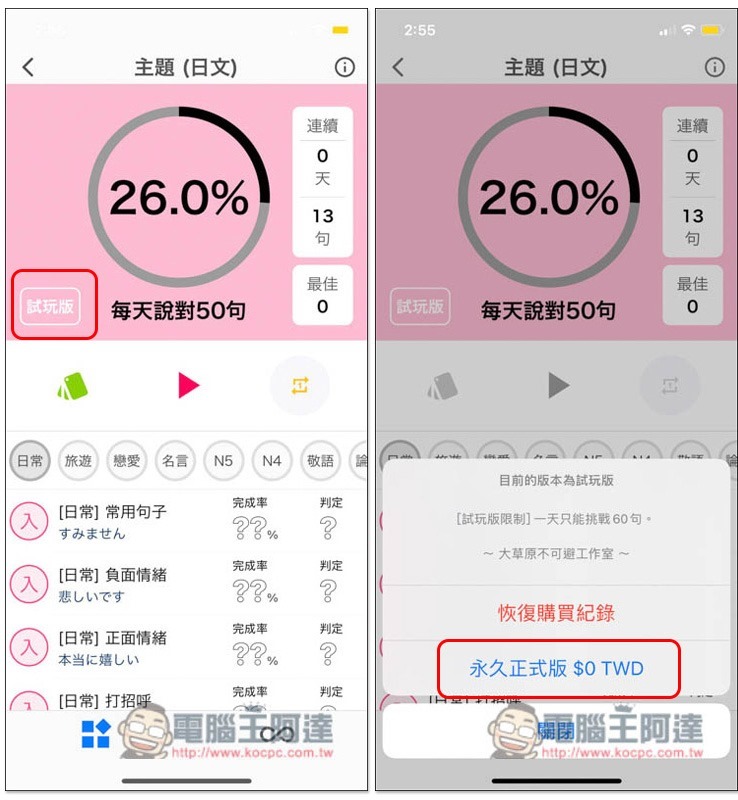
After confirming the payment, it will become the professional version:
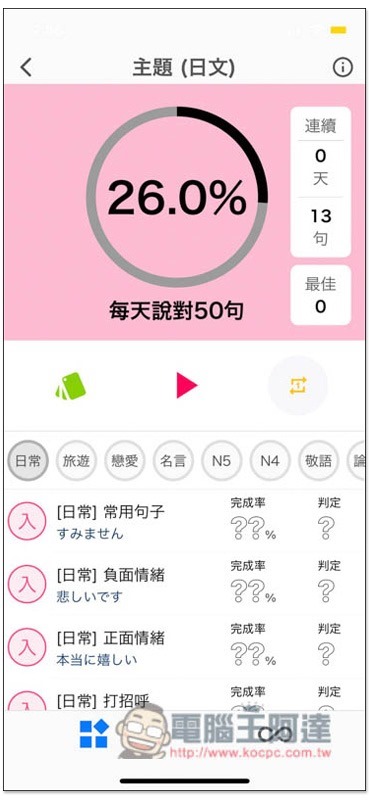
The original “trial version” will also be missing. This page will count your learning rate today. Below you can check the Japanese/English words and sentences of each category:
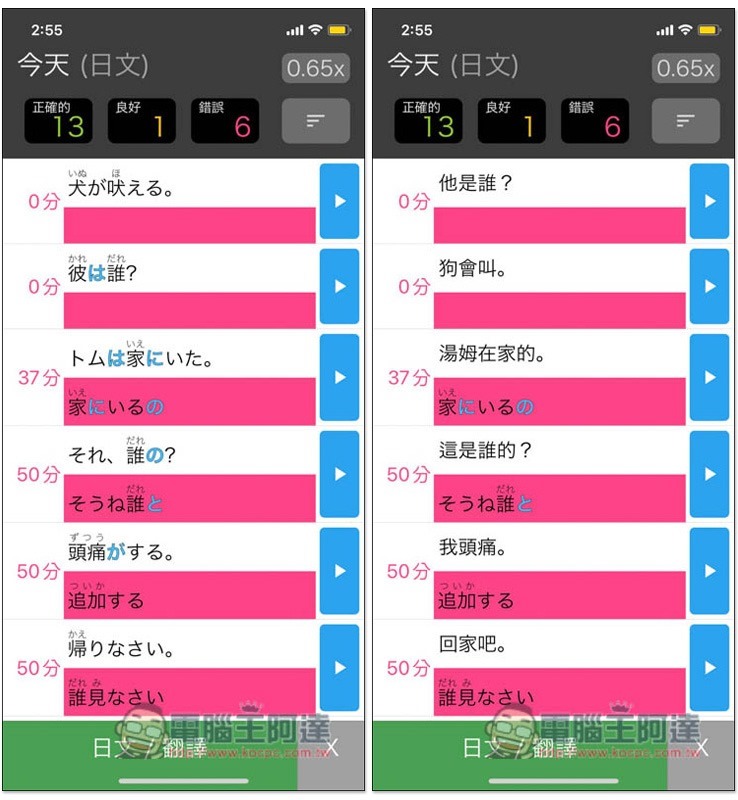
You can also review all the words or sentences you learned today. Press the green button below to display the Chinese translation:
Source: KOCPC Chinese