


With the release of successive generations of Windows operating systems, many famous features have been created, one of which is the system startup beep. However, after starting up the system after Windows 8, it seems to suddenly become quiet. It seems that the sound we like and are familiar with in Windows XP and Windows 7 can no longer be found. It always feels a bit awkward. Today I will teach you how to get it back.
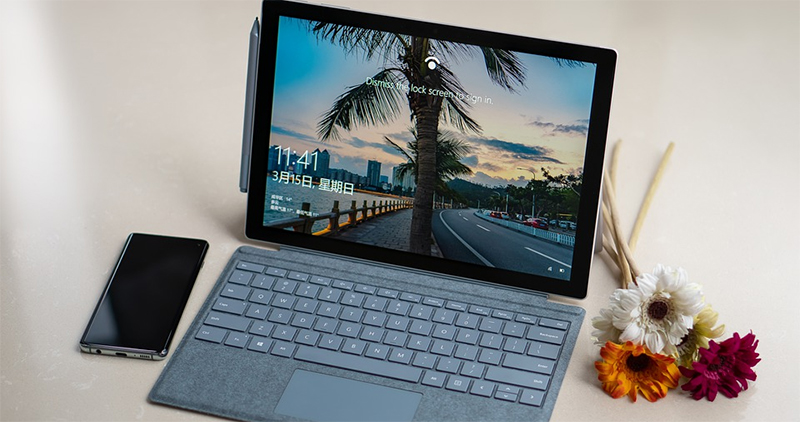
Is the power on too quiet and has no sense of presence? Teach you how to turn on the Windows 10 boot sound
The absence of the boot prompt made me feel disappointed, so how could I turn on the phone silently? In this way, the supervisor doesn’t even know that I came to work very early, and it doesn’t reflect my presence! Recently, Jenson Harris, a former director of the Windows User Experience Team (WUE), said on his YouTube that the reason why Windows 10 startup sound effects are turned off by default is because modern people’s habits and system operation are slightly different from those in the past. They can be used anytime and anywhere. When trying to restart the computer, the prompt sound will cause interference to meetings or classes.
However, Microsoft is not completely removing the boot sound. If you still want to have the boot sound, please follow the steps and get it back easily!
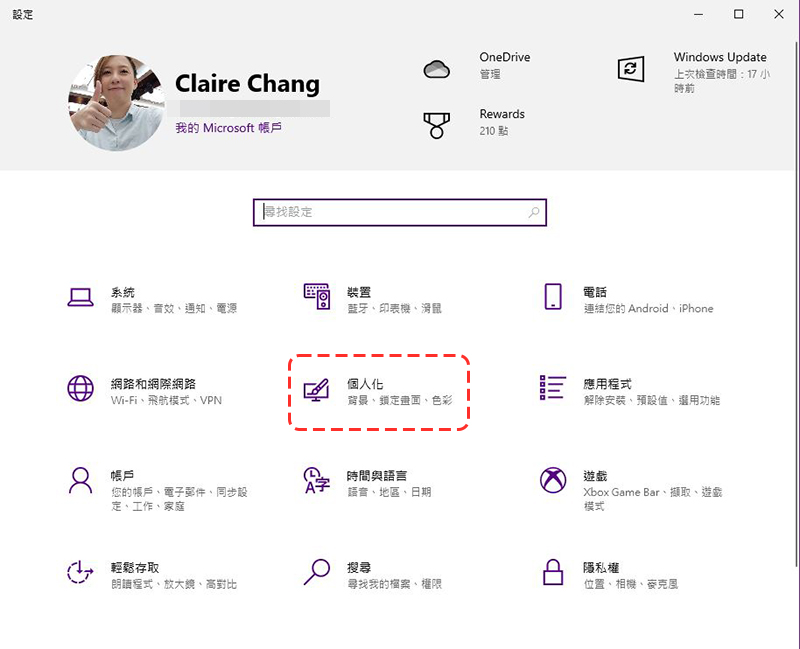
- Open “Settings” and click “Personalization”.
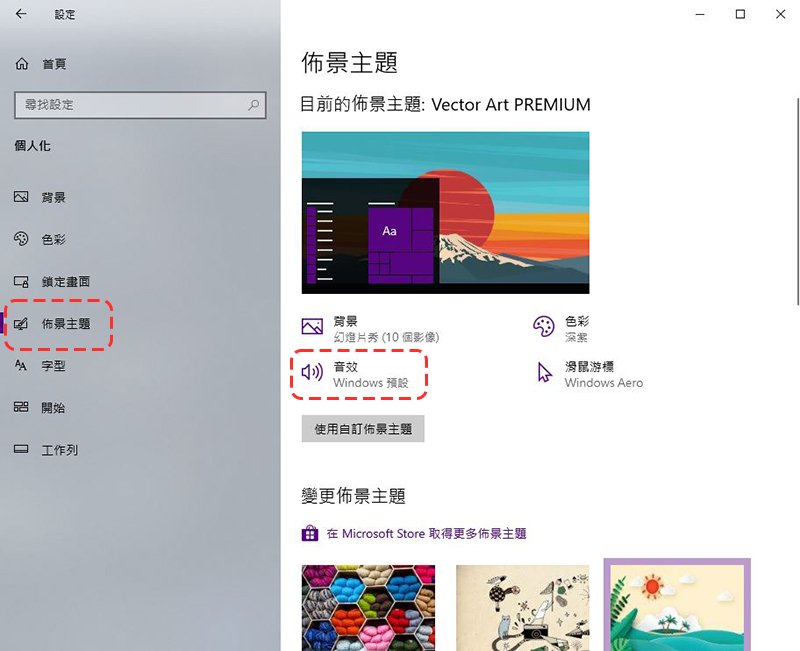
- Click “Theme” in the category on the side, and then select the “Sound Effects” item.
- In the Sound Effects tab, check the “Play Windows startup sound effects” item, then click Apply and OK.
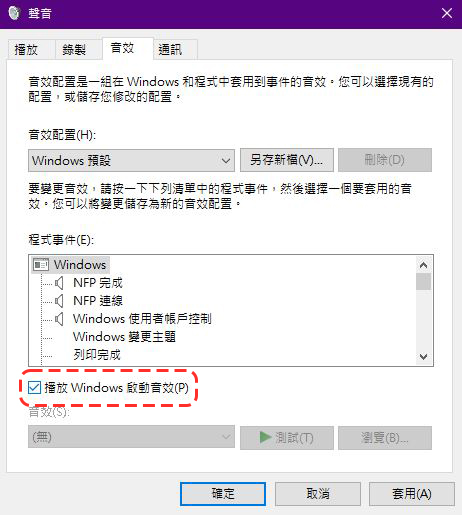
After the setting is completed, you can hear the system prompt whenever you restart or turn on the computer. Although it is not the same as the classic emotional sound effect of Windows XP and Windows 7 in the past, it is presented in the form of chords. However, for people like me who often do other things after booting, it is also a good way to remind the boot to be completed.
Source: KOCPC Chinese