


Previously, widgets on the home screen were added to iOS 14, allowing users to select widgets from various applications and place them on the home screen according to their own needs, which greatly saves the process of opening the app to use it.
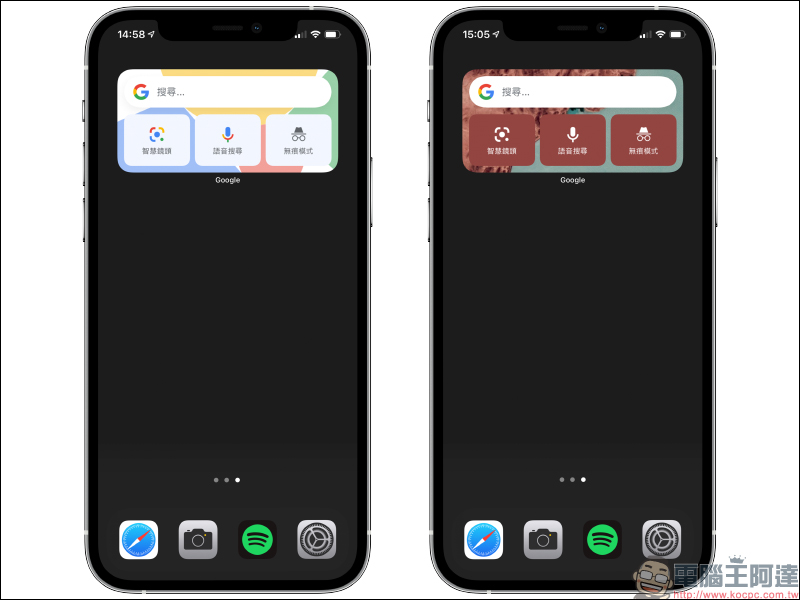
among them are like Home screen widgets for Google AppsThe integration of Google search, Google Lens, voice search and incognito mode is quite easy to use. However, many people may not have discovered that in fact, Google gadgets not only have dark and light themes. Recently, they have quietly launched a variety of new theme style options, such as abstract art, travel, Google Earth, and solid color options, giving the iOS home screen a new look every day. Just keep reading this article to learn how to set it up!
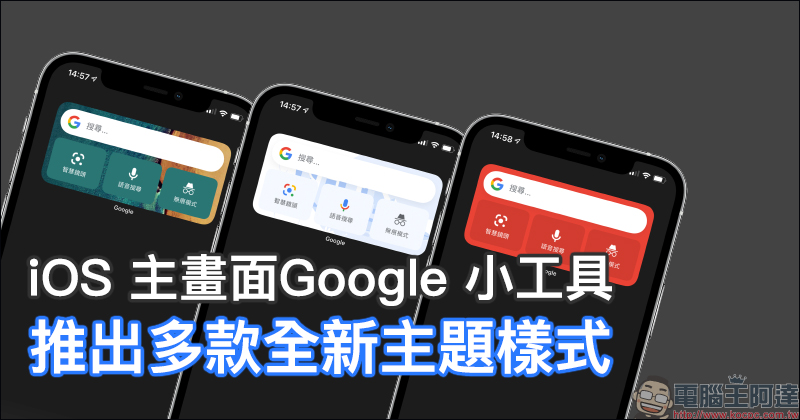
Google gadgets on iOS home screen launch new theme styles: abstract art, travel, Google Earth, solid color and other options (setting tutorial)
I still remember that after the launch of iOS 14 last year, we introduced the iOS home screen widgets that were added to many different applications. Among them, the Google search engine that everyone uses every day is also the choice of many people to add the Google App’s home screen widgets to their personal iPhone home screen. However, at the beginning of the launch, there were only two options, light and dark, corresponding to the appearance of the system, but now more themes are finally launched!
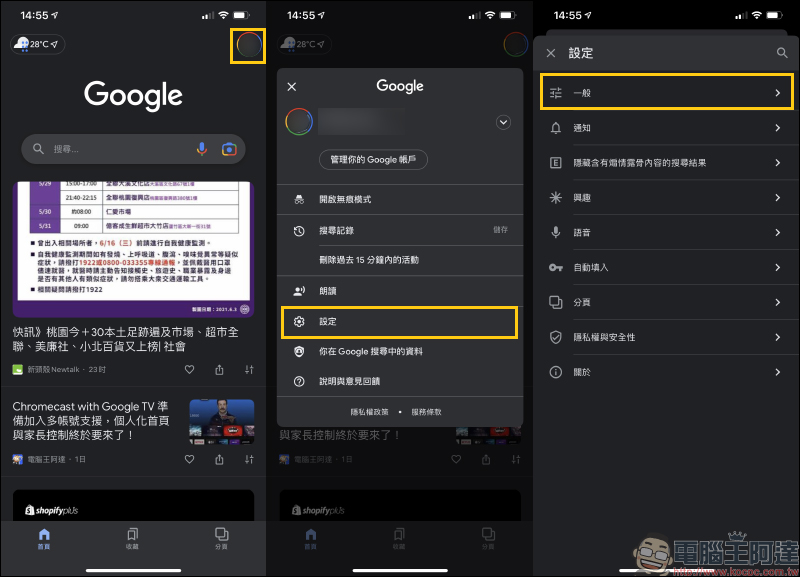
If you want to set up Google home screen gadgets with different themes, you must first open the Google App, click the personal account icon in the upper right corner of the screen, and then click “Settings” > “General”:
After clicking “Widgets” under the general settings to enter, you can see the “Widget Theme”. Usually, if the gadget theme is set, it will be presented as “system default”, which is automatically adjusted to match the light or dark appearance of the user’s iOS system. Now, in addition to the system’s default light and dark themes, “Google Earth”, “Travel”, “Abstract Art” and “Solid Color” are also included. Each theme also has a variety of styles to choose from.
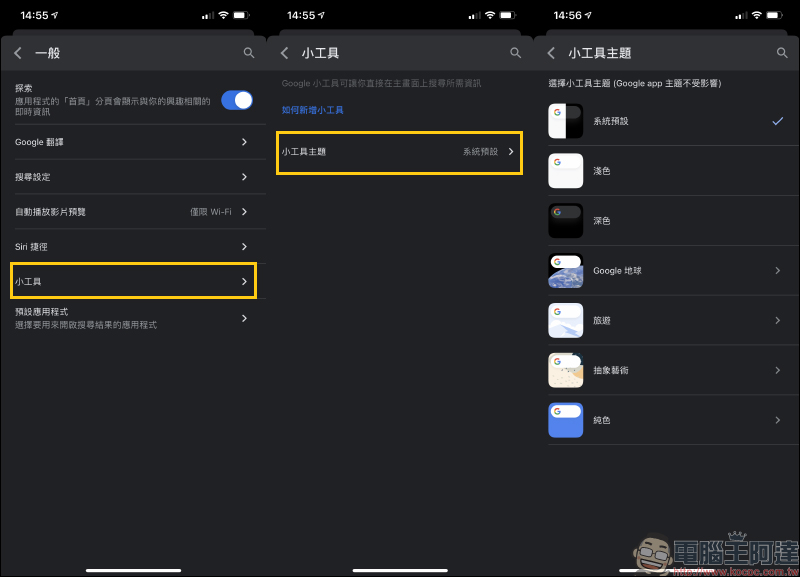
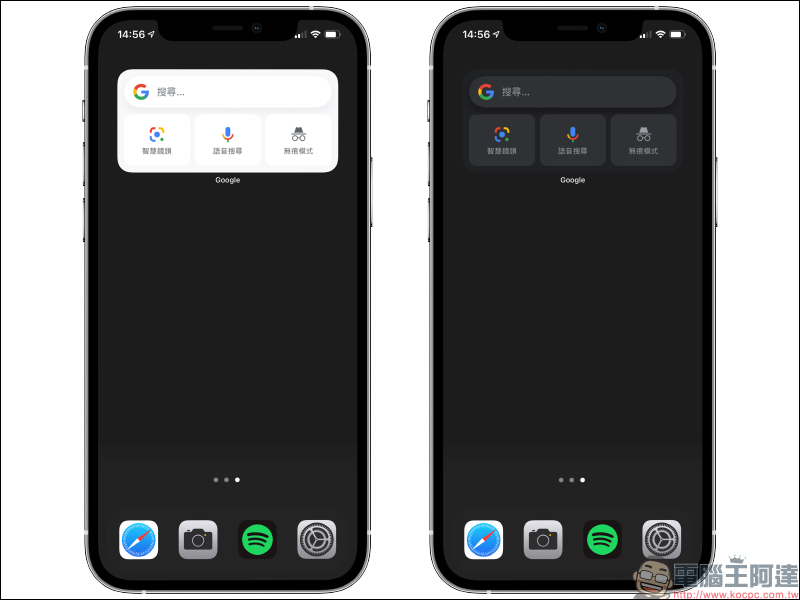
The first is the most basic “light” and “dark”. If you want to use the appearance of iOS dark mode with light-colored Google gadgets, you can set it manually.
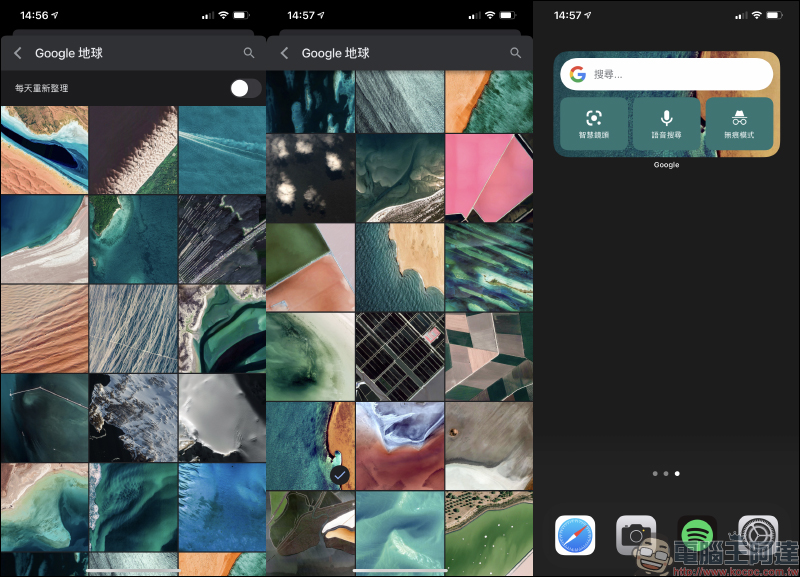
The “Google Earth” theme has many nature aerial photography as the background. If you want to randomly change different styles frequently, you can turn on “Daily Refresh”.
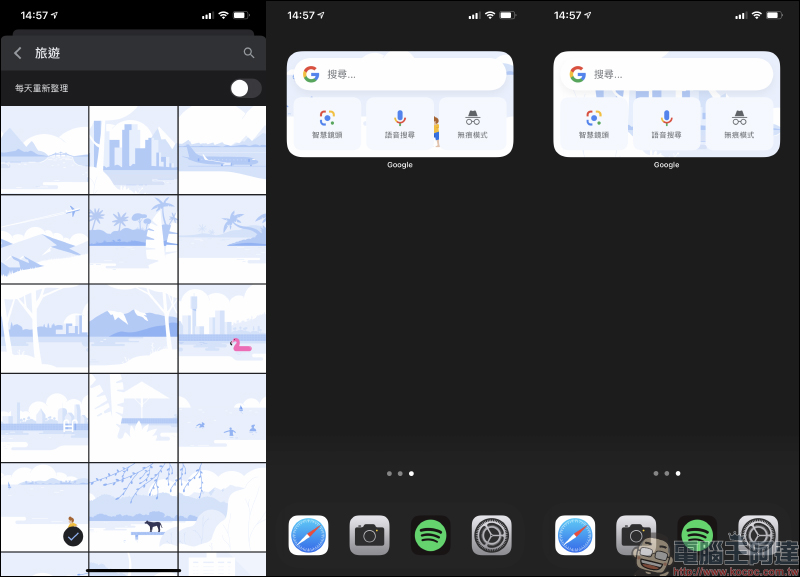
The “Travel” theme has a variety of designs of different tourist attractions.
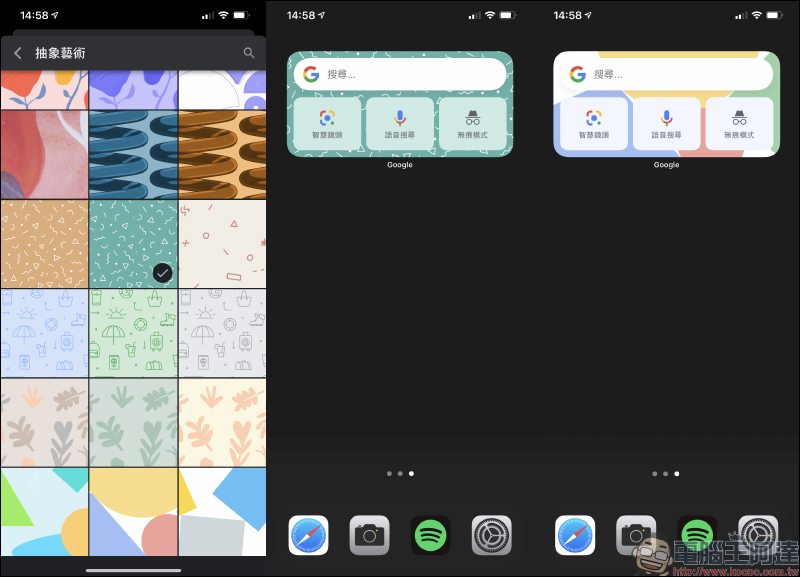
If you like colorful styles, it is recommended to check out the “Abstract Art” widget theme.
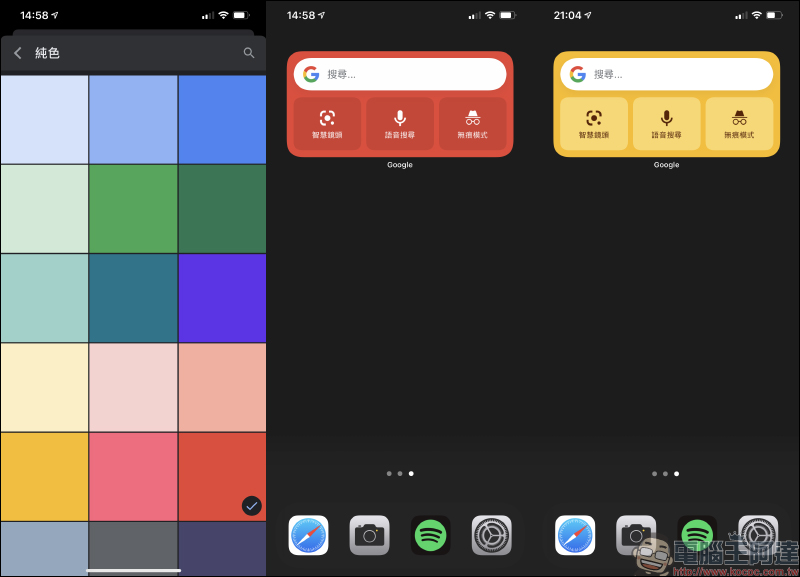
If you prefer a simple and simple iOS home screen, you can choose a theme from the “Pure Color” series, which has a variety of colors to match.
Google iOS App Download:Click here to download (App Store)
Further reading:
LINE free sticker collection: 21 LINE stickers for free download including Ugly White Rabbit, Rabbit Town, etc.!
Source: KOCPC Chinese