


In order to work together to prevent the epidemic, recently when going out to places such as supermarkets, you need to register for the SMS real-time linkage system. A few days ago, we shared the information for iPhone users.“Real Joint System Quick Newsletter” shortcut script, allowing iOS users to complete the steps of scanning the QR Code and sending the text message with one click. For Android users, enthusiastic netizens have recently developed this “Epidemic Prevention Real Union System” Android App, which allows many Android users to quickly complete the SMS real joint system!
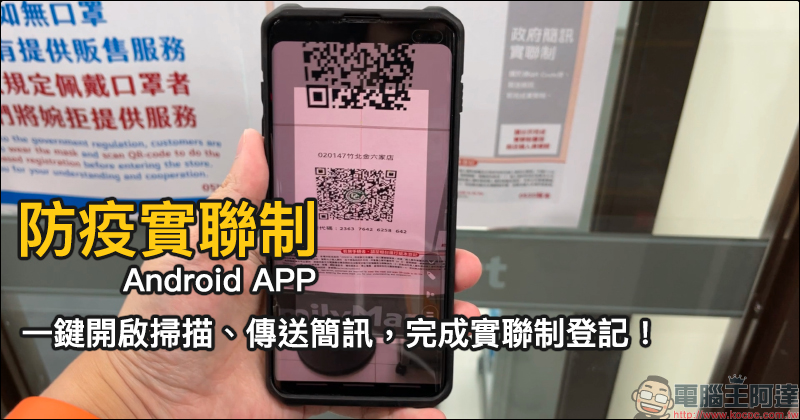
Android APP for epidemic prevention and control: quickly scan and send a text message to complete the registration for the epidemic prevention and control system!
During this severe period of the epidemic, in addition to minimizing unnecessary outings, people must wear masks when going out, develop the habit of washing hands and disinfecting frequently, and conduct convenient text messaging when going to supermarkets, mass merchandisers and other places. In addition to what we have introduced before for iOS/Android usersQR code scanning instruction video produced by SMS (click here to watch), and a few days ago I shared something exclusive for iPhone users“Quick Newsletter” iOS shortcut script (click me to review)。
Many Android users must be curious about whether there is an application that can quickly scan QR Code and send text messages with one click? Recently, an enthusiastic netizen (SHXJ) developed a“Epidemic Prevention Actual Joint System” App , it is also quite easy to use, let’s see how to use it next!
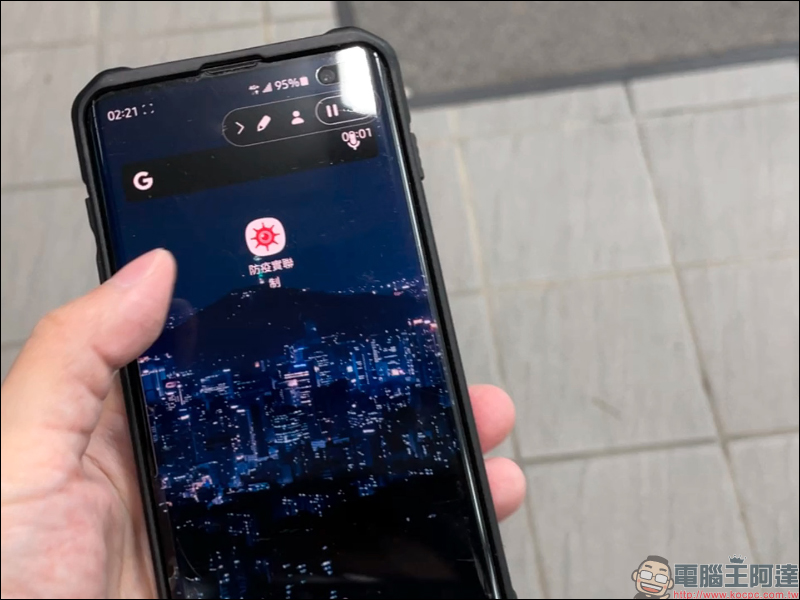
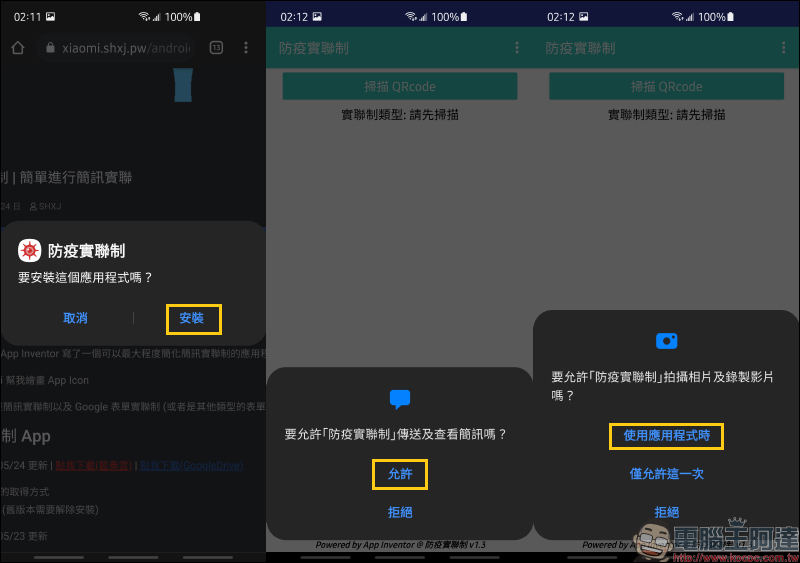
First, go to SHXJ’s blogDownload the “Epidemic Prevention Actual Joint System” App ( Click me to download (Lanzuo Cloud) | Click here to download (GoogleDrive)). Then install the application on your Android phone. In order to directly scan the QR Code and send text messages directly, you need to allow the relevant permissions of the “Epidemic Prevention and Control” App:
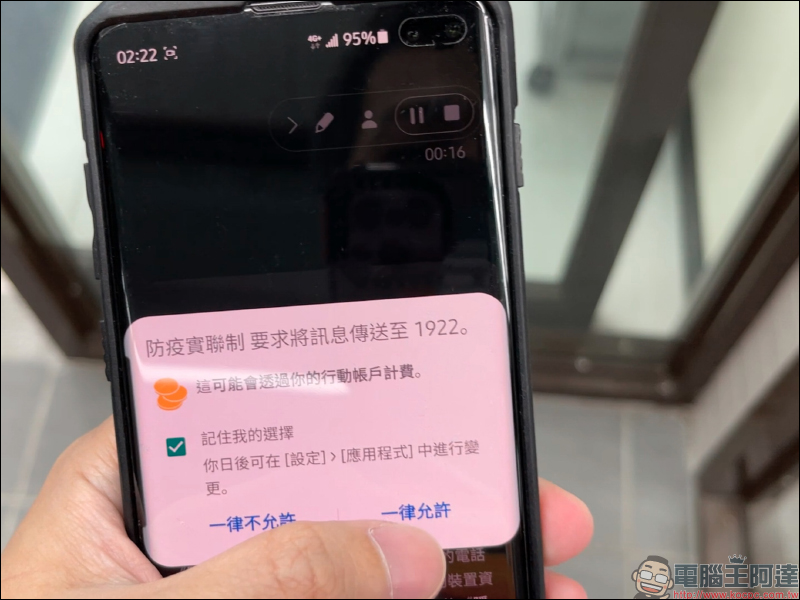
After scanning the QR Code for the first time, the screen will jump to a window showing “Whether to send text messages to 1922”. At this time, you need to check the box first and click “Allow” so that text messages can be sent automatically after scanning the code. (This step only needs to be clicked for the first time)
Subsequently, as long as you open the “Epidemic Prevention and Control System” App, the camera scanning page will usually automatically open on the opening screen (if it does not appear, you can click the “Scan QRcode” button to open it manually). Then, just point the scanning screen at the QR Code of the venue code and scan the code, and a text message will be automatically sent to 1922 to complete the text message system!
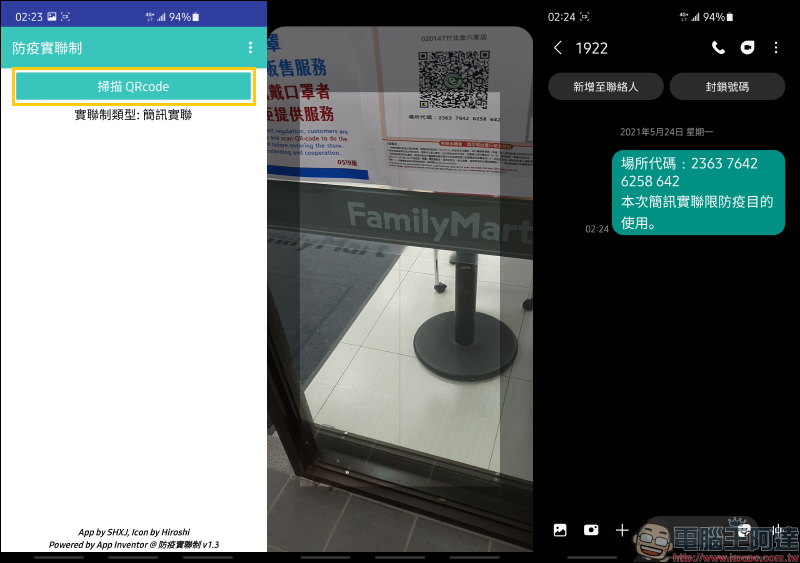
The complete operation process is as follows:
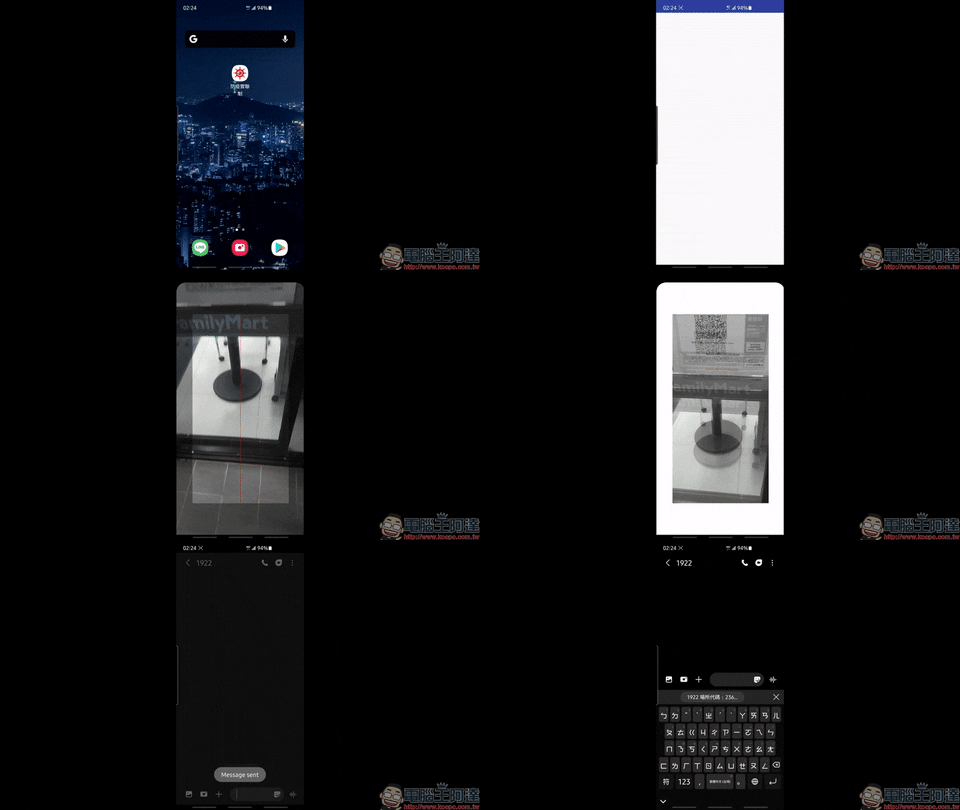
Download the joint epidemic prevention system Android App:Click here to download
Further reading:
Xiaomi Mi Watch Sports Edition is officially on sale in Taiwan: 1.39-inch AMOLED screen, AOD display support, 5ATM waterproof, 16-day long battery life, priced at 3,295 yuan

Source: KOCPC Chinese