


Google recently launched a new “Files” backup feature for Android, allowing mobile phone and tablet users to automatically back up files and downloads on their devices to Google Drive. This update expands the scope of Android backup from originally focusing on application data, settings and media to the general file level, making cloud backup closer to complete device data storage.

Android can now back up “files” and sync them to Google Drive
A new local file backup option will automatically upload files stored on your device, such as PDFs, documents, zips, etc. downloaded from Chrome, to Google Drive. For users who often process documents on mobile devices, this means that even if the device is lost or damaged, important files can still be quickly retrieved through the cloud. However, Google also reminds that these backups will count towards the storage space of the Google account, so the 15GB quota for free users may need to be managed more carefully.
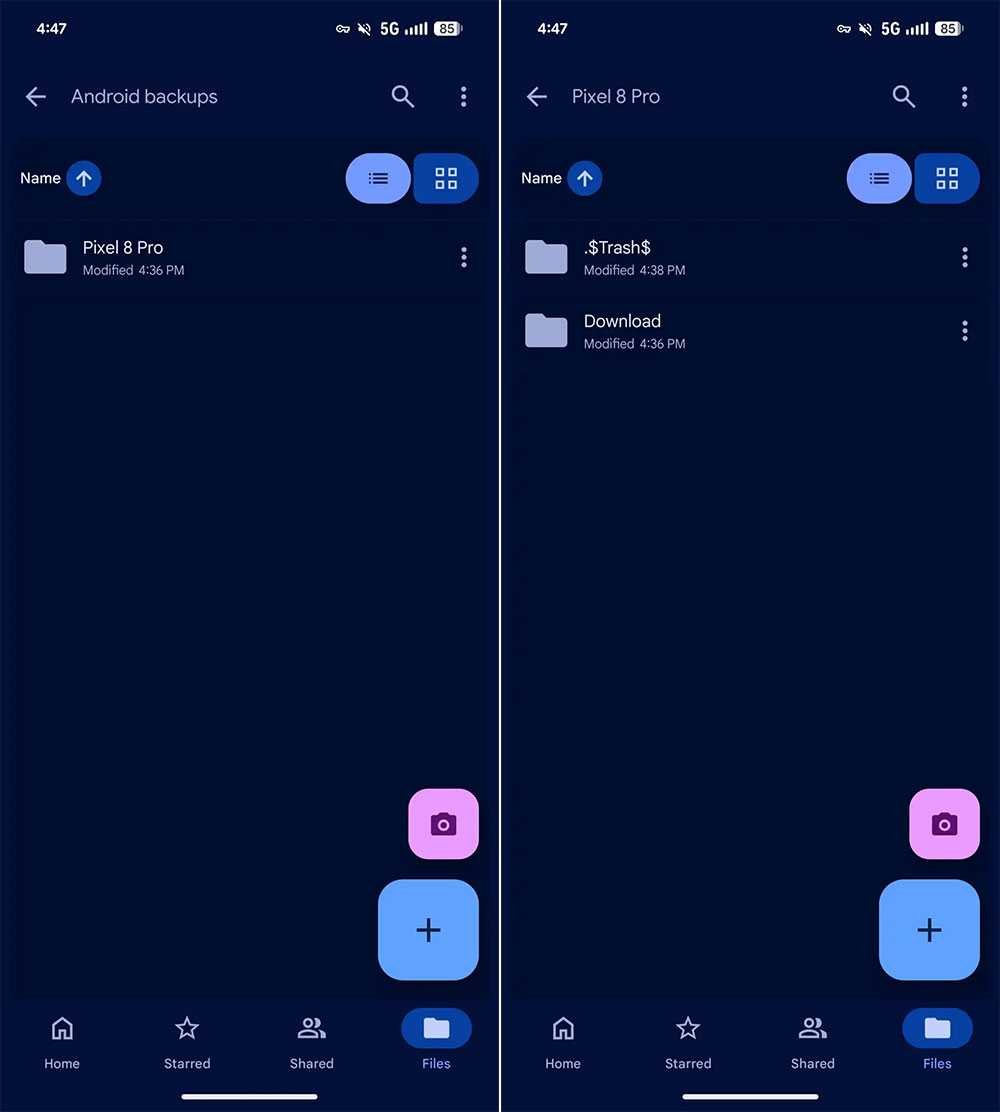
After activation, a new folder named “Android Backup” will be added to “My Drive” in Google Drive. Subfolders will be created in the folder according to different devices, such as named after the mobile phone model, so that users of multiple devices can manage their own backup content separately. Most users will also see a consolidated Downloads folder, which may contain subfolders such as Quick Share, reflecting the actual file structure on the device.
Google points out in the description that supported file formats cover common document types, including .DOC, .PPT, .XLS, .PDF, and other general files stored on the device. It is worth noting that this backup is not a two-way synchronization. Modifications made to files in the cloud or locally will not update each other. The backup is only a one-way upload. The main purpose is still data preservation rather than cross-device synchronization.

In terms of security, Google emphasizes that files are encrypted when transmitted between devices, Google services and data centers to ensure that the backup process complies with existing security standards. In addition, even if the user turns off this feature later, the previously uploaded backup will not be automatically deleted and will still remain in the cloud drive, allowing the user to decide whether to clear it.
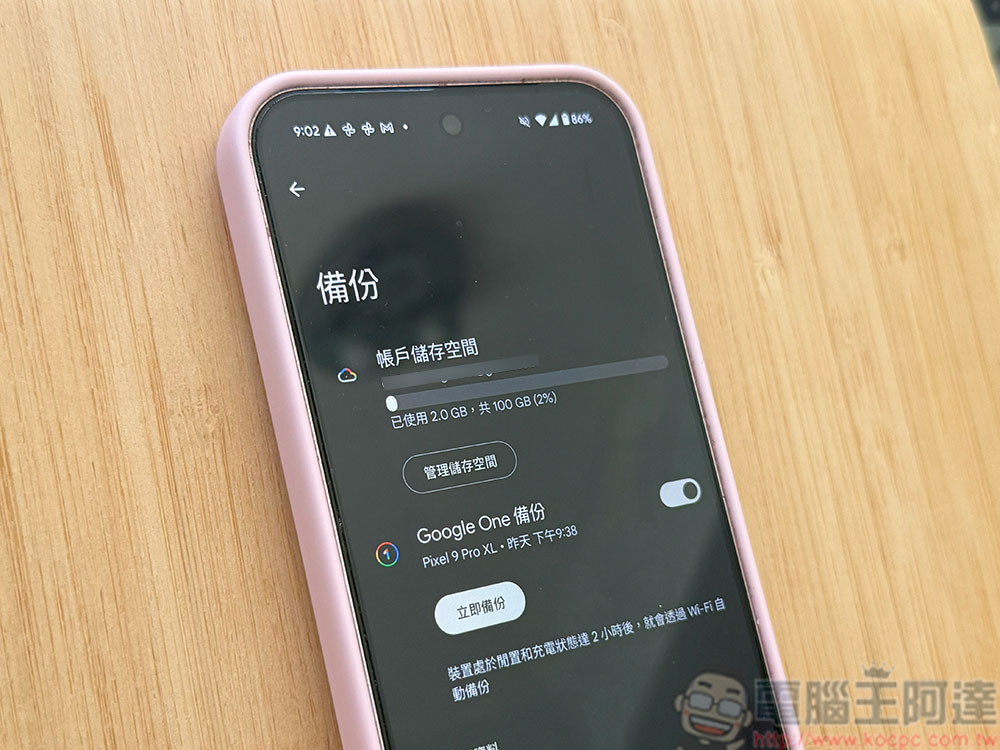
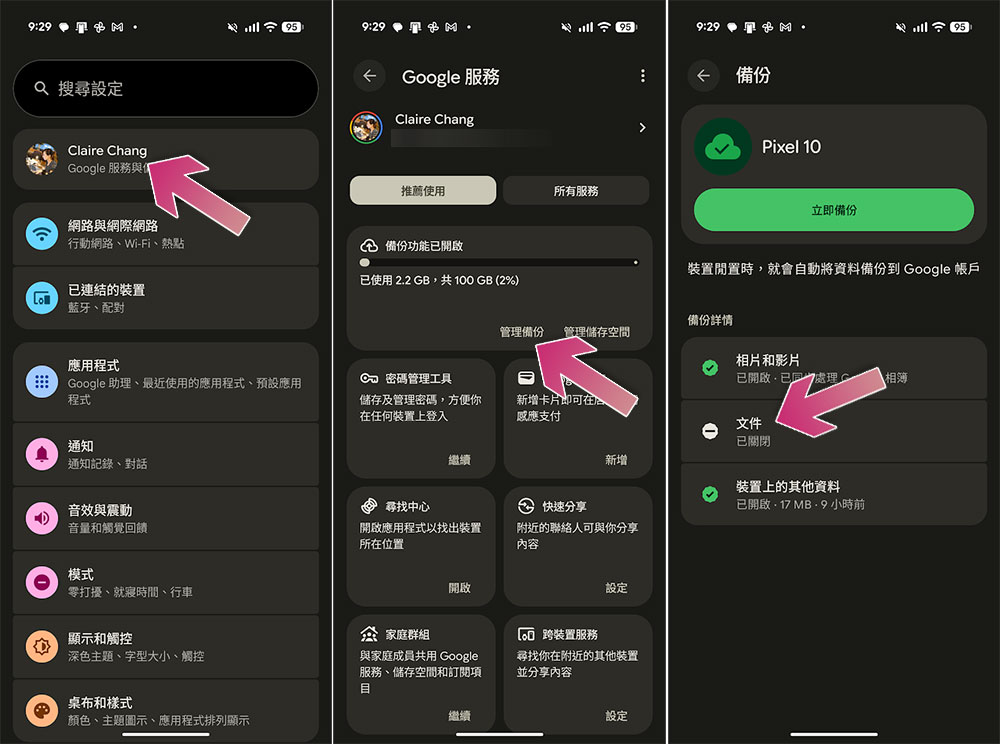
On Pixel devices, this new feature can be found in Settings >> Accounts & Backup >> Google Backup and will appear as a new Files option, between Photos & Videos and Other Device Data. Users can manually trigger backups to upload the latest files immediately, otherwise the system will automatically perform backups according to a scheduled schedule (usually nightly).
Google announced that this feature was coming as early as February this year, and it began to roll it out to different devices at the beginning of this month. According to current observations, multiple Android devices using the latest stable version of Google Play services (version 26.26) can already use the file backup feature, indicating that this update is gradually expanding its coverage. Overall, the new “File” backup function makes Android’s backup capabilities more complete, filling the gap that cloud backup did not cover general files in the past. For users who rely on mobile devices to process files, this update provides higher data security and convenience, and also makes Google Drive’s role in the Android ecosystem more important.
Source: KOCPC Chinese