


Although Taiwan has been controlling the epidemic very well, there are still some local cases occasionally, such as the recent China Airlines pilot incident. Therefore, it is still recommended to turn on the COVID-19 exposure notification function on iPhone and Android. When you accidentally come into contact with a confirmed patient without knowing it, this app will notify you immediately, which can not only protect yourself, but also protect your family.
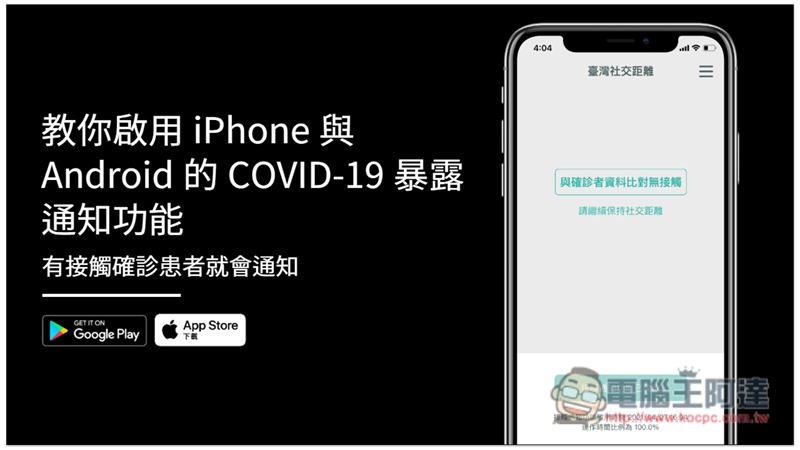
Turn on COVID-19 exposure notifications on iPhone
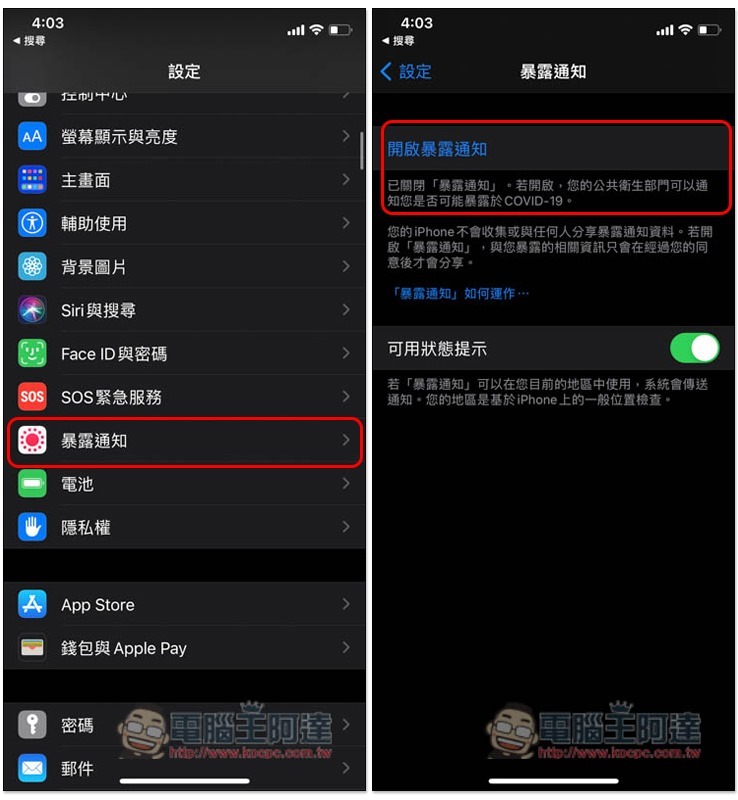
Taiwan’s COVID-19 exposure notification is paired with the “Taiwan Social Distancing” app. You can go directly to App Store Download, or turn on the exposure notification function in settings, exposure notification –> click to turn on exposure notification:
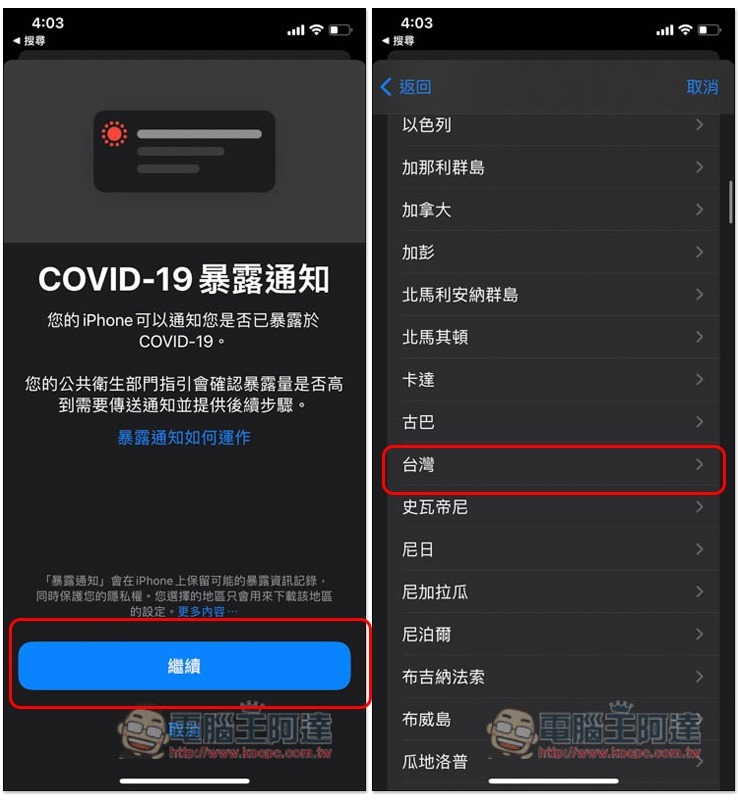
Press Continue, select Taiwan as the country, and scroll down to find:
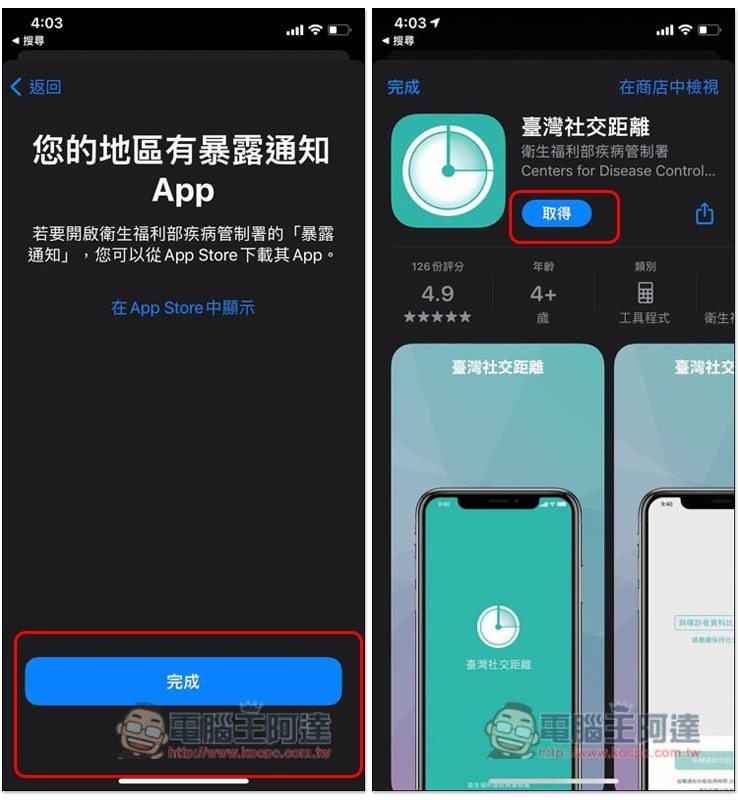
Then the download page for Taiwan Social Distancing will pop up, click Get to install:
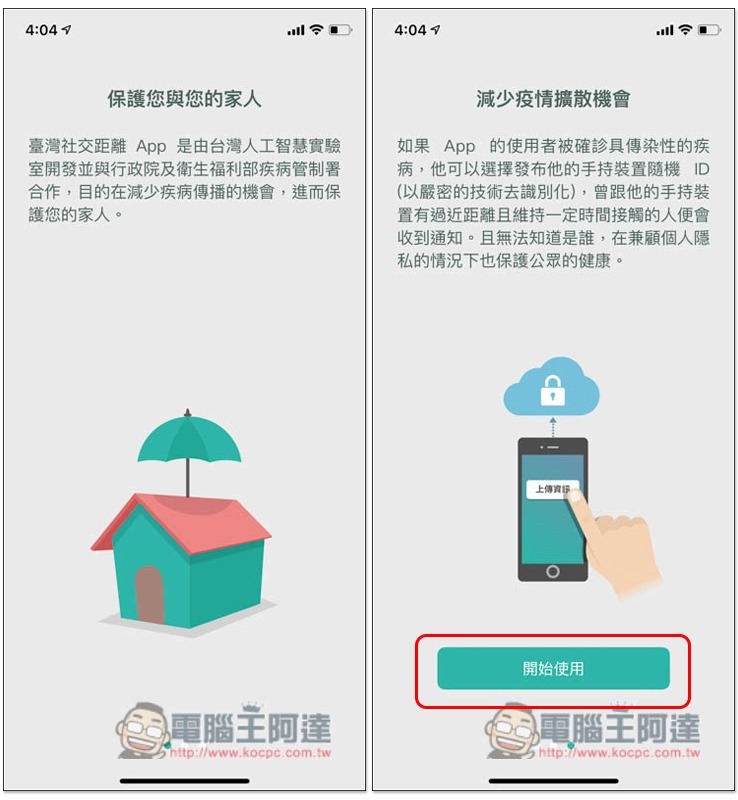
After opening the Taiwan Social Distancing App, some introductions will be displayed first. You can read it, slide to the last page and press start:
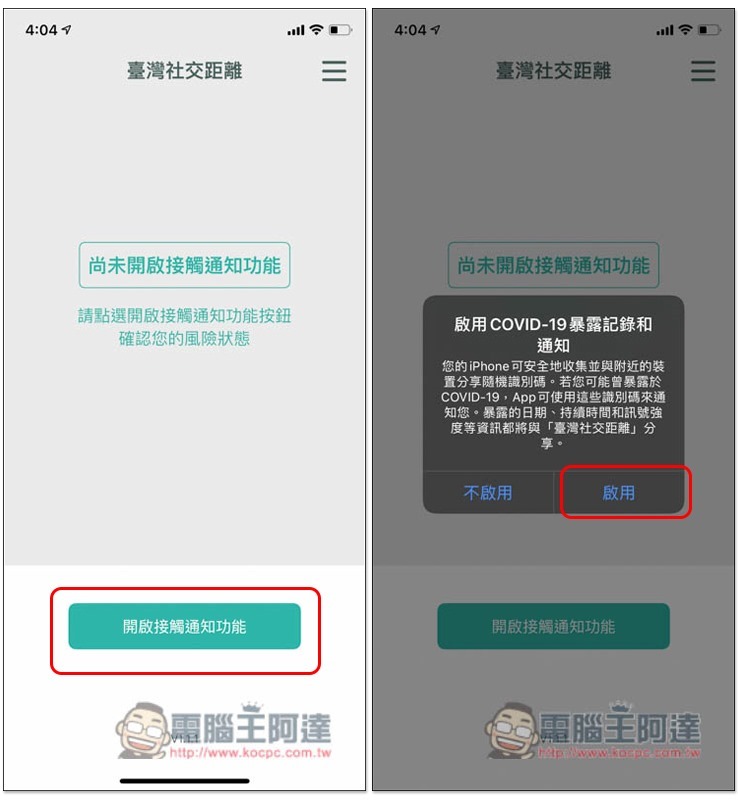
When entering the main page, the screen will display “Contact notification function has not been turned on”, click “Turn on contact notification function” below, and then press Enable:
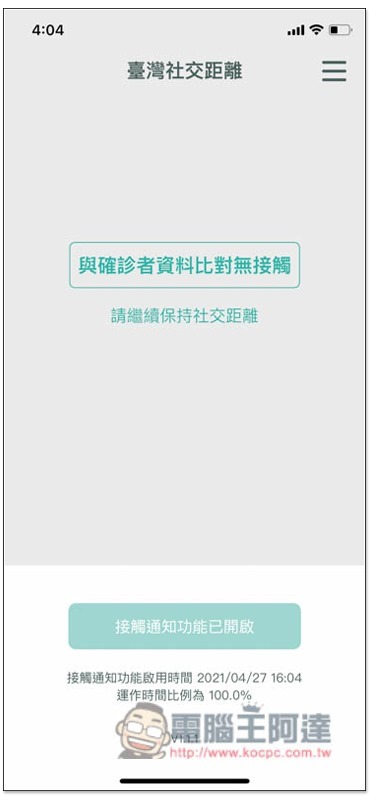
That’s it! In the future, when you come into contact with a confirmed patient, this app will notify you (remember to allow app notifications):
Turn on COVID-19 exposure notifications for Android
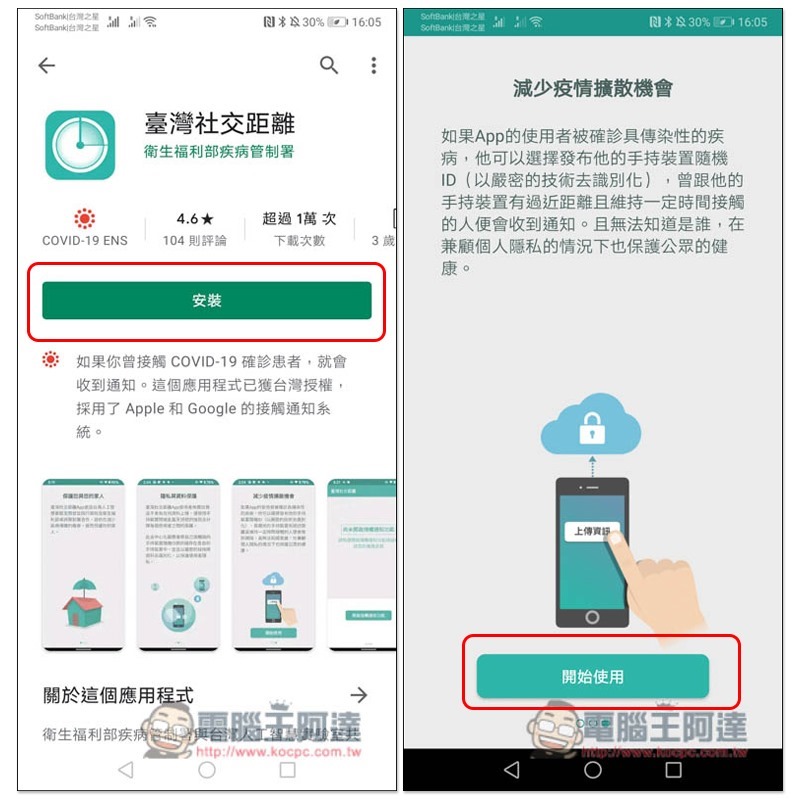
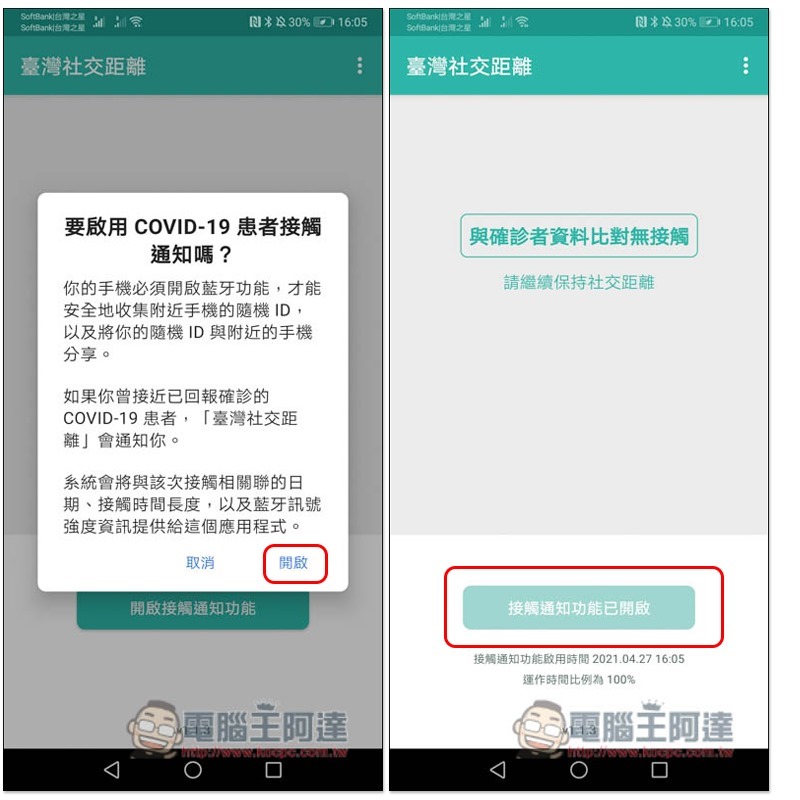
Android is also paired with the Taiwan Social Distancing App.Click me to download from Google Play, open it after the installation is complete, and click “Get Started”:
Press “Turn on contact notification function”. If it shows that it is turned on, it means it is completed:
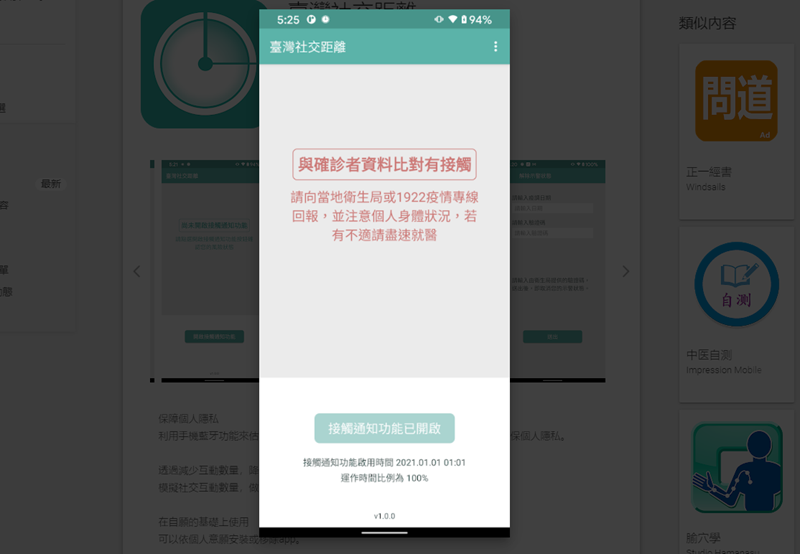
If you accidentally come into contact with a COVID-19 patient, the screen will display “Contact with confirmed person’s information” and remind you to report to the local health bureau or the 1922 epidemic hotline. Remember to pay attention to your personal physical condition at all times. If you feel unwell, please seek medical treatment as soon as possible:
Summarize
This app uses Bluetooth encrypted data transmission to determine whether it has been in contact with a patient, so remember to keep the Bluetooth function turned on at all times. In addition to installing it yourself, it is also highly recommended to help your family members install it.
最新 iOS 14.5 vs iOS 14.4.2 搶先速度測試,iPhone SE / 6S / 7 / 8 升級後順嗎?
Source: KOCPC Chinese