


Although there are many services on the Internet that provide unsubscription from Gmail advertising letters, such as:Unsubscriber by Polymail、Leave Me Alone、unroll.me, but these require registering an account and then scanning the mailbox contents through their services. Therefore, many people will worry about security issues, such as the possibility of personal information being leaked, etc. The free Chrome extension plug-in Unsubscribe Gmail emails in bulk – HelpNinja that I will introduce in this article is a small tool that can unsubscribe and has privacy and security. It boasts that all processes are carried out in Gmail and no data will be sent to their servers. After unsubscribing, past advertising email labels will be automatically archived, allowing us to quickly clear these spam emails and no longer be disturbed and occupy Gmail space.
Unsubscribe Gmail emails in bulk – HelpNinja operation introduction
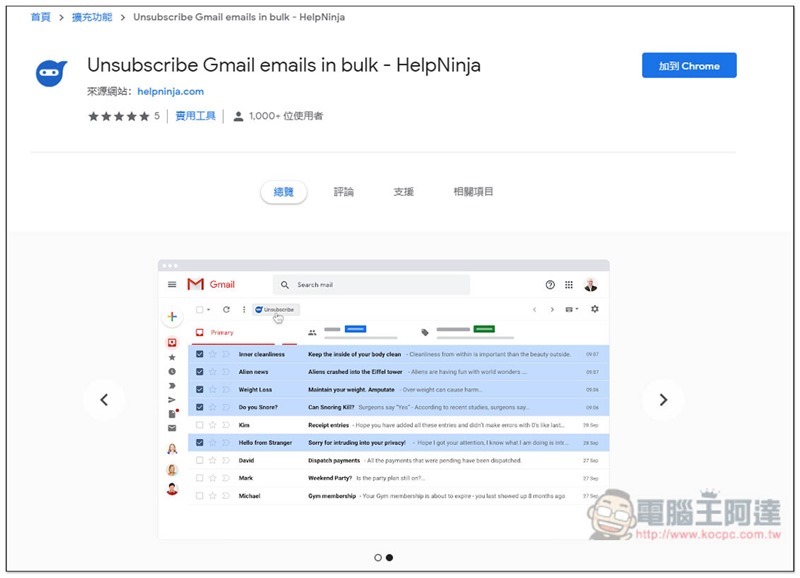
Unsubscribe Gmail emails in bulk is a Chrome extension plug-in developed by the HelpNinja website. Click me to enter the store page and click “Add to Chrome” in the upper right corner:
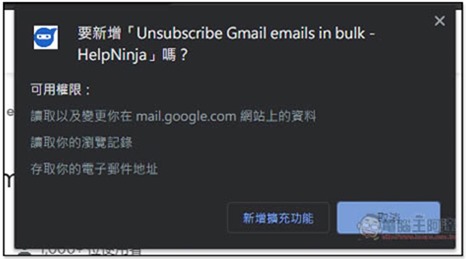
This window will pop up above, click “Add extension” to install:
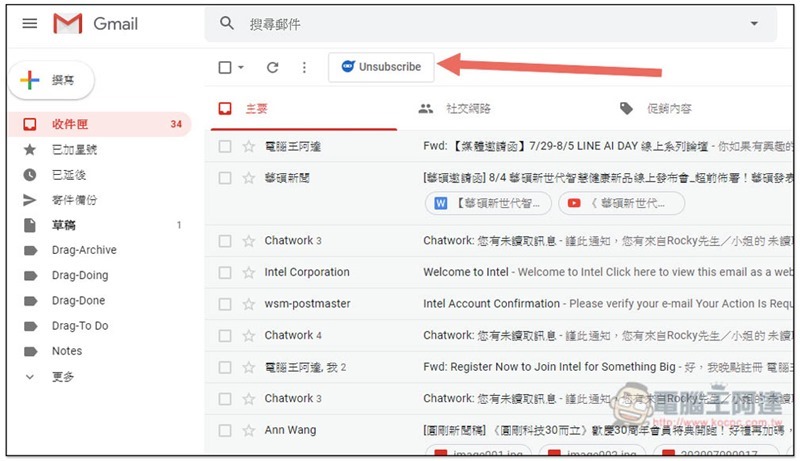
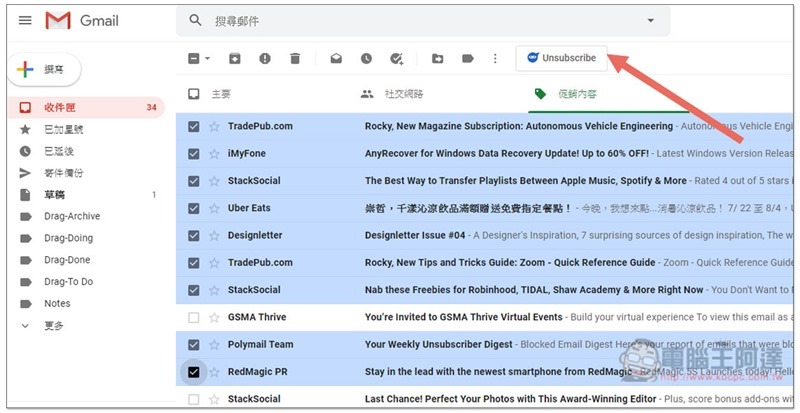
Then open the Gmail page, and you will see an Unsubscribe button at the top:
The method of use is very simple, select all the advertising letters you want to cancel, and then click Unsubscribe:
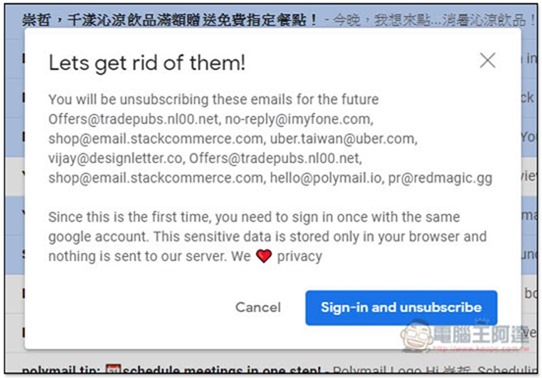
A notification will pop up telling you that you are about to unsubscribe from the following emails. For first-time use, you need to log in to a Google account so that it can automatically handle it for you. Click Sign-in and unsubscribe:
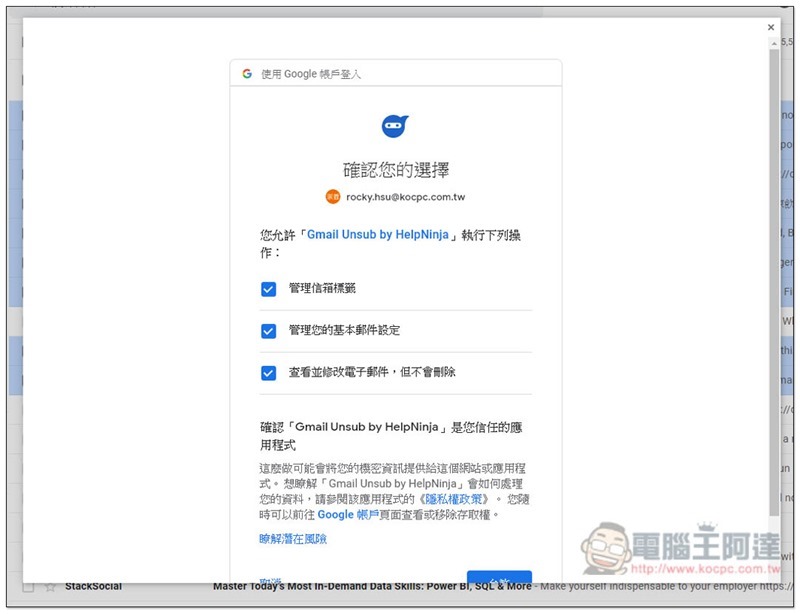
You will need to obtain these three permissions:
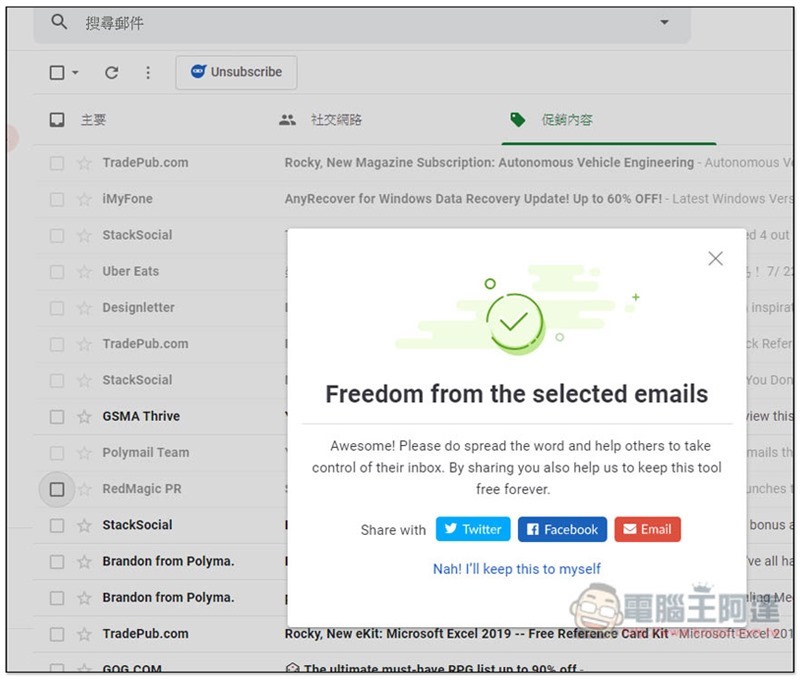
Successful results will then be displayed. In addition to unsubscribing, all past emails from these email senders that you have not deleted will be classified into a special label and will no longer be displayed in your mailbox:
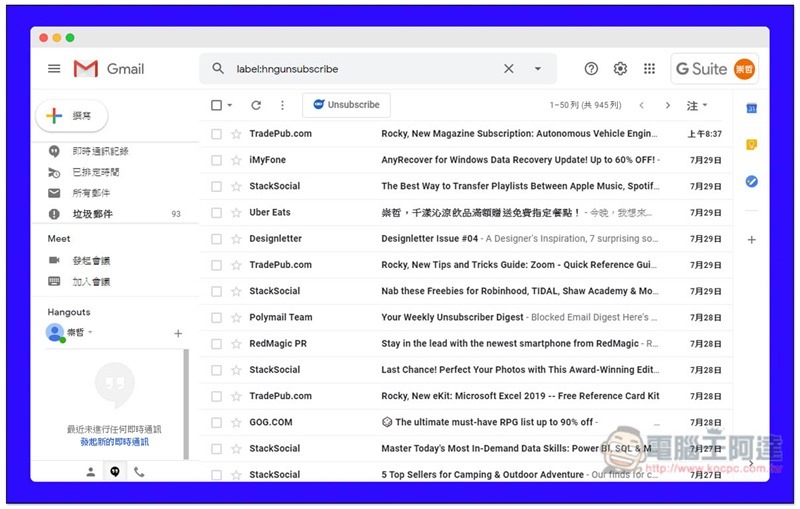
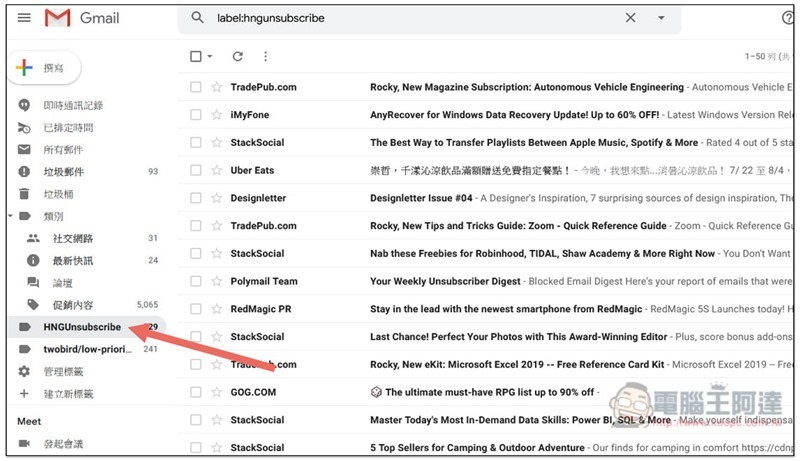
As shown in the picture below, you will see the name HNGUnsubscribe in the label option. After clicking it, you will see all unsubscribed advertising letters. If you want to free up more space in your mailbox, you can click on them all and delete them all at once, without worrying about accidentally deleting important messages:
This extension plug-in is really useful. It can be operated directly in Gmail with one click without opening any third-party service for scanning. I highly recommend everyone to try it.
Supplementary information
- Expanded plug-in name: Unsubscribe Gmail emails in bulk – HelpNinja
- Nature: Free
- Installation page:Click here to go
Source: KOCPC Chinese