


Many people will choose to use LINE as a channel to transfer data between computers and mobile phones, and many users will also choose LINE as we have introduced in the past.Create a “personal group” with LINEway to post text, photos, videos or files in this chat room where you are the only one. If you are a user who is more familiar with LINE, you will choose to use LINE’s exclusive Keep cloud space to store data that you want to view, edit, and use across devices.
Earlier today, LINE quietly launched the new feature “Keep Notes”. Keep Notes is like a general chat room or a personal group application. However, compared to personal groups, Keep Notes will automatically “quickly save” the content to Keep, which can be said to be a more convenient portal for storing data in Keep. If users want to use it for a long time without fear of data expiration, they only need to go to Keep to save it again.

LINE launches a new feature of “Keep Notes”: the new chat room implements a convenient Keep portal, which can include text, photos, videos or links.
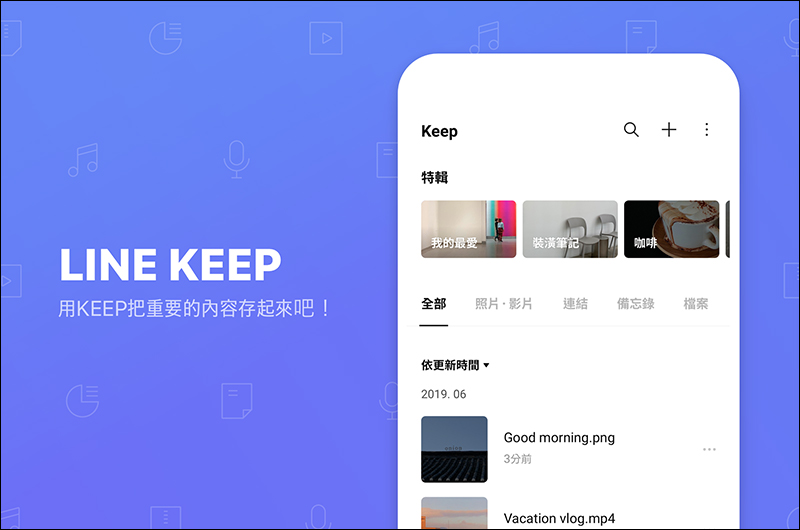
We have shared many in the past LINE application tips, however, for some users who are not too familiar with how to use LINE, they may often see that LINE has a function called “Keep”, but they never know what it does. Let me give you a quick review again. Keep is a free cloud space provided by LINE to users. Users can store text memos, photos, videos, links, files and other data in Keep.“Free 1GB cloud space”, the content stored in Keep can be stored for 30 days except for files exceeding 50MB. Most other files can be stored.“Permanent storage”. Best of all, files that exist in Keep can also“Cross-platform, cross-device synchronized access”, whether it is a mobile phone, tablet, or computer, you can edit and access Keep content on different devices at any time.
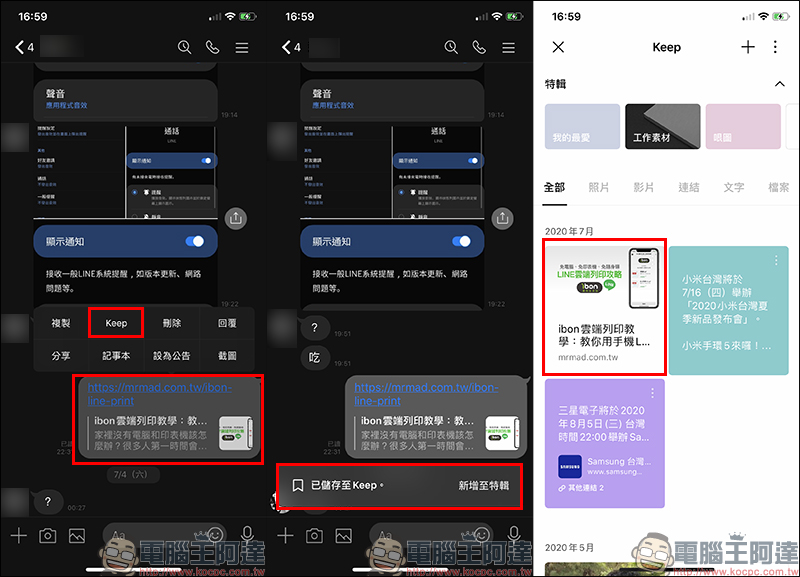
LINE users usually want to save text, photos/videos, links, and files in chat rooms to Keep. They only need to long press the message box to expand the menu, and then click “Keep” to save the content in Keep:
However, sometimes they just want to temporarily transfer some files to other devices for use. Some users will use the method we introduced in the past to “LINE personal group”, but the personal group is still a general chat room after all. If there is a need for cross-device and long-term file access, the author still recommends saving more important data in Keep.
The “Keep Notes” function quietly launched by LINE earlier today looks like a normal chat room at first glance, but it can actually be regarded as allowing users to save text, photos/videos, files and other content faster and more conveniently in Keep:
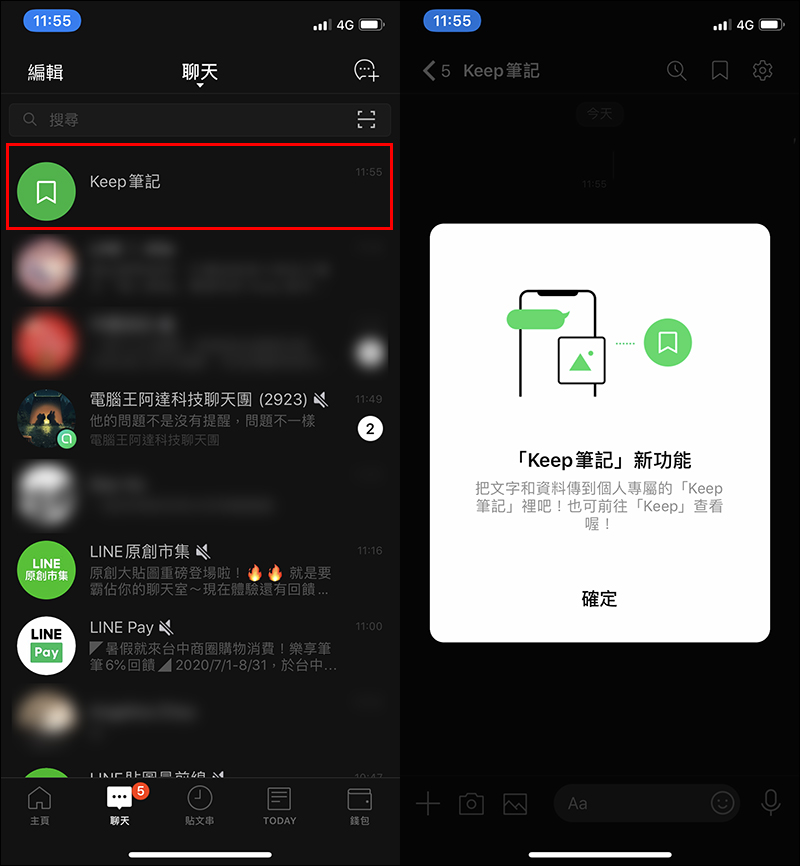
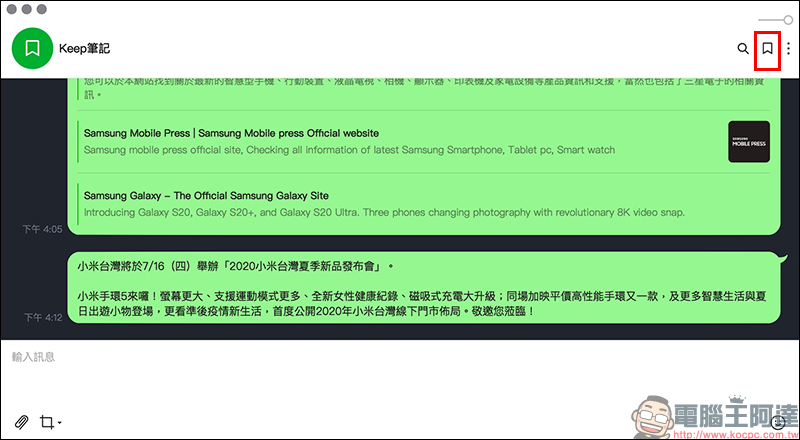
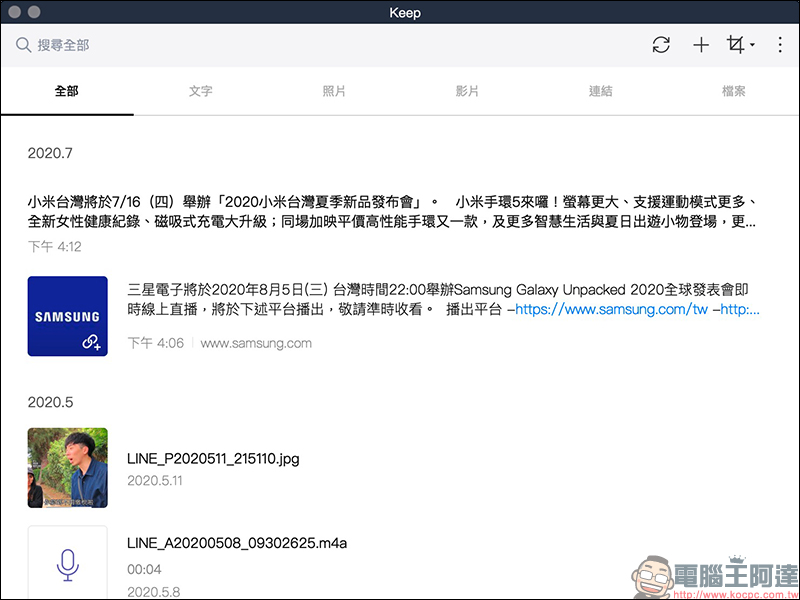
The interface of Keep Notes is similar to that of a general chat room, but after all, it is not intended for other LINE users, so it does not have the voice/video call function and buttons for this function. A Keep entry button is provided at the top of the LINE note screen, allowing users to go to the Keep homepage with one click. In addition, users can send content they want to use across devices in Keep notes. In addition to being able to view it directly like in a chat room after crossing devices, all content posted in Keep notes will also be “automatically temporarily saved” to Keep.
However, special attention should be paid to the fact that “Keep Notes” is a convenient portal that helps you “quickly save” content to Keep. If I want it to be used for a long time without expiration, I must save it again on the Keep page so that it will not expire!

For example, the author first posted the content in the Keep note on the mobile version, and then the Keep note on the computer version will also display the content simultaneously. This part is like the past when users used “personal groups” to transfer data across devices.
However, because the content transferred by Keep notes will be automatically “temporarily saved” in Keep, users can go to the Keep page to view the content again and evaluate whether to store it in the Keep cloud space. If they want to save it, they can save it faster. If you finally decide not to store the content in Keep, you don’t have to worry about taking up Keep space.
(*Another reminder: the content of Keep notes will only be “temporarily stored” in Keep. If you want to use it permanently without fear of expiration, you must manually save it yourself.)
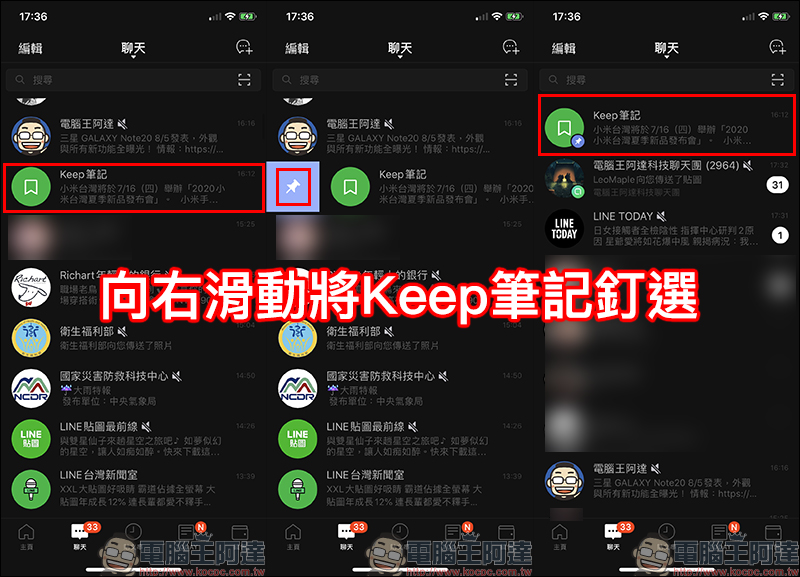
If you are worried that there are too many LINE messages and your Keep notes will be overwhelmed, you can also slide the chat message box to the right to expand the “Pin button” and pin the Keep notes to pin them to the top! Keep notes also “hide” them like a chat room. If you want to find them again after hiding them, just search for “Keep notes” in LINE and you will be able to find them!
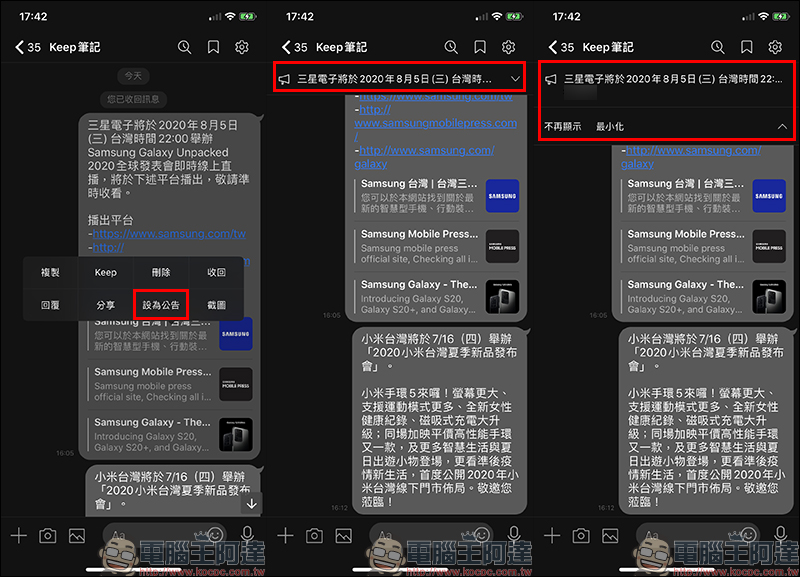
If you want to use Keep notes as a to-do list to remind yourself of the events to be processed and completed, you can also “set the message as an announcement” just like in a normal LINE chat room in the past, so that you will not be afraid of forgetting some important events every time you open Keep notes:
Source:LINE Taiwan Official BLOG
Further reading:
How to use ibon cloud printing in LINE? No need to download additional apps, enter data, and print data easily using LINE! (teaching)
LINE application tips: LINE received a message but not notified? Check out these settings!
Source: KOCPC Chinese