


Recently, we have reported that malware developers used children’s games as skins to wrap gambling apps in them, and also used legitimate advertising channels to lure users to download them. Coincidentally, an independent malware development team is making a somewhat similar but different attempt. Although it is a different platform, the purpose is to relax users’ vigilance, download and install malware and steal your personal data.
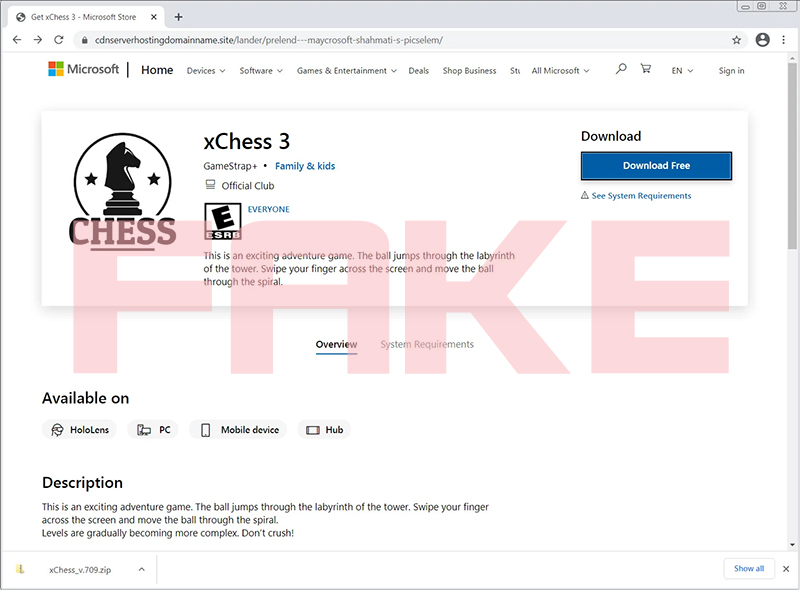
Malicious software pretends to be Microsoft’s official store and deceives users into downloading and installing it, stealing users’ personal data.
The way this malware spreads is a bit circuitous, but it is not that difficult to understand. First, it uses common marketing channels to advertise its software and games. When users click on these ads, they will be directed to fake Microsoft official store pages that are a bit hard to tell from fake at first glance. When everyone sees the advertisement, they would never think that malware would openly use such public channels, and their vigilance will be much lowered. When they see such a similar official Microsoft store website, their vigilance will be reduced by half.

▲ This is an advertising banner posted by malware in a common advertising column.
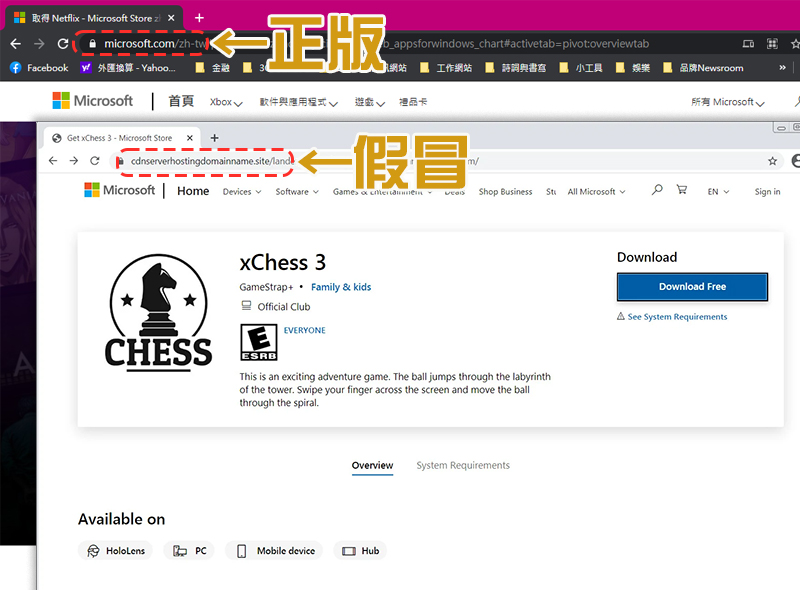
▲After clicking on the advertising banner, you will enter this page. It looks almost the same as the real page, but if you look closely at the URL, you will find that there is a huge difference. Generally, the URL prefix of application pages in Microsoft’s official store will start with “https://www.microsoft.com/” (after being streamlined by Chrome, it will display microsoft.com).
When the user clicks download, it will automatically download a Zip file named “Ficker” or “FickerStealer” or other well-known file names for you. You will be tricked after you directly unzip and download as usual. It steals various credentials and your personal data stored in web browsers, desktop messaging applications (such as Pidgin, Steam, Discord, etc.) and FTP clients. In addition, this malware can steal more than 15 cryptocurrency wallets, steal files, and take screenshots of active applications on the victim’s computer, then compress the illegally obtained personal data and pass it back to unscrupulous parties.
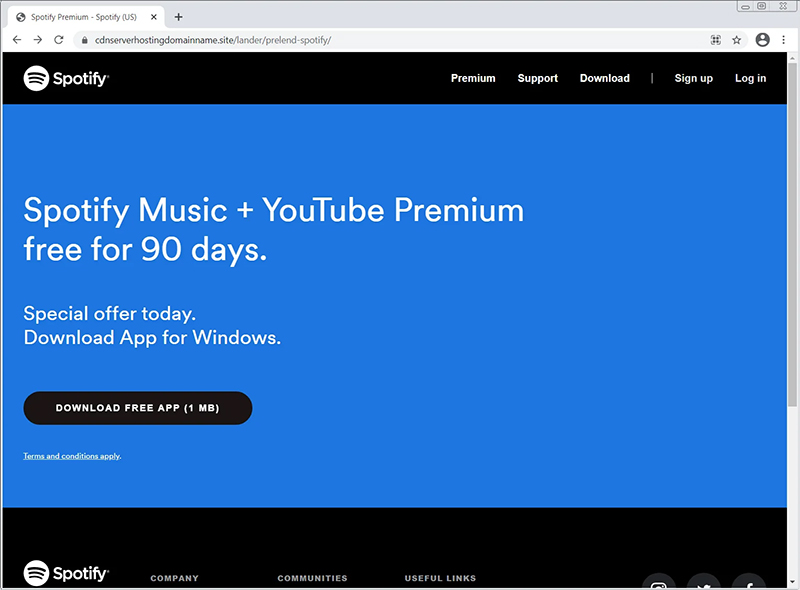
▲This is a fake Spotify official website. The simplest part can be identified from the URL. The genuine Spotify URL is “https://www.spotify.com/” (condensed by Chrome and displayed as Spotify.com). Even when you enter other pages on the official website, it will be prefixed with this main domain, and there will be no long URLs like those on the fake official website.
In addition to pretending to be apps from Microsoft’s official store, criminals also pretended to be Spotify websites and online file converters. Since malware is likely to be harmful to users, if users have similar personal experiences, affected people should immediately change the passwords of various online accounts, check the firewall for suspicious forwarding rules, and conduct a thorough scan of the computer to detect other malicious software.
◎Data source:Bleeping Computer
Source: KOCPC Chinese