


I don’t know if you have ever encountered this situation when using Facebook. Often, after you search for something on Google and go to a store to look at product information, you come back to FB and immediately place ads for similar products to you. This is actually caused by Facebook’s own “off-site activity”. They can reasonably obtain your records from external partner websites. If you don’t mind, it doesn’t matter, but if you do, today’s article will teach you how to turn off the tracking function of this “off-site activity”.

Why can Facebook harvest your off-site information? The biggest reason is that many websites outside use Facebook’s API, so when you browse on these websites, the data you read will also be sent to Facebook. It’s very easy to turn it off, just go to “Privacy Options”!
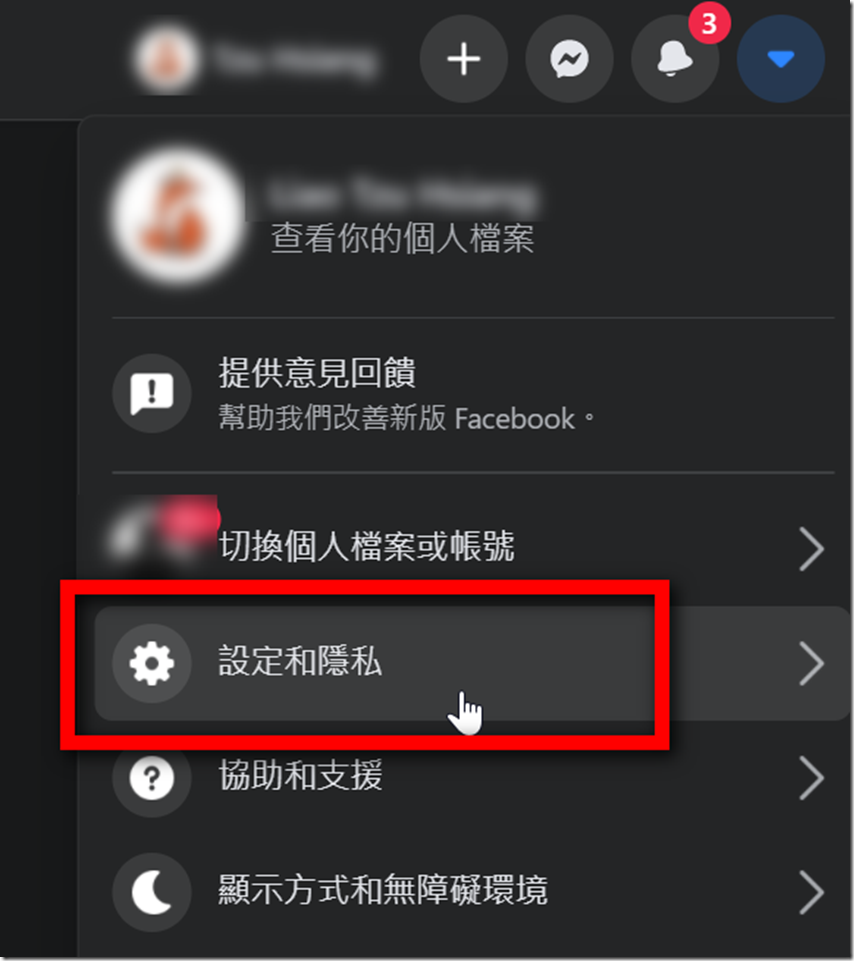
Step 01: The method is the same whether it is in the computer version or the mobile version. Here we will focus on the computer version for explanation. The first thing is to find your “Settings”, then find “Settings and Privacy”.
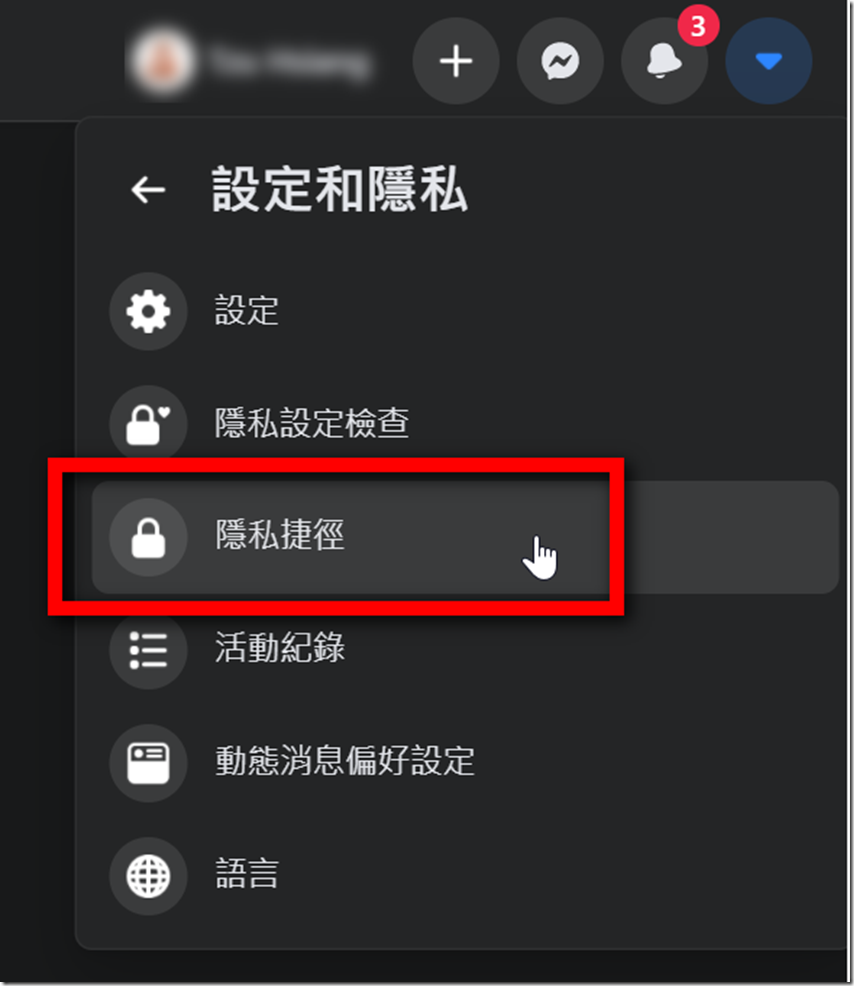
Step 02: Then find “Privacy Shortcut” from Settings and Privacy.
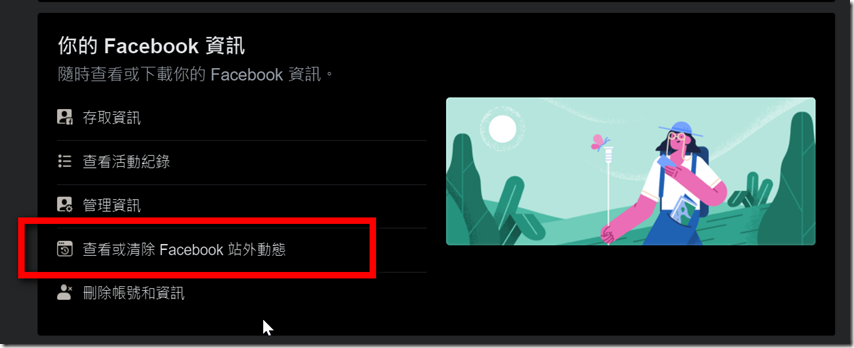
Step 03: On the Privacy Shortcut page, find the “Your Facebook Information” section and click “View or clear Facebook off-site activities”.
Force clear directly (not recommended)
Step 04: Most operations start from here, but they are divided into two aspects. First, we talk about clearing everything without thinking. Just click “Clear History” on the right.
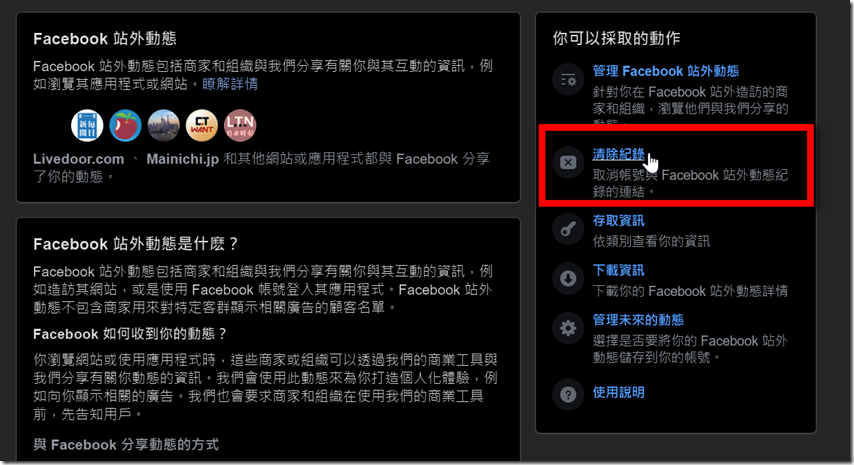
Step 05: Next, a prompt window will pop up, mainly telling you that if you clear the data in this way, you will be logged out of these websites at the same time, and your membership account will even be canceled. Unless you are really determined, this is not recommended.(If you don’t read it clearly, we will not be responsible for the damage caused!)
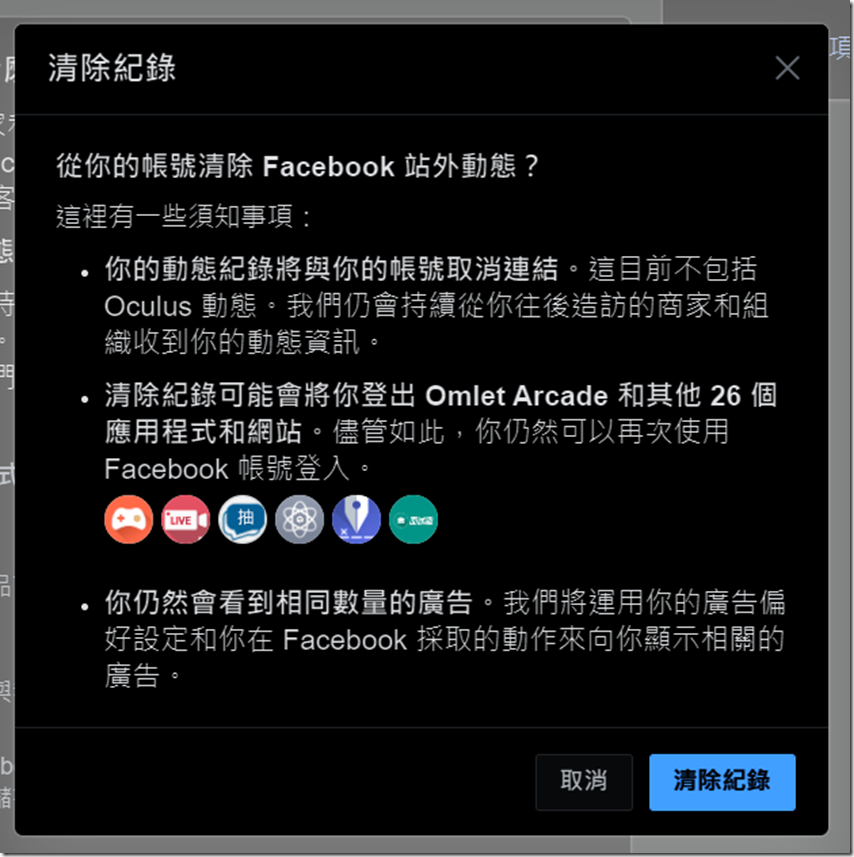
Step 06: If you are still determined to delete all the data, even those external websites that are logged in using FB accounts, after completing the cleanup, you can click “Manage future updates” here.
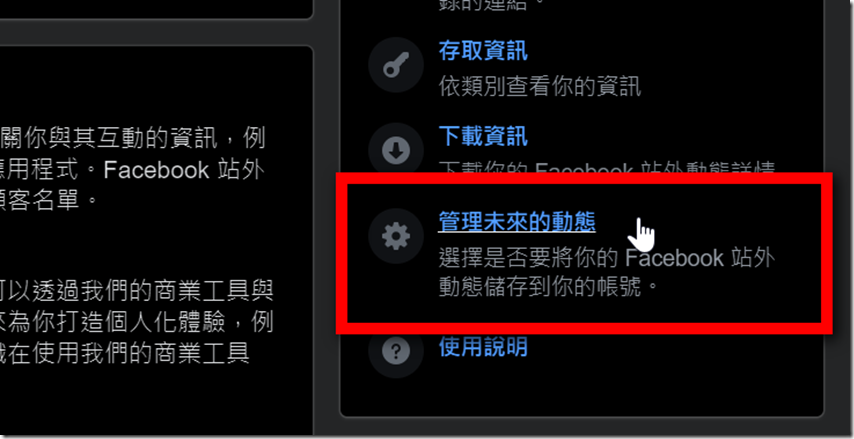
Step 07: After seeing this screen, click “Manage future updates” in the lower right corner.
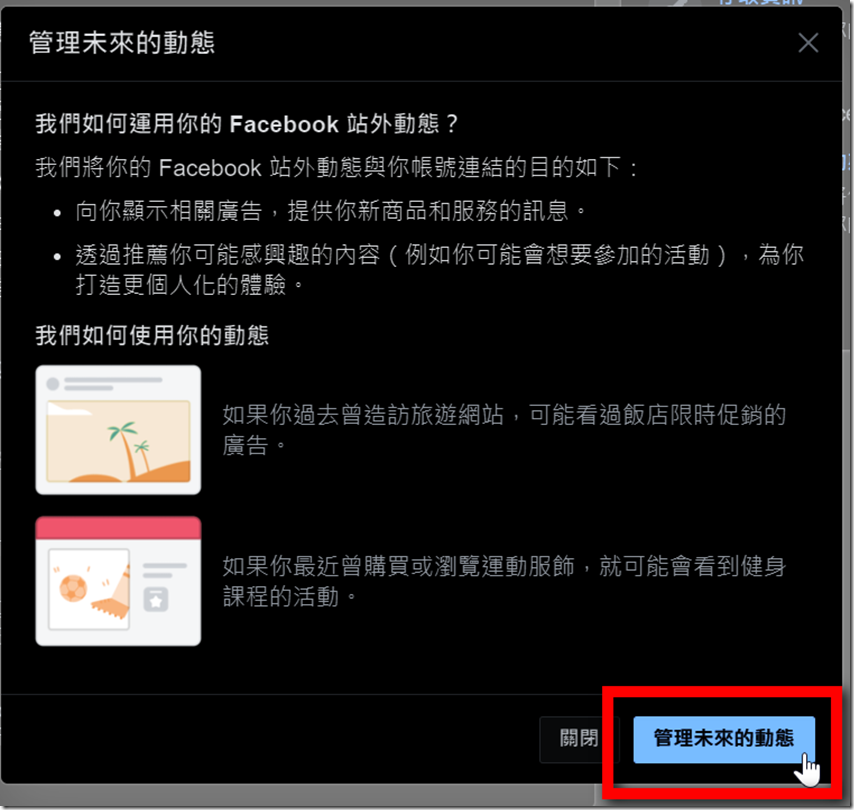
Step 08: Then turn off this option.
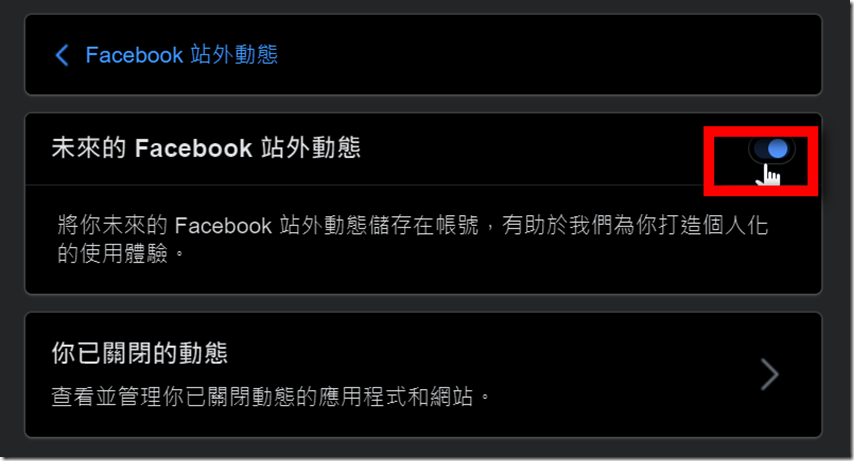
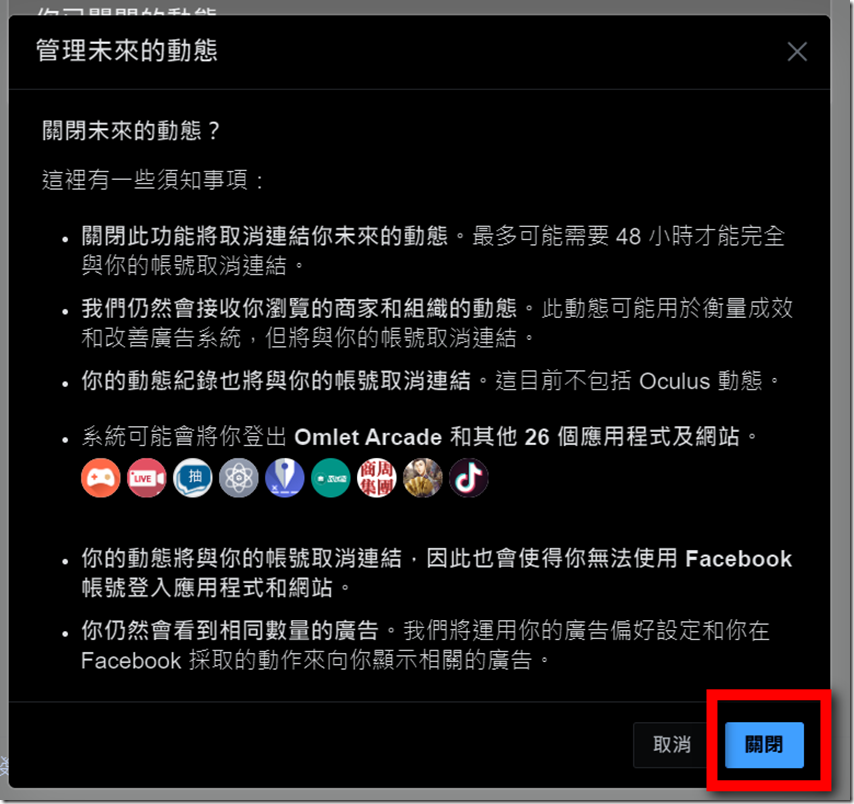
Step 09: Similarly, if you do not clear the data, you will still be reminded that doing so will log out the account and clear the data. Please pay attention before using it!(If you don’t read it clearly, we will not be responsible for the damage caused!)
Clearing tracking data of a single website (more recommended)
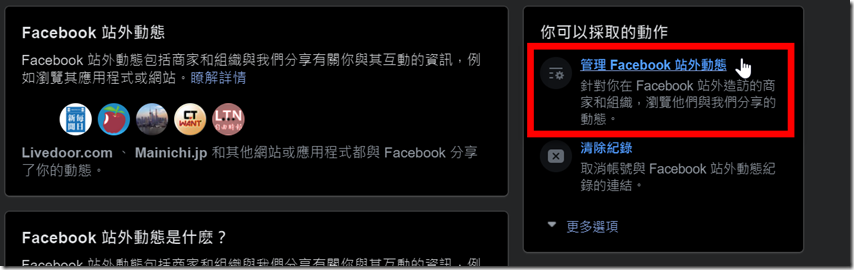
Step 10: It is easy to clear them all at once, but the impact will be too great. Especially if you, like the editor, use your FB account as an account on other websites, it is recommended to start here. First, click “Manage Facebook off-site activities”.
Step 11: Next you will see those websites you use that use FB’s API to obtain data. It is recommended to keep the following types of websites “those that use FB as a member account and cannot apply for an account” and “those with large transaction records”. It is recommended not to touch these two types of websites. Other websites can disconnect from them. As for the way to interrupt, let’s take “Shopee” in the picture as an example. (In fact, all e-commerce websites can apply for their membership binding, and the impact of e-commerce is really large, so it is recommended to give priority to e-commerce).
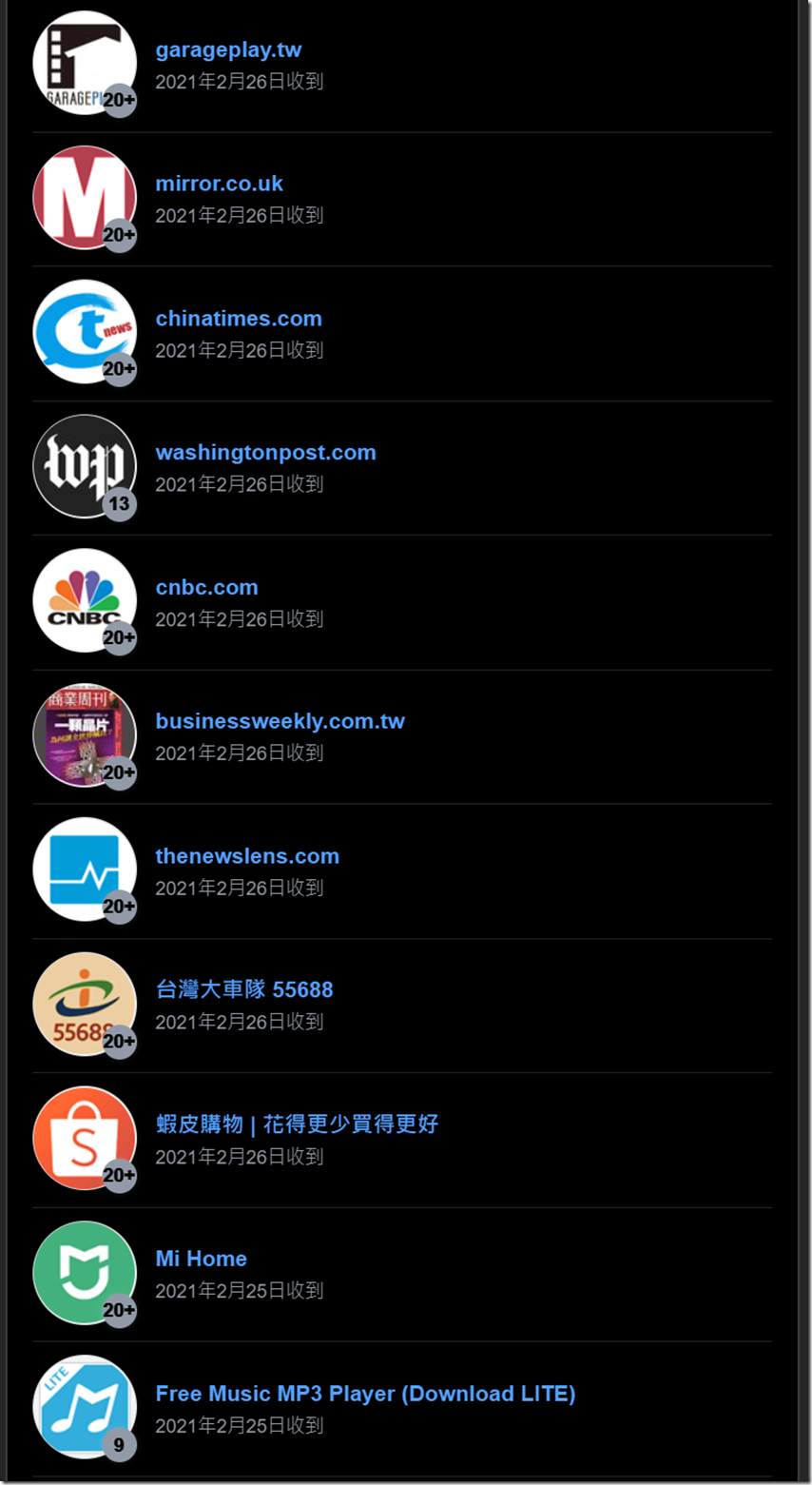
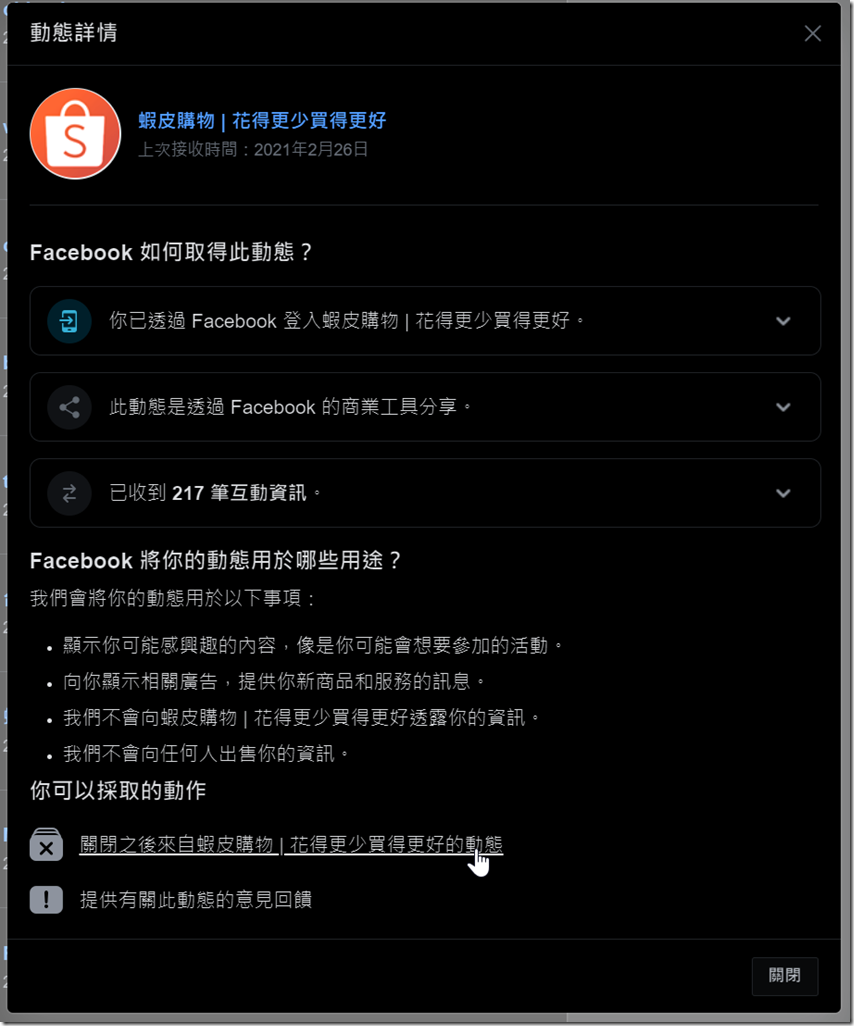
Step 12: After clicking on Shopee’s website, you will see a window. After confirming that your Shopee account can be logged in through other methods, click the “Close from XXXXXX” option.
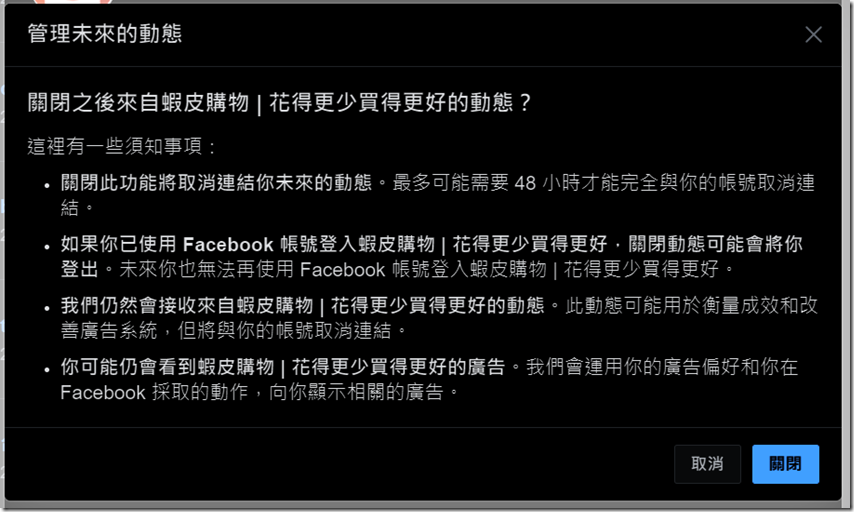
Step 13: Next, the system will remind you that they need 48 hours to operate, which may cause you to be unable to log in. As long as you make sure your account is ready, click Close in the lower right corner and you are done. Other websites can be handled in a similar way.
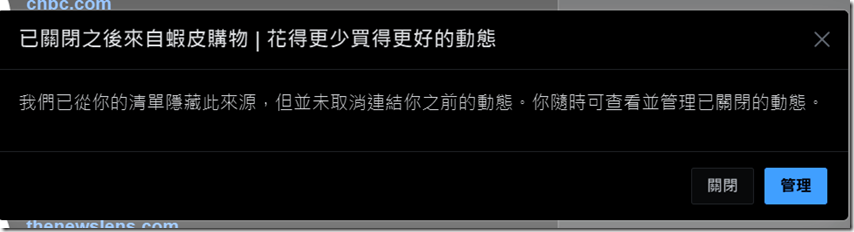
Step 14: After confirmation, Facebook will stop detecting your behavior and search results on Shopee, but this does not mean that there will be no ads when you use Facebook in the future. This just stops “when you search for a product on Shopee, Facebook cannot know this action and will not serve you ads for such products.”
Source: KOCPC Chinese