


Although iOS 14 should basically not consume too much power (especially the latest version of iOS 14.4), for those who are more sensitive or have an old iPhone, they may still feel that the battery will run out quickly. If this is you, this article will help you compile a few tips to save more power on your iPhone, which should be of some help.
8 Tips to Improve Battery Savings on iOS 14
1. Make sure your iOS versions are up to date
There are many reasons why iOS consumes more power. Sometimes it may be caused by some system bugs. If this is the reason, Apple will usually release a new iOS version update soon, so please make sure your iPhone has been updated to the latest version.
If possible, it is recommended to turn on the automatic update function, so that even if you forget, the system will automatically remind you.
Go to Settings –> General –> Software Update to find the automatic update option:
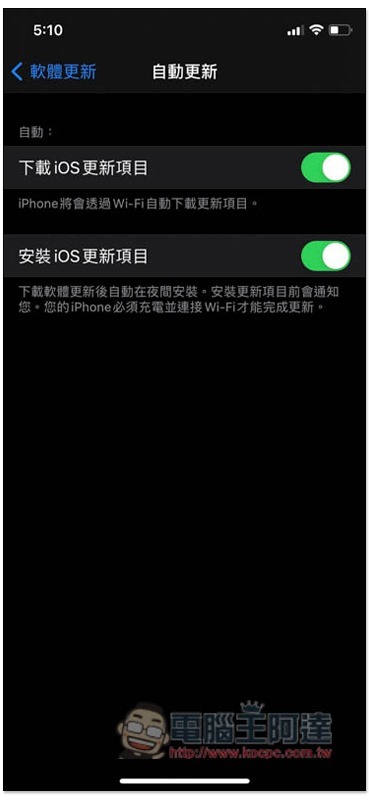
In addition, it is also recommended not to install the iOS test version (Beta). Most of the beta versions have poor stability and have errors of all sizes, and are prone to increased power consumption. If you are not a developer, there is no need to deliberately install the beta version.
2. Check the battery usage of commonly used apps
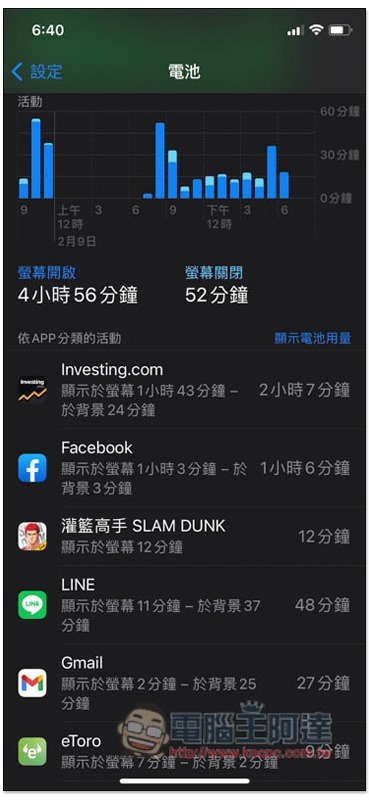
The battery option in iOS settings will help you count the battery usage consumed by each App in the past, so you can easily understand the power consumption of each App. If there is an app that you haven’t used for a long time but consumes a lot of battery life, you may want to consider deleting it or finding an alternative app.
Go to Settings –> Battery –> Click Show Activity in the upper right corner of the App category, and then the battery usage will be displayed:
3. Please enable Dark Mode
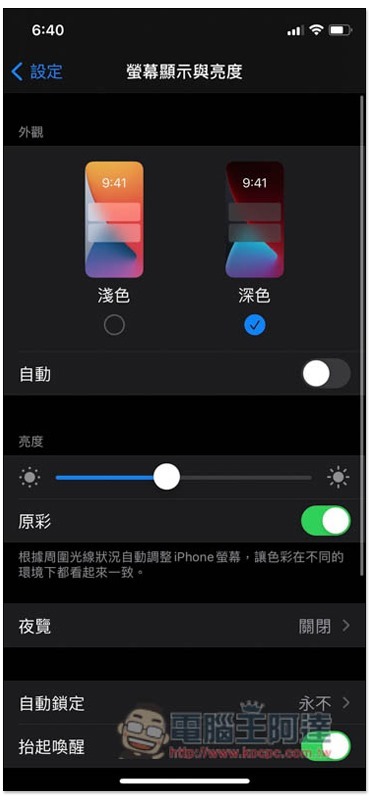
In addition to being less irritating to the eyes, the dark mode also uses an OLED screen to directly block the black areas of the screen from emitting light, thereby saving power.
Go to Settings –> Screen Display and Brightness to switch to dark mode:
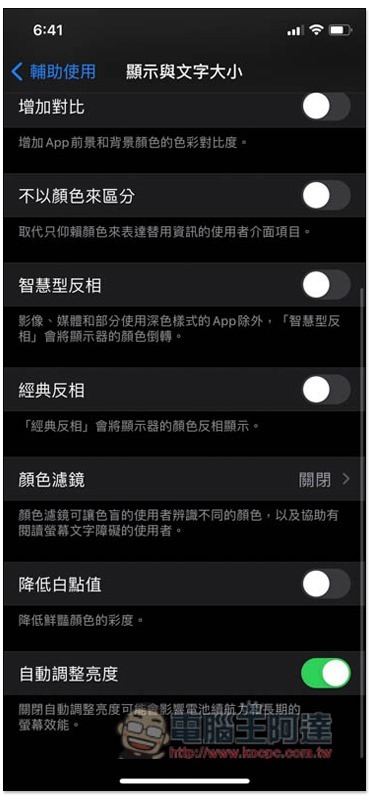
4. Make sure that automatic brightness adjustment is turned on.
Some people turn off the automatic brightness adjustment function so that they can see clearly outdoors at any time, but this will cause a large amount of power consumption. Simply put, if you do not adjust it manually, the brightness will be the same as when you use it outdoors, so it is still recommended to turn this function on and let the system automatically change according to the environment.
Go to Settings -> Accessibility -> Display and text size, scroll down and you will see the automatic brightness adjustment function:
5. Turn off the voice recognition function
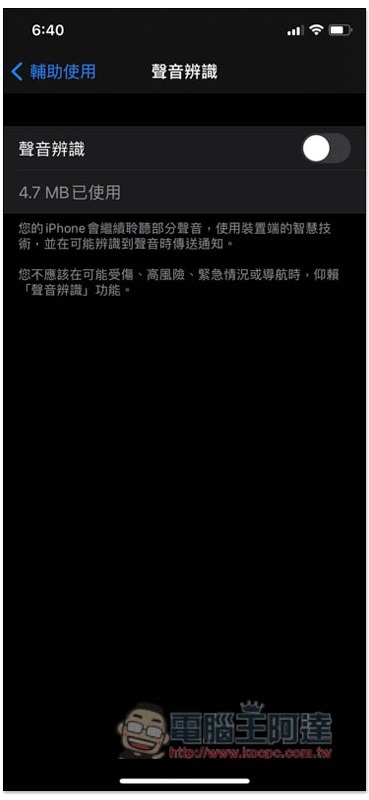
Although the newly added voice recognition in iOS 14 can bring better security, listening to it at any time will definitely consume more power, so remember to turn it off when not in use.
Go to Settings -> Accessibility -> Voice Recognition and turn off the switch:
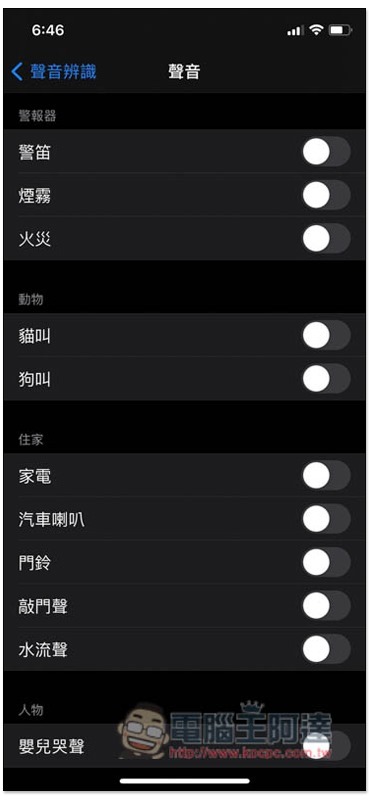
The picture below shows the four major types “alarm, animal, home, and person” supported by the voice recognition function:
6. Turn on reducing dynamic effects
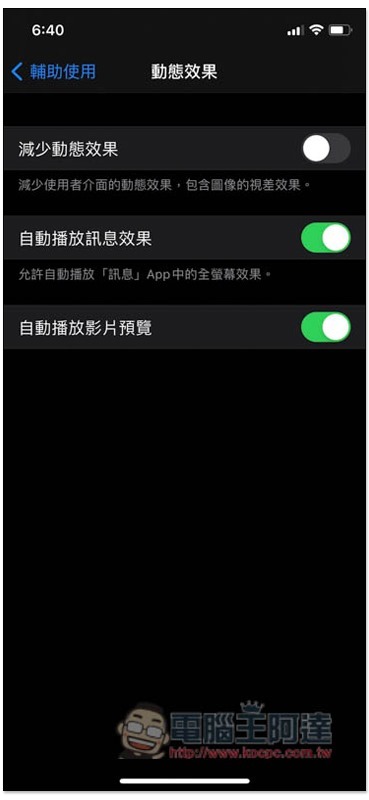
The dynamic effects of iOS can make screen switching more natural. This feature is really good. I recommend turning it on in most cases. However, if you already feel that the power consumption is a bit fierce, you can try to reduce the dynamic effects. Compared with other methods, the power saving experience of this method may be more obvious.
Go to Settings -> Accessibility -> Dynamic Effects and turn on Reduce Dynamic Effects:
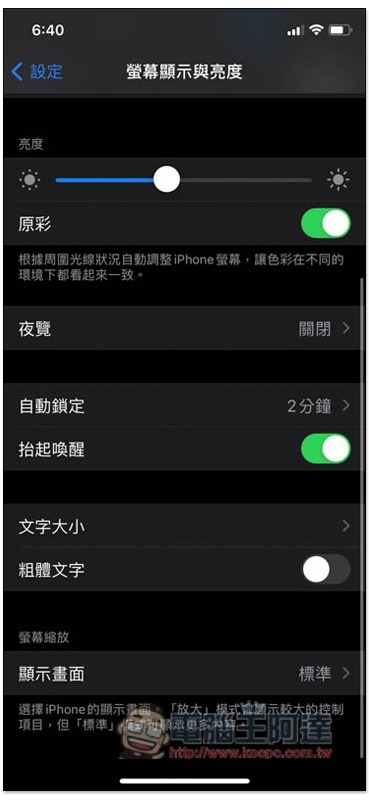
7. Turn off the raise to wake function
When the iPhone is picked up from the table or pocket, the lift-to-wake function will detect and light up the screen. However, not everyone needs this function. If you feel it is not necessary, you can turn it off to reduce power consumption.
Go to Settings -> Screen Display & Brightness and turn off the raise to wake function:
8. Turn off fitness tracking function
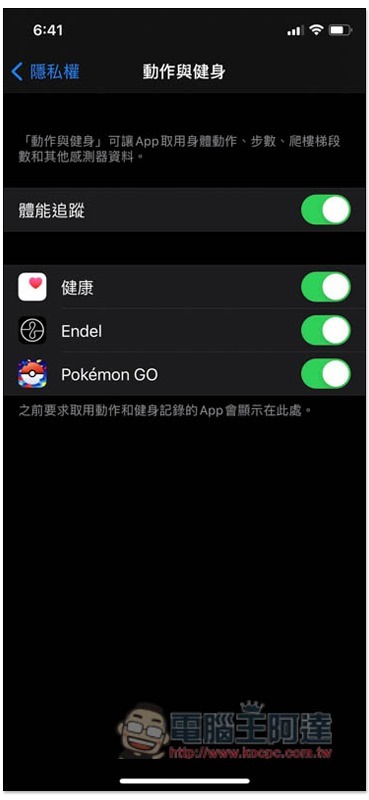
If you basically don’t use the physical fitness tracking function of your iPhone, such as the number of steps walked, the number of stairs climbed, and other fitness data, then you can consider turning it off, which can save a lot of battery.
Go to Settings -> Privacy -> Movement & Fitness and turn off fitness tracking:
Summarize
There are many ways to save power on iOS. These 8 are not all, but they can bring some help. The above is provided for your reference.
Source: KOCPC Chinese