


Coming to the Chrome 88 version, which is a coincidence, Google’s signature browser has also said “88 (goodbye)” to many services and system support. The first thing that will definitely be mentioned is the Adobe Flash player support, which has caused a lot of performance controversies in the past, and is now determined to say goodbye to users in this version; support for FTP links and OS X Yosemite has also been canceled (now requires macOS 10.11 or later). However, in addition to saying goodbye to Chrome, we are actually saying hello, welcoming many new features and adjustments. Continue reading Chrome 88, which says goodbye to Flash, is officially launched, adding convenient security features such as password strength checking.

▲Image source: Google
Chrome 88, which says goodbye to Flash, is officially here, adding convenient features such as password strength checking
I hope you all are tired of listening to people from all walks of life shouting “Flash will be history“After that, I was really ready for it to leave officially. Because Google Chrome has now slowly cut the knot, it has confirmed that it will cancel support for Adobe Flash Player in the new version – and was alsoPacket lossAlso canceled are the support for the extended functions of the old version and the support for “ftp://” (FTPS is still there, mainly due to security concerns), and the minimum support for the Mac system has been adjusted to after 10.11.
This version also provides optimization for dark mode, and further adjusts details including settings, bookmarks and other items.
▲Image source: Google
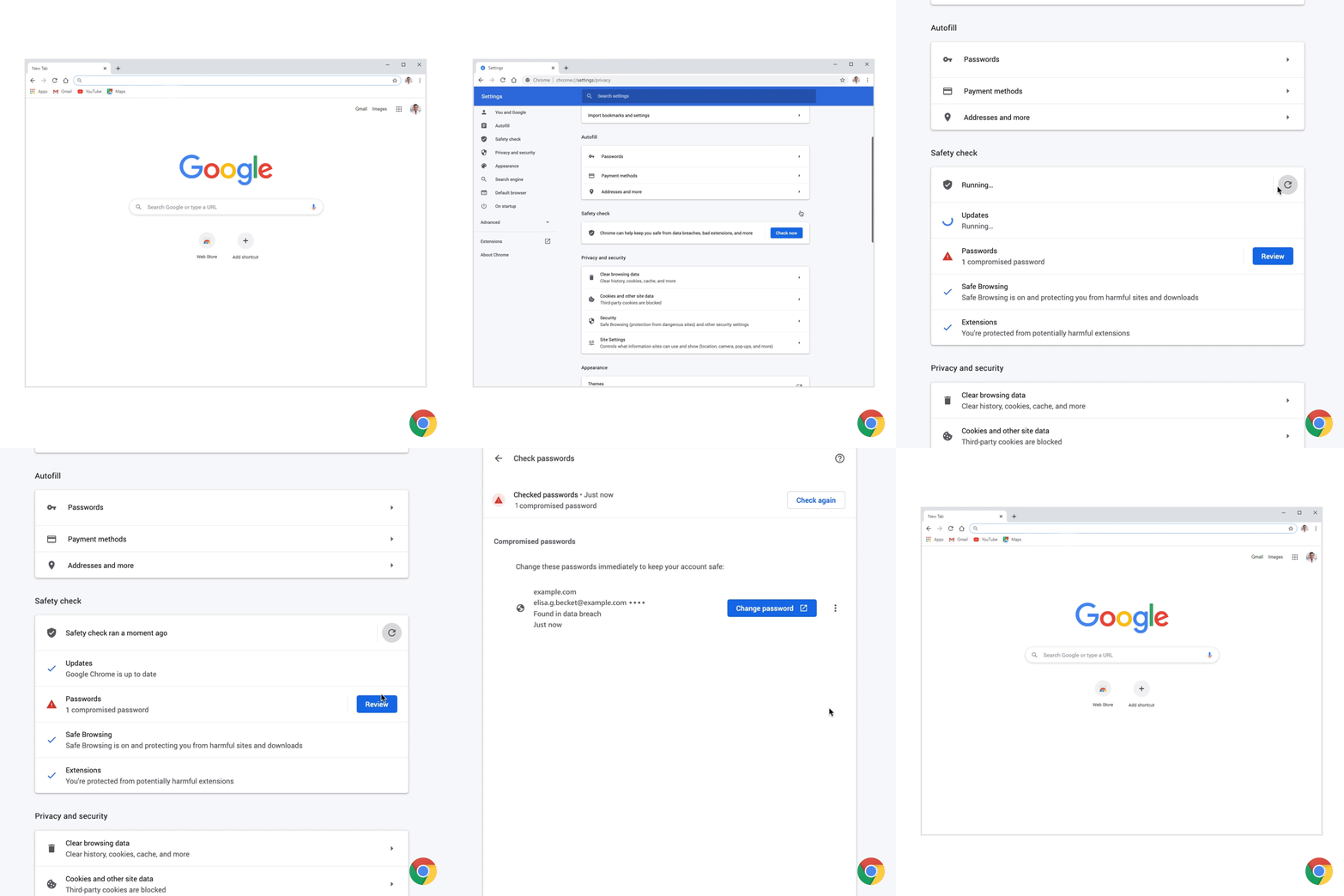
The new features this time should make it easier for everyone to have their accounts stolen – if you know how to use the new tools. Chrome 88 has a new password checking mechanism. You can see all your account passwords stored in the browser on the “chrome://settings/passwords” page. It also provides a password security check function and provides correction suggestions.
In addition, the security check function will also confirm whether the version of Chrome is up to date; if it detects that you have installed a malicious extension, it will also remind you and show you where to remove it. Overall, it is becoming more secure, while also officially eliminating many old technologies.
Pictures/sources cited in this article
Further reading:
Flash is dead, how to cleanly remove it from MacOS?


Source: KOCPC Chinese