


From time to time, some LINE users report that they suspect that their LINE accounts may be stolen. However, in fact, as long as you know how to use LINE correctly and avoid clicking on unknown links, you can prevent most of the risks of being stolen. Today I will share how to conduct daily security checks on LINE and how to prevent the possibility of account being stolen. If you or your friends have had your account stolen, it is recommended that you take the opportunity to check it carefully!
LINE application tips: safety inspection & prevention teaching
Check logged in devices
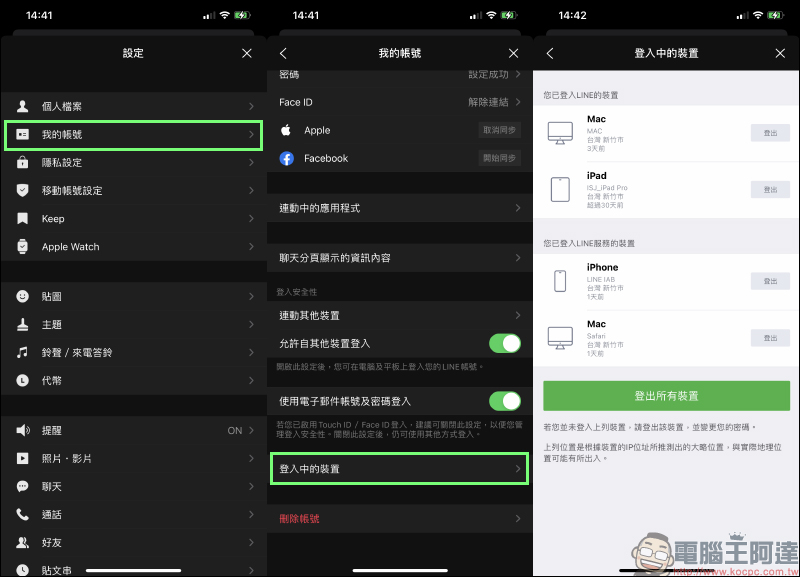
If you suspect that your LINE account has been compromised and your friends may have received suspicious messages from your account, it is recommended that you first go to Settings “My Account” and check “Devices logged in”.
The list of logged-in devices will display a list of devices currently logged in with this account. The user can also know the time and location of the previous login. If it is determined that an unknown device is logged in in the list, click on the right side of the device and press “Log Out” to log out the device from the LINE account. However, the locations in the list are approximate locations based on the device’s IP location and should be used as a guide only.
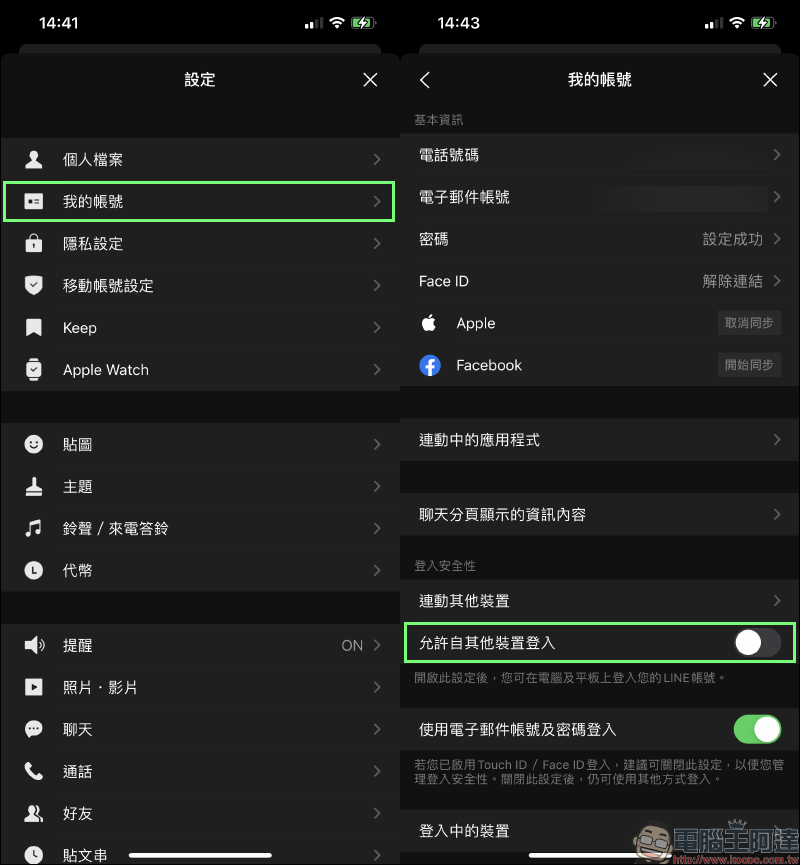
After logging out of the device, temporarily turn off the “Allow login from other devices” function. After turning it off, devices other than mobile phones will not be able to log in to this account. It is recommended that you wait until you confirm that your account is safe before turning this feature on.
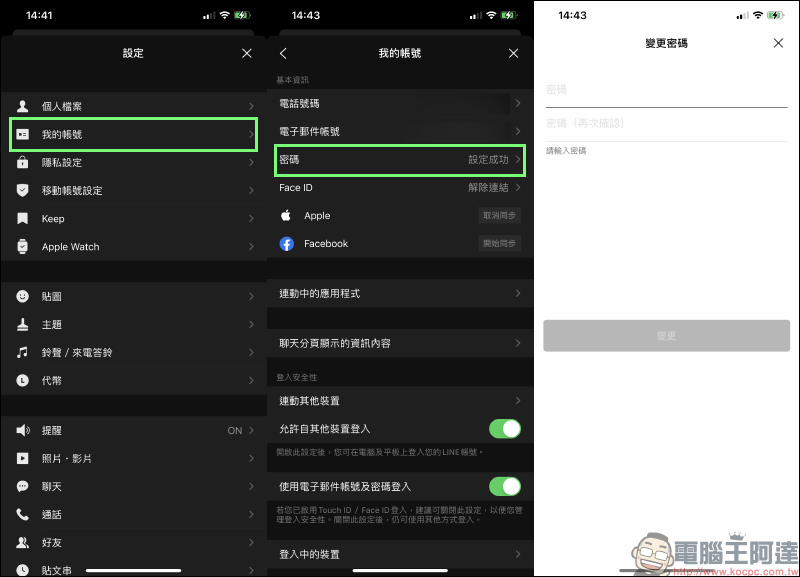
After closing the device and logging in, you must immediately go to My Account to change the password! It is recommended that you still develop the habit of regularly changing your password. When setting a password, you can also confirm that the phone number and email address of your account have been set.
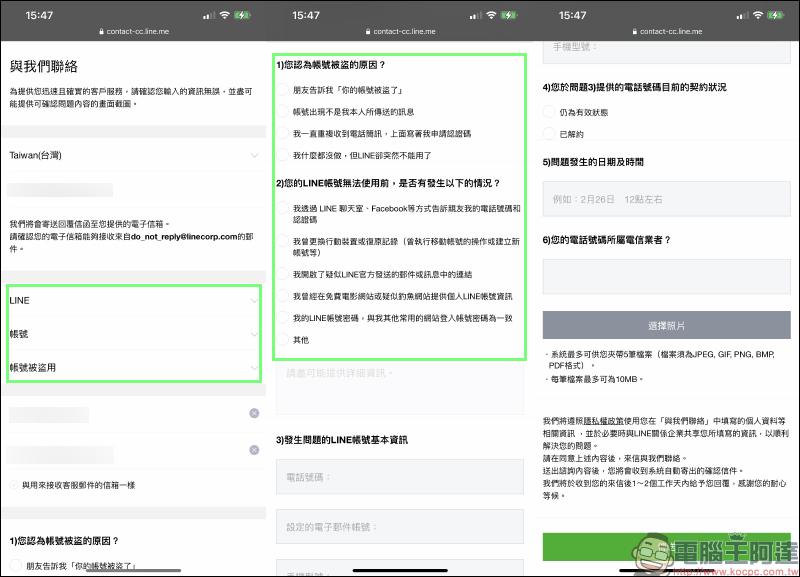
If you find that your password has been changed (or for other reasons) and you are unable to log in, you can go to the LINE online problem response form and contact LINE officials. This method may also help you recover your original account. Select “LINE” > “Account” > “Account has been compromised” in the problem response form, then answer the relevant questions in the questionnaire and fill in the basic information.
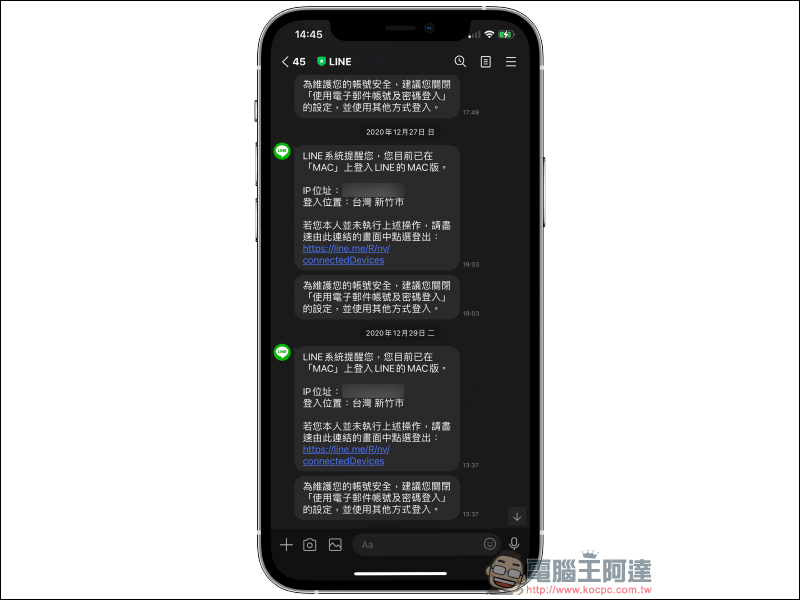
When setting a password, in addition to using a strong password, do not usually send the LINE login verification code to others. In addition, when another device is logged in to the LINE account, LINE official push messages will be pushed to the user. If an unknown device is found to be logged in, you can pay more attention.
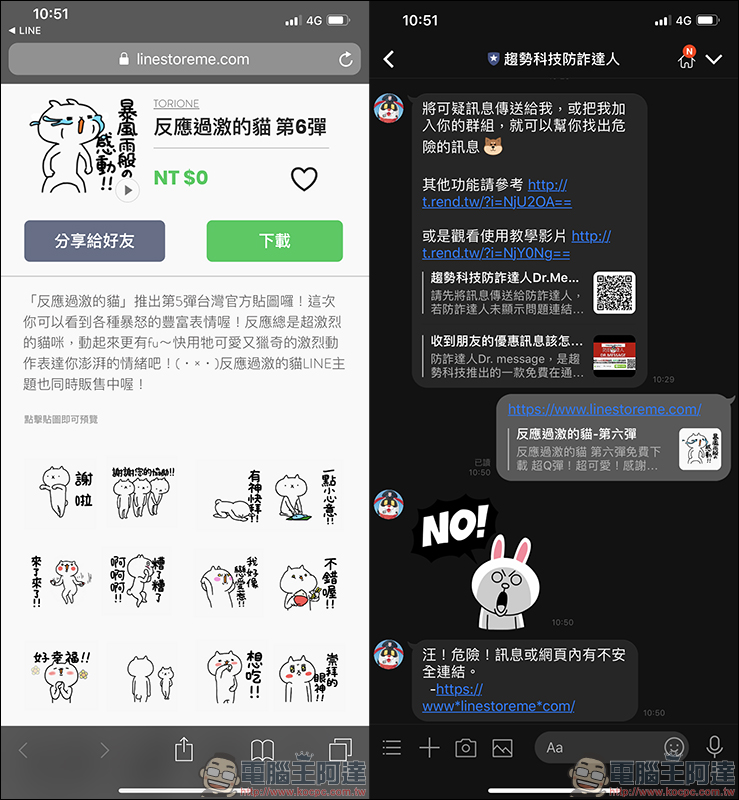
There may be some friends or groups in the LINE community, and other people in the community may share some links. In addition to avoiding clicking on these unknown links, do not share them with others easily. If you don’t know whether the links are safe, you can alsoRefer to the “Trend Technology Fraud Prevention Expert” LINE official account we introduced before, and send the unknown link to a fraud prevention expert for inspection:
Further reading:
LINE personal account URL generation techniques, in addition to QR Code and LINE ID, it is more convenient to share account links

Source: KOCPC Chinese