


Although everyone knows that data backup is important, accidents will still happen when using iPhone, resulting in data being accidentally lost, such as: the most common accidental deletion, restoring factory settings and then remembering that something was not backed up. In addition, there are also situations where you forget your iPhone unlock password or the screen is broken, but you want to retrieve the data inside. The above mentioned, this article recommends iMyFone D-Back iPhone Data Recovery MasterThey can all help with the rescue, and it not only supports iPhone, but also supports iCloud and iTunes backup and recovery. The operation is very simple, even people who are not familiar with computers can get started quickly. It is highly recommended for iPhone and iPad users to save it for emergencies.
Click here to view iMyFone official website
iMyFone D-Back iPhone Data Recovery Master Review Introduction
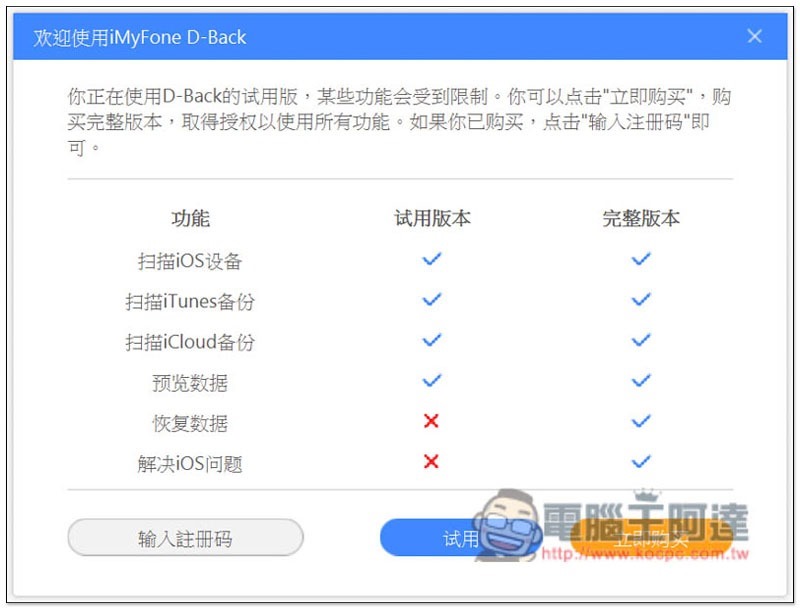
iMyFone D-Back iPhone Data Recovery Master has two versions: free and paid. The free version can scan data. For those who have lost their iPhone data, you can download and scan it first, confirm that it is found, and then buy the paid version to recover. There is no risk at all. Don’t worry about not finding the data you want after buying it:
In addition to data rescue, this set of iMyFone D-Back iPhone also provides some functions for repairing iOS problems, such as repairing white apples, black apples, forgotten screen passwords, unable to boot, etc. The functions are very rich, and it can even be said that most iPhone problems can be solved with this set.
Provides 5 major functions, namely “Smart Recovery”, “Recover from iOS Device”, “Restore from iTunes Backup”, “Recover from iCloud” and “Repair iOS System”:
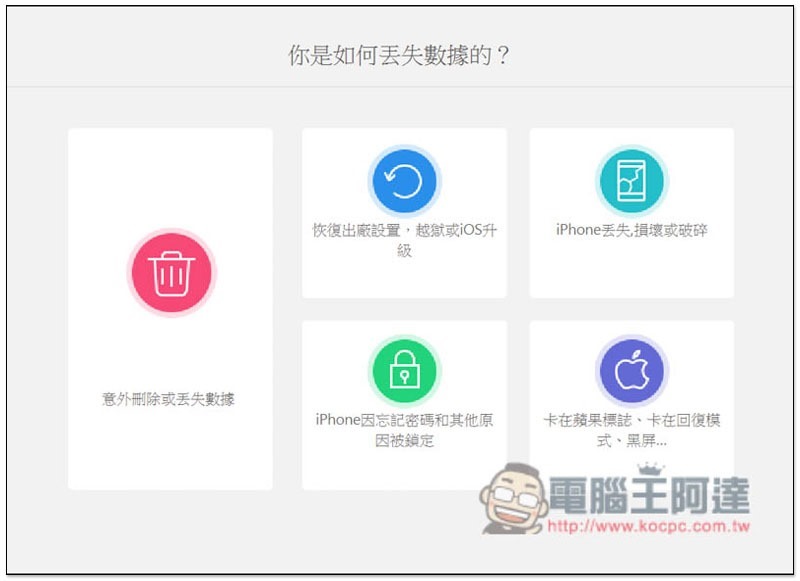
For those who don’t know which recovery mode to use, you can try “Smart Recovery”. In this mode, you will be asked how you lost data, such as: “Accidental deletion or loss of data”, “Restore to factory settings, jailbreak or iOS upgrade”, “iPhone locked due to forgotten password and other reasons”, etc. Choose the one that best suits your situation, and it will automatically recommend the most suitable recovery mode:
iPhone data rescue recovery steps
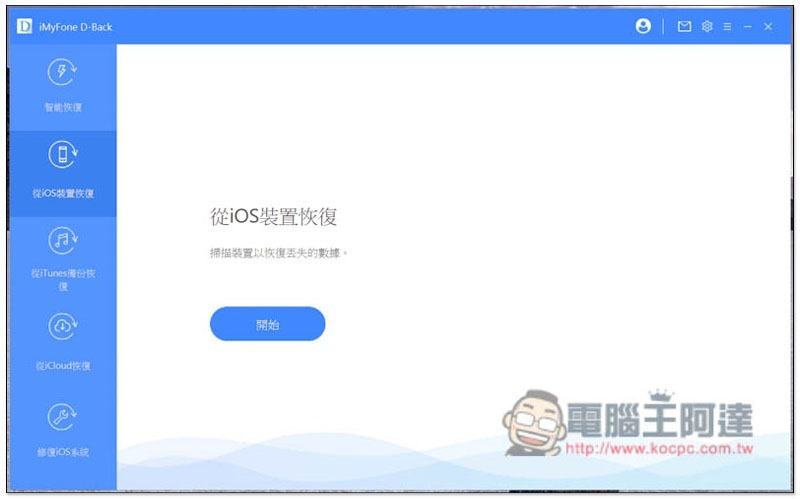
Recovering from an iOS device is to scan the data inside the iPhone:
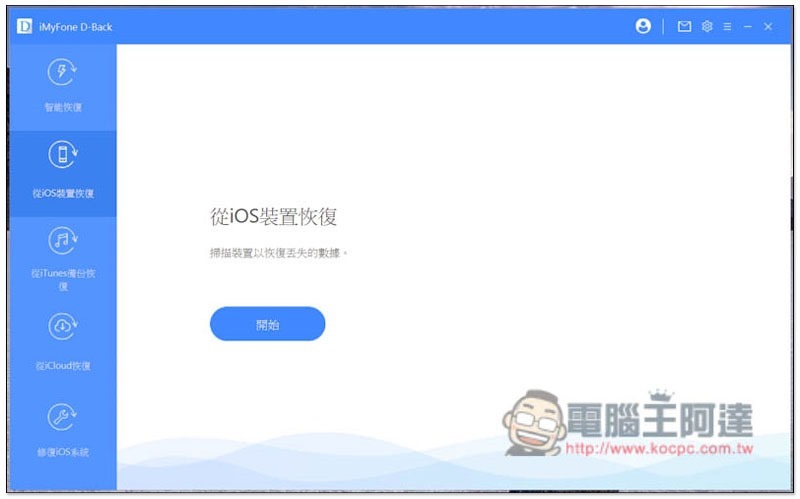
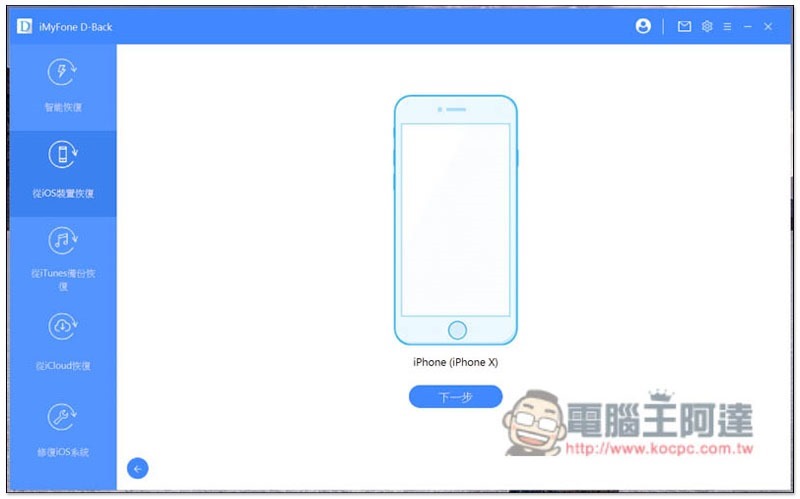
After connecting your iPhone to the computer, your iPhone will be detected, and the great thing is that it does not require an unlock password (screen locked state). The representative said that even if you forget the screen password of your old iPhone, this set can still be used:
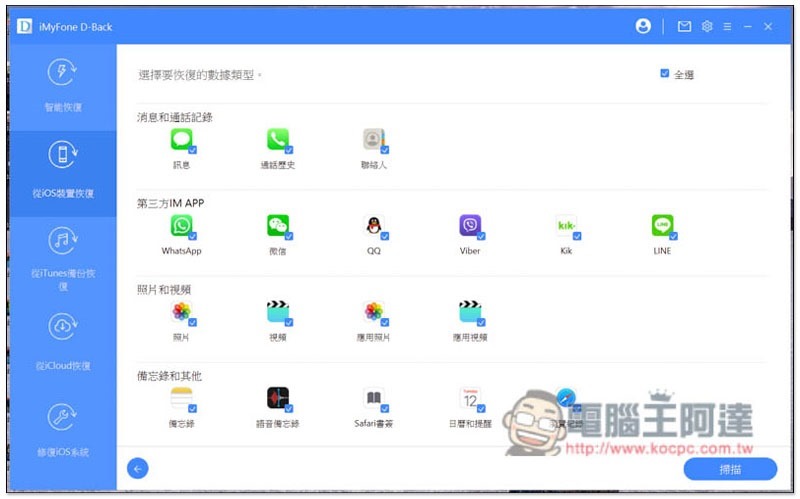
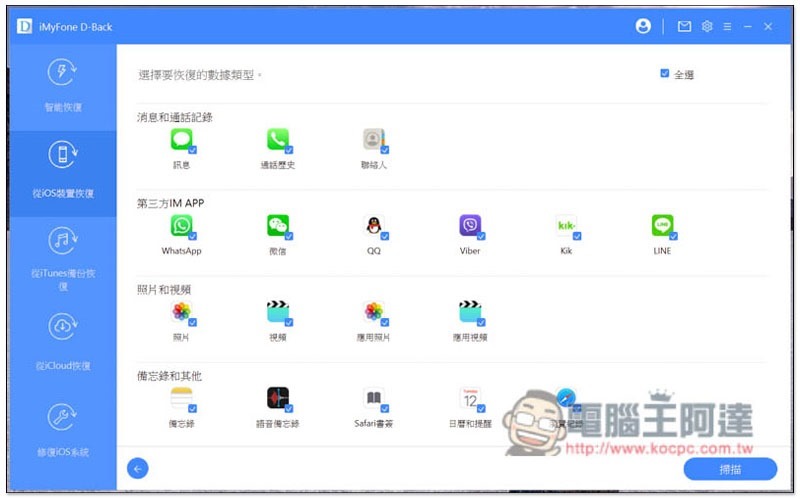
There is a lot of data that can be rescued. In addition to common photos and videos, the much-needed communication apps such as LINE, WhatsApp and WeChat are also supported. In addition, there are also messages, call history, contacts, memos, voice memos, etc. Check the type of data you want to recover, and then press Scan:
Scanning will start. If there are many types of files you want to recover, and there is a lot of internal data on the iPhone, the scanning time will be longer:
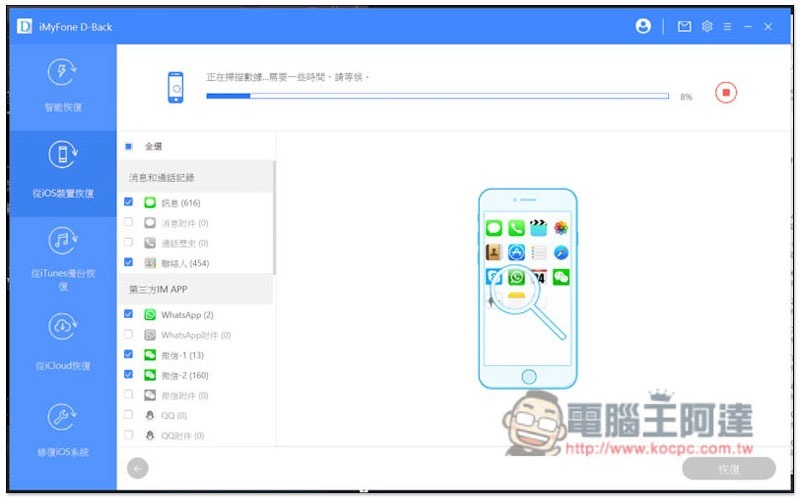
After the scan is completed, the number of files will be displayed on the right side of each data type:
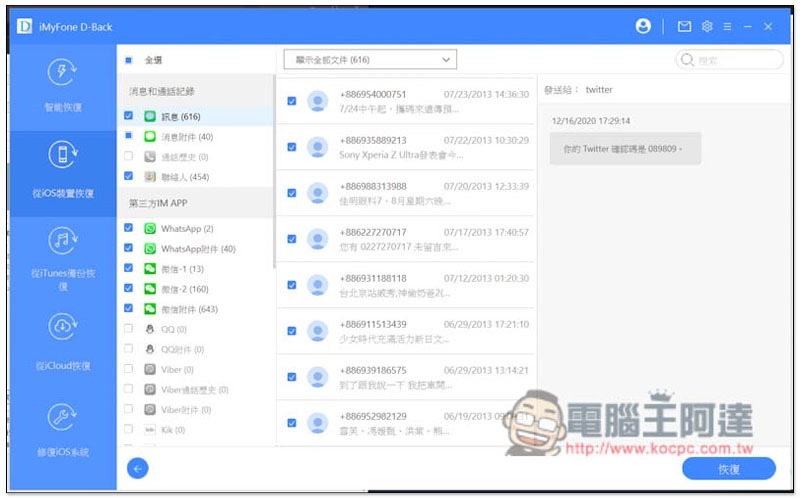
For example, my LINE attachments have up to 45,000 pieces of information, which are also divided into photos, videos and voices:
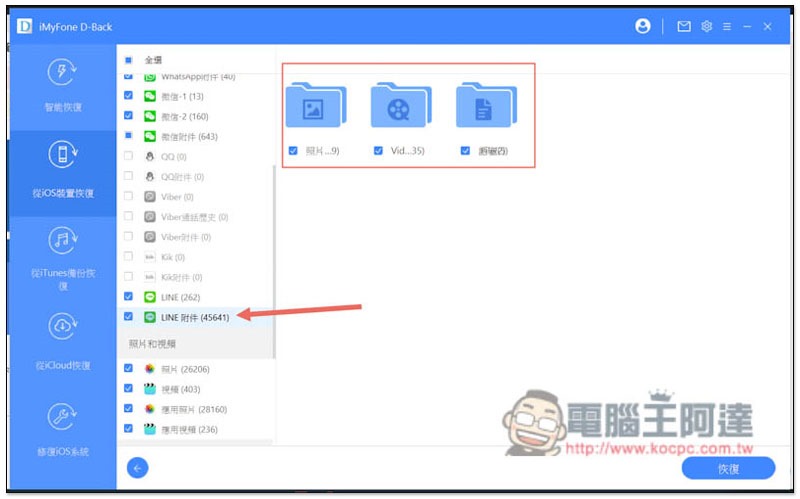
After browsing carefully, I found that many photos cannot be opened in LINE (expired), but they can be restored from here, which must be very needed for many people:
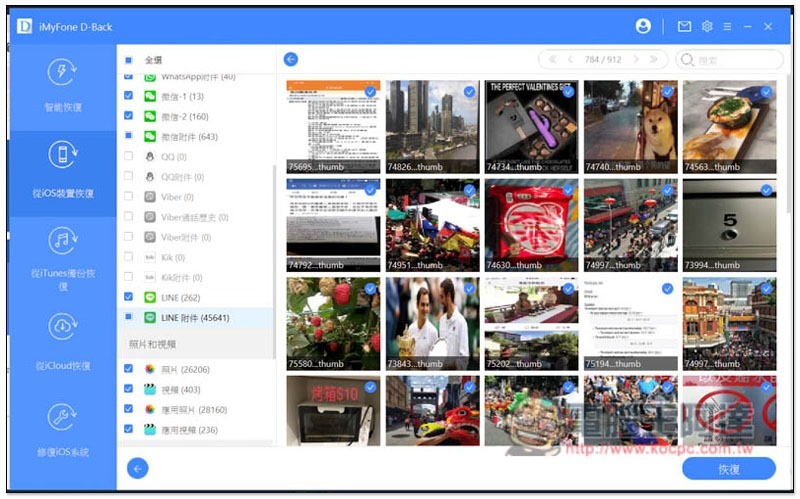
But the number is really too much, and some photos are recovered from LINE groups, so you will see many situations where you don’t recognize or know where the photo comes from. It is recommended to recover all LINE attachment data at once, and then go to the folder and slowly select it. It is easier.
Video is also supported, but it cannot be previewed. You must restore it first to know what the content is:
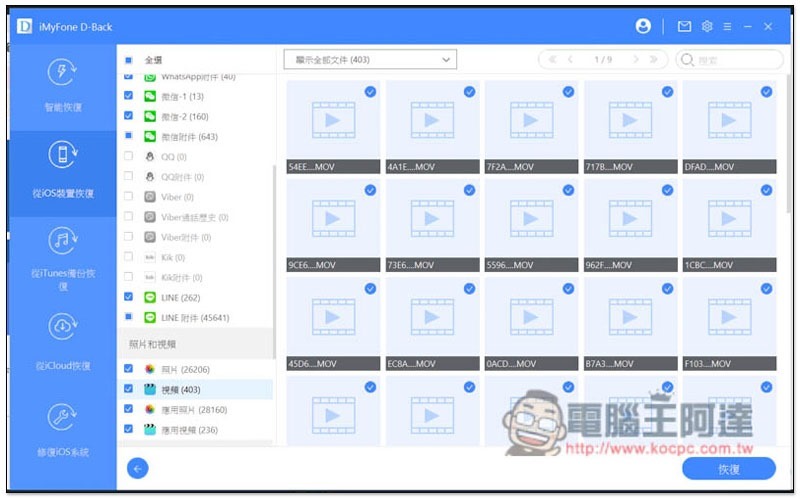
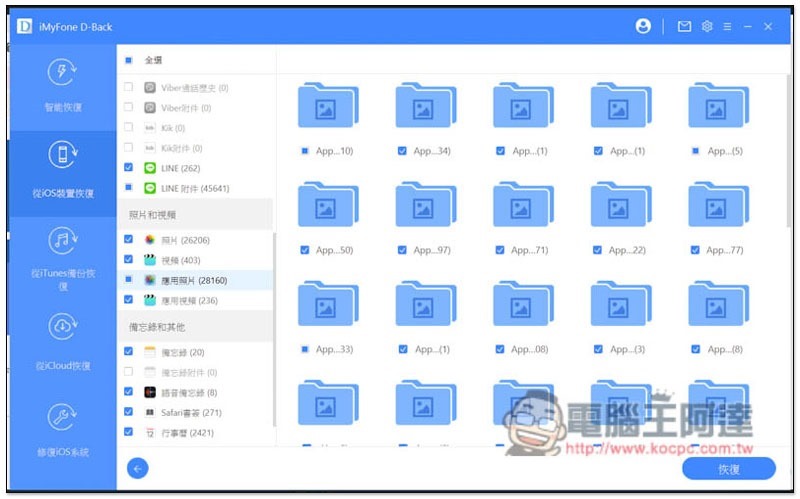
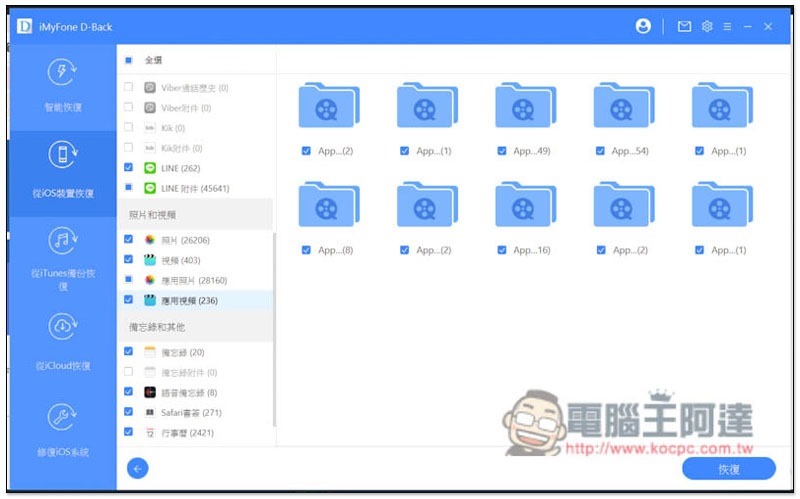
In addition to LINE and iPhone’s built-in photos, this set can also restore “app photos” and “app videos”, that is, photos and videos stored in various apps:
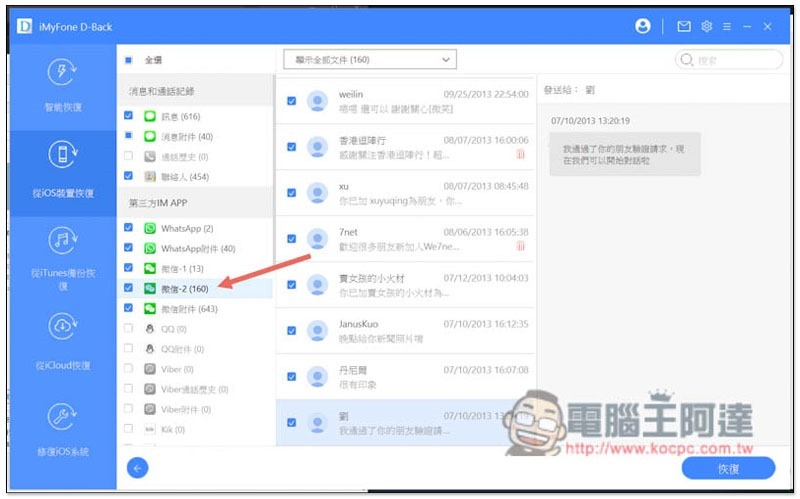
WeChat is quite powerful. WeChat – 1 is the text content of all the chat rooms in my current WeChat, and WeChat – 2 is the chat history that disappeared a long time ago. My iPhone had been restored to factory settings before, and all the data was cleared. I didn’t expect to be able to recover it:
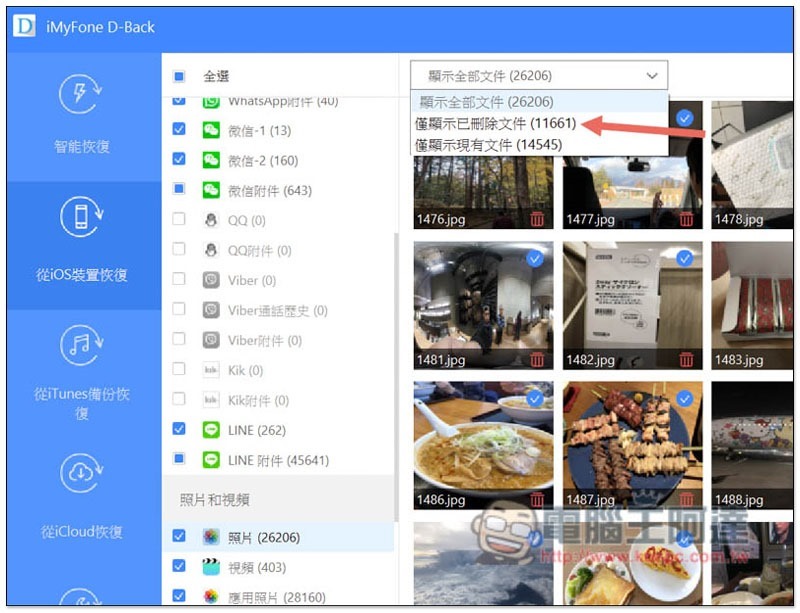
In addition, this set not only scans deleted files, but also existing files. Simply put, it is the data you currently have in your iPhone. If you have an iPhone and forget the screen unlock password, or want to iPhone screen broken backup, you can copy and rescue the data inside through this set. To find lost files, it is recommended to change the top options to “Only show deleted files” so that they are not all mixed together:
The recovery operation is also very simple. After checking the content you want to recover, press the lower right corner to restore:
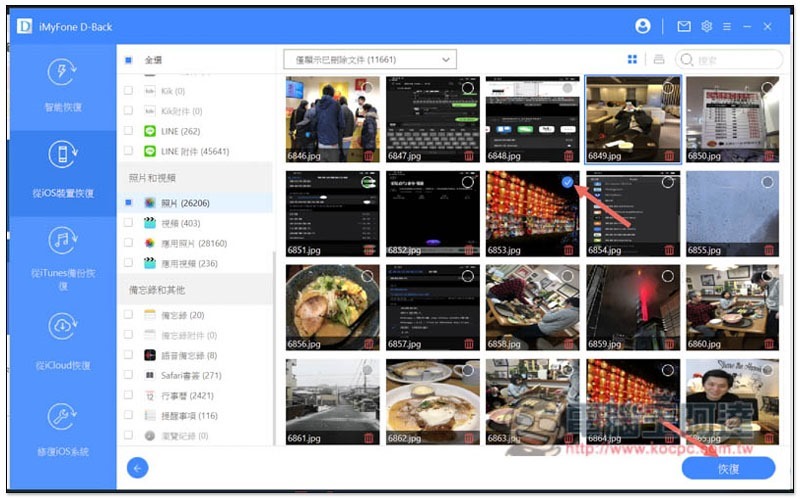
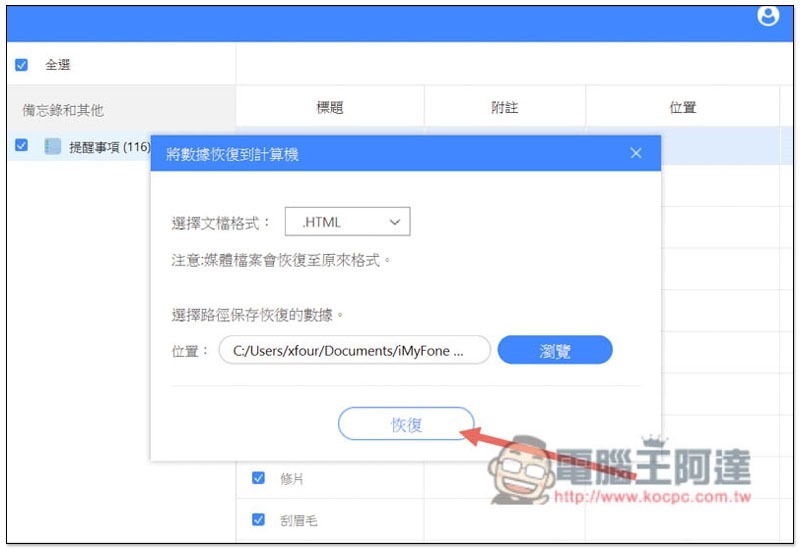
会跳出这画面,最上方文档格式如果你是恢复文件才需要选择,媒体档案(如:照片、影片等)会恢复原本的格式。 If you want to change the storage location, click Browse. When everything is fine, click again to restore. The recovery speed is much faster than scanning, even if you select a lot of data:
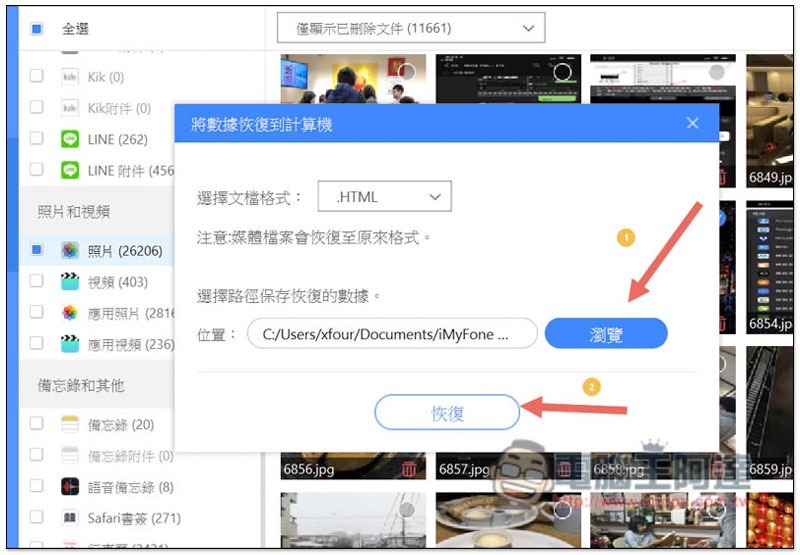
Then after opening the storage location you specified, you will see the category folder named after the date and time you restored that day:
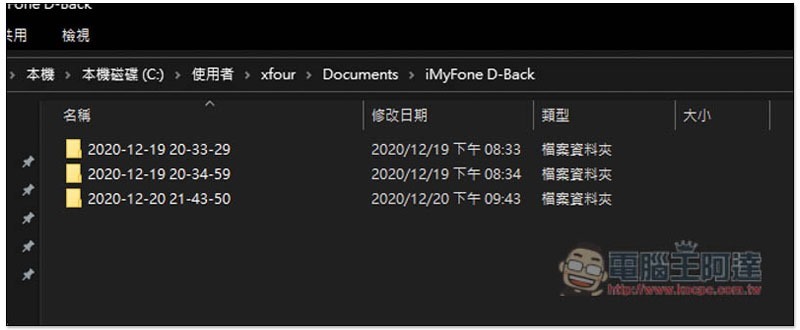
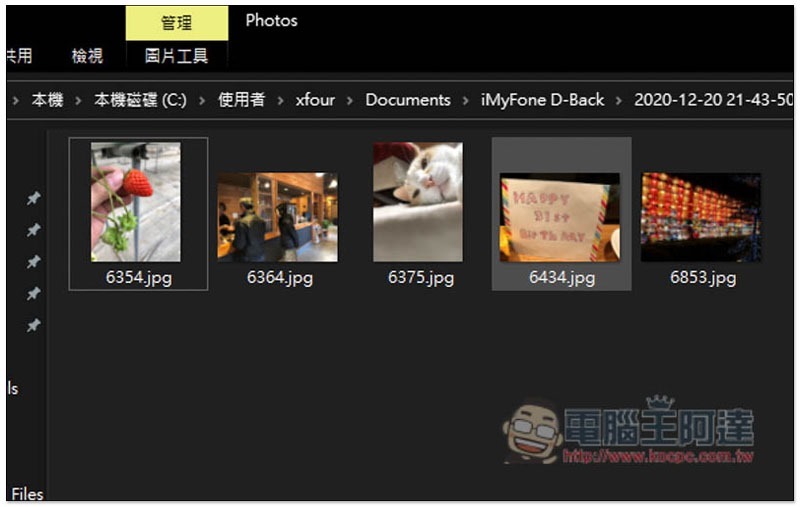
Then you can see the successfully restored data and the files can be opened. My current tests are all fine and have never failed:
The same goes for videos, which can be played normally:
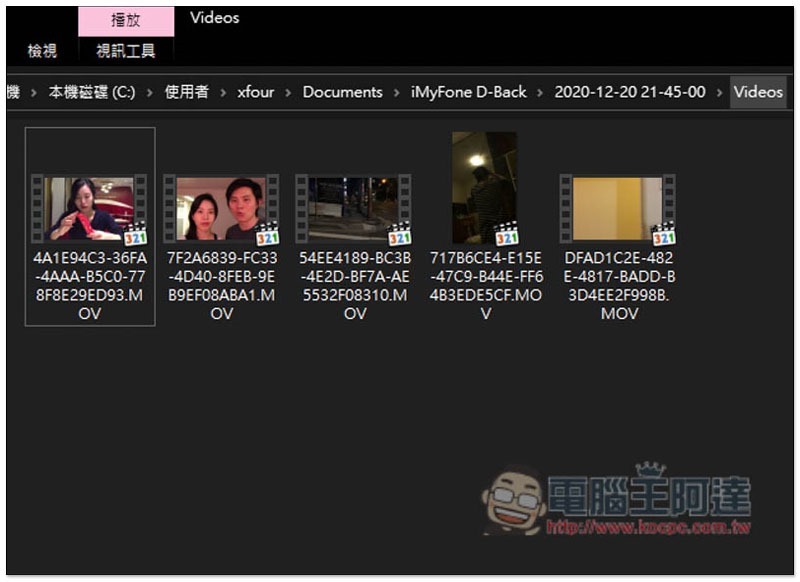
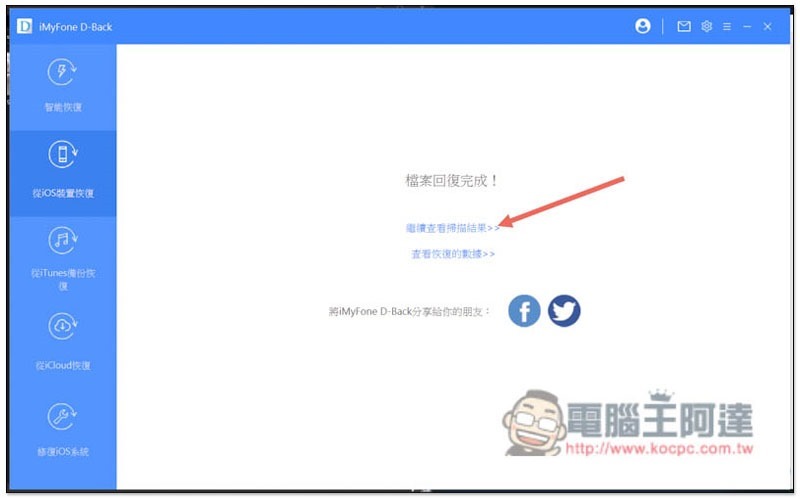
In addition, after the recovery is completed, if you want to recover more data, you can click “Continue to view scan results” so that you do not need to scan again:
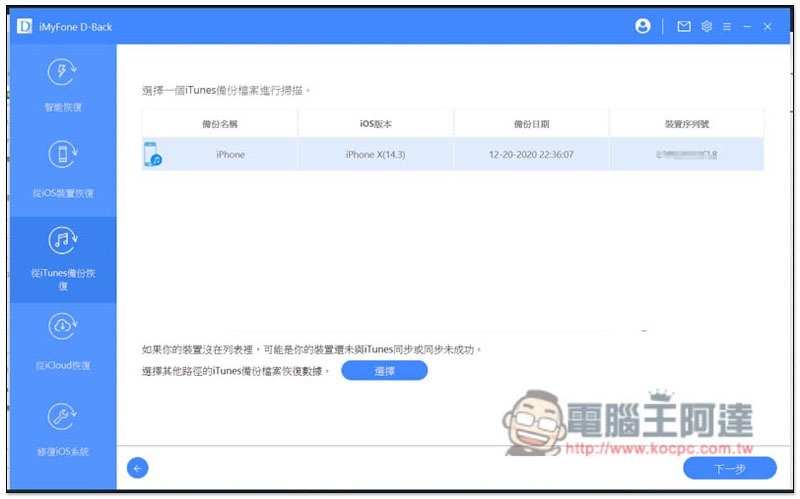
Not just iPhone, you can also restore data from iTunes backup files
If you or your loved ones have backed up iPhone through iTunes in the past, and the backup file is still there, this set can also help you recover the data you want:
iCloud also supports
If the data you want to retrieve cannot be scanned by your iPhone, and you have used iCloud to back up the data, you can also try iCloud recovery mode. This mode requires you to log in to your Apple ID, and then it will scan the data quantity of all your iCloud services. After checking the services you want, click the lower right corner to scan:
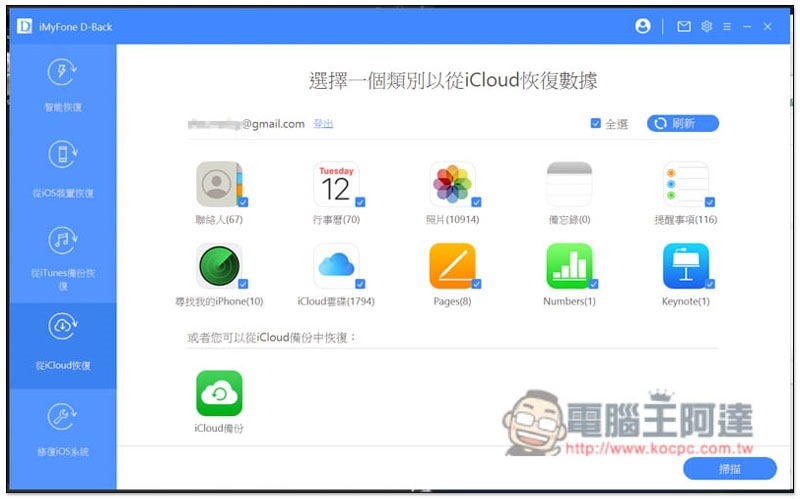
The results will be displayed. I can no longer find the reminder in the picture below on my phone. Although it is not an important thing, after rescuing it from iCloud, memories of what I was doing at that time came flooding back:
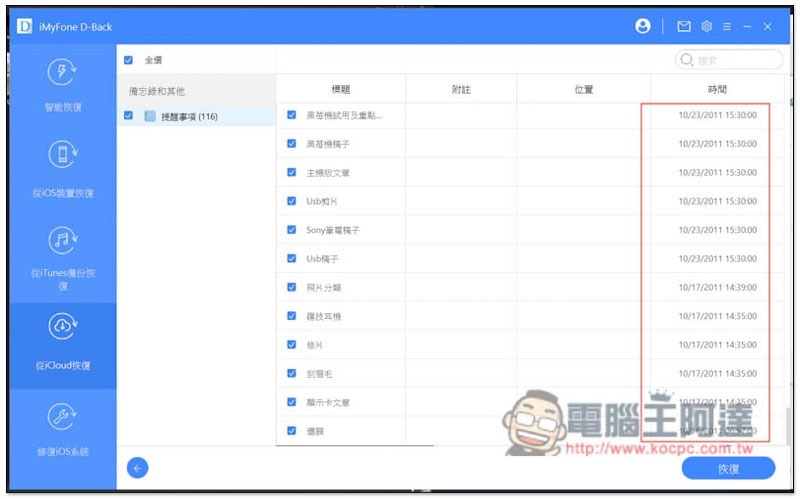
The recovery process is also the same as iPhone:
Not only rescue and data recovery, but also help you fix various iOS problems
Most rescue software can only recover data, but the great thing about this set of iMyFone D-Back iPhone Data Recovery Master is that it also has a built-in function to repair iOS problems, and it covers most common problems. The representative said that if there is any problem with the iPhone in the future, there is no need to ask others for help or pay to find an expert, just use this set of repairs first.
There are three modes, “Standard Mode”, “Enter/Exit Recovery Mode” and “Advanced Mode”:
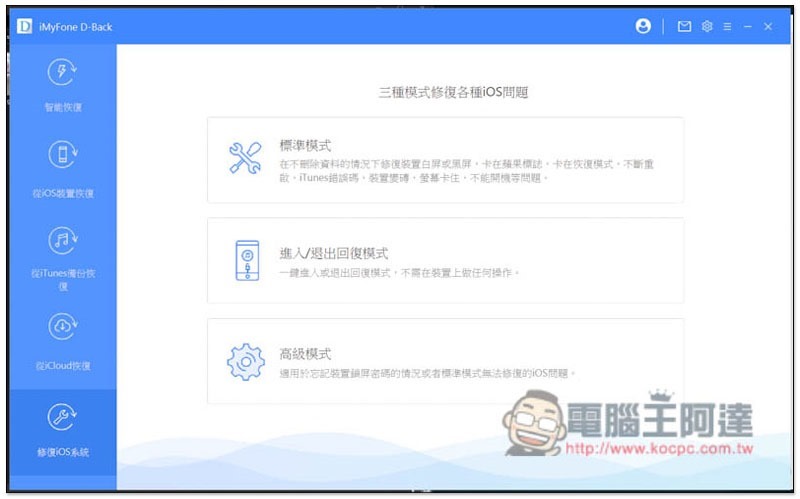
- “Standard Mode” can try to repair white/black screens, stuck in Apple Logo or recovery mode, screen stuck, unable to boot, or even bricked devices without deleting data.
- Although Apple’s official website teaches how to enter reply mode, the steps are a bit complicated, and it will definitely be difficult for people who are not familiar with mobile phones or technology. At this time, you can use “Enter/Exit Reply Mode” to easily enter and exit with one click.
- For those who have forgotten the iPhone screen unlock password but want to continue using it, the “Advanced Mode” can help fix it. You can also try other problems that cannot be fixed by the standard mode.
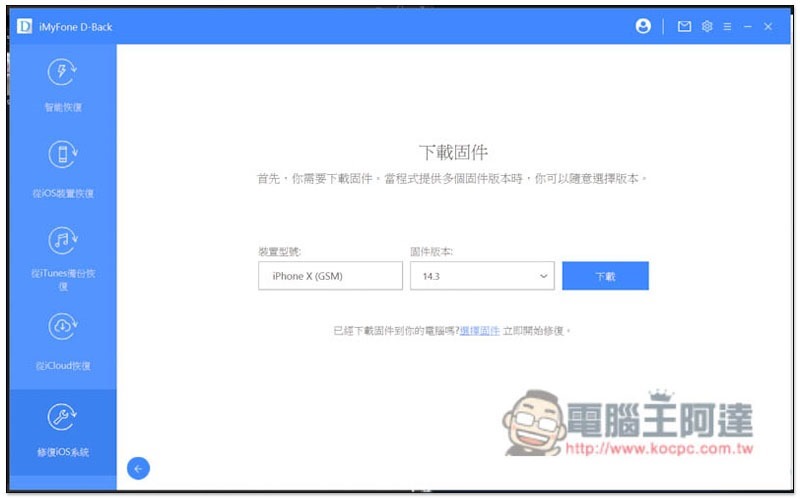
No matter which mode, you will need to download the firmware (firmware) of the iPhone model. The software will automatically detect it. If the model is confirmed, you can start downloading:
Summarize
Test it out,iMyFone D-Back iPhone Data Recovery MasterIt is really a very good rescue software. It is supported by multiple Apps, including the most commonly used LINE, and it can really retrieve lost data. In addition, it also provides a very practical function for repairing iOS problems. It is highly recommended that everyone with an iPhone save it. This way, when data is lost or the iPhone goes into trouble, you don’t have to worry and use this set to save it.
Of course, I would like to remind you that if your iPhone has been very clean and there are no fragments that can allow it to scan for lost data, it may still not be found.
Here are the advantages I have summarized:
- Supports rescue and recovery of data from multiple apps on iPhone.
- Not only photos and videos, but also files, contacts and other information can be recovered.
- Easy to operate.
- The free version can scan.
- Recover data from iPhone, iTunes and iCloud.
- For those who are not familiar with computers or mobile phones, there is a built-in and considerate “smart recovery mode”.
- Built-in iOS problem fixing function.
Click here to view iMyFone official website
iMyFone Christmas and New Year Promotion
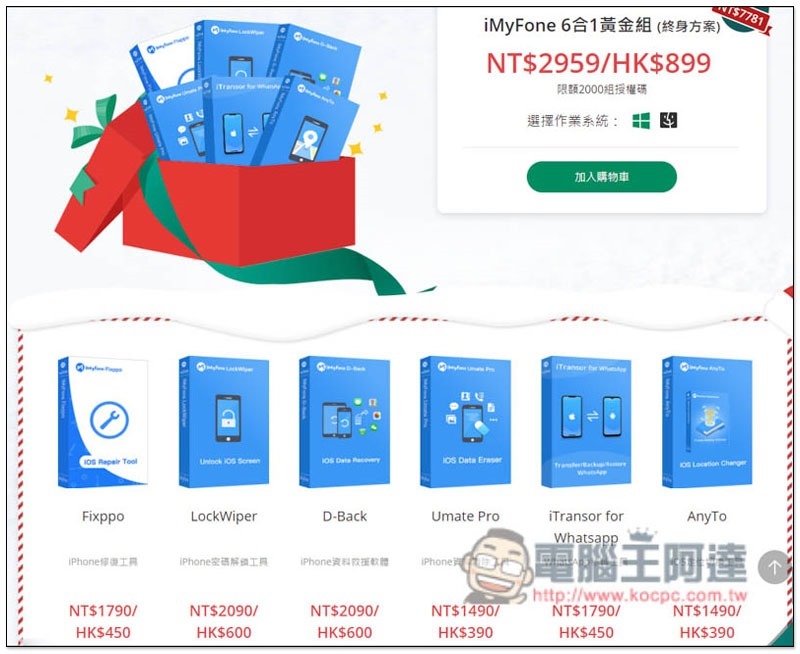
For those who are interested, iMyFone has recently launched a Christmas and New Year promotion. Not only does it give away software every day, but it also has an iMyFone 6-in-1 gold set, which contains 6 sets of ultra-practical iPhone software. You can save nearly NT$8,000 by purchasing it now. It is also a lifetime plan (you only need to pay once, and you can use it for life), and this set of iMyFone D-Back iPhone Data Recovery Master is also included, which is quite worthy of reference, and I will quickly share it with you here.
iMyFone 6-in-1 Gold Set (lifetime plan) is now available for only NT$2959, available for Windows and Mac, and is limited to 2,000 sets of licenses:
- Fixppo iPhone Repair Tool
- LockWiper iPhone Passcode Unlock Tool
- D-Back iPhone Data Rescue Software
- Umate Pro iPhone Data Cleanup Tool
- iTransor for Whatsapp transfer tool
- AnyTo iOS location switching tool
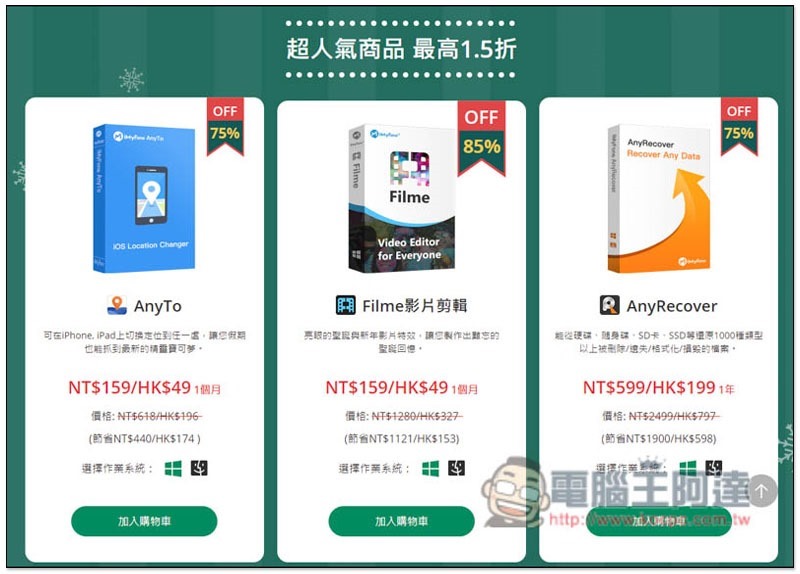
3 popular products “AnyTo”, “Filme Video Clip” and “AnyRecover” are also discounted by 15%:
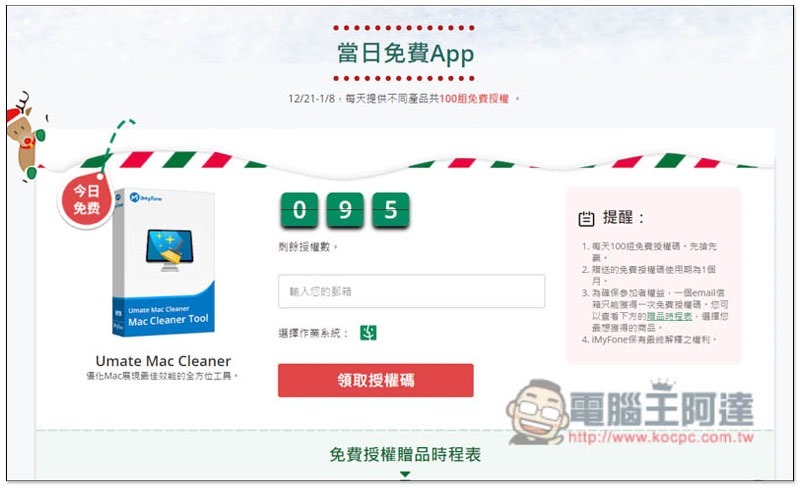
Free software will be given away every day, and it is limited. The number of remaining licenses will be displayed at the top. You can receive it by entering your email:
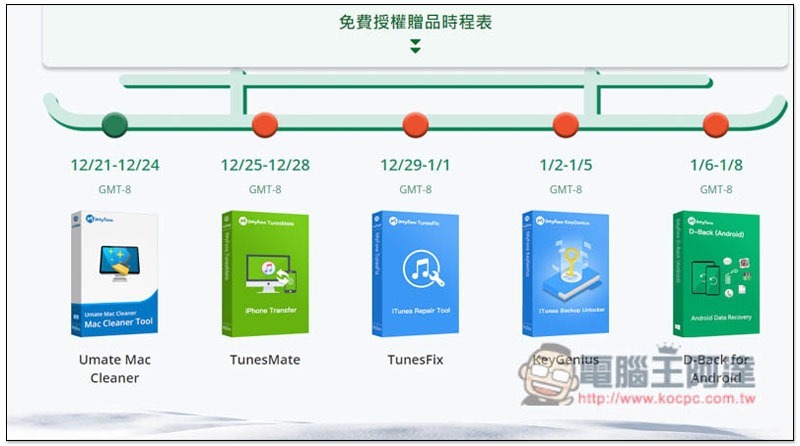
Below is the schedule for free software:
Source: KOCPC Chinese