


After confirming that Bootcamp’s solution of directly executing Windows is no longer feasible on M1 Mac computers. Friends who want to enjoy the high efficiency of the ARM architecture and the ability to run iOS apps, but are still tied to Windows for specific applications. Parallels Desktop 16 previously promised to bring Windows system virtual machine support to Apple computers with M1 chips, and now there are preliminary results. Continue reading the report on the technical preview version of Parallels Desktop 16, a Windows virtual machine application that supports M1 Mac.
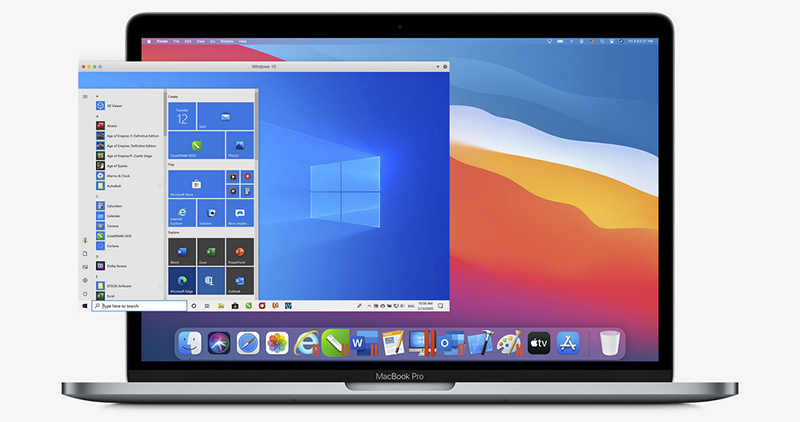
▲Image source: Parallels
Windows virtual machine application Parallels Desktop 16 technology preview supporting M1 Mac is here
Seeing that the performance has been improved to the point that many media have rated these M1 Mac “entry machines” as having no moral integrity.Will be listed in Taiwan. One of the hesitations that everyone has about switching to the ARM-based M1 Mac is that it cannot fully support Windows as before. Although it was previously confirmed that the problem can be solved to a certain extent through virtual machines, I believe everyone will still be worried if the software is not released.
Now, Parallels, which has already announced that it will bring support in this area, has taken further steps and confirmed the release of a technology preview version corresponding to the M1 chip. This virtual machine application will be able to run the Windows system on M1 MacBook Air / M1 MacBook Pro / M1 Mac mini – although it may be a little different than what everyone expected.
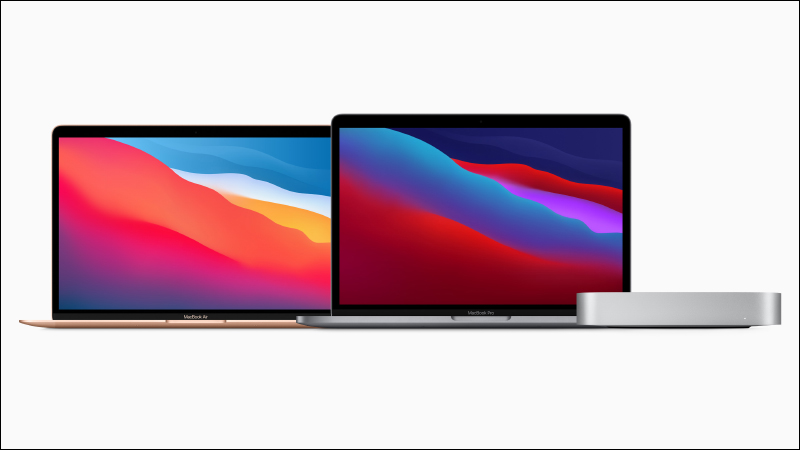
▲Image source: Apple
Previously, although macOS Big Sur provided a mechanism for Rosetta 2 to convert x86 applications, it did not run properly on Parallels Desktop. However, after all, this release is still a technical preview version, so although it can be executed normally, Parallels still raises some unresolved situations.
▲Image source: Apple
In addition to being unable to wake up from hibernation and use the window button to shut down the virtual machine (you need to perform a shutdown within the virtual machine), one of the more critical situations is “the x86 version of Windows cannot be installed” – everyone should be “huh~” when they see this, but there is no need to worry so much.
Because at this stage Microsoft hasWindows on ARM with support for x64 apps released for Insider preview. Parallels Desktop is confirmed to be available on Apple computers with Apple Silicon chips. So despite some detours (goose… it should be considered quite detours), the current Parallels Desktop 16 can be regarded as achieving virtual machine support for Windows.
Hello. pic.twitter.com/g9AfdfKzzC
— Longhorn (@never_released) December 17, 2020
Now the question comes back to whether the x64 translation mechanism is easy to use. After all, the performance of Rosetta 2 with M1 Mac is really better than expected…
Further reading:
Apple TV confirmed to arrive with Chromecast with Google TV TV stick
The update rate of iOS 14 has reached 72%, surpassing the performance of iOS 13 in the same period
Source: KOCPC Chinese