


In our daily lives, we all have sudden ideas we want to jot down from time to time. We also attend lectures, important meetings, presentations, and more. However, organizing these notes afterward can be quite troublesome, as you’ll need to organize and plan them a second time. Earlier today, “Wiz Note AI: Smart Notes,” a powerful tool, was released on the App Store, offering a 24-hour lifetime deal.Limited time free。
Note: The limited-time free offer has ended
Its strength lies in the fact that even if you only share a brief thought or idea, it automatically organizes it into a complete plan and record. Beyond summary notes and key points, it also outlines the projects and goals needed to accomplish these tasks, and even breaks down what needs to be done for each step in both the short and long term.
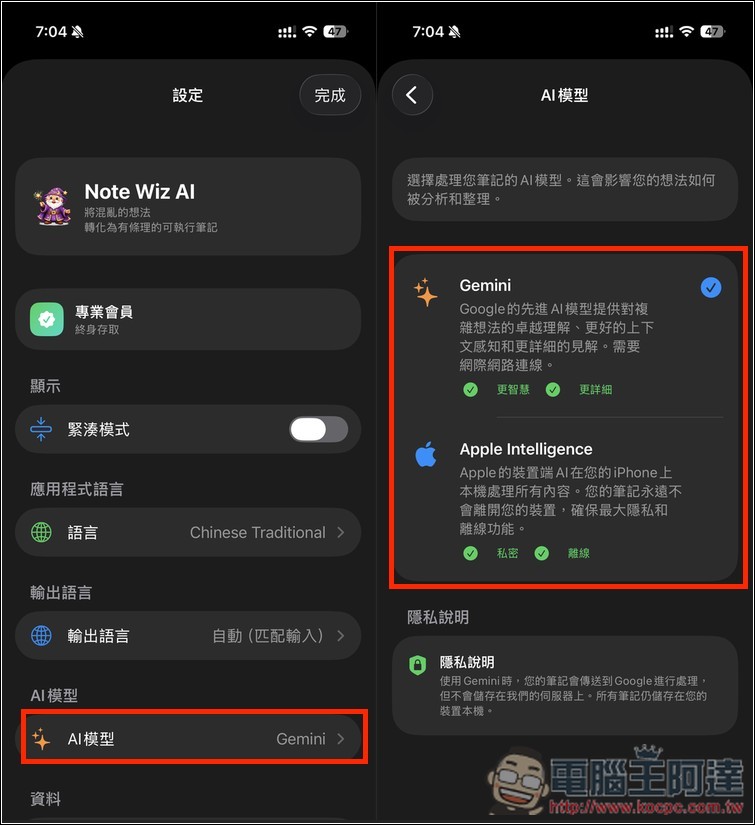
also quite well-known AI Regarding technology, you can freely decide whether to use online [solutions] Geminior local Apple IntelligenceJust a reminder, the free promotion has been going on for a while now. Based on the post the developer published, there may be less than half a day left, which means it could end by 6 PM today. If you’re seeing this, grab it quickly.
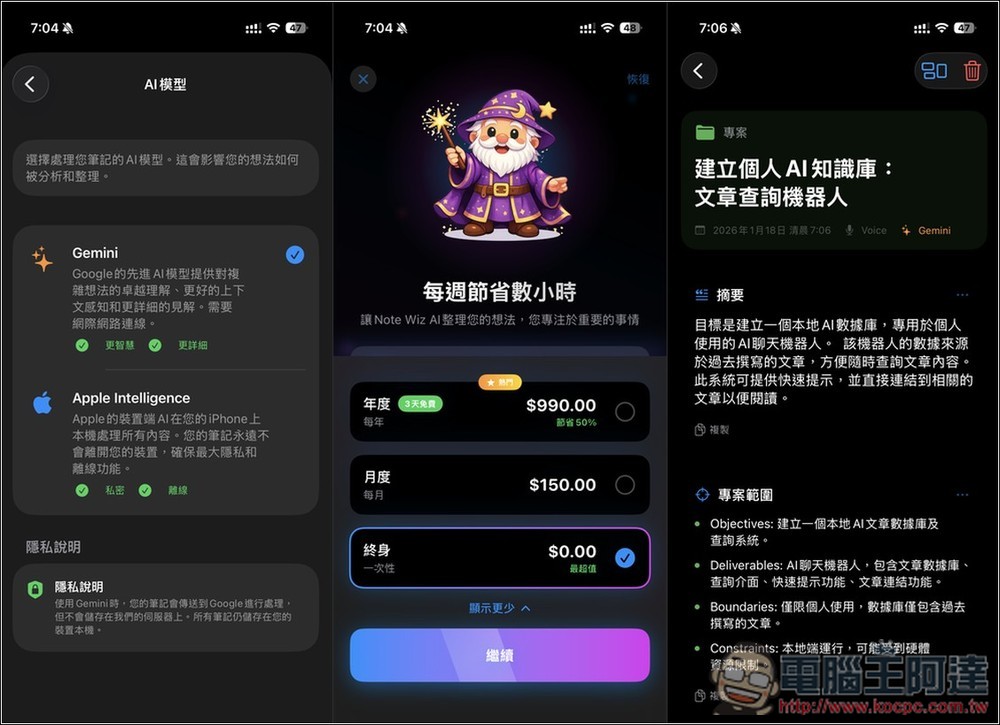
Wiz Note AI: Smart Notes uses Gemini and Apple Intelligence to effortlessly transform your notes into complete plans
“Wiz Note AI: Smart Notes” is an AI note-taking app with a “second brain” concept. Simply enter a sentence, record a voice memo, or even take a photo, and AI will automatically understand the content, categorize, organize, and convert it into neatly structured card-style notes.
The system automatically extracts key points, next steps, and planning frameworks, turning these notes from mere storage into actual plans that move things forward. For people who often have lots of ideas, attend frequent meetings, manage projects, write articles, or capture inspirations, this can significantly reduce the pain point of “organizing takes too much time.”
The interface is clean and intuitive, with support for Traditional Chinese, making it easy for people unfamiliar with AI tools to get started quickly. Additionally, both the categorization and prompts can be customized to suit individual needs, offering a high degree of flexibility.
Key Features
- Multi-input support: text, voice, and images — just quickly capture whatever comes to mind.
- AI Auto-Classification: Skip Manual Sorting, System Automatically Identifies Content Types
- Smart Card Display: Automatically present the appropriate structure and key points for different notes
- From Idea to Action: Organizing Key Points, Identifying Next Steps, and Drafting a Plan
- High customization: adjustable AI prompts, custom categories and sections
- Offering two AI models: online Gemini and local Apple Intelligence
Get “Wiz Note AI: Smart Notes”
Since this free promotion is only available for 24 hours, before downloading, it’s recommended to first click the link above to go to the App Store page, then scroll down to check if the In-App Purchase Lifetime (perpetual) version still shows as $0. If it does, it’s likely still part of the free promotion. When you first open the app, there will be some brief introduction and guidance—feel free to take a look if you’re interested:
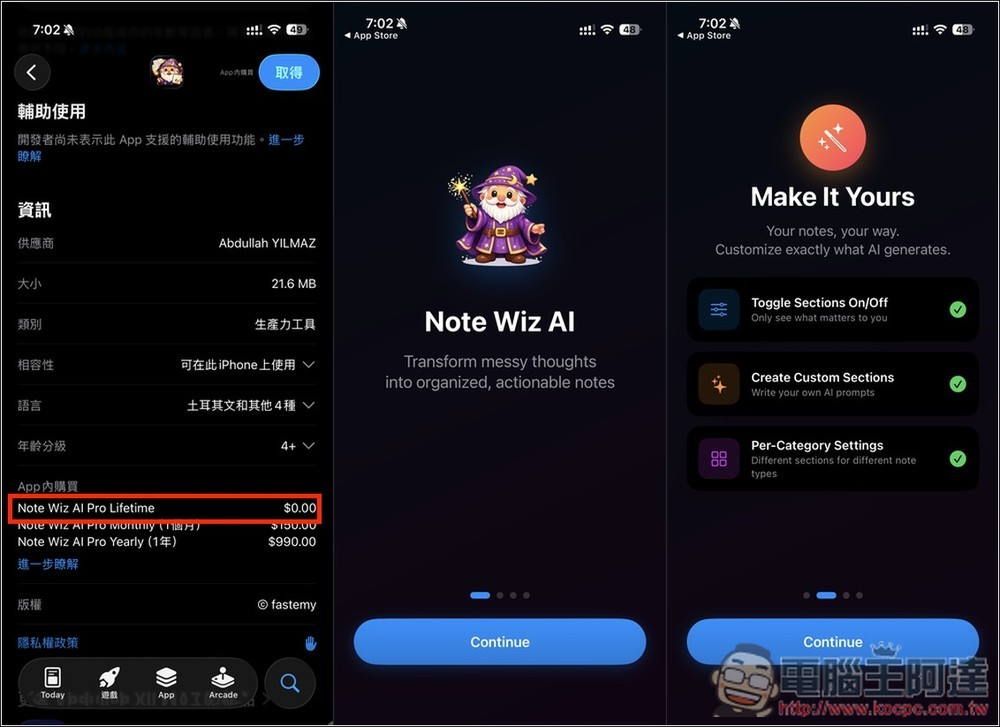
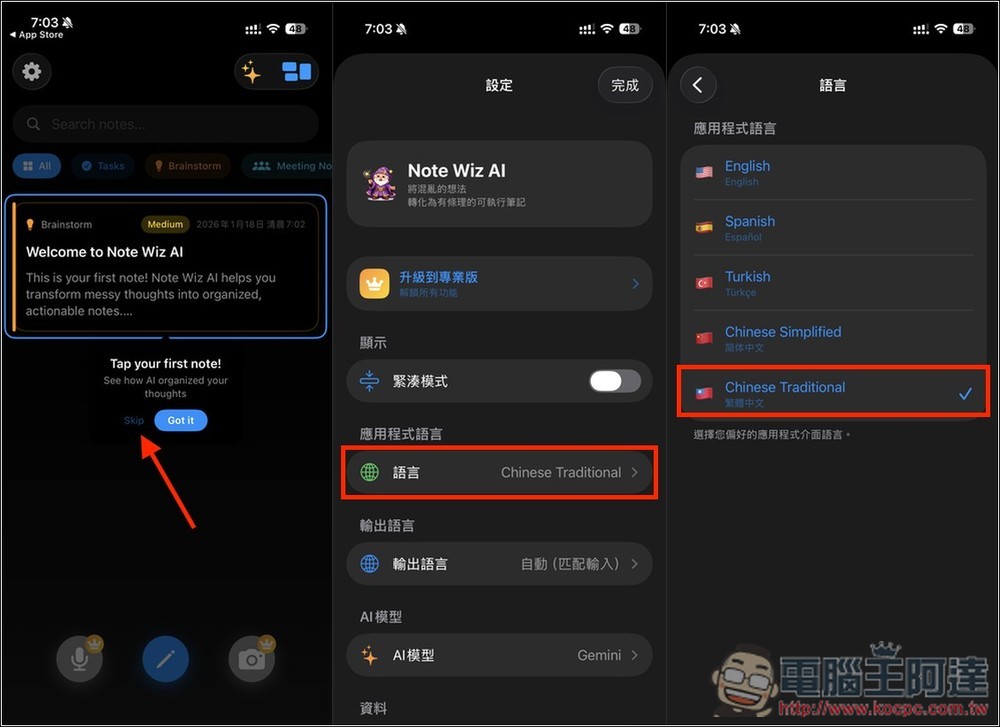
This app supports a Traditional Chinese interface, but it may display in English the first time you open the homepage. If this happens, try restarting the app. If it still shows English, go to Settings > Language, switch the app language to another language, then switch it back to Traditional Chinese, and the interface will display in Chinese normally:
Next, click “Upgrade to Pro” at the top, and the screen will show the paid plans. The lifetime plan won’t be displayed at this point. Please expand “Show more plans” below to find “Lifetime”. Confirm that the price is 0, and if everything looks good, select it and click “Continue” below.
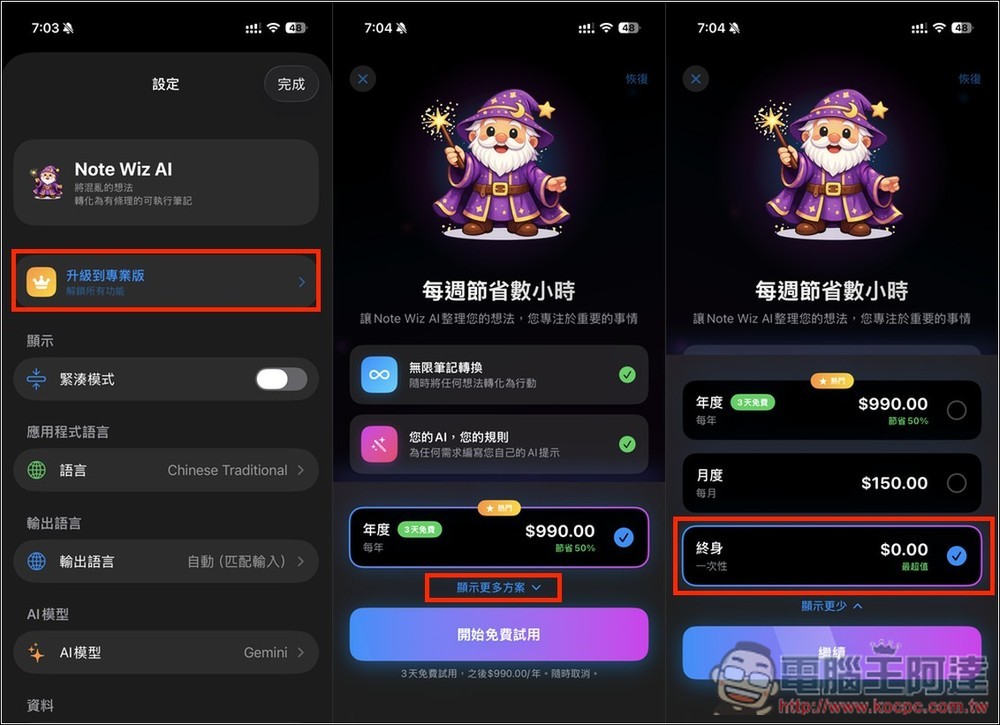
Before double-clicking to purchase, also make sure there’s no charge (this is very important). Only double-click if everything looks fine. When it shows “Your purchase was successful,” that means it’s done! Go back to the Settings menu and you’ll also see the status changed to “Pro Member: Lifetime Access.”
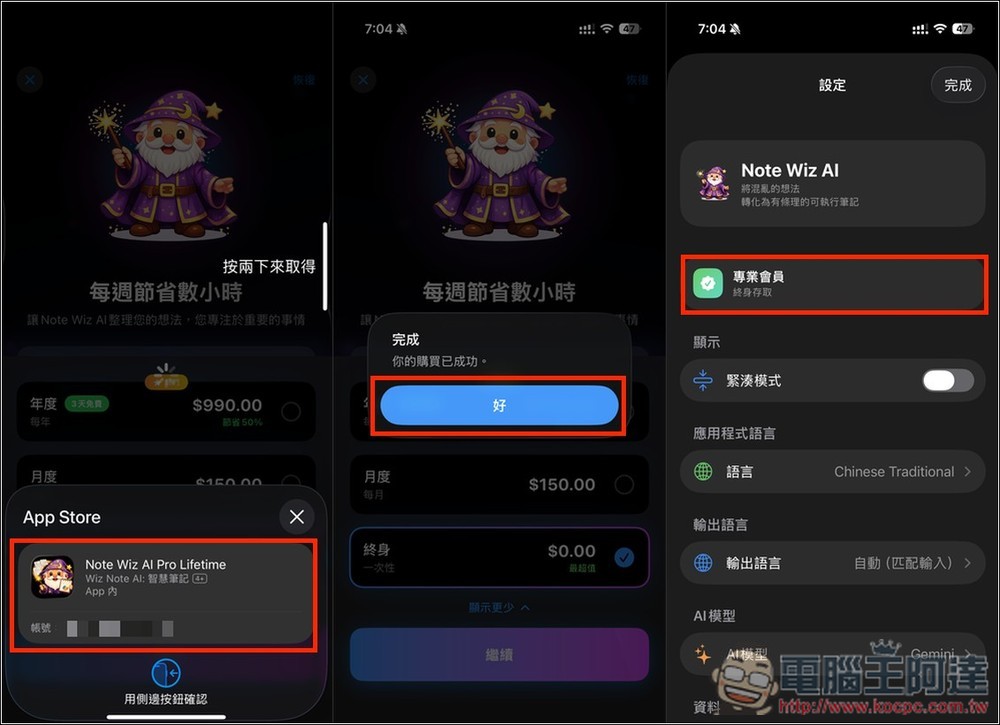
Below there is an AI model option, with Gemini set as the default. If you don’t want to upload notes to the cloud, you can switch to Apple Intelligence, which uses on-device AI. However, in terms of current model capability, Gemini is still superior to Apple Intelligence, so that’s where you need to make a trade-off.
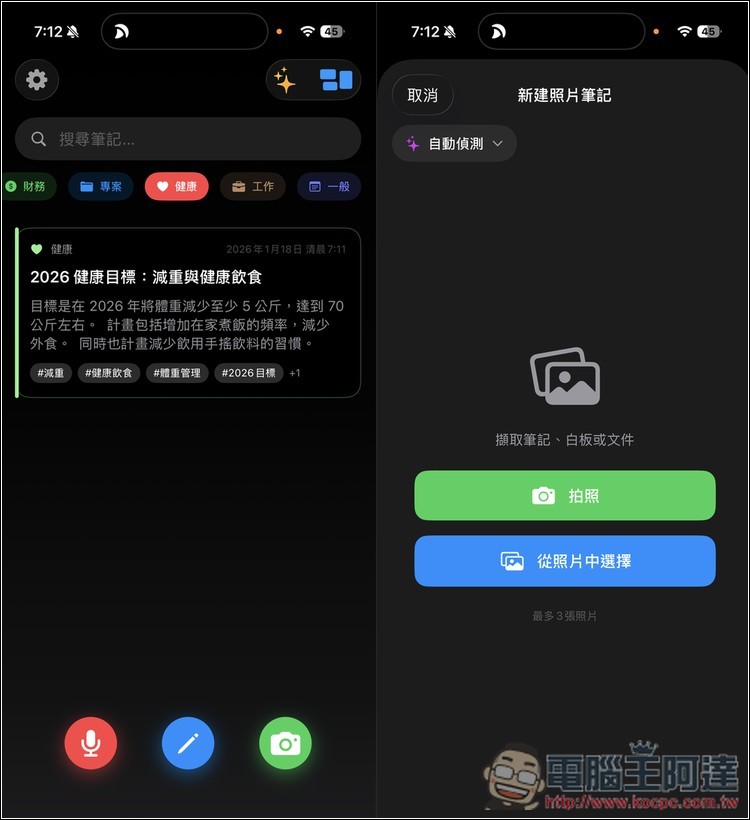
Creating notes is also very simple. At the bottom of the homepage, there are three modes: from left to right, they are recording, manual input, and taking photos or uploading images.
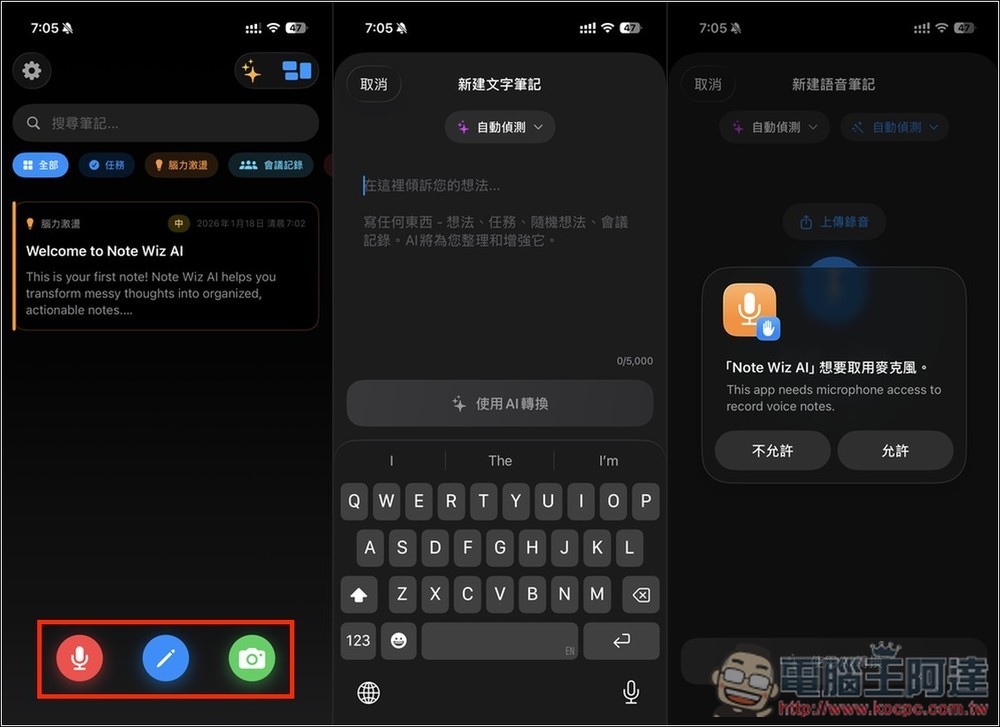
For voice recording, simply enter the recording screen, enable it, and start speaking your thoughts. When you’re done, remember to tap “Convert with AI” below, and it will begin transcribing your recording into text, followed by AI analysis and organization.
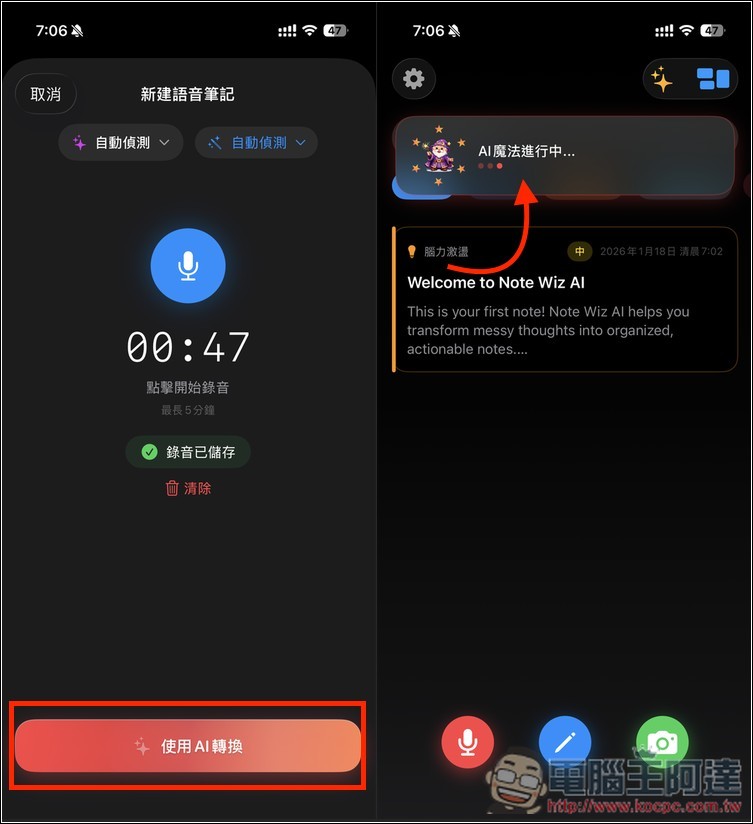
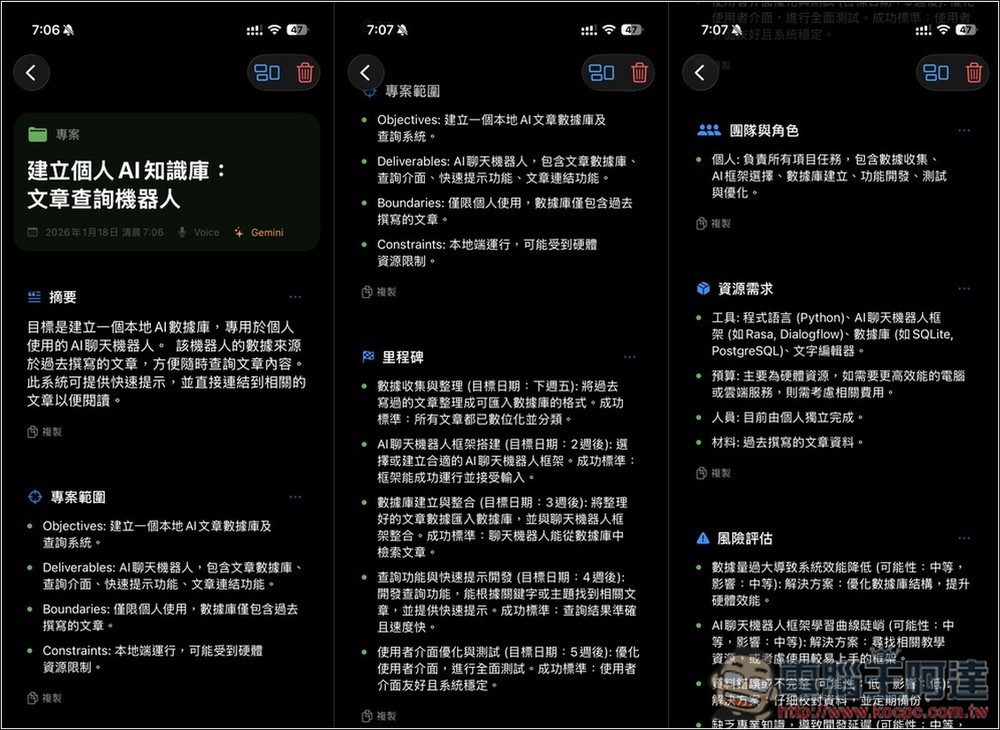
During my testing, the conversion was incredibly fast, completed in just a few seconds. Of course, this is also because my recording didn’t have much content—less than a minute. The notes I recorded were about “building a personal AI knowledge base.” What’s impressive is that even with less than a minute of audio, AI helped me create a very comprehensive plan.
As you can see from the image below, besides summarizing my recordings, it also automatically planned out the content for this project, including:
- Project Scope
- Milestones to achieve
- Resources to be used
- Risk assessment… etc.
Furthermore, I tested manually entered text notes. Since no speech-to-text conversion is needed, the AI generates the complete report even faster:
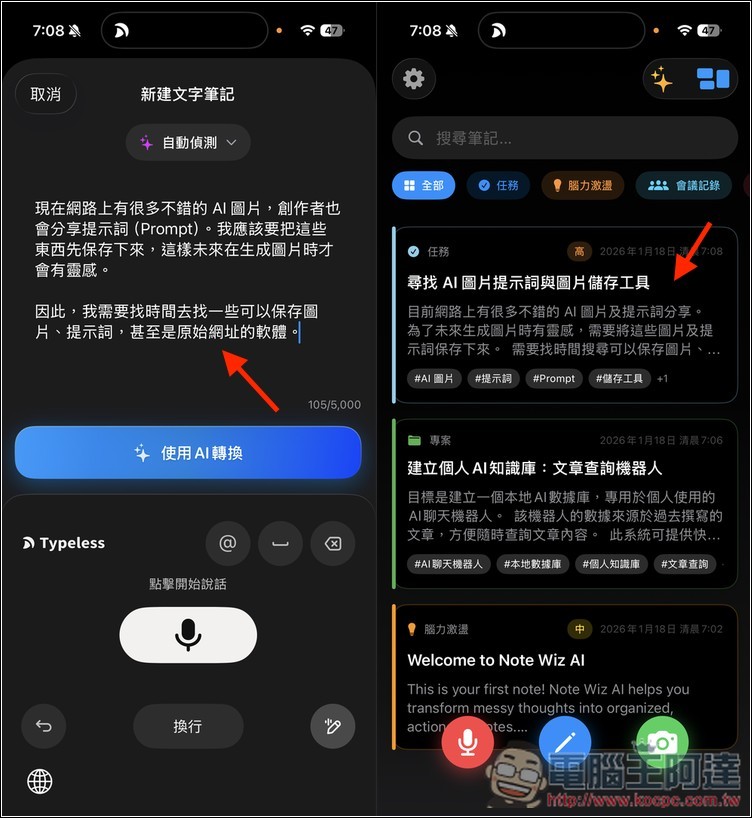
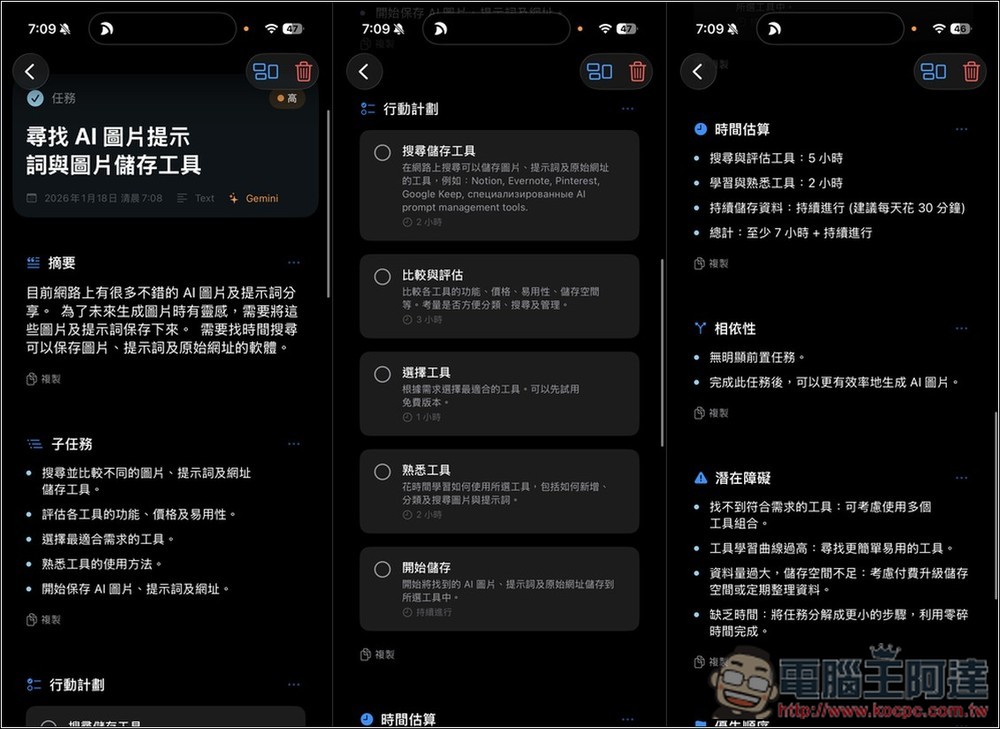
My notes were also very brief, mainly about finding software that can store AI images and prompts. This AI tool also helped me create a very complete set of steps and a plan, including:
- Subtask content
- Action Plan
- Completion Time Estimation
- Potential obstacles, etc.
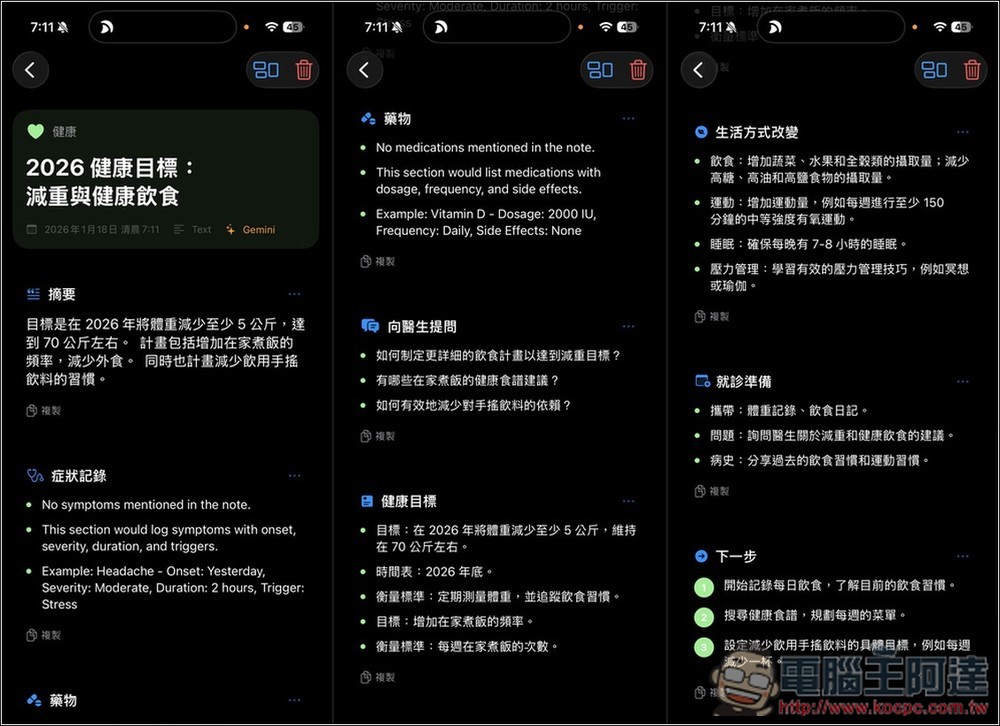
Additionally, I’ve noticed a small issue: sometimes the reports generated by AI may be partially in English, partially in Chinese, or even entirely in English. If you don’t want this to happen, you can go to the settings and change the output language to Chinese instead of Auto:
The category function is located at the top of the main screen. Tap once to switch to showing only notes in that category. The system comes with many common categories pre-set, and notes are automatically categorized when recorded. You can also manually create and assign categories. Photo notes support two import methods: taking photos and selecting from your photo library.
Source: KOCPC Chinese