


In the process of using Facebook, you will often come across the situation where you want to find photos that you have liked, left comments on, or even been tagged by someone before. Being tagged is easy, and you should be able to find it by just scrolling through the posts. But if it is a post from a friend, it is a bit difficult, and you may even forget which friend’s FB you saw it on. In fact, Facebook has a built-in so-called “activity record” function, which not only records all your activities on Facebook in detail (such as interactions, comments, annotations, community updates, contacts, etc.), but also provides powerful filters that can be set according to your own needs to easily and quickly find the content you want. Let’s teach you how to use it.

How to view past Facebook like interactions, comments, and tagged dynamic activity records?
Facebook’s activity record function is available in the web version, iOS, and Android. The functional positions are similar. I will use the iOS version as an example.
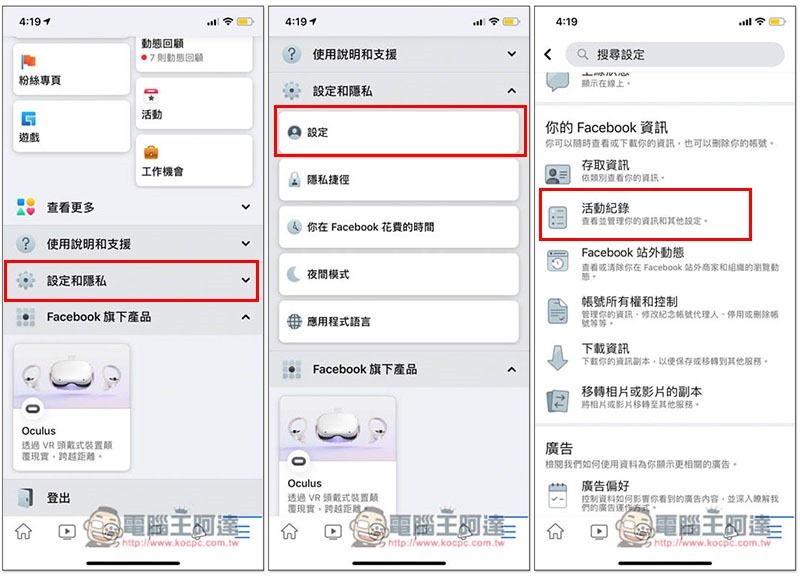
After opening the Facebook App, in the three-line menu in the lower right corner, scroll down to open the “Settings and Privacy” menu, go to “Settings”, and then click to see the “Activity History” option:
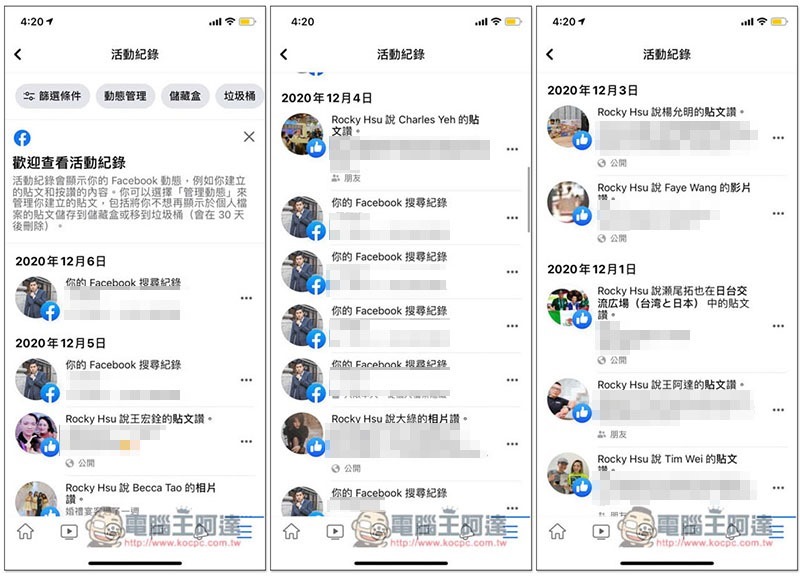
Then the screen will list all your activity records on FB in order of recent and distant time:
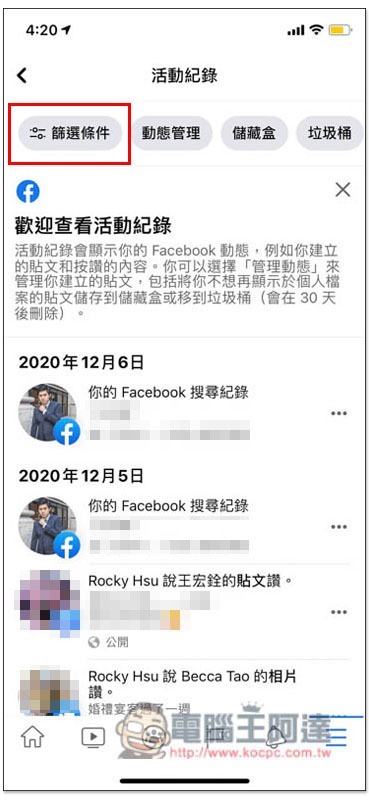
However, it is still a bit slow to search based on the timeline. You can click “Filter Conditions” in the upper left corner:
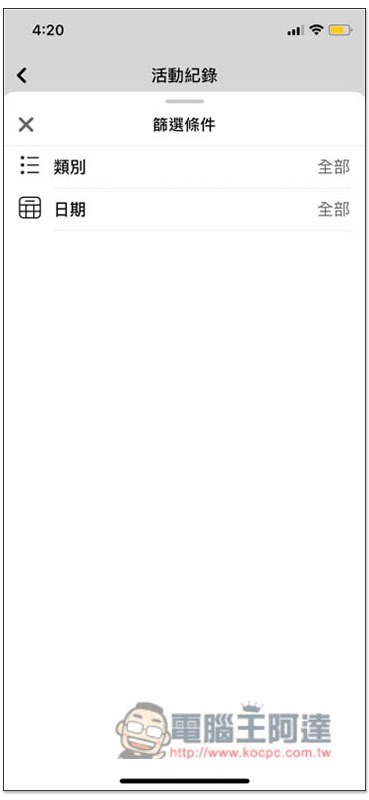
Two options are provided: “Category” and “Date”. The more important one is the category:
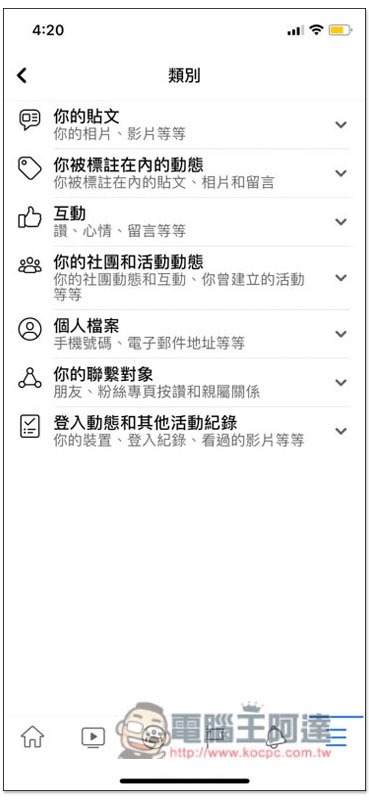
In the category options, you can request that only your posts, tagged activities, interactions, community and activity updates, personal files, contacts, or login updates and other activity records be displayed:
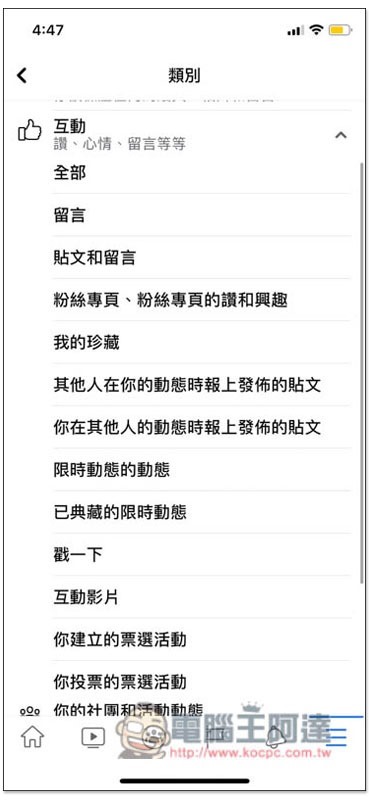
Each category will be further subdivided. For example, under interaction, you can also request to display only messages, fan pages, my collections, limited-time updates, interactive videos, etc.:
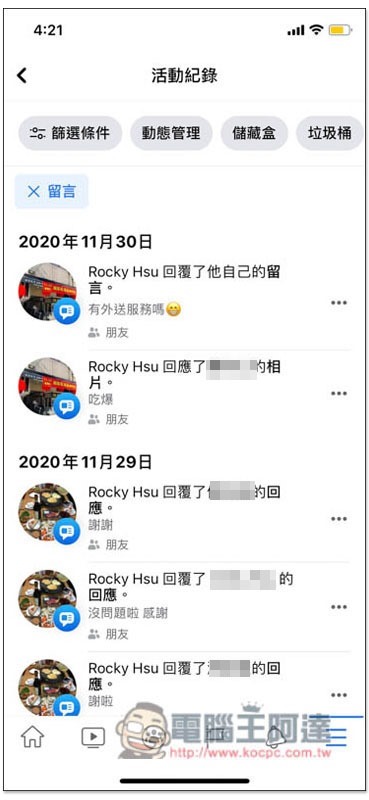
If I choose to leave a message, the activity record will only show the updates I have left:
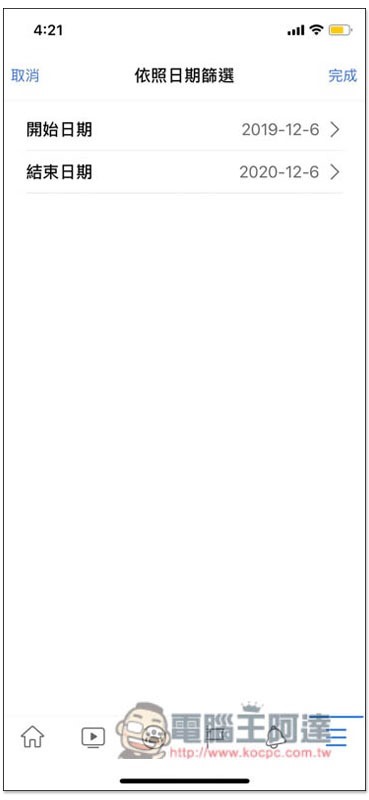
If you roughly remember the period of time, you can add date filters to find the content you want faster:
The search function of Facebook activity records is basically a skill that every user must know. Compared with constantly browsing the dynamic wall, it will save a lot of searching time.
Source: KOCPC Chinese