


Write this at the beginning:Nano Banana Pro On this platform, it’s currently limited to paid users only, meaning those with a subscription. Google AI Pro or Google AI Ultra users. Free users can only use Nano BananaBut similarly unlimited, generating four at once.
Although for paying users,Gemini Nano Banana Pro offers at least 100 image generations per day, but this quota can feel a bit limited for family groups or anyone who needs to generate large volumes of images daily and experiment with various prompts. Additionally, you may need to generate multiple images with the same prompt to get the best results, which makes Gemini not particularly convenient for this purpose.
Google’s Flow platform has already integrated Nano Banana Pro image generation technology, which can generate up to four images at a time and doesn’t consume any credits—meaning you can generate unlimited images. Every Google AI subscriber should learn this.
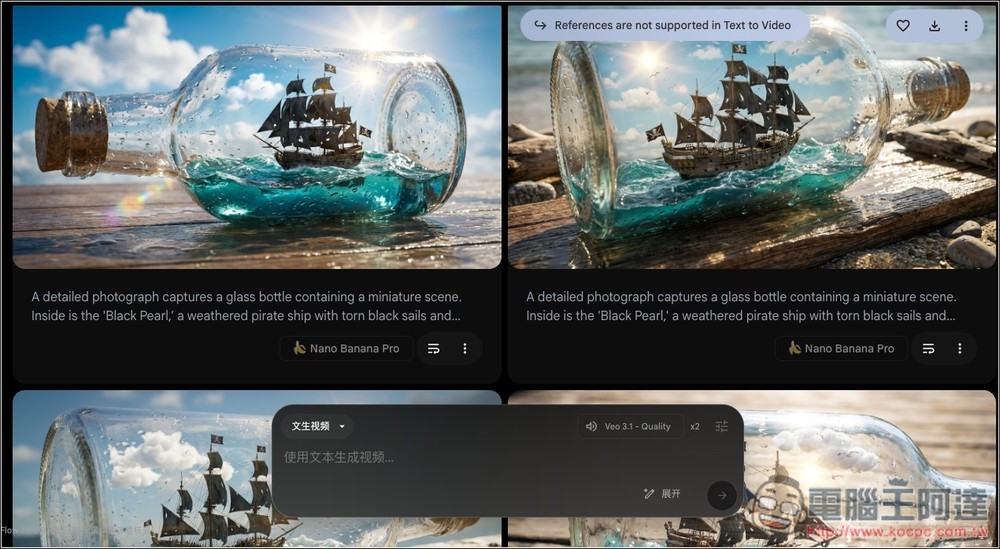
A method that teaches you how to generate four Nano Banana Pro images at once with unlimited quantity
For some users who might not be familiar with what Flow is used for, here’s a quick introduction:
Flow is an AI video creation platform launched by Google Labs, enabling anyone to quickly produce cinematic video content using text. Unlike traditional editing software, Flow doesn’t focus on timeline editing. Instead, it uses Google’s latest generative AI technology to directly transform text descriptions into usable video clips and scenes.
Flow integrates models like Veo, Nano Banana, and Gemini to simultaneously handle visual generation, motion smoothness, semantic understanding, and even sound effects and voice generation. You just need to describe the characters, scenes, and shots, and you can quickly generate short videos and stitch multiple clips together into a complete story.
When generating videos, points are deducted depending on the Veo model version you use, while image generation currently does not deduct any points. Google AI Pro includes 1,000 AI points per month, and Google AI Ultra includes 25,000 points.
Free users without a subscription still receive monthly credits and can use the Flow platform. However, the image generation model currently available is Nano Banana, not the Pro version.
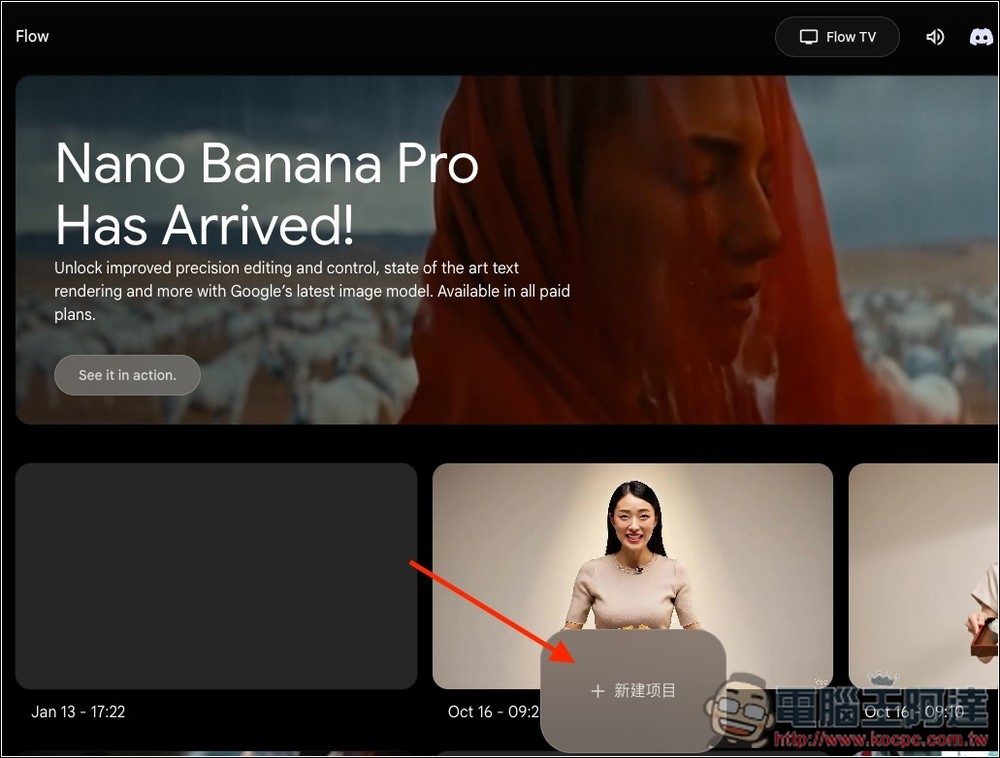
Once you’re in Flow and signed in with your Google account, click the button below to create a new item, or generate one from an existing project:
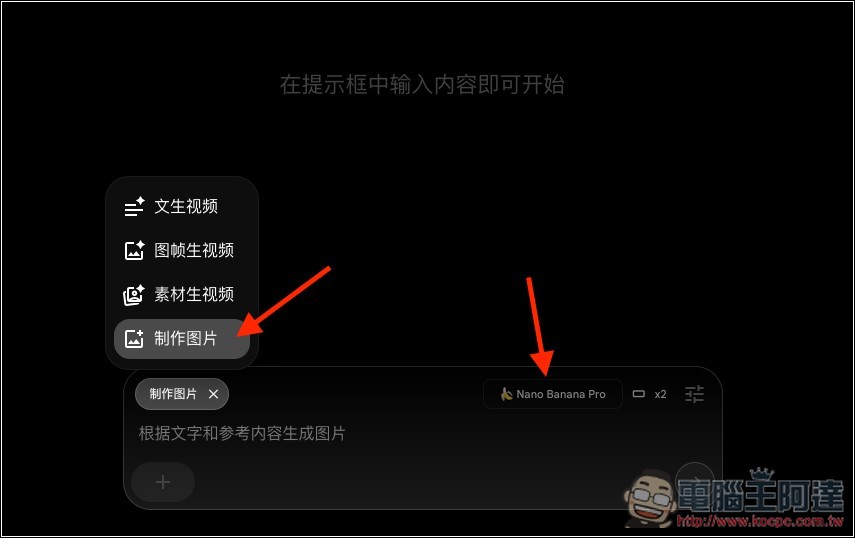
Next, switch to “Create Image” on the left side of the dialog box. After switching, you will see that the model being used is Nano Banana Pro:
Open the settings in the top right corner, and you’ll see the deduction prompt below shows 0 points, meaning generation doesn’t cost any points. The default number of images to generate is 2 at a time:
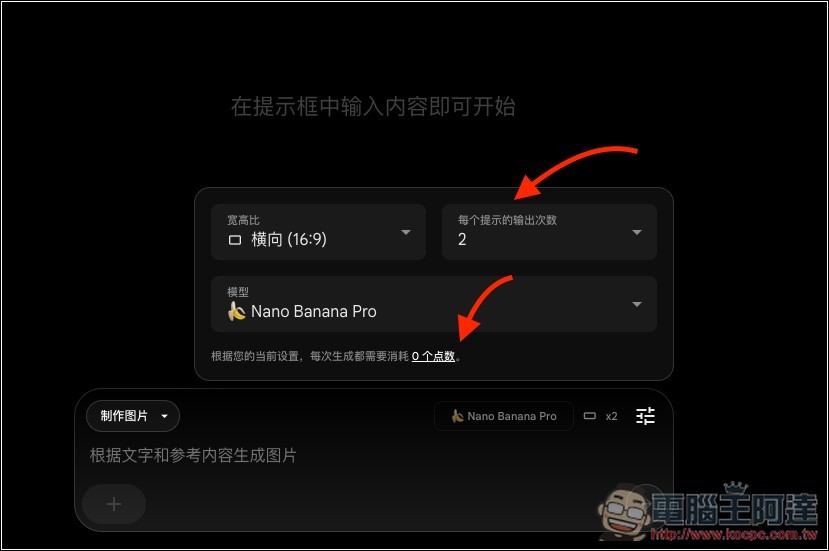
It can generate up to 4 images at once, so I’d recommend just setting it to 4. The generation is fast, so don’t worry about it taking a long time to generate 4 images. And it’s generated simultaneously, not sequentially, meaning the generation speed is the same as if you set 1, 2, or 3.
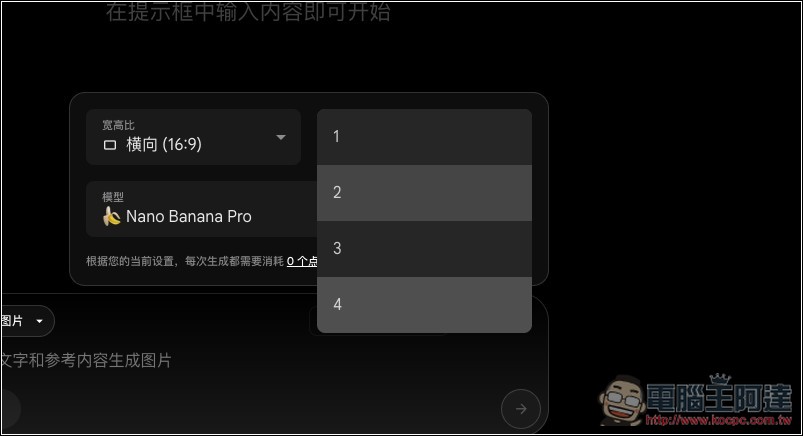
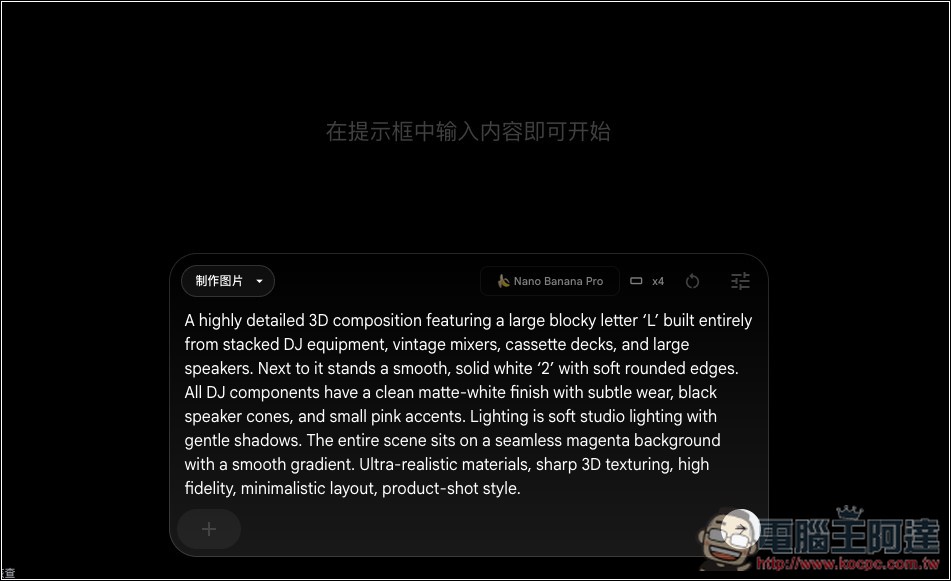
Then enter your image prompt and click submit:
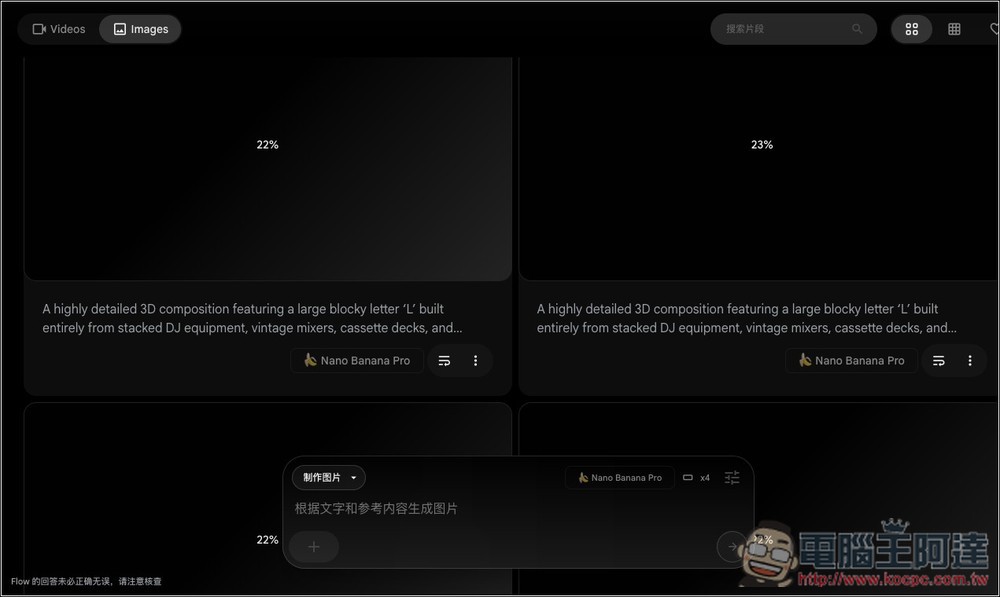
The screen will then show 4 images being generated simultaneously:
After waiting a few seconds, you’ll get the results. The benefit of generating 4 images at once is that you can quickly find the one that looks best, unlike in Gemini where you have to keep trying one image at a time, which takes a lot of time.
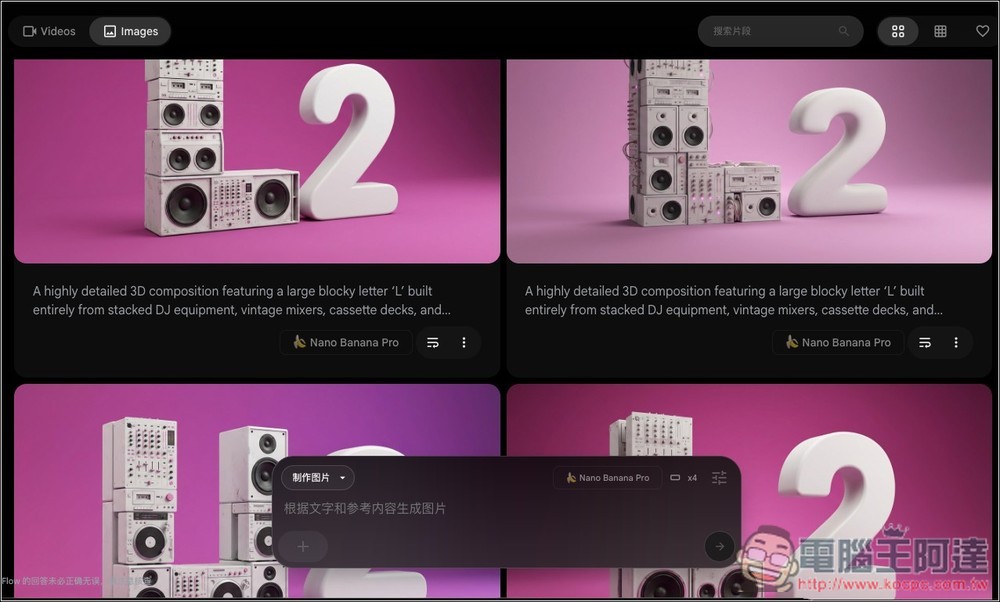
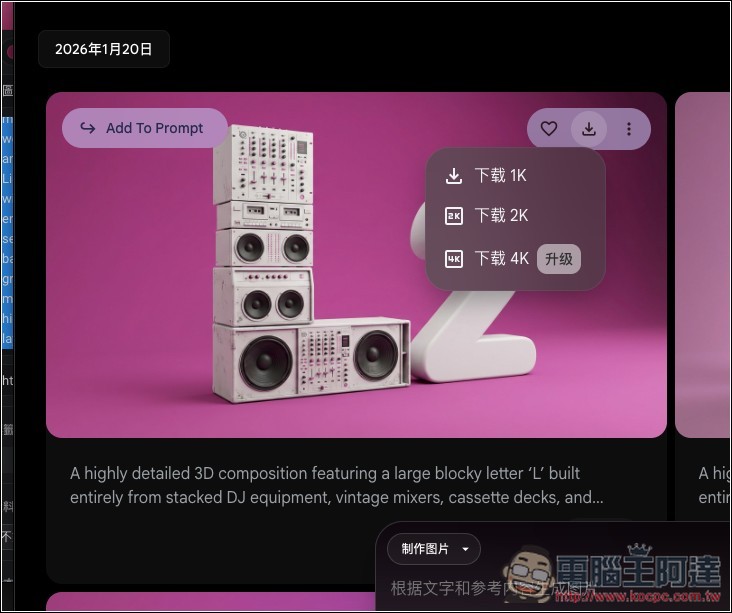
Hover your mouse over the image, and an “Add To Prompt” option will appear in the top left corner, allowing you to modify the image. If you’re satisfied, simply click the download icon in the top right corner.
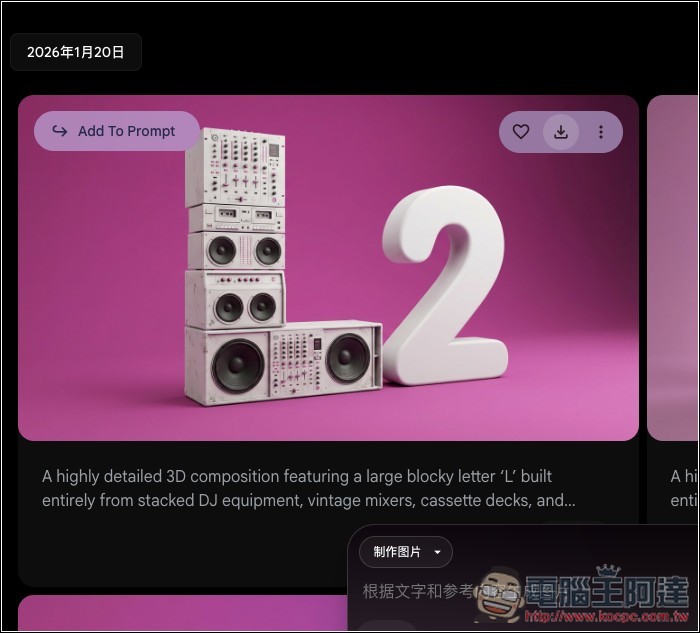
Google AI Pro users can download at up to 2K resolution, while Ultra supports up to 4K.
Source: KOCPC Chinese