


Last week we reported Google latest released open-source translation model TranslateGemmaAt that time, many people wanted to try it and find out how to use it on their phones. Previously, we introduced the highly acclaimed “GPT Travel Translation Tool,” which recently added support for Google’s latest AI TranslationThe model’s feature lets you download it to your phone, so in the future even without an internet connection, you can still get better [results] through the Google AI model.Please provide the Traditional Chinese text you would like translated to English.Quality
What’s even better is that it also offers offline voice recognition and pronunciation packs. Once downloaded, you can use translation, voice input, and pronunciation of translated content without an internet connection.
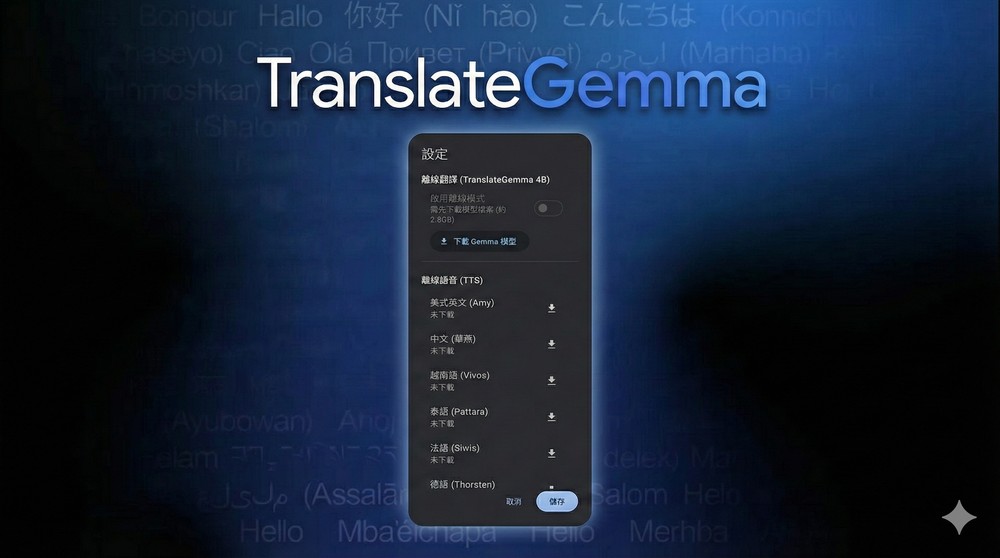
“GPT Travel Translator” now also supports Google’s latest AI translation model, with offline translation, pronunciation, and voice recognition.
For those not familiar with “GPT Travel Translation Tool,” here’s a quick introduction. If you want to learn more, you can read our previous introductory article:Must-Have for Traveling! Free Voice & Text Translation App Using AI Large Language Model – “GPT Travel Translator”
“GPT Travel Translator” is an AI-powered translation app, perfect for overseas travel, business negotiations, or any situation requiring cross-language communication. It uses a large language model as its translation core, not simply converting words one by one, but understanding contextual meaning. Compared to ordinary Google Translate, the translation results are more natural and closer to everyday language, allowing the other party to instantly understand what you truly want to express.
The interface is quite intuitive—just open the app and you can speak or type directly for translation. It supports two-way voice input, handling both when you’re speaking to the other person and when you’re listening to them in real time. The translated content automatically displays in the other person’s reading direction, making it really convenient for face-to-face conversations.
However, this latest Google AI translation model support feature is currently only available on Android, with iOS users having to wait a bit longer—though developers have confirmed it will be added.
“GPT Travel Translation Tool” Download:
After opening “GPT Travel Translation Tool”, tap the settings icon in the upper right of the input box, and you’ll see the button to download the Gemma model. Since it’s designed for phone use, the smallest 4B version is provided. Google has released three parameter versions of the TranslateGemma model: 4B, 12B, and 27B. The 27B version offers the best translation quality, followed by 12B, with 4B coming in last.
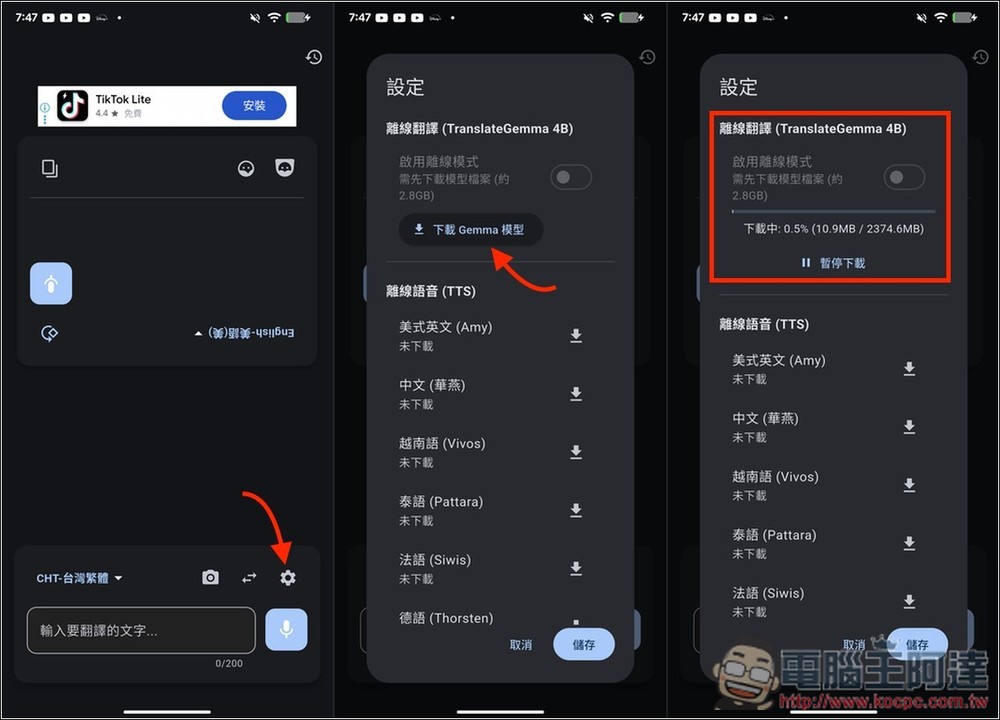
After downloading, turn on the switch and the system will automatically switch to offline mode (you don’t need to turn off your network connection) and activate the TranslateGemma 4B model for translation. The offline speech and speech recognition features below are optional based on your needs; if you frequently use voice input, make sure to download them. At the very bottom, there’s also a setting where you can manually enter a cloud API key: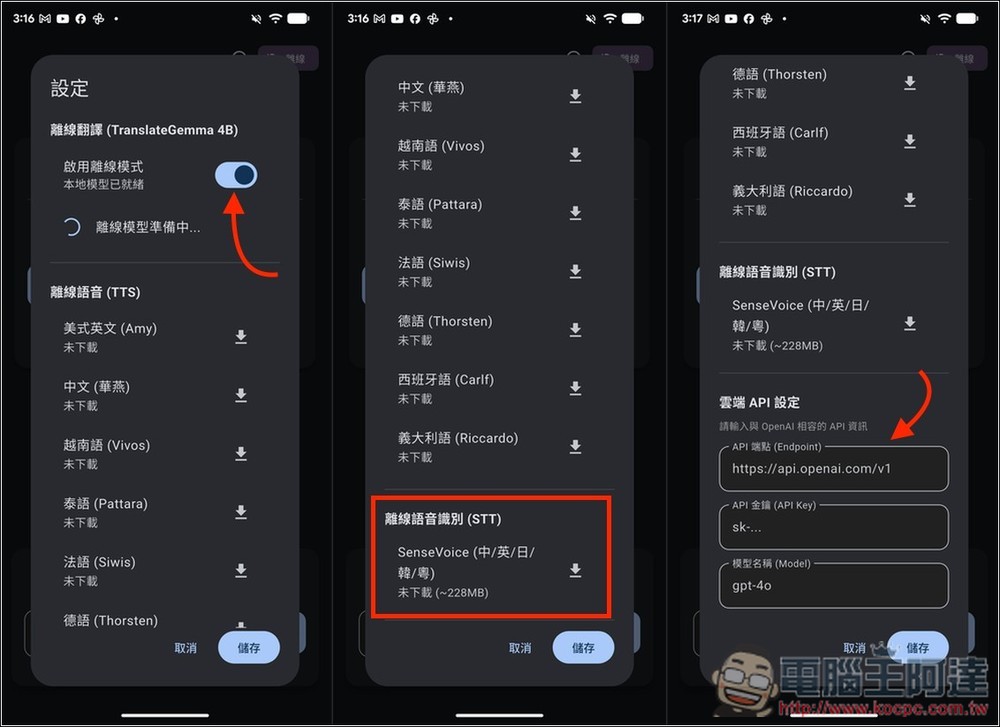
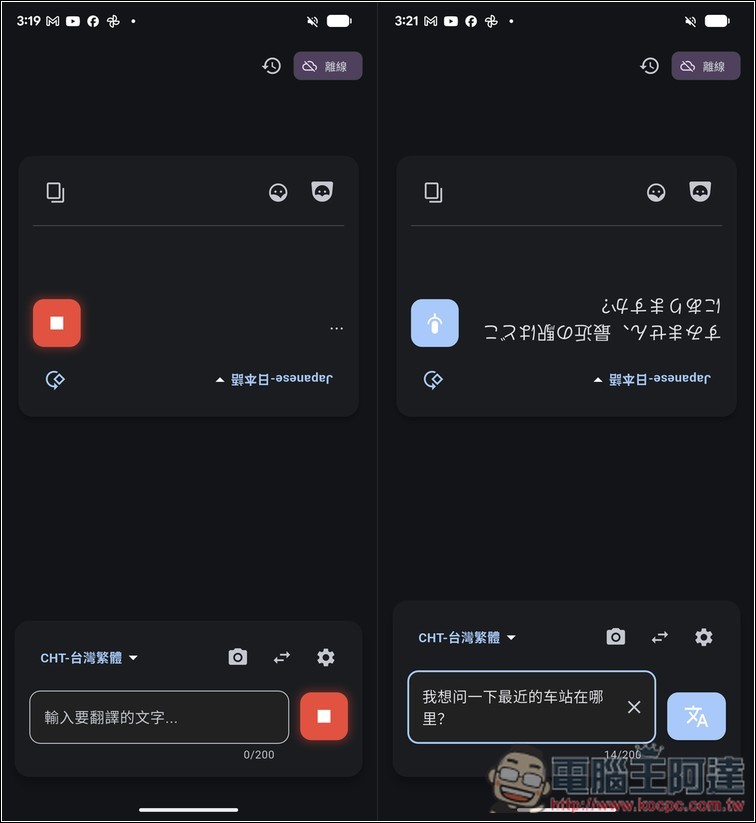
When you turn on the “Enable Offline Mode” toggle and go back to the main screen, you’ll see the offline status in the upper right corner. The ads that were originally displayed on the screen will also disappear, indicating that it has truly switched to offline mode. Remember to select the language you want to translate to:
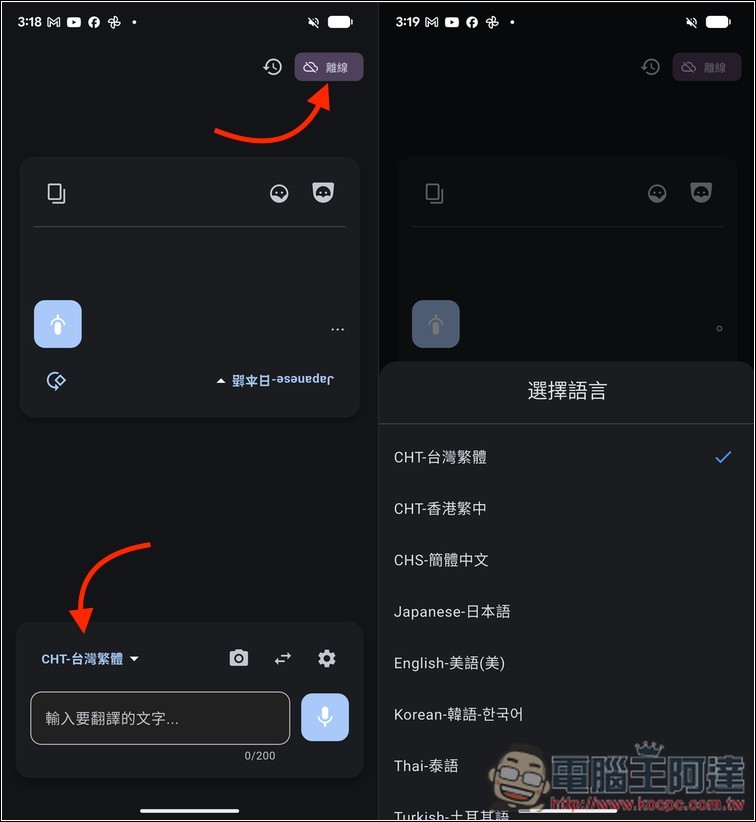
I tested it myself and translation works. Offline voice recognition and speech output also function normally. However, keep in mind that since this AI model runs on your phone, translation speed depends on your phone’s hardware specs. If the specs are on the lower end, translation will be slower:
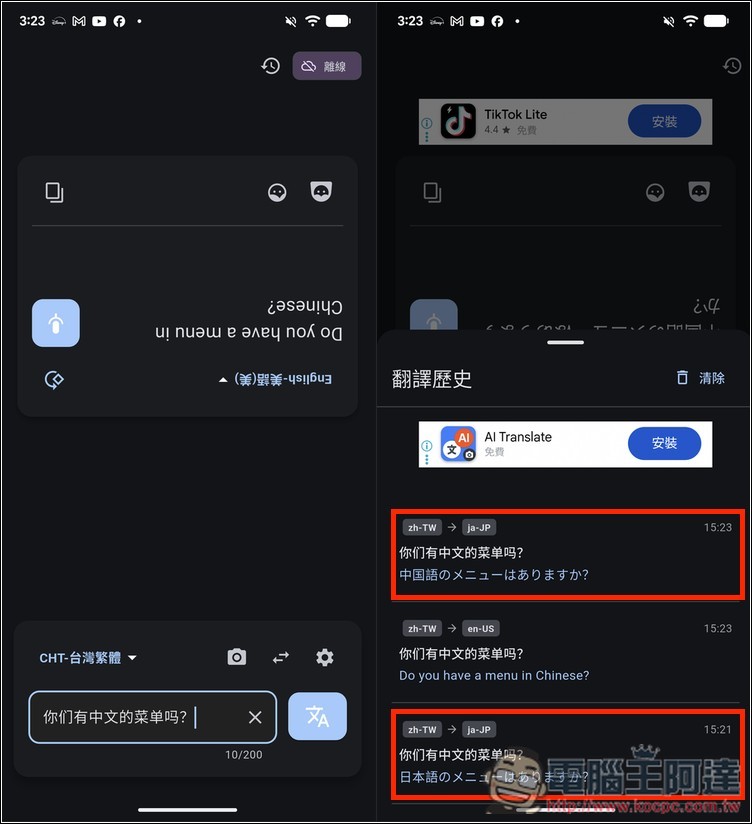
As for translation quality, compared to online translation, I personally feel the 4B model isn’t quite that great. Take a look at my translation history in the right image below. The top shows my online AI translation result – when translating from Japanese, it correctly identified that my question was: “Is there a Chinese menu?” However, the TranslateGemma offline Japanese translation result in the red box below asked “Is there a Japanese menu?” instead.
Source: KOCPC Chinese