


Around the end of June this year, Facebook began to push the night mode for the mobile version of the app, but it was only available to a very small number of users. However,We just reported some time ago that Facebook will further expand the night mode of the iOS version of the app to more users, earlier today I accidentally discovered that night mode can be used! Although “not all users” can currently use Facebook’s night mode, let’s take a look at the actual appearance!

Facebook night mode iOS version starts to support (hands-on play)
On mobile devices such as smart phones, in addition to the system itself supporting dark mode, many applications are now supporting dark theme “night mode”. Facebook’s services, including Facebook PC version, Facebook Messenger and Instagram, have also supported night mode for some time. However, the Facebook App that is most commonly used has only started to open night mode to a small number of users in the middle of this year.
Recently, Facebook has also quietly opened night mode to more general users. Although it requires a gamble on character, the author has been pushed to it earlier today! The night mode of Facebook App is not directly related to updates, but is pushed randomly. If after reading this article you find that you don’t have night mode yet, you may get it in the next few days if you have more patience.

How to turn on night mode in Facebook iOS App?
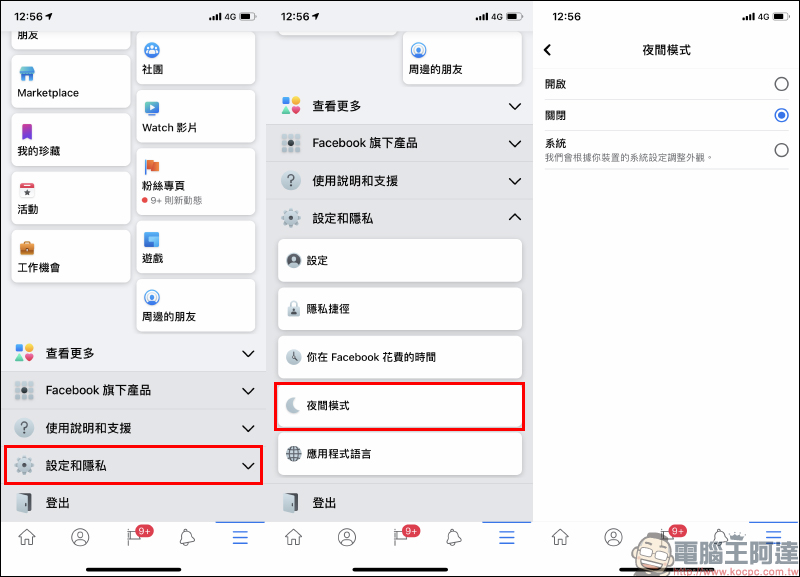
Whether you want to confirm whether you are lucky enough to receive night mode support, or want to switch to night mode in the future, you need to open the Facebook App and click “≡” on the function menu to switch to the menu page. After entering the menu page, slide to the bottom of the screen and select “Settings and Privacy” to expand the list. If you can already use “Night Mode”, you will see the “Night Mode” function button here!
Facebook’s night mode is initially turned off by default, and users can choose to turn it on manually or adjust the appearance based on their device’s system settings.
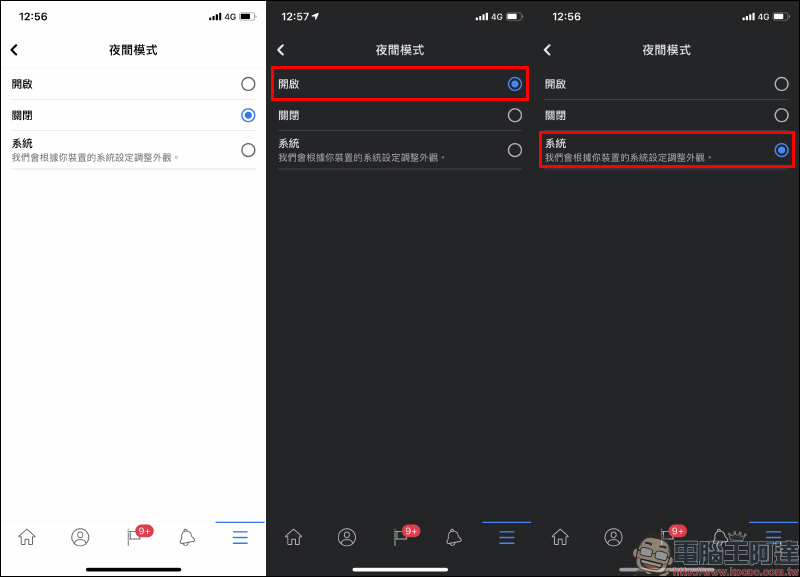
After the user switches the night mode setting option, the night mode page will also be displayed immediately according to the settings.
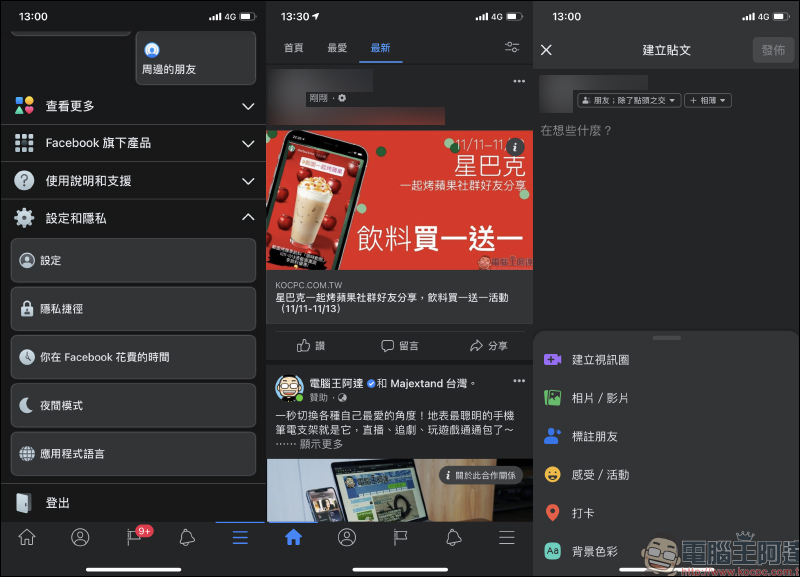
Strictly speaking, the night mode of Facebook App is not a pure black interface, but a combination of different levels of dark gray. In addition, the text color of night mode is not white, but light gray.
Further reading:
LINE Pay App update: officially supports iOS 14 desktop gadgets, allowing for faster checkout, better control of cooperation channels, and event discounts!

iPhone Lock Screen Camera/Flashlight Button Disabling Tip

Source: KOCPC Chinese