


Previously we introduced a product called 「GPT Travel Translatorcan already be iPhone、Android run offline Google the latest TranslateGemma A translation model, though this app’s bidirectional communication interface is better suited for use while traveling, forNo text provided. Please provide Traditional Chinese text to translate.Articles or longer content can be very difficult to read. If you happen to have this need, here’s another free iOS app to recommend: “Locally Translate,” which is also based on the Google Translate Gemma model. Simply download the model to your device before use, and you’ll be able to translate anytime, even without an internet connection.
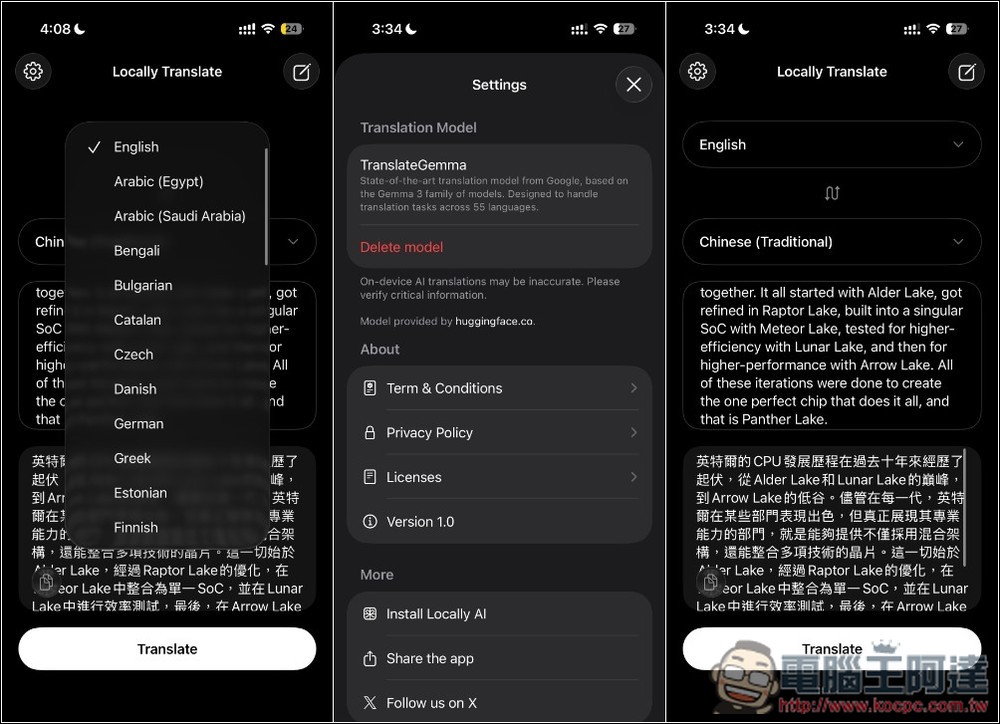
Introduction: An offline translation app powered by AI models
“Locally Translate” is an iPhone app that emphasizes completely offline translation. Its biggest feature is that all translation processing is done locally on the phone, with no need to connect to the internet or register an account or sign in to any service — a significant plus for users who value privacy and security.
This app uses Google’s latest AI translation model, optimized with Apple MLX technology to deliver fast and seamless translation on Apple Silicon chips, even when you’re on a plane, roaming is disabled abroad, or in areas with unstable signals.
Supports over 50 languages, but currently only text input translation is available; features like image translation are not yet supported.
The only thing to note is that this app only supports iPhone 15 Pro and newer models, meaning devices with the A17 Pro chip or later, and iOS 26 or later.
Main features
- Works fully offline — no internet connection required
- Privacy-focused: No login required, no data collection, translations stay on your device
- Supports 50+ languages: covering commonly used language families from multiple countries
- Performance Optimization: Smoother Running on Apple Silicon via Apple MLX
- Perfect for travel: translates offline or abroad
- Free to use: No payment required, no ads.
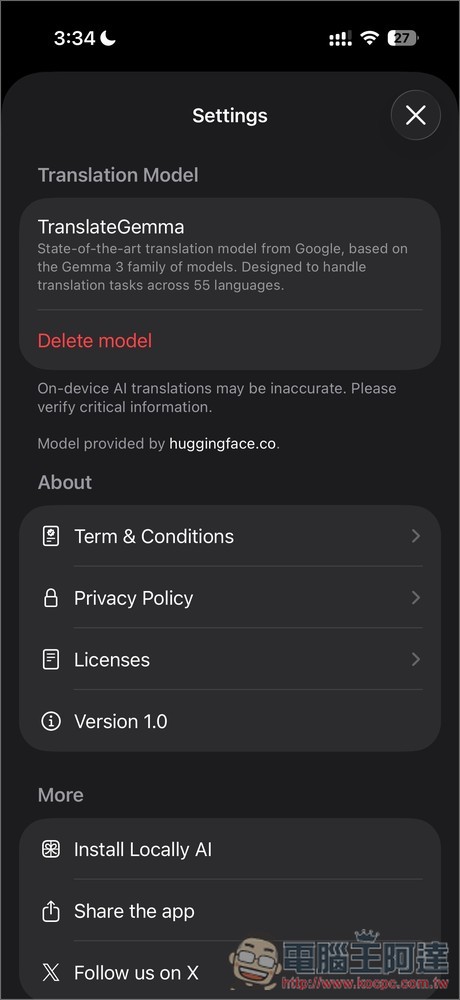
The Locally Translate interface is very simple. Once you open it, you can download the model by pressing the button at the bottom. You can also go to the settings menu in the top left corner to download the TranslateGemma model. Additionally, you can see that the model size is 2.22GB, which shows that it uses the 4B parameter version.
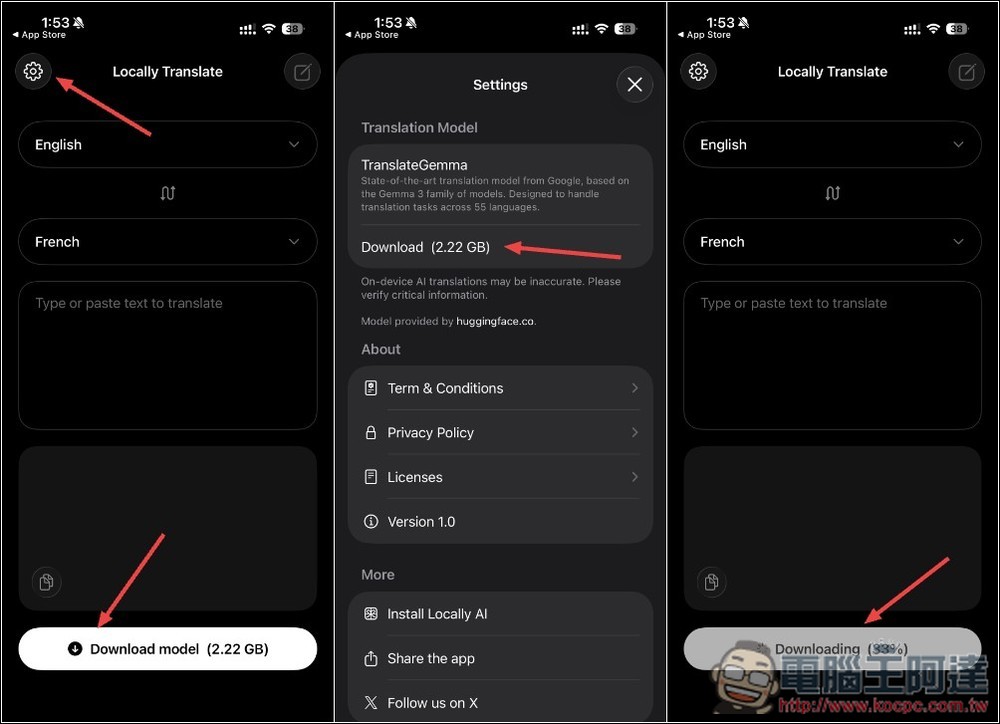
4B works fine for translating English, but I don’t think it works as well for translating Japanese.
After the download was complete, I turned off Wi-Fi and enabled Airplane Mode on my phone to test whether it could really run offline. Testing confirmed that it can translate offline, and the speed is actually quite good. I’m using an iPhone 16 Pro: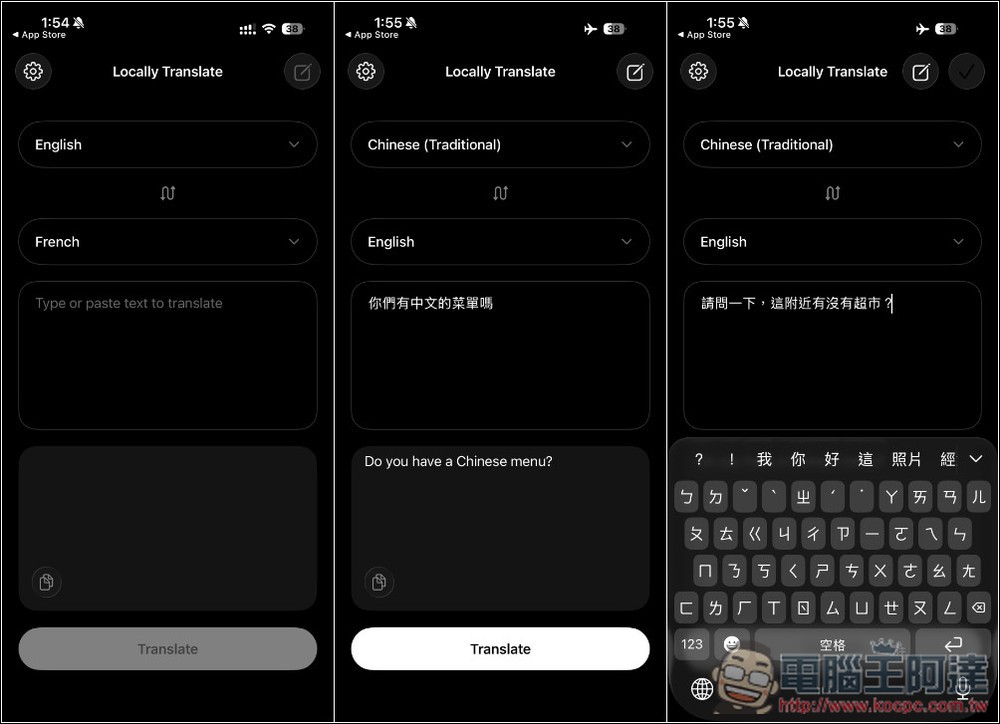
Translating this type of longer content also only takes a few seconds to complete.
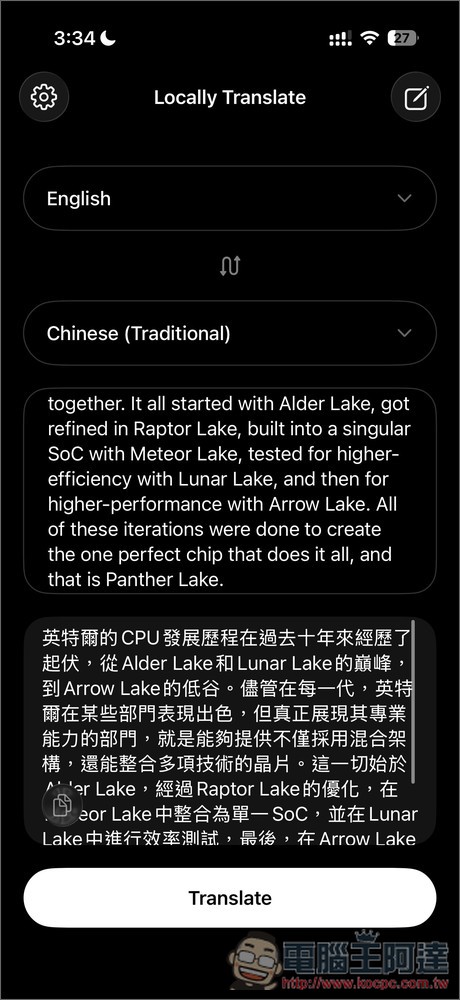
In the settings menu, you can also remove the downloaded TranslateGemma model, which seems to suggest that if other translation models are released in the future, this Locally Translate will support them as well.
Source: KOCPC Chinese