


This month, Spotify talentDesktop gadget apps now supported for iPhone users in iOS 14, at the same time YouTube Music also adds Apple Watch music control features. Now, it was rumored just a few months ago that Spotify will start supporting streaming music playback on Apple Watch and it has finally begun to be supported for more users. Although it is still a beta test version, it is really convenient for Spotify users to be able to play Spotify streaming music directly on Apple Watch!
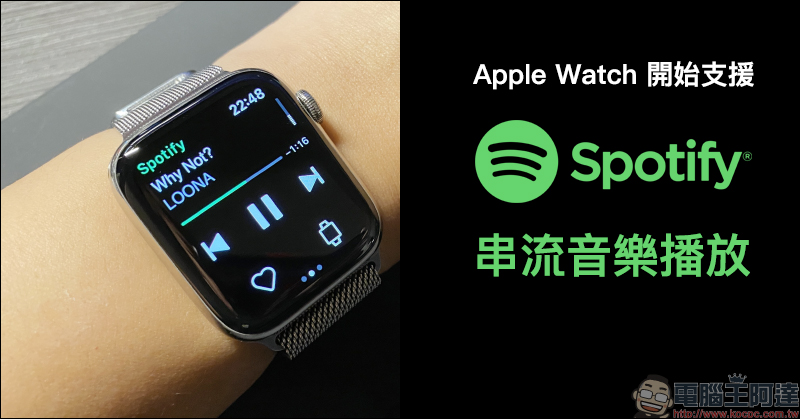
Apple Watch begins to support Spotify streaming music playback (hands-on operation)
Around mid-September, we reported that foreign media mentioned that the music streaming platform Spotify began testing the streaming music playback function on Apple Watch, but at that time, the vast majority of users had not yet been able to receive this test function. However, on the evening of yesterday (30th), the author also received a notification of this new feature on Spotify! Even if you don’t want to bring your mobile phone when you go out to the gym to exercise,You can listen to Spotify music directly as long as you have an Internet connection!
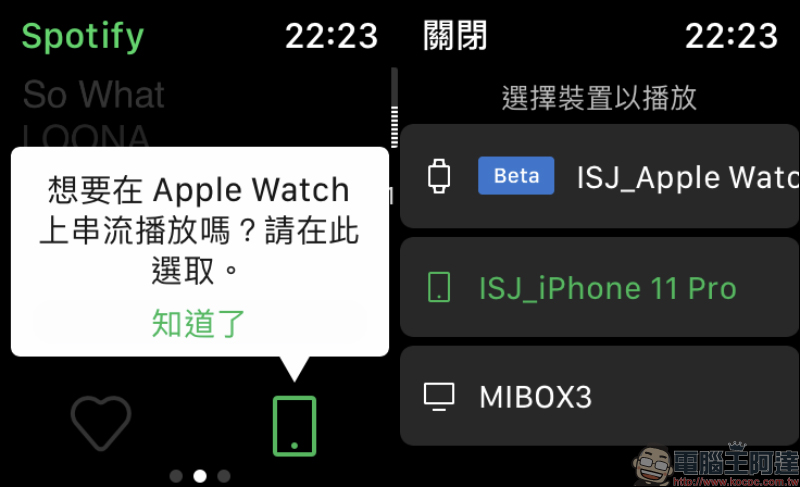
If you want to use Spotify for streaming playback on Apple Watch independently without a mobile phone, it is currently not possible to use Spotify for offline playback on Apple Watch independently. However, users can play music directly on Apple Watch as long as there is an Internet connection.
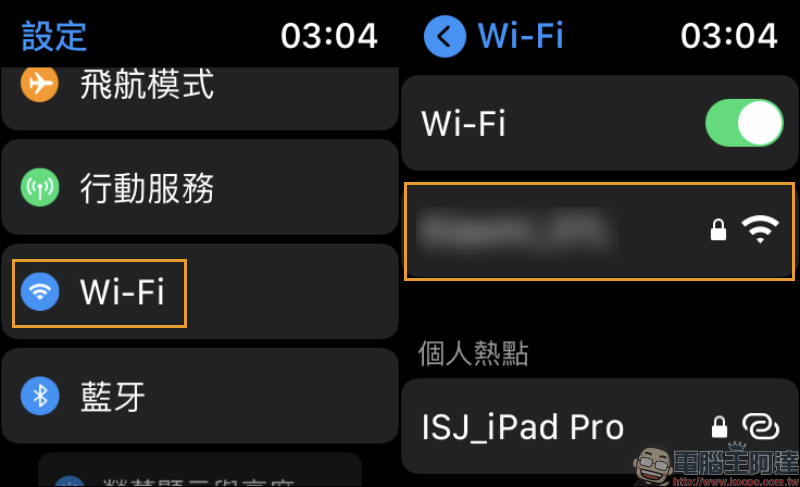
For example, Apple Watch LTE version users can use eSIM to connect to the mobile network, or all Apple Watch users can connect to the WI-Fi network for streaming.
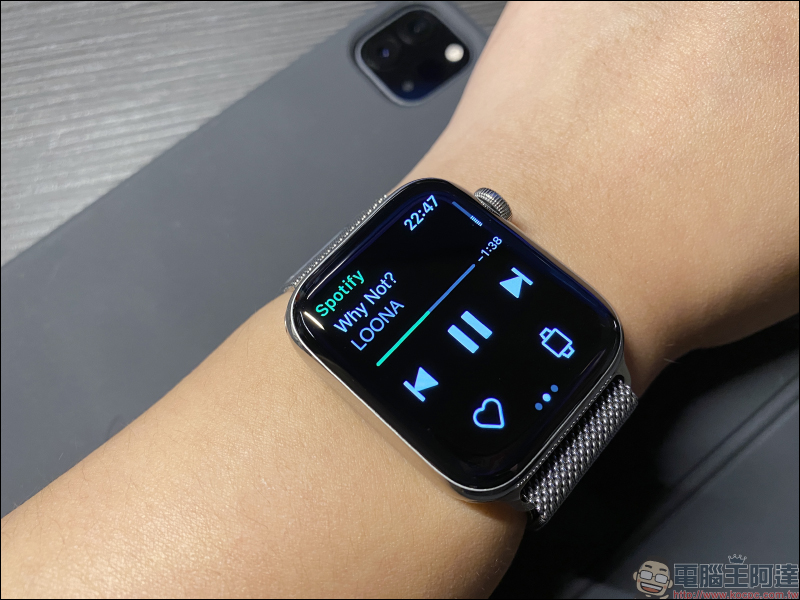
If you want to use Apple Watch independently for Spotify’s music streaming function, it is necessary to connect Apple Watch to the Internet first. If you don’t have all-you-can-eat mobile phone network rates, or you don’t want to bring your phone with you when you go out to the gym to exercise, many gyms or public places currently provide free Wi-Fi network services.
How to use Spotify streaming music playback function?
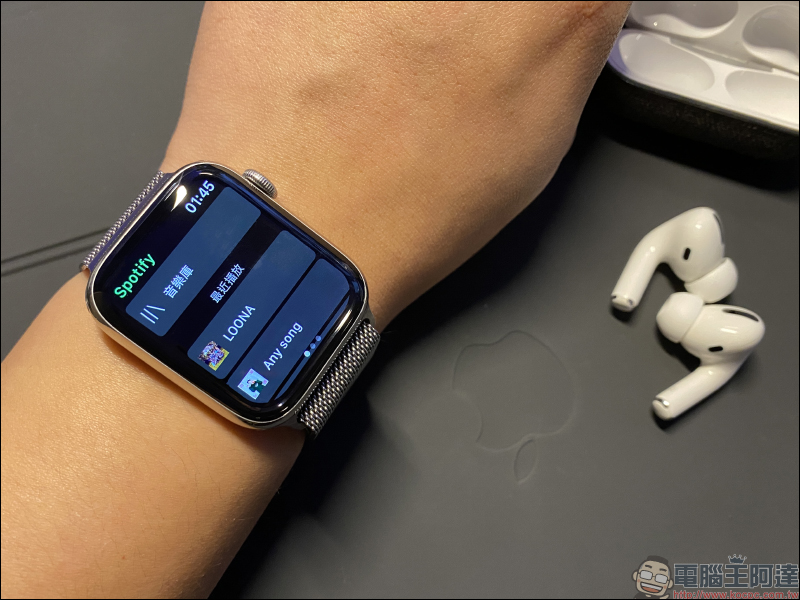
First, open the Spotify app on Apple Watch to play music. Of course, you can also play music on your iPhone first, and then directly open the content being played on Apple Watch. You will then see the mobile version playback interface as shown below on Apple Watch. Then click the green icon in the lower right corner, which allows you to select which connected device you want to use to play Spotify:
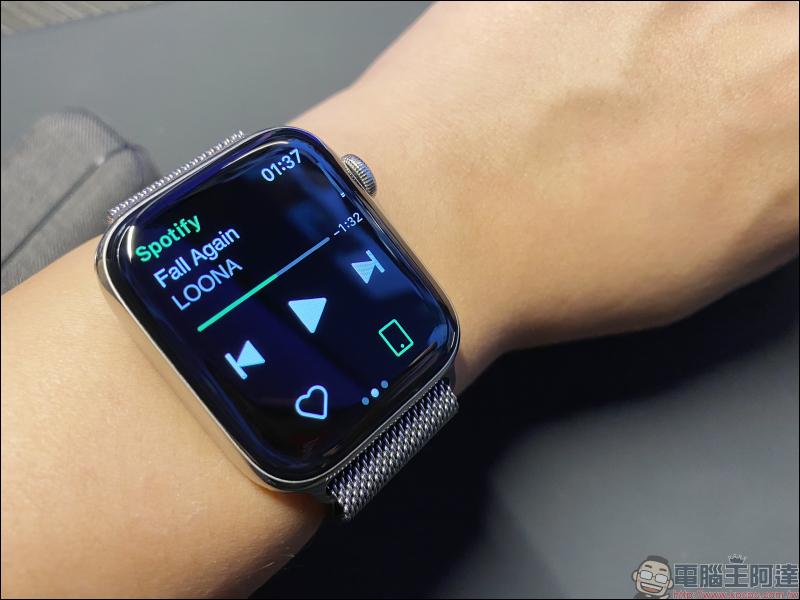
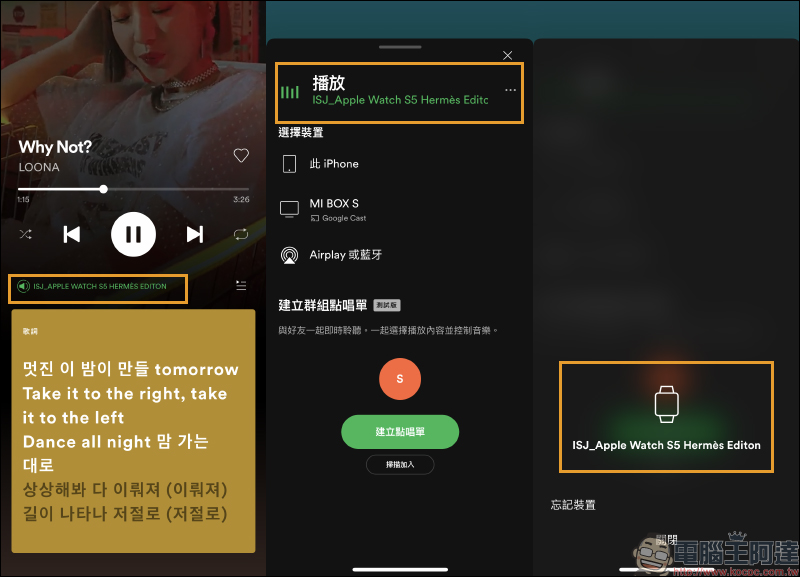
At this time, in addition to the original iPhone, you can also choose to use Apple Watch as a playback device. Currently, Apple Watch streaming is still in the beta testing stage, but it has been gradually rolled out to more users.
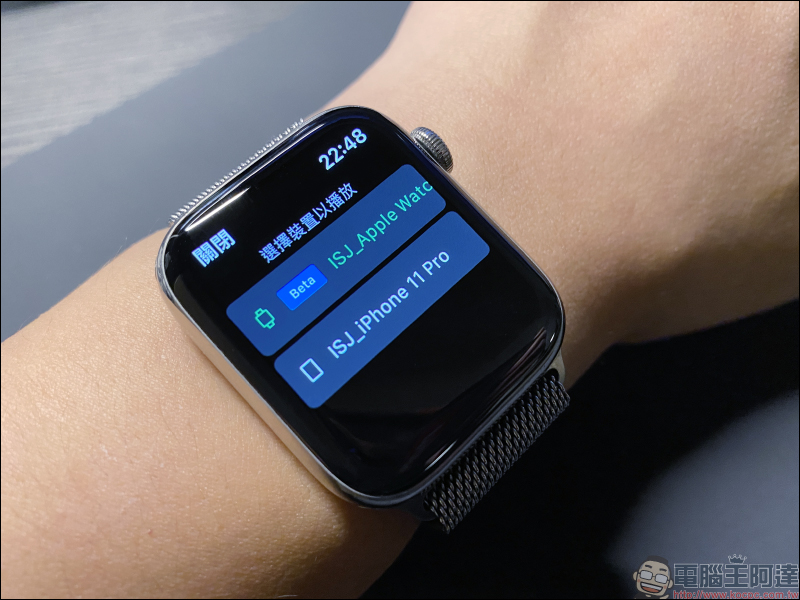
Currently, Apple Watch streaming cannot be played directly from the Apple Watch speaker. Instead, it needs to be paired with an audio device such as a Bluetooth headset or Bluetooth speaker. The Bluetooth headset used by most iPhone and Apple Watch users should be Apple’s own AirPods or AirPods Pro, right? Demonstration with AirPods Pro:
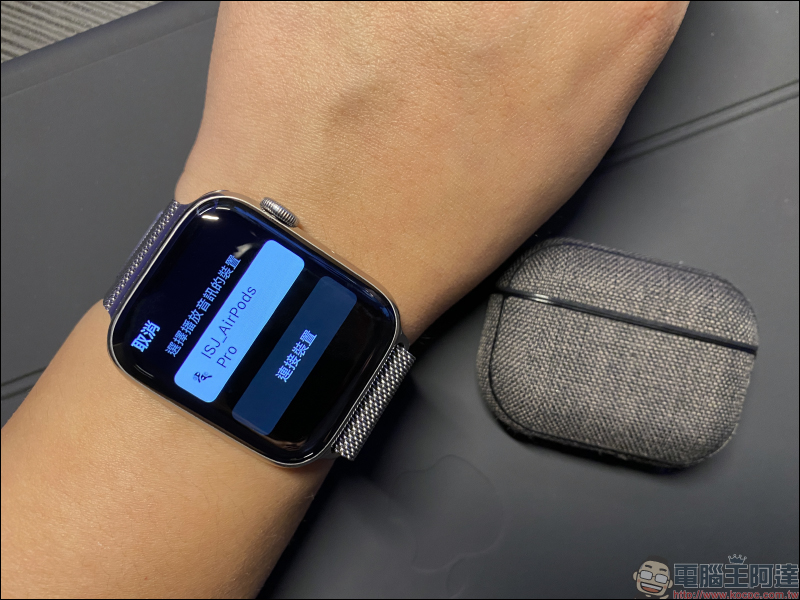
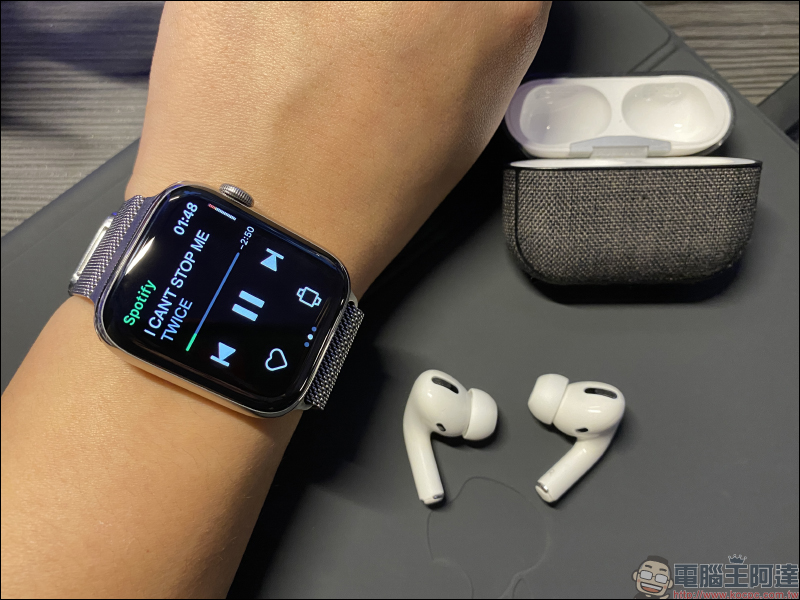
After opening the charging box, click Connect AirPods Pro on Apple Watch to connect. After the connection is completed, you can use Apple Watch with headphones to listen to Spotify music directly. At the same time, the connected device icon will be changed from the original mobile phone to a watch:
Assume that the user originally connected the iPhone to AirPods to play Spotify music, and then performs the above steps to change the Apple Watch to the listening device. At this time, a reminder to change the playback device will appear on the iPhone screen. If you select “Continue”, you will continue to play Spotify music on Apple Watch. If you want to continue playing from iPhone, select “Play from iPhone”.
In addition, the iOS 14 system also supports the new function of automatically switching between iPhone and other devices. The new function of AirPods reflects its convenience in this regard! If you originally connected Apple Watch for streaming playback and then switched back to iPhone for playback, AirPods will automatically connect to iPhone to play music, without having to manually set up the connection again:
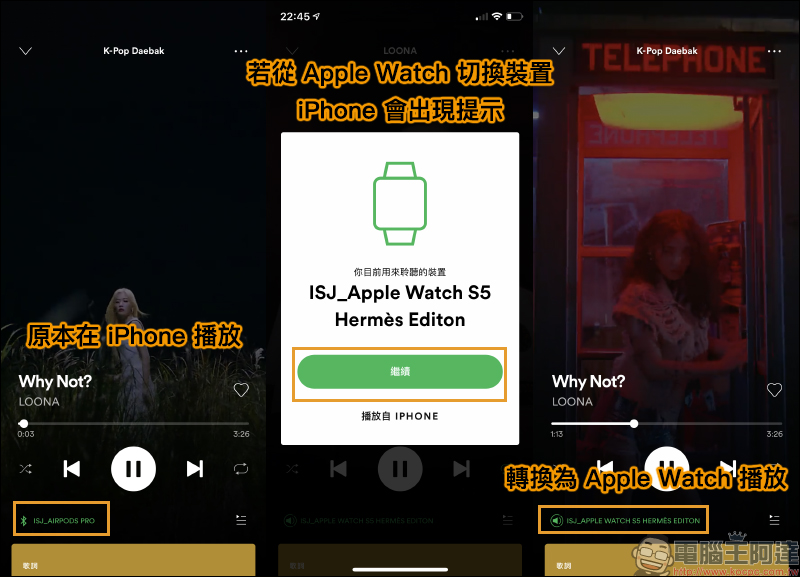
When streaming on Apple Watch, the iPhone player will also operate simultaneously. Users can select the music or podcasts they want to play, including the dynamic lyrics feature that Spotify launched this year. The iPhone will also display which device Spotify is currently playing on.
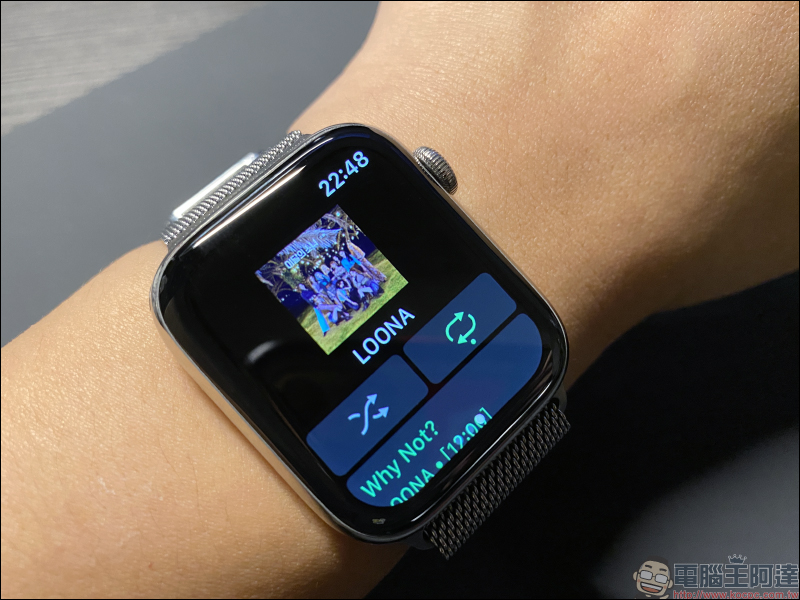
Other music playback operations on Apple Watch are not much different from using iPhone to connect headphones and control music playback from Spotify.
Further reading:
Xiaomi Mijia wireless vacuum cleaner mini will go on sale in Taiwan on 11/6: 13000Pa strong suction power, 0.5kg lightweight body, priced at 1,095 yuan


Source: KOCPC Chinese